










/ month


/ month


/ month
quarterly commitment
The easiest way to hire a Figma designer and start tomorrow




4,000+ companies already onboard.
































Why awesomic





0.82% talent





One subscription and your hiring problems solved


We handpick the top 0.82% of Figma designers.




FAQ


How quickly can I start working with a Figma designer?
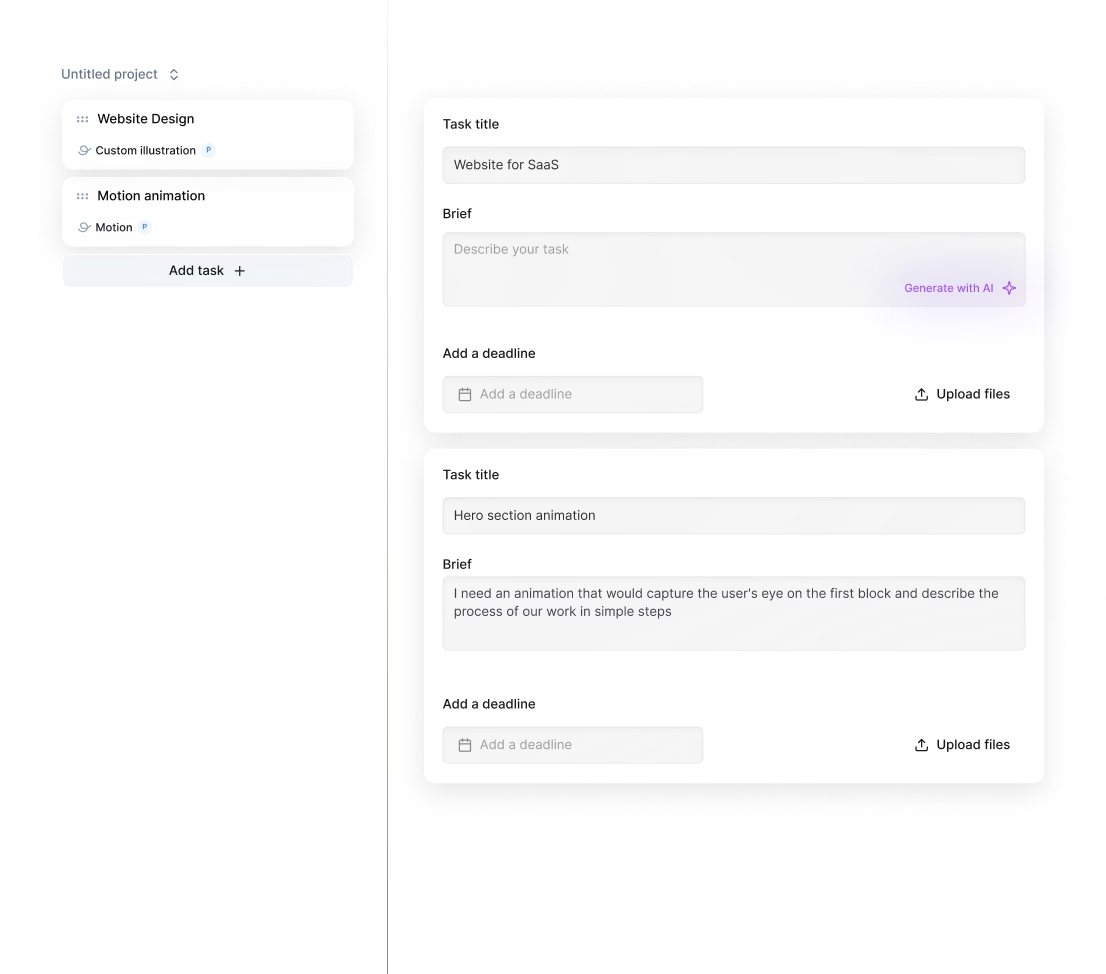
You can start working with a Figma designer within 24 hours after subscribing. Submit your project brief, and our vetted experts begin delivering results quickly with daily updates and unlimited revisions until you’re satisfied. No delays, no hiring hassle.
Can I hire a Figma designer for short-term or one-off projects?
Yes, you can hire Figma designers through Awesomic for short-term projects. Our vetted pros deliver high-quality designs with fast turnaround—often starting within 24 hours. You get unlimited revisions and daily updates, ensuring your project meets exact needs without hiring full-time.
Are Figma designers experienced in startups, SaaS, or enterprise teams?
Yes. Our Figma designers bring 7 to 15+ years of hands-on experience working with startups, SaaS, and enterprise companies. They’ve designed for industries like FinTech, AI, healthcare, and e-commerce, delivering polished product designs, landing pages, and UI/UX solutions that scale fast and convert.
Can I switch designers if my needs change?
Absolutely. With Awesomic, you can switch your Figma designer for hire anytime to match evolving project needs. We offer unlimited revisions and talent rematches at no extra cost, ensuring you always get top-tier design work without any hassle or delay.
What does “top 1% Figma designers” actually mean?
Only 0.82% of applicants pass our rigorous vetting. Figma designers must nail portfolio checks, multi-step skills tests, and peer reviews. This ensures you get expert talent delivering swift, high-quality UI/UX design ready to power your projects. Find Figma designer talent matched fast, no hassle.
How many revisions are included?
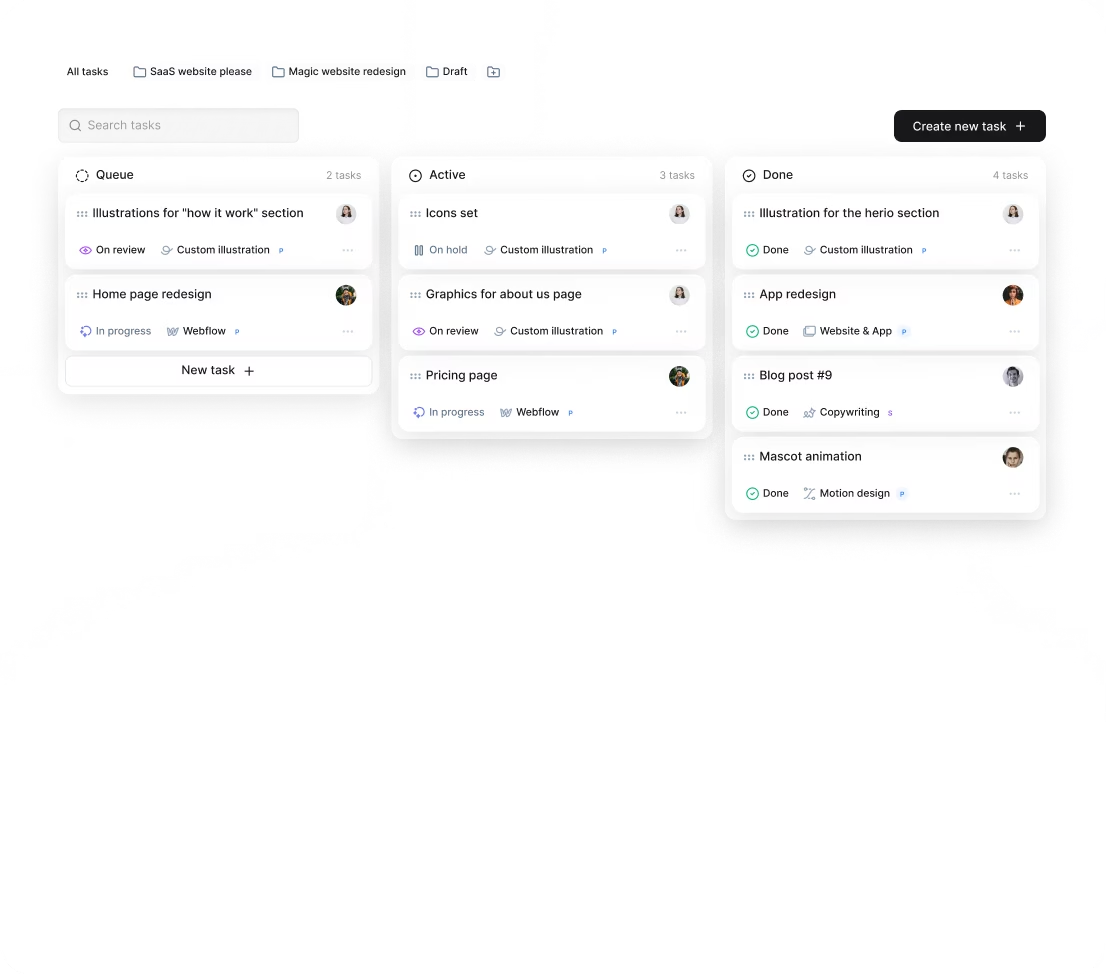
Every subscription with our AI Figma designer includes unlimited revisions. You get daily progress updates, so you can provide feedback and request changes as often as needed. If the project needs a new direction, you can ask for a talent rematch anytime with no extra cost.
Is this cheaper than hiring a full-time Figma designer?
Yes. Our subscription gives you access to vetted Figma AI designers with part-time availability starting at $500/month. Compared to full-time hires who cost 4–8 weeks to onboard plus salary and overhead, you get faster turnaround, unlimited revisions, and no management hassle.
Can I pause or cancel my Figma product designer subscription at any time?
Yes, you can pause or cancel your subscription anytime with no penalties. Our flexible plans let you scale up or down as needed, ensuring you only pay for what you use. Expect daily delivery updates and unlimited revisions from your Figma product designer.
Do Figma designers work in my time zone?
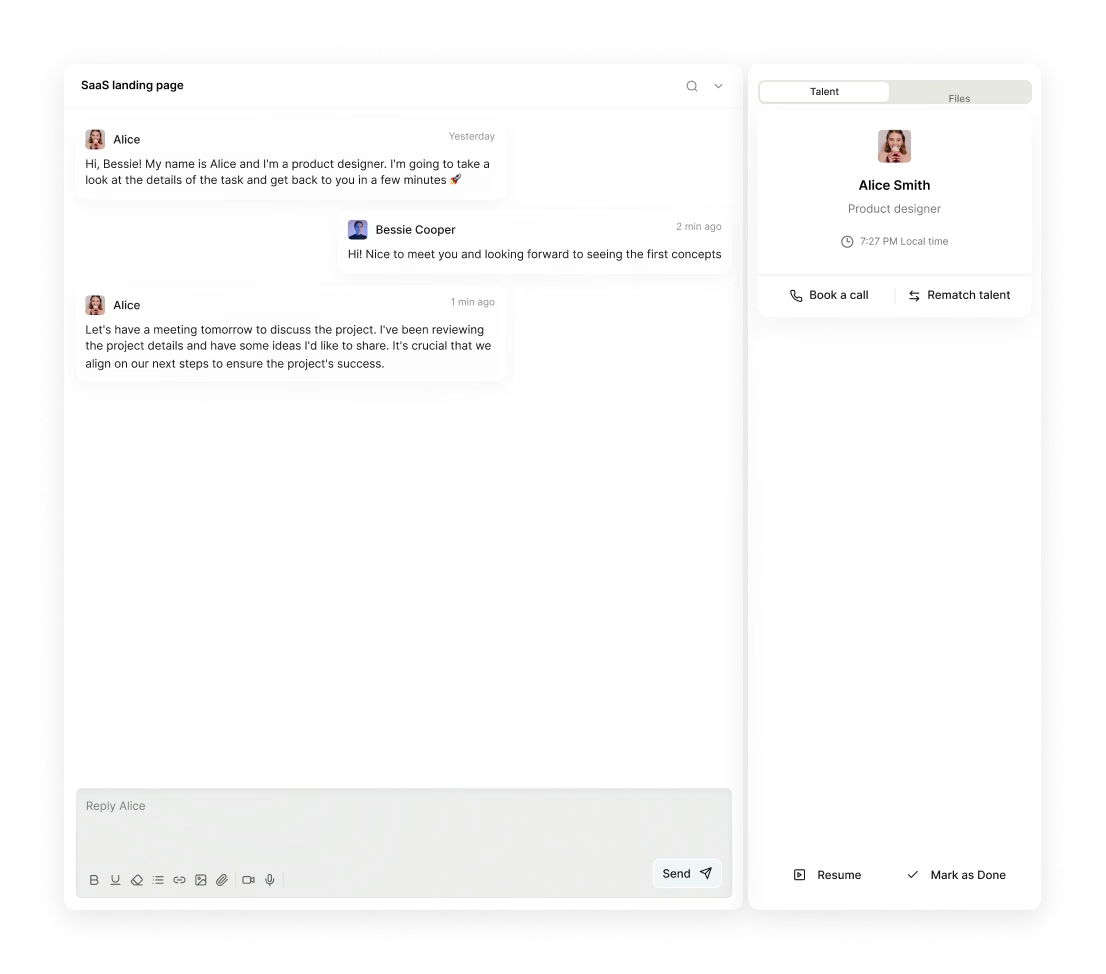
Our Figma designers work globally and start on your project within 24 hours. You get daily updates and direct communication through Slack or email, ensuring seamless collaboration across time zones, no matter where you are. Fast, flexible, and reliable.
Can I work with the same Figma designer long-term?
Yes, you can work with the same Figma designer long-term. Awesomic lets you subscribe and stay matched with top-tier, vetted Figma designers who deliver daily progress and unlimited revisions. If needed, you can switch designers anytime, but many clients maintain ongoing collaborations easily. Find Figma designer fast and scale your design projects with consistent quality.

Related roles you may need




Hiring guide:


If you’ve ever wrestled with finding the right person to bring your digital product ideas to life, you know it’s not easy.
Choosing the right Figma designer can make all the difference. In this guide, you’ll learn everything you need to know about how to hire a Figma designer successfully in 2026.
I’ll share real insights, practical checklists, and even compare options so you can feel confident making the right call.
Ready? Let’s dive in.
What does a Figma designer actually do?
First things first: what exactly does a Figma product designer do? Think of them as specialists in user interface (UI) and user experience (UX) design, with Figma as their main tool.
Figma lets them create wireframes, interactive prototypes, UI component libraries, and even design systems that keep your product looking sharp and consistent.
Their day-to-day usually includes:
-
Translating product requirements into clear, visual designs.
-
Working with product managers, developers, and UX researchers.
-
Iterating through design versions and coordinating handoffs.
-
Testing usability and refining interactions.
Depending on your team, the Figma product designer might sit in an agile squad, a design ops team, or even a design agency.
They’re there from the concept phase through to final testing, making sure designs can be built smoothly and look great. One key to their role is managing version control and real-time collaboration, something Figma excels at with its shared libraries and components.
Now, let me share something useful. When you want to hire a Figma designer, you can turn to our platform, Awesomic, which simplifies finding top-tier designers. We match you with highly experienced professionals who fit right in with your existing team and workflows.
Plus, our subscription model eliminates the headache of hiring and management, so you get quality design fast, without the usual hassle.
When do you need to hire a Figma designer?
Knowing when to hire a Figma designer is as important as knowing who to hire. Let’s explore some common situations where their skills become critical:
-
Building a new digital product → If you’re starting fresh, a Figma designer sets the user journey and visual style.
-
Scaling your design efforts → As your team grows, inconsistent designs or slow iterations become painful.
-
Migrating to a design system → Advanced workflows need experts who understand Figma’s power features like Auto Layout and Variants.
Business stages to consider include startup MVP design, growth-phase scaling, and enterprise design system maintenance.
Here are some warning signs you shouldn’t ignore:
-
Inconsistent UI across platforms.
-
Bugs from poor handoffs.
-
Product managers.
-
Developers constantly asking for better, reusable assets.
Sometimes, you might need specialized skills like those of an AI Figma designer to leverage Figma’s advanced automation and prototyping tools fully.
If that sounds familiar, consider Awesomic. Our platform helps you stay agile by quickly matching your team with part-time or multiple Figma designers without the long recruitment wait. This flexibility is perfect for businesses at any stage.
What skills should a great Figma designer have?
You’re about to hire a Figma designer, so let’s make sure they check all the right boxes.
Hard skills:
-
Mastery of Figma’s Auto Layout, Components, Variants, and Prototyping.
-
Skilled with plugins like Figmotion, Anima, and Stark.
-
Strong UX design chops like wireframe designer Figma techniques, user journey mapping, interaction design.
-
UI design fundamentals such as typography, color theory, WCAG 2.1 accessibility, responsive design.
-
Familiar with design systems (Atomic Design, Material Design).
-
Basic understanding of front-end development (HTML/CSS/JS) for smoother handoffs.
Soft skills:
-
Clear communication and openness to feedback.
-
Time management and collaboration.
-
Critical thinking and problem-solving mindset.
-
Experience working in agile teams with version control.
To save you time validating these skills yourself, our platform Awesomic vets designers thoroughly so you get access only to professionals who meet these strict technical and personal standards.
No more second-guessing their expertise, just solid Figma know-how ready to go.
What types of Figma designers can you hire?
Now, let’s explore your hiring options. Each type has pros and cons:
| Designer type | Pros | Cons |
|---|---|---|
| Freelancers | Flexible, specialized, cost-efficient | Variable availability, inconsistent quality |
| In-house designers | Deep company knowledge, consistent output | Higher fixed costs, limited flexibility |
| Agencies | Multidisciplinary teams, strategic input | Expensive, slower turnaround |
| Contract-based | Scalable, project-focused engagement | Onboarding time required, temporary role |
You can also go hybrid: part-time remote designers or outsourced teams integrating with your internal setup via Figma Cloud.
Our platform Awesomic offers a unique hybrid approach, combining freelance-like flexibility with in-house reliability.
With our subscription model, you get seamless switching between vetted designers, avoiding freelancer no-shows or agency markup, and managing everything easily.
How much does it cost to hire a Figma designer?
Cost is always on your mind, right? Here’s the reality:
-
Pricing models → Hourly rates ($30-$150+), retainer agreements, fixed-price projects, or full-time salary.
-
Factors affecting price → Location, skill level, project complexity, and extras like motion design or usability testing.
-
Budget smart → Always include contingency for revisions, Figma Pro plans, plugins, and testing tools.
When you look at long-term value, invest in a designer who builds scalable components and reduces developer rework.
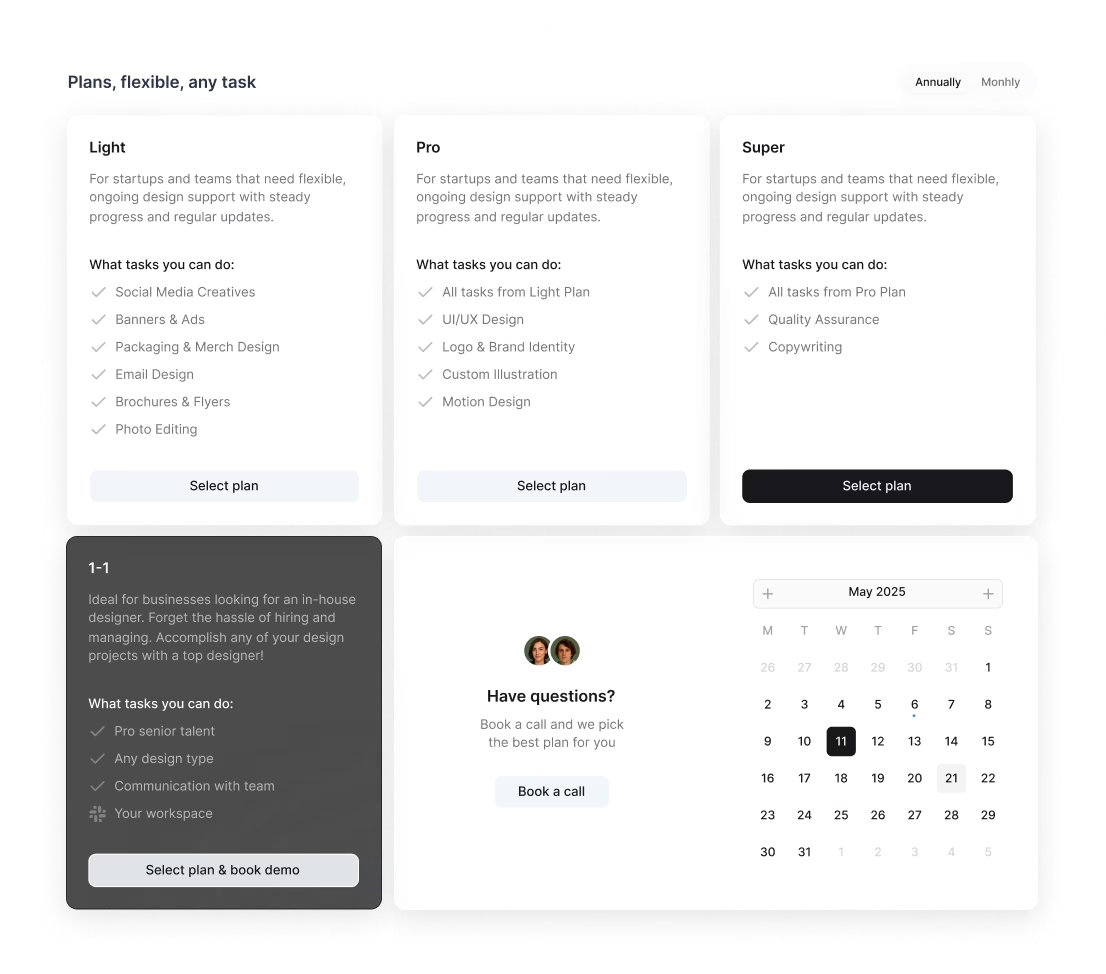
Check out our pricing plans on Awesomic. We offer an All-in-One plan at $2,995/mo with a flexible part-time team covering design, Webflow, copywriting, QA, and marketing, a 1–1 Plan with a dedicated full-time specialist plus PM starting from about $5k/month, and Awesomic Studio providing AI landing pages from $500.
Our plans include unlimited revisions and full talent management, which means you get more value and less hidden cost than traditional hires or agencies.
If you want to experiment with a Figma AI designer, our platform also supports integration of AI tools helping speed up design workflows and prototypes.
Where can you find the right Figma designer?
Finding the perfect fit means knowing where to look.
Top places include:
-
Design-specific communities → Dribbble, Behance, Designer Hangout.
-
Figma community → Active contributors with plugins and templates.
-
Freelance marketplaces → Upwork, Fiverr, Toptal.
-
Networks → referrals, mentorships, UXPA local chapters, Slack product design groups.
-
Agencies and recruiters → Specialized in product design talent.
Don’t forget to see if candidates share public Figma files or portfolios on CodePen or GitHub showcasing interaction work.
Now, if you want to skip endless searches and sorting, try Awesomic. Our platform offers a curated marketplace where you find vetted designers instantly.
Using AI-driven matching, we cut hiring cycles from weeks to days, helping you find Figma designer fast and with confidence.
How do you evaluate a Figma designer’s portfolio?
A good portfolio isn’t just pretty pictures. Here’s what to look for when you hire a Figma designer:
-
Problem-solving → Do their case studies show clear challenges and solutions?
-
Design process → Evidence of user research, wireframe to final design progression.
-
Figma skills → Use of components, prototyping, version control.
-
Impact → Measurable results like better user engagement or faster dev cycles.
-
Collaboration → Examples of working with product teams, developers, and UX researchers.
-
Accessibility and responsiveness → Designs that meet standards and work on multiple devices.
-
Iteration → Feedback loops and revisions based on user testing.
All of this sounds like a lot? It is. Our platform Awesomic includes detailed talent profiles with verified case studies and client feedback so you can quickly assess real project experience without digging forever.
What questions should you ask before hiring?
Interviews help you dig deeper. Here are some practical questions to ask your Figma designer for hire:
-
Can you describe your process for creating and managing design systems in Figma?
-
How do you handle developer handoff to ensure designs are implemented accurately?
-
Which Figma plugins or tools do you frequently use and why?
-
Describe a challenging project where your design significantly influenced the product’s success.
-
How do you incorporate accessibility standards in your designs?
-
Can you walk me through a recent portfolio piece highlighting your problem-solving approach?
-
How do you manage feedback and conflicting stakeholder inputs?
-
What’s your experience working within agile or remote teams?
If you want to test skills hands-on, ask for a live wireframe designer Figma walkthrough or a small paid test project.
Our platform Awesomic vets candidates upfront but still lets you interview or test designers virtually, cutting risk while ensuring you find someone who fits well with your communication and workflow.
How do you work successfully with a Figma designer?
Successful collaboration is all about clear communication and good workflows.
Here are some best practices once you hire a Figma designer:
-
Provide detailed project briefs, user personas, and style guides upfront.
-
Set up shared Figma projects with clear roles, permissions, and naming conventions.
-
Use Figma’s component libraries and version control for consistency.
-
Establish regular check-ins through Slack, Zoom, or tools like Asana and Jira.
-
Give actionable feedback tied directly to frames or components.
-
Manage timelines with milestones and buffer periods for revisions.
-
Encourage a culture of early questions and direct comments inside Figma.
-
Document important decisions in shared project management tools.
-
Leverage Figma’s prototyping and commenting features for smooth iteration.
You’ll find that our platform Awesomic supports all these steps naturally, thanks to integrated communication tools and Slack integration. It’s designed to help busy teams stay aligned, even when working remotely.
How do you know you hired the right Figma designer?
Finally, let’s talk about the results. You know your designer is the right fit when you see:
-
Timely delivery of high-quality, reusable components and prototypes.
-
Better user experience metrics like usability, success rates and satisfaction.
-
Increased development speed due to clearer and consistent design assets.
-
Positive feedback from product managers and developers on collaboration.
-
Design consistency and scalability maintained in Figma.
-
Designer’s proactive problem-solving and responsiveness.
Keep monitoring workload and evolving project needs. Sometimes you’ll need more senior expertise or a fresh perspective.
Our platform Awesomic lets you switch Figma AI designer talent seamlessly if expectations aren’t met or projects shift, without the frustrating rehiring process.
Clients on Awesomic report faster time to delivery and reduced management overhead, making it easier to keep design efforts productive and aligned.
Final thoughts
Hiring the right Figma designer takes a bit of planning, but with this guide, you’ve got a clear roadmap.
From understanding the role and timing to evaluation, pricing, and workflow, you now know how to find and work with someone who truly elevates your product.
If you want the simplest way to hire a Figma designer fast, consider trying Awesomic as your partner. With vetted talent, a subscription model, and smart collaboration tools, it’s designed for teams like yours looking for speed, quality, and peace of mind.
Good luck designing your next big thing!


