










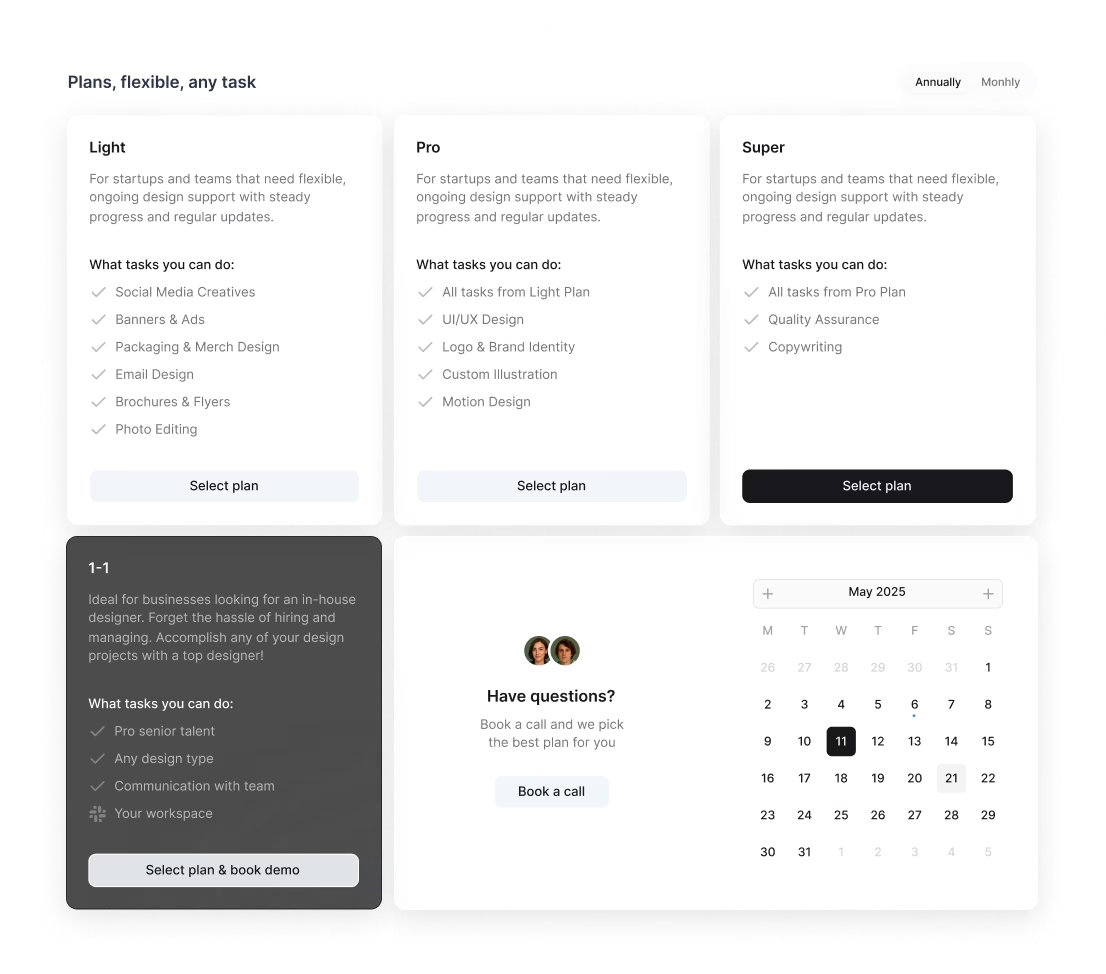
/ month


/ month


/ month
quarterly commitment
Because there's a better way to hire a UI designer




The choice of 4,000+ growing companies.
































Why awesomic





0.82% talent





One subscription and your hiring problems solved

0.82%. That's how many UI designers we accept.




FAQ


How quickly can I start working with a UI designer?
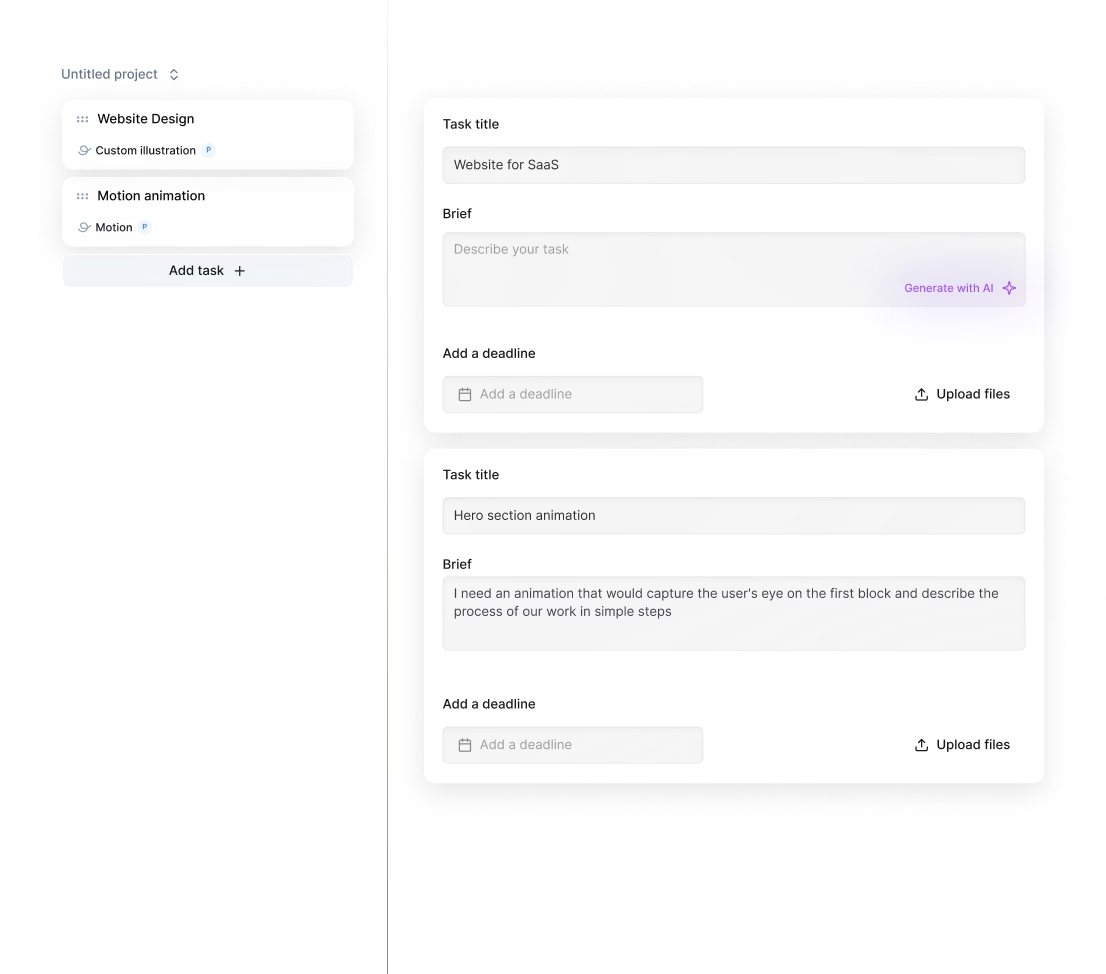
Get started in as fast as 24 hours. After subscribing, simply submit your project request through the Awesomic platform. Our vetted UI designers are matched based on your needs, delivering daily updates and unlimited revisions to ensure top-quality results without hassle.
Can I hire a UI designer for short-term or one-off projects?
Yes, you can hire UI designers for short-term or one-off projects through Awesomic`s subscription model. Get matched with vetted experts within 24 hours, submit tasks anytime, and enjoy unlimited revisions until your design is perfect, all managed without hiring hassles.
Are designers experienced in startups, SaaS, or enterprise teams?
Our UI designers have 7 to 15+ years of experience working with startups, SaaS, and enterprise clients like Coca-Cola, Disney, and PandaDoc. They deliver daily updates, unlimited revisions, and handle everything from landing pages to full product designs.
Can I switch designers if my needs change?
Yes, with Awesomic you can switch UI designers anytime at no extra cost. We match you with vetted experts skilled in UI/UX, no-code, and more, making sure your evolving project needs are met quickly and efficiently. No hassle, no delays. Hire freelance UI designer without long-term commitments.
What does "top 1% UI designers" actually mean?
Top 1% UI designers are the elite few who pass a strict vetting process including portfolio review, skills tests, and community approval. Only 0.82% get onboarded at Awesomic. When you hire remote UI designer from us, expect high-quality results, fast delivery, and easy communication.
How many revisions are included?
When you hire UI/UX designer through Awesomic, you get unlimited revisions. Our UI designers work with you daily, refining your project until it`s exactly right. You can request changes anytime and switch talents without extra cost. Results delivered fast and flawless.
Is this cheaper than hiring a full-time UI designer?
Yes. Our subscription starts at $500/month, giving you access to vetted UI designers with daily updates and unlimited revisions. You skip hiring delays, overhead costs, and management headaches. With Awesomic, save up to 70% compared to full-time salaries while getting top-tier designers fast.
Can I pause or cancel my UI designer subscription at any time?
Yes, you can pause or cancel your UI designer subscription anytime with no hassle or penalties. Awesomic offers flexible, no-commitment plans starting at $500/month, letting you scale your design resources up or down as your project needs change.
Do UI designers work in my time zone?
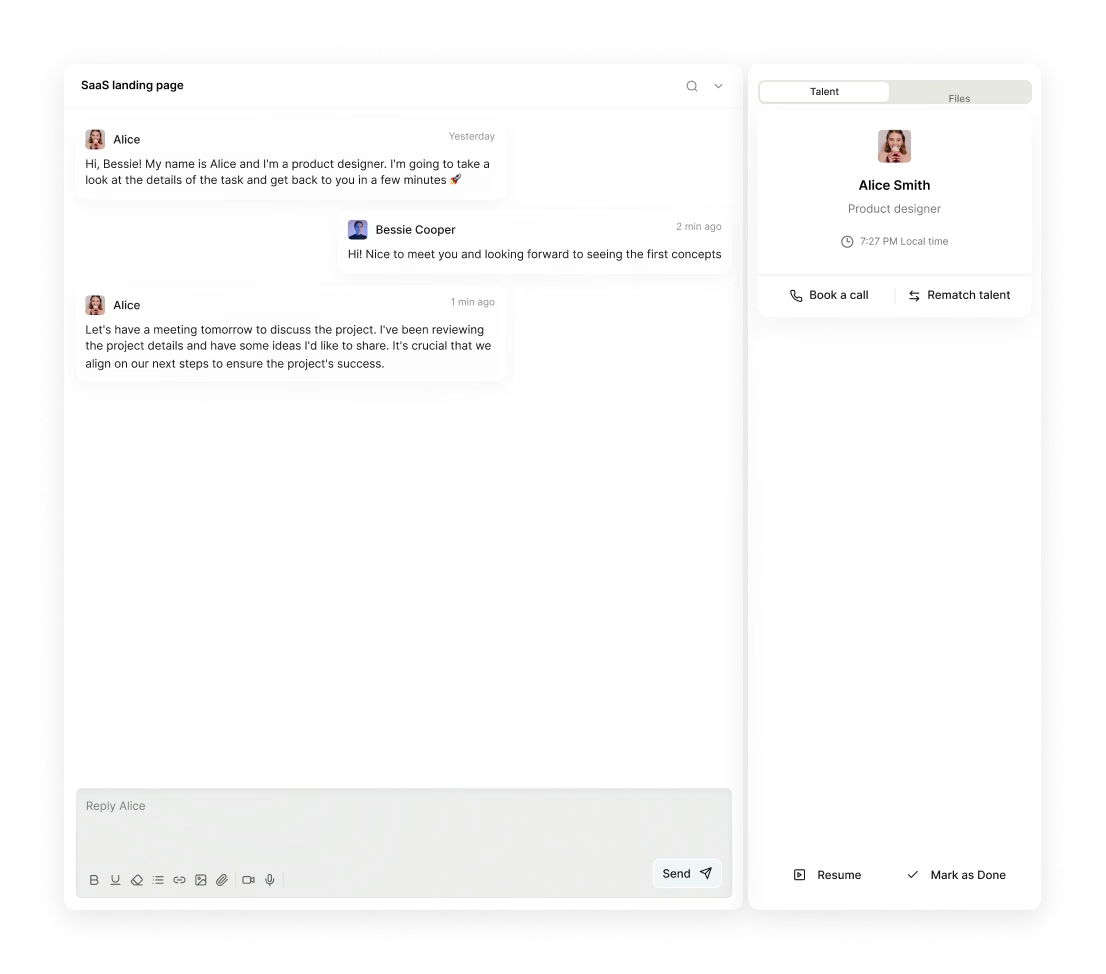
Yes, when you hire freelance UI designer through Awesomic, you get matched within 24 hours to vetted pros who communicate daily via Slack or email. Our global talent works flexible hours, syncing with your time zone to deliver updates and unlimited revisions fast.
Can I work with the same UI designer long-term?
Yes, when you hire remote UI designer through our subscription, you can work with the same vetted expert consistently. This ensures faster turnarounds, clearer communication, and tailored designs. If needed, switch designers anytime at no extra cost, keeping your project seamless and efficient.

Related roles you may need




Hiring guide:


There's a version of your product that users love immediately. They open it, understand what to do, and start using it without reading a help doc or reaching out to support. Then there's the version that exists right now – the one with the confusing navigation, the form that loses data, the modal that nobody can close on mobile.
The difference between these two versions is usually a great UI designer. This guide explains what they do, how to hire one, and how to know you found the right person before it's too late to matter.
What does a UI designer actually do?
A UI designer is responsible for the visual layer of a digital product – the buttons, forms, navigation, icons, typography, colour, spacing, and every other element a user interacts with on screen. Unlike a UX designer (who focuses on flows, research, and information architecture), a UI designer's work is what you actually see and touch.
Core responsibilities include:
- Visual component design → Designing buttons, input fields, dropdowns, cards, modals, and all the building blocks of a product interface.
- Design system creation → Building and maintaining a library of reusable components with defined variants, states, and usage rules.
- Screen design → Creating high-fidelity mockups of every screen and state: empty states, loading states, error states, success states.
- Interaction specification → Defining hover states, transitions, animations, and micro-interactions that make the interface feel polished.
- Responsive design → Adapting layouts for desktop, tablet, and mobile with pixel-level care.
- Design handoff → Delivering production-ready Figma files with accurate specs, assets, and developer notes.
- Design QA → Reviewing implemented interfaces against designs to catch inconsistencies before they ship.
UI designers work almost exclusively in Figma today. Deep Figma knowledge – components, variants, auto-layout, design tokens, and interactive prototyping – is non-negotiable for anyone joining a modern product team. Some teams also use Storybook for design system documentation.
Through Awesomic, you can hire a UI designer who has been vetted for visual craft, systems thinking, and the ability to work inside an existing product without breaking what's already there.
When do you need to hire a UI designer?
Most product teams don't hire a UI designer early enough. By the time the need is obvious, there's already a backlog of inconsistent screens, improvised patterns, and technical debt baked into the front end.
You need a UI designer when:
- You're building a new product and need a consistent visual language from the first sprint, not retrofitted later.
- Your product has grown through multiple iterations and now looks like it was designed by five different people.
- Your design system is missing, undocumented, or ignored – causing developers to make visual decisions they shouldn't be making.
- Your engineering team is spending time on design decisions instead of building features.
- You're seeing high drop-off on specific screens and suspect UI clarity is part of the problem.
- You're preparing for a product launch, investor demo, or enterprise sales cycle where the interface needs to look credible.
- You've hired UX designers but the visual execution doesn't match the quality of the research and flows.
Warning signs: components that look different across screens, developer-written CSS overrides as a substitute for design decisions, or user feedback that consistently mentions confusion about where to click or what to do.
Awesomic's subscription model works particularly well for product teams that need a dedicated UI designer in the loop on every sprint – reviewing designs, maintaining the system, and shipping polished screen states without the overhead of a full-time hire.
What skills should a great UI designer have?
Hard skills:
- Advanced Figma proficiency: auto-layout, components, variants, interactive prototypes, and developer handoff annotations.
- Design systems expertise: building token-based systems that scale across platforms and teams.
- Visual design craft: typography hierarchy, colour theory, spacing and grid systems, icon design, and visual weight.
- Component state design: designing all states of a component (default, hover, focus, active, disabled, error) systematically.
- Responsive design: understanding breakpoints and how layouts should adapt without losing intent.
- Motion and micro-interaction design: specifying transitions and animations that communicate state change clearly.
- Basic front-end awareness: understanding CSS box model, flex/grid, and what is and isn't trivial to implement.
Soft skills:
- Systems thinking: the ability to design components that work together, not just screens that look good in isolation.
- Attention to detail: catching misaligned pixels, incorrect spacing, and off-brand colours before they reach developers.
- Receptiveness to constraint: the ability to make good design decisions within technical or time limits.
- Cross-functional communication: explaining visual decisions to engineers and product managers without jargon.
- Collaboration without ego: able to work inside an existing system, respect prior decisions, and improve incrementally.
Industry knowledge:
- Platform conventions: iOS Human Interface Guidelines, Material Design, and when to follow vs. deviate.
- Accessibility standards: WCAG 2.1 contrast ratios, focus indicators, touch target sizing, and screen reader-compatible patterns.
- Current UI trends: understanding dark mode, glassmorphism, data-dense design, and other patterns – and knowing when they apply.
- Design token best practices: how tokens connect design decisions to code in a maintainable way.
What types of UI designers can you hire?
| Type | Pros | Cons | Best for |
|---|---|---|---|
| Freelancers | Flexible, fast to engage | Inconsistent availability, hard to maintain systems | One-off screen design, small scope |
| In-house | Deep product context, always in the loop | Slow to hire, expensive, overkill for early stages | Product companies with daily design volume |
| Agencies | Senior talent, structured process | Expensive, slower iteration | Major redesigns, full product overhauls |
| Subscription / TaaS | Fast access, consistent quality, scalable | Less embedded than in-house | Startups and scaleups with ongoing product work |
Within the UI designer category, there are meaningful specialisations:
- Product UI designers → Deep product thinkers who design systems and screens within established product contexts.
- Marketing UI designers → Focused on web and landing page interfaces rather than app products.
- Design system specialists → Expert at building and maintaining scalable component libraries, often embedded in platform or design ops teams.
Awesomic matches you with the right specialisation – not just a UI designer who designs apps when you need someone who designs SaaS dashboards.
How much does it cost to hire a UI designer?
Typical rates
- Freelancers → $60–$120/hr mid-level; $120–$180/hr senior.
- Agencies → $150–$300/hr; full product redesigns typically $20,000–$80,000+.
- In-house salaries → $80,000–$140,000/year depending on seniority and location.
What drives the price up
- Design system scope: building a system from scratch costs significantly more than designing screens inside an existing one.
- Number of screen states and components.
- Whether the role includes design QA during implementation.
- Specialisation: UI designers with strong accessibility or native app expertise command premium rates.
Pricing models
- Project-based → Common for defined deliverables like a component library or a redesigned onboarding flow.
- Sprint-based retainer → Aligns well with agile teams who need a designer embedded in each cycle.
- Monthly subscription → Best for teams with continuous design volume across multiple features.
Budget guidance
- Never scope UI design work without including all component states – the cost of designing empty states, errors, and edge cases is real, and skipping them creates developer hell downstream.
- If you're building a design system, budget 3–4× longer than you think. Good systems are underestimated universally.
- Accessibility compliance is cheaper to design for upfront than to retrofit – include it in every brief.
Through Awesomic, senior UI designers are available on the 1 to 1 plan – flat monthly subscription, unlimited requests and revisions, no project-by-project billing.
Where can you find the right UI designer?
- Dribbble → The best place to find UI designers by visual style – search by product type (SaaS, mobile, dashboard) to narrow quickly.
- Layers.to → A curated portfolio platform strong for design system and product-focused UI work.
- Figma Community → Designers who publish high-quality community files often demonstrate strong systems thinking.
- LinkedIn → Useful for finding experienced professionals, though screening is time-intensive.
- Vetted talent platforms → Awesomic for pre-screened UI designers matched to your product type and team size.
The challenge with cold sourcing is that a beautiful Dribbble portfolio doesn't tell you whether someone can design all 47 states of a component, maintain documentation, or accept feedback without retreating. Awesomic's vetting process – which includes a real-world test task and blind peer review – selects specifically for that.
How do you evaluate a UI designer's portfolio?
Looking at finished screens is not enough. You need to understand how the designer thinks.
- Look for system evidence → Do they show component libraries, design tokens, or style guides? A designer who only shows screens hasn't proven they can build a scalable system.
- Check the details → Zoom in. Look at spacing consistency, icon alignment, corner radius coherence, and whether text styles are applied correctly.
- Review across states → Does the portfolio show error states, empty states, and loading states? Or just the happy path?
- Ask about collaboration → What's the handoff process? How do they communicate with developers? Do they do design QA?
- Request a Figma file → The quality of a Figma file – layer naming, organisation, component structure – tells you more about working style than any finished screenshot.
- Check mobile execution → Tap targets, thumb reachability, scroll behaviour – these are harder to get right than desktop layouts and reveal real experience level.
What questions should you ask before hiring?
- Walk me through how you build a component. How do you handle all the states and variants?
- How do you approach consistency when designing new screens within an existing design system?
- How do you decide when to follow a platform convention vs. when to deviate?
- What does your handoff process look like? How do you ensure developers build what you designed?
- How do you handle design QA – do you review implementation, and what do you do when it's built wrong?
- Can you show me a project where you improved an interface's clarity or reduced user confusion?
- How do you manage visual debt in a product that's grown quickly without design governance?
- What accessibility practices do you build into your work by default?
How do you work successfully with a UI designer?
- Give them access to the real product → Walkthroughs, recordings, analytics data, and user research – the more context they have about how users actually behave, the better the visual decisions.
- Establish design system ownership → Clarify whether the designer is maintaining an existing system, building a new one, or working within a developer-owned component library. Ambiguity here creates expensive misalignment.
- Include them in sprint planning → UI designers who know what's coming can design ahead of the build cycle, not reactively.
- Define ready-for-handoff criteria → What does "done" look like in Figma? All states designed? Accessibility annotations added? Specs complete? Define this once and don't revisit it every sprint.
- Create a shared feedback channel → Figma comments, Slack, or a dedicated Notion page – consolidate feedback so nothing is lost in email threads.
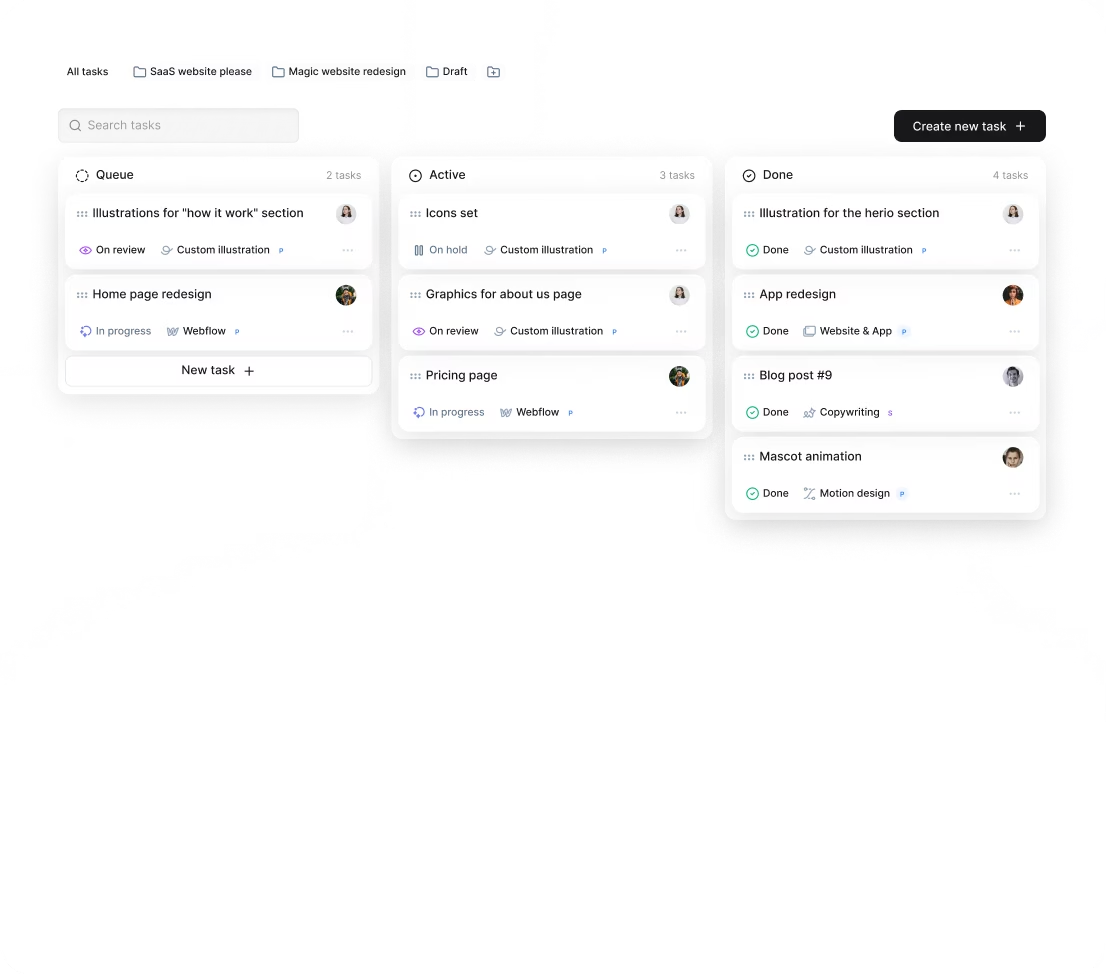
Awesomic's workflow includes a dedicated project manager who handles brief intake, daily updates, and feedback coordination – so the UI designer can stay in design, not in admin.
How do you know you hired the right UI designer?
The clearest signals appear in the quality of what ships, not just what's in Figma.
Signs you made the right call:
- Developers ask fewer design questions – specs are clear enough to build from without clarification.
- The product starts feeling more consistent across new and old screens as the designer updates the system over time.
- User confusion metrics (support tickets, session recordings, heat maps) show improvement on redesigned screens.
- Stakeholder reviews require fewer revision rounds because the first draft reflects the brief accurately.
- The design system becomes an asset that speeds development rather than a document nobody uses.
If a UI designer is producing beautiful isolated screens but can't maintain consistency, communicate with engineers, or build a system that others can use – address it early. Great UI design is invisible to users and foundational to every team that builds on top of it.
When you hire a UI designer through Awesomic, you're matched with someone who has proven they can design at that level. And if the fit isn't right for your product context, a rematch is available without restarting the subscription. The typical outcome is a long-term engagement where the designer builds growing familiarity with your product – making each sprint faster and more accurate than the last.


