










/ month


/ month


/ month
quarterly commitment
A radically better way to hire a LinkedIn video editor now




4,000+ companies growing on subscription.































Why awesomic





0.82% talent





One subscription and your hiring problems solved


Most LinkedIn video editors apply. Only 0.82% get matched.




FAQ


How quickly can I start working with a LinkedIn video editor?
You can start working with a LinkedIn video editor within 24 hours. Submit your video project and get matched to a vetted expert fast. Expect regular updates and unlimited revisions to ensure your content hits the mark—all managed smoothly through our platform.
Can I hire a LinkedIn video editor for short-term or one-off projects?
Yes, you can hire LinkedIn video editors through Awesomic for short-term or one-off projects. Our vetted pros start delivering in as little as 24 hours, with unlimited revisions until you’re satisfied. Scale up or pause anytime—no long contracts or hidden fees.
Are LinkedIn video editors experienced in startups, SaaS, or enterprise teams?
Yes. Our LinkedIn video editors have proven experience working with startups raising $500K+ to enterprises backed by Y Combinator. They deliver daily progress updates using Slack and Awesomic app, handling fast turnaround video edits with unlimited revisions.
Can I switch LinkedIn video editors if my needs change?
Absolutely. With our service, you can switch LinkedIn video editors anytime to fit your evolving project needs. We ensure fast matching—within 24 hours—and unlimited revisions. Switch talent effortlessly at no extra cost to keep momentum on your video projects.
What does “top 1% LinkedIn video editors” actually mean?
It means we rigorously vet every LinkedIn video editor. Fewer than 1% pass strict portfolio reviews, tests, and community approvals. You get proven pros delivering fast, high-quality edits that boost your LinkedIn presence without the usual freelancer risks.
How many revisions are included?
Every subscription with our LinkedIn video editors includes unlimited revisions. You get daily progress updates and can request as many changes as needed until the video perfectly fits your vision. If needed, you can switch editors anytime at no extra cost.
Is this cheaper than hiring a full-time LinkedIn video editor?
Yes. Subscribing to Awesomic’s LinkedIn video editor service costs from $500/month, matching part-time talents for fast, quality deliverables with unlimited revisions. This beats a full-time hire’s salary, benefits, and onboarding delays. Get updates daily, scale easily, and skip management hassle.
Can I pause or cancel my LinkedIn video editor subscription at any time?
Yes, you can pause or cancel your LinkedIn video editor subscription anytime with no penalties. Enjoy full flexibility to scale your video editing needs as projects evolve. Experience fast delivery, unlimited revisions, and expert management without long-term commitments.
Do video editor LinkedIn work in my time zone?
Yes. Our video editor LinkedIn talents work globally and match your project scope quickly—usually within 24 hours. They provide daily updates, unlimited revisions, and seamless communication through apps like Slack and email, ensuring smooth delivery aligned with your time zone.
Can I work with the same LinkedIn video editor long-term?
Yes. Awesomic lets you stick with the same LinkedIn video editor to keep your style consistent. Our vetted experts offer daily updates and unlimited revisions. You can switch anytime, but many clients keep the same editor for months to maximize quality and speed.

Related roles you may need



Hiring guide:


What does a LinkedIn video editor actually do?
You might wonder what exactly a LinkedIn video editor does and why you would need one. Well, imagine you have a bunch of raw video clips from your marketing team, but they don’t quite fit the professional, polished vibe your LinkedIn audience expects. That’s where a LinkedIn video editor steps in.
Their job is to craft engaging, professional video content tailored just for LinkedIn’s platform and audience. They don’t just cut videos — they add captions and subtitles perfect for silent autoplay, which LinkedIn users appreciate. Plus, they incorporate branding elements like logos and your company’s color scheme to keep everything consistent. Audio clarity is also improved, ensuring that your message comes through clearly, whether someone has headphones or is on a noisy train.
Importantly, they make sure videos meet LinkedIn’s rules — like the right aspect ratio (square 1:1, landscape 16:9, or vertical 9:16 for stories), duration limits (usually under 10 minutes), and file size. They work closely with content creators, social media managers, and marketing teams as part of a bigger content production workflow. That means their work starts once they get the storyboard or raw footage and doesn’t end until the final video is optimized and ready to upload, sometimes even handling that upload or tracking video performance.
If you want an easy way to hire a LinkedIn video editor without the hassle of sifting through endless resumes, our platform Awesomic can help. We offer a video production service with vetted video editors who specialize in LinkedIn content. Thanks to our subscription-based talent marketplace, you get quick access to pros who truly understand LinkedIn specs and know how to deliver high-quality, branded videos fast.
When do you need to hire a LinkedIn video editor?
Maybe you’re still wondering when it’s the right time to hire a LinkedIn video editor. Here’s the deal — it usually happens when your video content starts growing beyond what your current setup can handle smoothly.
Think about common situations like when you’re scaling content production or launching new campaigns that rely on video storytelling. Or when you want to boost engagement on your LinkedIn posts, which isn’t always easy without well-edited videos. Perhaps you already have some videos but they aren’t quite LinkedIn-friendly and you want to repurpose them.
Businesses at different stages often feel this need. Startups that are building brand awareness can benefit from polished videos. B2B companies that want stronger inbound marketing through video often hit this point. And personal brands seeking a professional presence definitely want to hire a LinkedIn video editor to get quality content.
Signs that it’s time include inconsistent video quality, missed posting schedules because you don’t have enough editing capacity, or low engagement even though you’re posting videos regularly. Hiring a specialized editor can save you money over time by boosting ROI since well-made videos perform better.
If you’re looking for a flexible, cost-effective choice, consider a freelance video editor LinkedIn professionals often turn to on our platform Awesomic. We offer flat monthly rates with no hidden fees, so you can scale video production without the overhead of hiring in-house or juggling unreliable freelancers.
What skills should a great LinkedIn video editor have?
When you want to hire a LinkedIn video editor, knowing what skills to look for helps you avoid surprises.
Here’s a straightforward list of hard and soft skills a great editor will have:
- Video editing software mastery: Adobe Premiere Pro, Final Cut Pro, or DaVinci Resolve are usually required.
- Motion graphics skills: Using After Effects or Canva Pro to add animation overlays.
- Sound editing: Proficiency with tools like Audition or similar to clear up audio.
- LinkedIn specs knowledge: Knows the right formats, aspect ratios (1:1, 16:9, 9:16), and length limits (typically 30 seconds to 2 minutes).
- Communication: Can take feedback well and explain edits clearly.
- Tone and audience understanding: Knows how to use a professional voice suitable for LinkedIn viewers.
- Time management: Meets deadlines consistently.
- Collaboration: Works well with content creators and marketing teams.
- Industry awareness: Stays up to date on LinkedIn video trends and content types that get engagement like thought leadership or educational clips.
Our platform Awesomic screens video editors rigorously to ensure they have both the technical knack and the right soft skills. You get matched with a LinkedIn video maker who truly understands LinkedIn’s content strategy and works smoothly with your team.
What types of LinkedIn video editors can you hire?
Now, let’s break down the main options when looking to hire a LinkedIn video editor. It helps to know the pros and cons of each:
- Freelancers: Great for flexibility and usually cost less. But you need to vet them carefully and manage projects closely.
- In-house editors: Fit your company culture and schedules well. They give you immediate feedback. The downside: salary costs and overhead.
- Agencies: Offer end-to-end services including strategy and scripting. They cost more and you might lose some control.
- Contract or part-time editors: Good for scaling up in busy periods. They balance cost and flexibility but can be less consistent.
To make this clearer, here’s a quick comparison table:
| Option | Pros | Cons | Best for |
|---|---|---|---|
| Freelancers | Cost-effective, flexible | Requires vetting, less control | Small projects, startups |
| In-house editors | Full control, cultural fit | Expensive, overhead | Full-time ongoing content needs |
| Agencies | Complete service, expertise | Expensive, less direct control | Large campaigns, complex needs |
| Part-time/Contract | Scalable, flexible | Variable quality | Seasonal or project bursts |
A middle-ground you might like is our platform Awesomic. It’s a subscription-based service that offers vetted talents combining freelancers’ flexibility with agencies’ reliability. Plus, Awesomic manages onboarding and scope, so you save time on project management but keep control over deliverables.
How much does it cost to hire a LinkedIn video editor?
Cost is often a big question when you want to hire a LinkedIn video editor. Here’s what you can expect in general:
- Hourly rates usually range between $25 and $100 per hour, depending on skill and location.
- Project-based fees can be from $200 for simple edits up to $2000 or more for videos with complex motion graphics.
- Retainers are common if you need regular edits.
What influences the cost? The complexity of edits (simple vs animation), the amount of raw footage, how fast you need it done, how many revisions you want, and extras like scripting, uploading, or performance tracking.
If you hire in-house, remember to budget for equipment and software too. With freelancers or agencies, management time adds up.
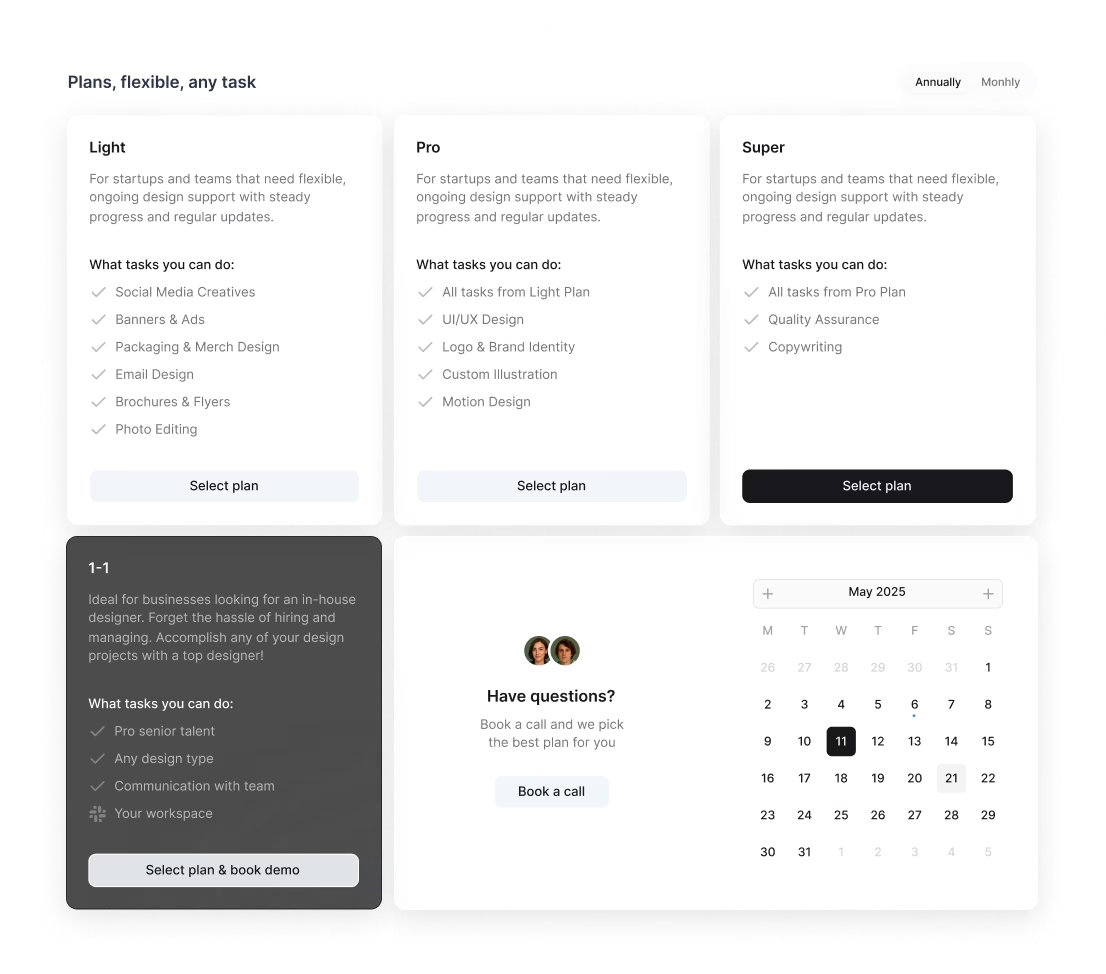
Here’s where Awesomic stands out. Our transparent subscription pricing removes surprises. You can choose our All-in-One plan at $2,995/month for a flexible part-time team including all design, Webflow, copywriting, QA, marketing, or opt for the 1–1 Plan with a dedicated full-time specialist plus PM starting around $5k/month; plus, Awesomic Studio offers AI landing pages starting from $500. These packs come with unlimited revisions, daily updates, and Slack integration for easier communication. It’s a flat-rate model that helps you budget realistically without unexpected costs creeping in.
Where can you find the right LinkedIn video editor?
Finding the right person can feel like searching for a needle in a haystack. But there are some good places to look.
Here are five practical sources to find the right LinkedIn video editor:
- Freelancer platforms like Upwork and Fiverr Pro are popular, offering many candidates with ratings.
- LinkedIn itself is a great place to post jobs or reach out directly.
- Creative communities such as Behance or Dribbble let you see portfolios first.
- Facebook and LinkedIn groups focused on video production or social media marketing often have quality referrals.
- Lastly, ask your professional network for trusted recommendations.
Make your job description precise — mention LinkedIn expertise clearly to attract suitable editors.
Or, you can skip all that and use our platform Awesomic. We match you with pre-vetted LinkedIn video editors in under 24 hours. We take care of vetting, onboarding, and some project management, so you avoid the lengthy hiring process.
How do you evaluate a LinkedIn video editor’s portfolio?
Once you find candidates, you need to evaluate portfolios to decide who’s the best fit.
Don’t just look at pretty visuals. Instead, check:
- Storytelling ability: Does the video flow well and keep your attention?
- Brand consistency: Are logos, colors, and style used properly?
- LinkedIn fit: Are captions included? Are format and pacing suited to LinkedIn’s feed?
- Problem solving: Are there case studies showing how they tackled challenges like low-quality footage or tight deadlines?
- Process: Do you see revision rounds or feedback examples?
- Results: Are engagement numbers or testimonials shared?
Awesomic makes this easier by showing portfolios and client case studies from our vetted talents. Plus, we track feedback and revisions to prove responsiveness and quality commitment.
What questions should you ask before hiring?
When you talk to potential editors, it’s smart to ask questions that reveal their experience and work style. Here are eight key questions to guide you:
- Which editing software do you primarily use? Can you edit captions and branding overlays?
- Have you created videos specifically for LinkedIn? What formats and lengths do you recommend?
- How do you manage feedback and revisions?
- What is your typical turnaround time?
- How do you prefer to receive and provide feedback?
- Can you share examples of meeting tight deadlines?
- How do you handle rushed projects or adapting style for different industries?
- What are your availability and pricing transparency? Are you willing to sign NDAs or contracts?
If you want to simplify hiring, use Awesomic as a freelance video editor LinkedIn users trust. Our platform pre-screens talent for technical skills and reliability, and we manage contracts and communication so you get peace of mind.
How do you work successfully with a LinkedIn video editor?
Working well with your video editor is key to getting results you love, so here’s some advice based on experience.
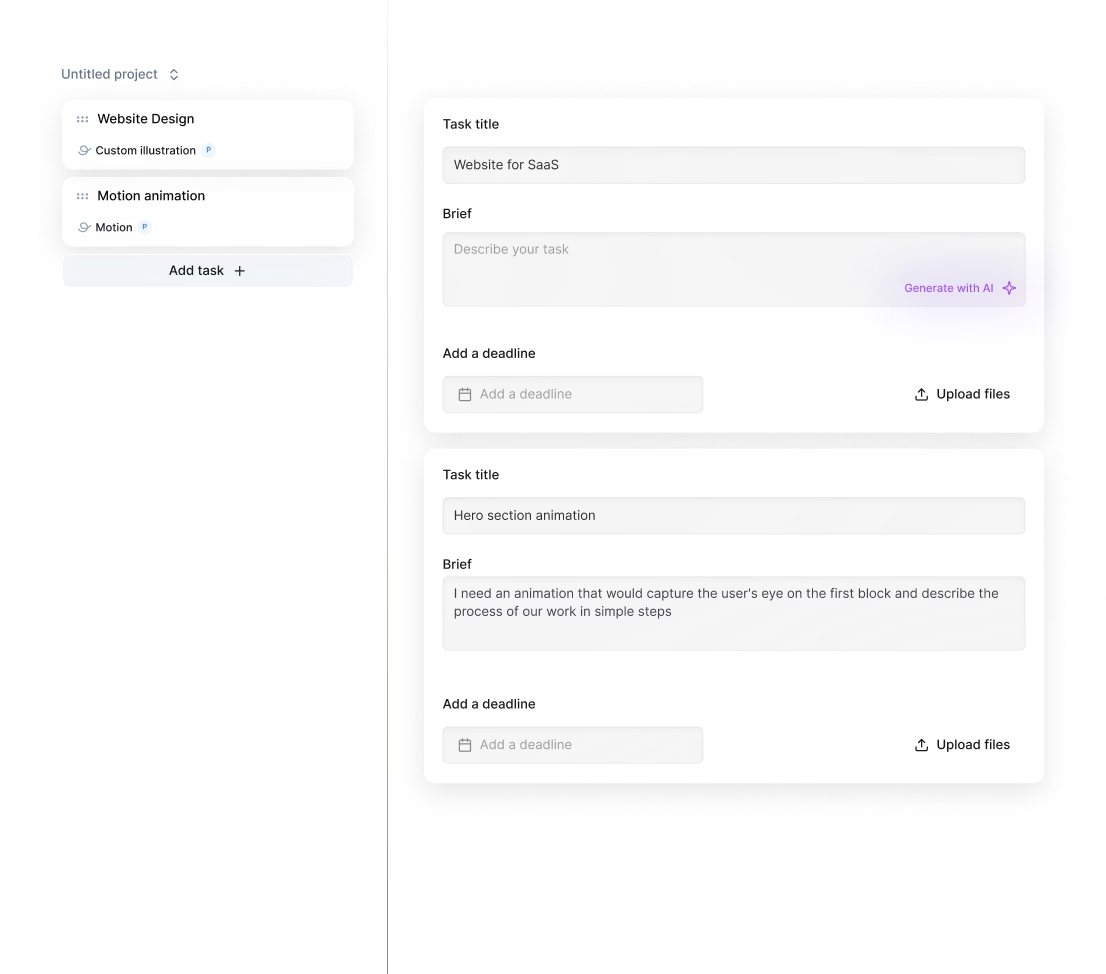
Start with a clear brief that includes your target audience, key messages, examples you like, brand guidelines, and technical specs. Setting expectations about timelines, revision limits, and how you’ll communicate (Slack, email, Asana) saves headaches later.
Use project management tools like Trello, Monday.com, or ClickUp to track progress, tasks, and approvals. When you give feedback, be detailed and constructive, referencing timestamps and style guides.
Regular check-ins help keep you in sync and improve results. Also, share performance data after videos go live so future projects get better. Remember, your editor is a creative partner, not just a task executor—show flexibility and patience.
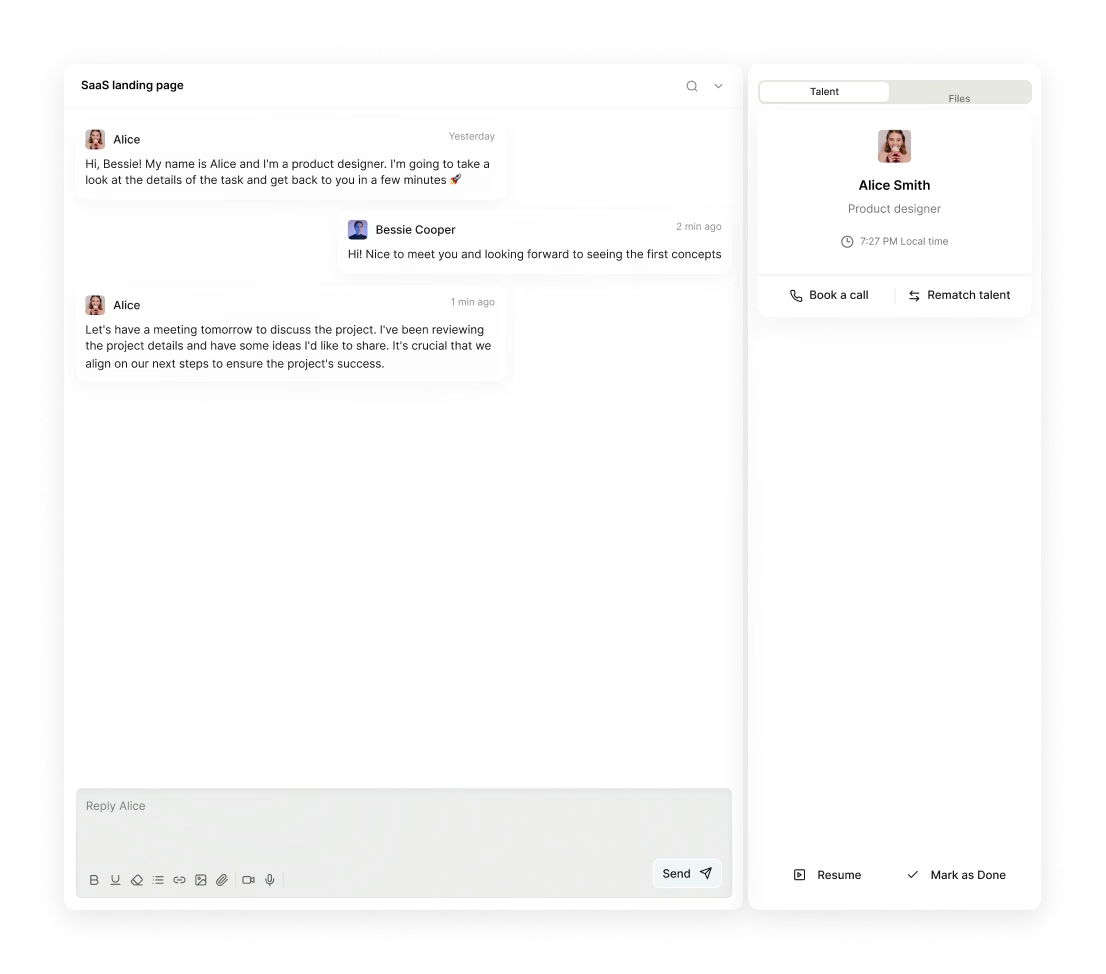
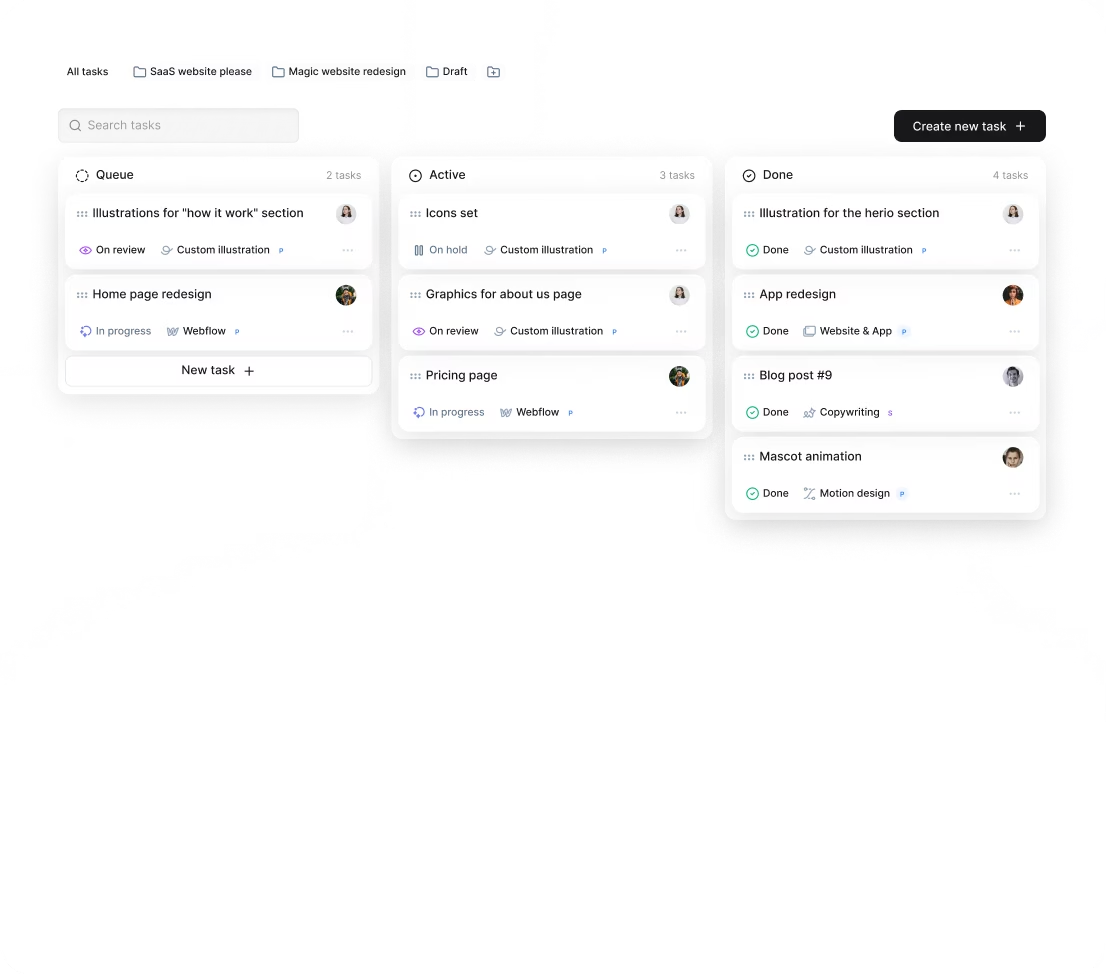
If you subscribe to Awesomic, you get even smoother collaboration. Our platform integrates Slack and has an app for daily updates, task submissions, and fast feedback loops. You can stay on top of video editor LinkedIn projects easily without juggling multiple tools.
How do you know you hired the right LinkedIn video editor?
Finally, how do you measure success when you hire a LinkedIn video editor? Here are some practical signs:
- Videos consistently meet your branding, quality, and technical standards.
- You see real improvements in LinkedIn engagement — more views, shares, and comments.
- Collaboration is smooth with clear communication and fewer revisions.
- Deadlines and budgets are respected.
- The editor proactively suggests optimizations or new ideas.
It helps to set KPIs upfront tied to content performance and workflow efficiency. If issues arise, consider extra training for the editor, expanding workload for trusted ones, or scaling back if quality or communication drops.
You get more confidence with ongoing feedback loops and formal performance reviews. Plus, on Awesomic, you can switch talent anytime if expectations aren’t met. Our unlimited revisions included in subscriptions support continuous improvement, making it easy to keep your video content top-notch. Customer testimonials often praise Awesomic’s reliable and easy-to-work-with talent as proof we help businesses hire the right LinkedIn video editor every time.


