










/ month


/ month


/ month
quarterly commitment
Because there's a better way to hire a tutorial video editor




The choice of 4,000+ growing companies.
































Why awesomic





0.82% talent





One subscription and your hiring problems solved


0.82%. That's how many tutorial video editors we accept.




FAQ


How quickly can I start working with a tutorial video editor?
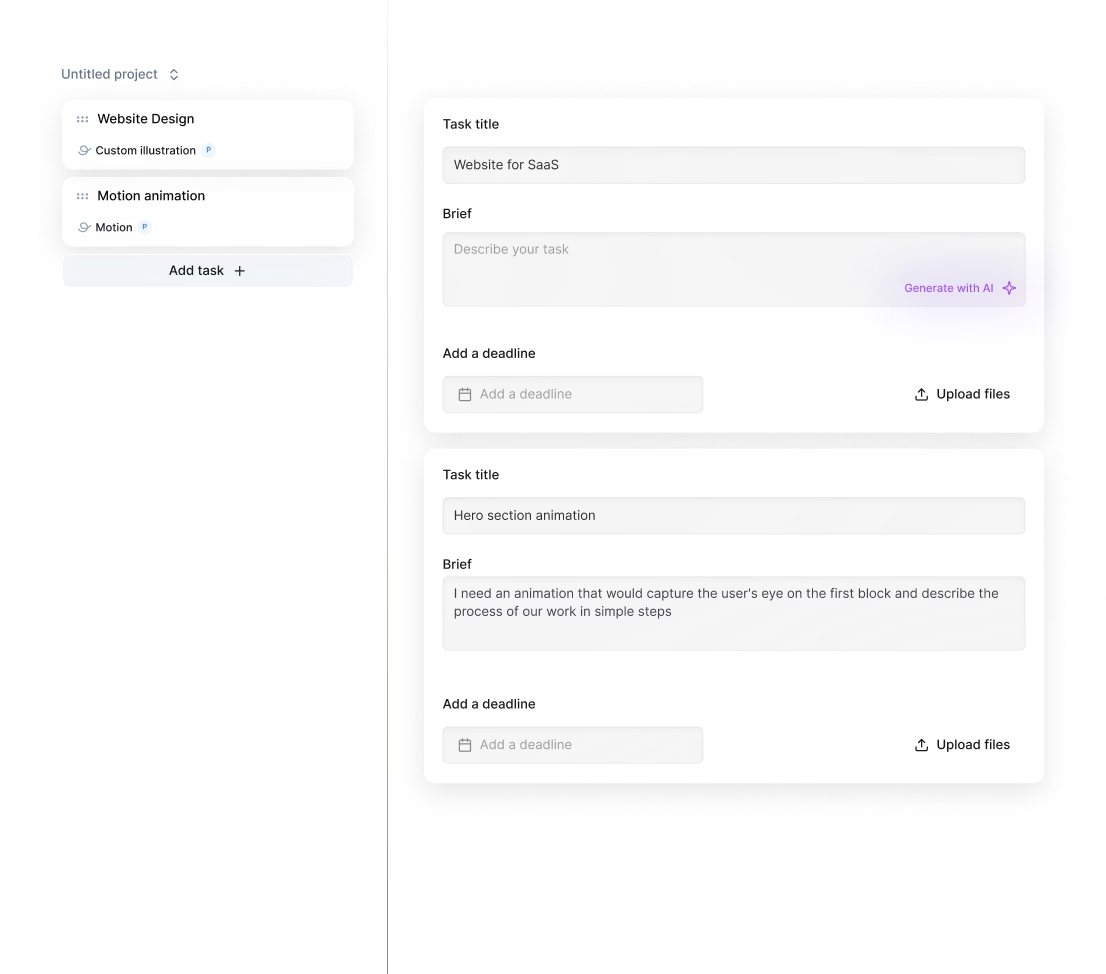
You can start working with a tutorial video editor within 24 hours after subscribing. Submit your project requests through our platform, and we’ll match you with a vetted expert who begins delivering updates daily, ensuring fast, high-quality video editing tailored to your needs.
Can I hire a tutorial video editor for short-term or one-off projects?
Yes, you can hire tutorial video editors through Awesomic for short-term or one-off projects. Our vetted experts deliver high-quality edits with fast turnaround times, unlimited revisions, and daily updates—all managed seamlessly under a flat monthly subscription.
Are tutorial video editors experienced in startups, SaaS, or enterprise teams?
Yes. Our tutorial video editors have worked with over 4,000 companies, including startups and enterprises backed by Y Combinator. They handle fast turnarounds, unlimited revisions, and deliver polished videos that help scale products and boost marketing efforts efficiently.
Can I switch tutorial video editors if my needs change?
Absolutely. With Awesomic, you can switch tutorial video editors anytime at no extra cost. Our subscription model lets you scale and adjust quickly, ensuring you have the right expert for your video projects as your business grows or shifts focus.
What does “top 1% tutorial video editors” actually mean?
Top 1% tutorial video editors have passed a strict four-step vetting: portfolio review, a multi-step skills test, peer evaluations, and final leadership approval. They deliver quality edits fast, with unlimited revisions, using tools like Adobe Premiere and Final Cut Pro.
How many revisions are included?
Every subscription with a tutorial video editor at Awesomic includes unlimited revisions. You get daily updates, can request changes freely, and if needed, switch talents at no extra cost. This ensures your video content is polished exactly how you want it.
Is this cheaper than hiring a full-time tutorial video editor?
Yes. Subscribing to our service costs $500 to $5,000 monthly with vetted tutorial video editors ready in 24 hours. It’s 70% cheaper than full-time hires when factoring salary, overhead, management, and hidden fees—plus unlimited revisions and faster deliveries.
Can I pause or cancel my tutorial video editing subscription at any time?
Yes, you can pause or cancel your tutorial video editing subscription anytime without penalties. Awesomic offers flexible monthly plans starting at $500, with quick talent matching in under 24 hours and daily updates to ensure your projects keep moving smoothly or on hold as you need.
Do tutorial video editors work in my time zone?
Yes, our tutorial video editors accommodate multiple time zones to ensure smooth collaboration. With daily updates and direct communication via Slack, email, or calls, you get fast delivery and timely feedback no matter where you are.
Can I work with the same tutorial video maker long-term?
Yes, you can work with the same tutorial video maker long-term. Awesomic matches you with vetted experts for every project, but if you want consistency, you can request the same talent for ongoing work. Our subscription model ensures quick, reliable deliveries with daily updates and unlimited revisions.

Related roles you may need


Hiring guide:


What does a tutorial video editor actually do?
When you start creating tutorial videos, you might wonder what a tutorial video editor really does. Well, they take your raw footage and turn it into clear, engaging, and educational videos designed especially for your audience. Their job is not just technical; it’s creative and strategic. They make sure your viewers learn effectively while enjoying the experience.
A tutorial video editor’s key tasks include:
- Cutting and sequencing clips so the video flows logically.
- Cleaning up audio by reducing noise and balancing sound levels.
- Adding visual aids like callouts, annotations, and on-screen text to highlight important points.
- Syncing voice-over with visuals seamlessly.
- Incorporating branding elements such as logos and lower thirds for a professional look.
- Using smooth transitions and motion graphics to keep viewers engaged.
- Color grading the video for a consistent and polished appearance.
- Exporting files optimized for platforms like YouTube, Learning Management Systems (LMS), and social media.
They usually work closely with content creators, instructional designers, and marketers. Think of them as both a technician and a storyteller who blends education and creativity to keep learners hooked.
If you want to hire a tutorial video editor who nails all these skills, our platform Awesomic makes that easy. We connect you with vetted professionals who are experts in tutorial video editing and produce top-quality educational videos on demand.
When do you need to hire a tutorial video editor?
Knowing when to hire a tutorial video editor can save you time and improve your content quality. Here are some common situations where hiring one makes sense:
- You’re producing more tutorial content than your team can handle.
- Your tutorials need a professional touch to boost engagement and clarity.
- You launch new products or services that require fresh instructional videos.
- Feedback shows your videos are unclear or look amateurish.
- You’re scaling content across multiple platforms with different formatting needs.
This need appears at different business stages. For example, if you’re a startup expanding your educational materials or an established company updating old content, a tutorial video editor helps keep everything consistent. E-learning businesses increasing output also benefit greatly.
Watch out for warning signs like missed video release deadlines, poor audience retention, or branding inconsistencies. These often mean it’s time to get a dedicated editor to maintain quality and speed.
Fortunately, our platform offers fast access to experienced tutorial video editors through a subscription model. This means you can scale your production without the hassle of traditional hiring. If you want to hire a tutorial video editor without delay, Awesomic is a smart, flexible option. Plus, if you want to try a tutorial video maker ai tool, you’ll still find real pros to polish your videos here.
What skills should a great tutorial video editor have?
Choosing the right tutorial video editor means knowing what skills they should bring to the table. Here’s a quick, no-fluff guide to what really matters.
Hard skills
- Mastery of editing software like Adobe Premiere Pro, Final Cut Pro, or DaVinci Resolve.
- Motion graphics skills using After Effects or Apple Motion for callouts and animations.
- Audio editing using Audition or Audacity to fix sound issues.
- Knowledge of video compression and export settings for YouTube, LMS, social media, etc.
- Color correction and grading experience to keep the video visually consistent.
Soft skills
- Clear communication to understand and implement your feedback.
- Patience and attention to detail to catch every glitch and stay true to your vision.
- Storytelling mindset to shape videos that teach and engage.
- Time management to meet deadlines without cutting corners.
Industry knowledge
- Familiarity with instructional design principles like ADDIE and Bloom’s taxonomy.
- Understanding eLearning technologies—SCORM and xAPI compliance.
- Platform-specific best practices including YouTube SEO and accessibility rules.
Tool knowledge
- Project collaboration tools such as Frame.io, Slack, Trello, or Asana to keep everything on track.
Our platform rigorously vets talents for all these qualities. When you hire a tutorial video editor through Awesomic, you’re working with senior-level pros who get both the tech and learning sides of tutorial video editing.
What types of tutorial video editors can you hire?
When it comes to hiring, you’ll find different types of tutorial video editors. Here’s a simple comparison:
| Type | Pros | Cons | Best for |
|---|---|---|---|
| Freelancers | Flexible, often affordable, diverse | Variable reliability, less control | Small projects, quick help |
| In-house editors | Deeply familiar with your brand | Higher fixed cost, onboarding time | Long-term consistency |
| Agencies | Full-service (scripting, animation) | Premium prices | Large projects, scalable needs |
| Contract-based/part-time | Balanced cost and control | Limited availability | Medium-size, growing projects |
Our platform offers a subscription-based marketplace model combining the best of these options. You get vetted senior talents, quick matches often within 24 hours, flexible subscriptions, managed workflows, and unlimited revisions. That means no worries about freelancer reliability or agency overhead costs. You access professional, consistent tutorial video editors ready to help whenever you need.
If you want to hire a tutorial video editor or even experiment with a tutorial video maker, our platform’s approach simplifies the entire process.
How much does it cost to hire a tutorial video editor?
Budgeting for tutorial video editing can be tricky, but knowing the typical pricing models helps.
Common pricing models:
- Hourly rates: Typically $25-$100+ per hour, depending on experience and location.
- Fixed project fees: Agreed upfront for a complete video, varies based on length and complexity.
- Retainers: Monthly fees for ongoing work or a block of editing hours.
Cost factors to consider:
- Video length and complexity of edits.
- Graphics, motion effects, and revisions.
- Urgency of turnaround times.
- Platform-specific export needs.
To estimate your budget more realistically, break down editing stages like logging, assembly, and revisions. Remember to factor in costs for tools or premium stock media if needed.
Here’s how pricing compares using an example for a typical 10-minute tutorial video:
| Editing Stage | Estimated time (hours) | Typical cost range |
|---|---|---|
| Logging & assembly | 2-3 | $50-$300 |
| Visual effects & motion graphics | 1-2 | $25-$200 |
| Audio cleanup | 1 | $25-$100 |
| Revisions | 0.5-1 | $12-$100 |
| Total | 4.5-7 | $112-$700 |
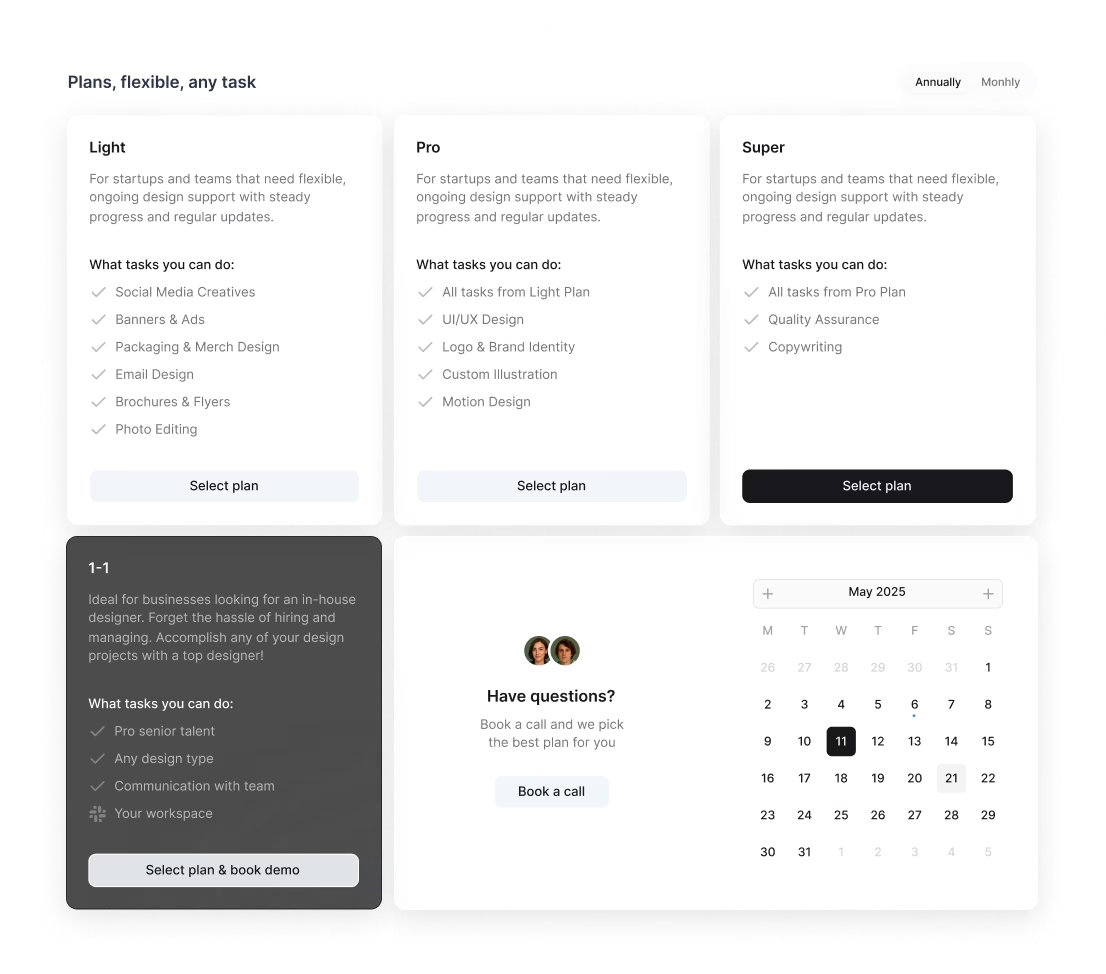
Our platform offers transparent subscription pricing to remove surprises. Plans start at $2,995/month for our All-in-One flexible part-time team including design, Webflow, copywriting, QA, and marketing, with a 1–1 Plan available for a dedicated full-time specialist plus PM from around $5k/month, and our Awesomic Studio provides AI landing pages from $500. Since you get unlimited revisions and managed workflows, you avoid costly scope creep common with freelancers or agencies.
So if you want to hire a tutorial video editor cost-effectively and with predictable budgets, Awesomic’s subscription gives you peace of mind. You can also combine this with tutorial video maker ai solutions for even faster production.
Where can you find the right tutorial video editor?
Finding the perfect tutorial video editor isn’t just about looking in one place. Here’s a practical list of where to search:
- Freelance platforms like Upwork and Fiverr.
- Creative portfolios on Behance.
- Professional networks such as LinkedIn.
- Job boards like ProductionHUB or Mandy.com.
- Niche communities including Reddit video editing subreddits and Facebook groups.
- Referrals from instructional designers, marketers, or peers.
- Agency directories like Clutch.
One of the biggest challenges is creating a clear job description that covers skills, portfolio examples, and project details to attract the right candidates.
That’s why our platform simplifies this entire search. When you use Awesomic, you submit your project requirements, and within 24 hours you get matched with pre-screened, senior-level tutorial video editors experienced in tutorial video editing. We handle vetting and management, so you avoid endless postings and unqualified applicants. This way, you find a great tutorial video editor quickly and with less hassle.
How do you evaluate a tutorial video editor’s portfolio?
Evaluating a portfolio goes beyond just watching polished videos. Here’s what you should look for:
- Clean and logical editing that improves understanding.
- Use of clear animated callouts or text to explain complex points.
- Pacing that fits tutorial content — not too fast or slow.
- Examples showing well-managed audio quality and volume.
- Problem-solving skills, like handling poor footage or feedback.
- Portfolio presentation with before/after clips, workflow explanations, or client testimonials showing increased engagement or learning success.
When you hire a tutorial video editor via Awesomic, you gain access to talents who’ve passed rigorous portfolio and skill reviews. You can even ask for specific tutorial-related examples during the matching process or request sample edits to be sure they fit your needs.
Remember, a good tutorial video maker not only edits but also improves how well your audience learns. Evaluating portfolios with this in mind helps you pick the right pro.
What questions should you ask before hiring?
Before you hire a tutorial video editor, asking the right questions is key. Here’s a list to guide your conversation:
- What tutorial editing software do you prefer and why?
- How do you sync voice-over with video effectively?
- How do you manage multiple rounds of revisions while meeting deadlines?
- Are you familiar with e-learning standards and accessibility requirements?
- Can you share examples where your editing improved comprehension or engagement?
- What project management tools do you use to communicate progress and receive feedback?
- How do you handle sound problems or poor-quality footage?
These questions reveal their technical skills, communication style, problem-solving ability, and reliability.
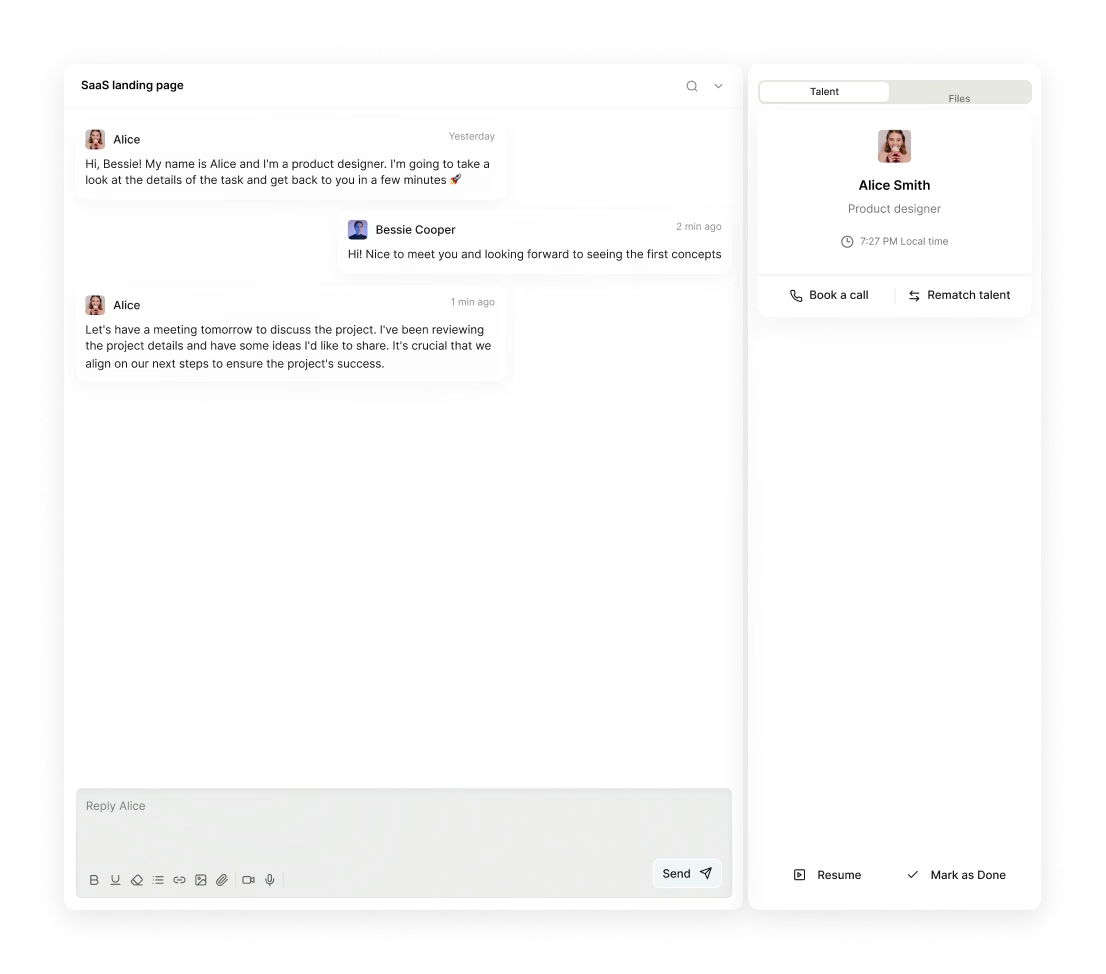
With our platform, you can communicate directly with matched talents via the Awesomic app or Slack. Plus, our support team helps guide you through the process. This setup also makes it easy to provide clear feedback and benefit from unlimited revisions, cutting typical freelance hiring risks.
If you want a smooth experience with a tutorial video maker ai capability combined with expert human editing, Awesomic helps you get the best of both worlds.
How do you work successfully with a tutorial video editor?
Working well with a tutorial video editor means setting things up right from the start. Here’s how to do it:
- Onboard them with style guides, brand assets, and clear tutorial objectives.
- Use tools like Frame.io or Vimeo for reviewing versions and comments.
- Track progress with project management apps such as Trello or Asana.
- Define realistic timelines including buffer for revisions.
- Give feedback that’s specific, includes timestamps, and focuses on instructional clarity.
- Encourage open communication for questions or suggestions.
- Set expectations on turnaround, scope, and response time.
- Schedule regular check-ins for updates and alignment.
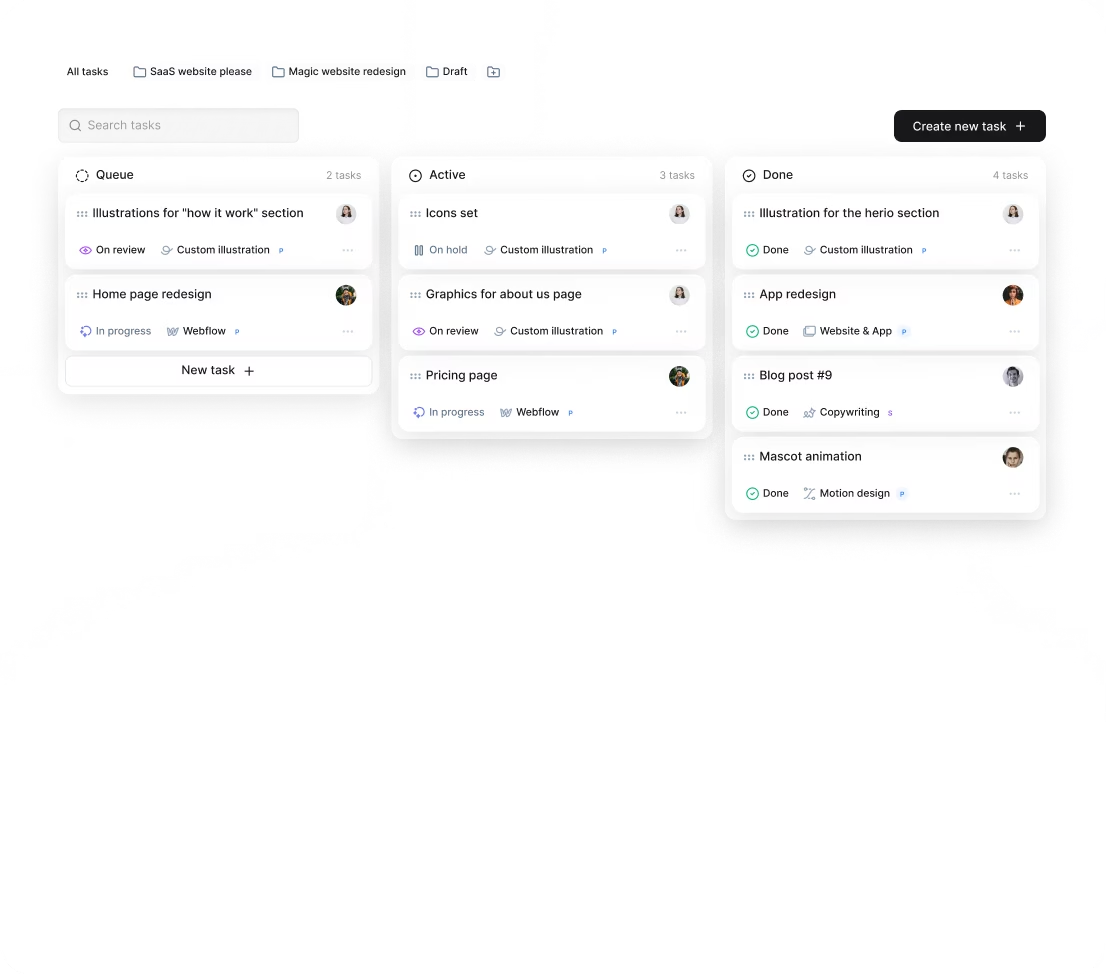
Our platform integrates all these workflows inside the Awesomic app, with Slack integration for effortless chat. You get daily updates and clear task tracking, so you stay informed without micromanaging. This ensures your tutorial video editor delivers exactly what you need on time.
If you want to hire a tutorial video editor and keep tutorial video editing smooth and stress-free, Awesomic’s setup really helps.
How do you know you hired the right tutorial video editor?
Finally, how can you be sure you made the right hire? Watch for these signs:
- Consistent on-time delivery of videos.
- Positive user feedback or higher engagement stats like watch time and completion.
- Clear and smooth workflow with minimal communication friction.
- The editor anticipates needs and suggests improvements.
- Fewer revision cycles and faster production times.
- Your editor handles evolving content demands as you scale.
You’ll also notice when you need to adjust or scale by tracking workload and quality needs.
Our platform offers a flexible subscription model that lets you switch editors if expectations aren't met and provides unlimited revisions to guarantee video quality. Clients on Awesomic regularly report faster turnaround, fewer corrections, and big cost savings compared to freelancers or agencies. This feedback confirms you’ve hired right.
If you want to combine AI-powered tutorial video maker tools with human expertise, our platform helps you get the best results with minimum hassle.
With these practical tips and insights, you’re ready to hire a tutorial video editor who boosts your educational content quality and scales your video production smoothly. Remember, choosing the right partner makes all the difference, and with Awesomic, you get expert help right when you need it.


