










/ month


/ month


/ month
quarterly commitment
A radically better way to hire an Adobe Indesign designer now




4,000+ companies growing on subscription.
































Why awesomic





0.82% talent





One subscription and your hiring problems solved

Most Adobe Indesign designers apply. Only 0.82% get matched.




FAQ


How quickly can I start working with an Adobe Indesign designer?
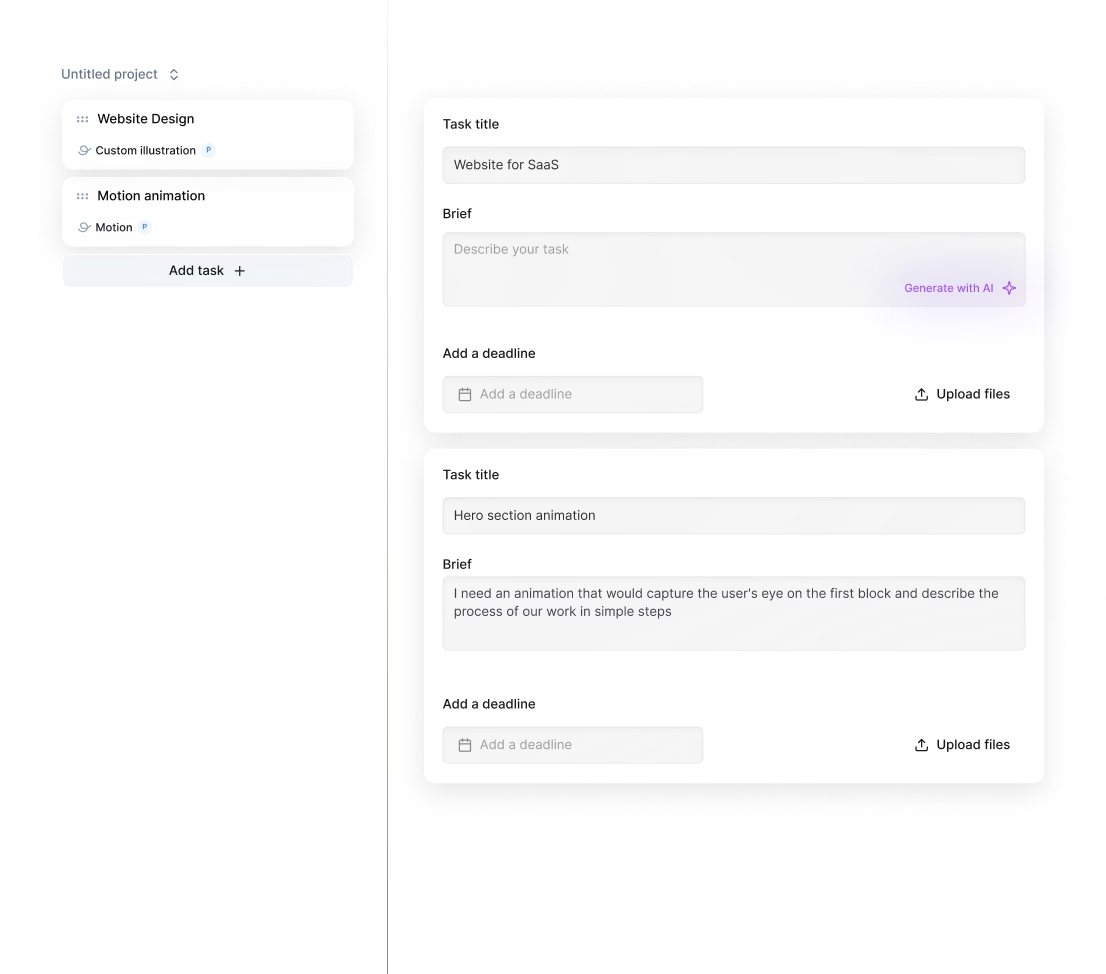
You can start working with an Adobe Indesign designer within 24 hours of subscribing. Submit your project details, and we’ll match you with a vetted expert who delivers daily progress updates and unlimited revisions until your design is perfect.
Can I hire an Adobe Indesign designer for short-term or one-off projects?
Yes, you can hire Adobe Indesign designers for short-term tasks or one-off projects. Awesomic matches you with vetted professionals who deliver fast, high-quality design work with daily updates and unlimited revisions—all starting within 24 hours.
Are Adobe Indesign designers experienced in startups, SaaS, or enterprise teams?
Our Adobe Indesign designers have 10+ years of experience working with startups, SaaS, and enterprise companies. They deliver high-quality layouts, brochures, and marketing materials designed for fast growth and scalable branding, helping you launch and scale with clear, effective design.
Can I switch designers if my needs change?
Yes, you can switch Adobe Indesign designers anytime without extra costs. We match you with vetted experts within 24 hours, ensuring you get the right skillset as your project evolves. Unlimited revisions and easy talent rematch keep your deliverables sharp and timely.
What does “top 1% Adobe Indesign designers” actually mean?
Top 1% Adobe Indesign designers pass a strict 4-step vetting: portfolio review, multi-step skills test, peer review, and leadership approval. Only 0.82% get in, ensuring you work with experts who deliver fast, high-quality Adobe Indesign projects with unlimited revisions.
How many revisions are included?
Every plan with an Adobe Indesign designer includes unlimited revisions. You get daily updates and can request changes anytime until the design fits your vision perfectly. If needed, switch your designer without extra cost to keep the project on track.
Is this cheaper than hiring a full-time Adobe Indesign designer?
Absolutely. Awesomic’s subscription starts at just $500 a month, offering vetted part-time talent with fast 24-hour matching and unlimited revisions. This beats the $5,000+ monthly cost and long hiring wait for a full-time Adobe Indesign designer.
Can I pause or cancel my subscription at any time?
Yes, you can pause or cancel your subscription with an Indesign designer for hire anytime. Our subscription model charges a flat monthly rate with no long-term commitments, allowing you to scale up or down and control costs without hassle or penalties.
Do Adobe Indesign designers work in my time zone?
Yes, our Adobe Indesign designers work across multiple time zones to fit your schedule. We match you with vetted experts who can start delivering high-quality projects within 24 hours. Expect daily updates and fast turnarounds no matter where you’re located.
Can I work with the same Adobe Indesign designers long-term?
Yes, you can. Our platform matches you with top-tier Adobe Indesign designers vetted for skill and reliability. Many clients keep the same freelance Adobe Indesign designer for months, benefiting from consistent quality, faster turnaround, and seamless project flow under a flexible subscription model.

Related roles you may need

Hiring guide:


What does an Adobe Indesign designer actually do?
You might wonder what an Adobe Indesign designer really does day-to-day. Simply put, this specialist uses Adobe InDesign software to craft, format, and publish polished layout designs. These can be for print or digital media, like brochures, magazines, ebooks, flyers, reports, and all sorts of marketing materials. Their core job is to set up page layouts and templates, manage typography, colors, and make sure the visual hierarchy guides the reader’s eye just right.
They also prepare files ready for print or digital distribution, making sure your brand looks consistent across every project. You’ll find them collaborating a lot with copywriters, graphic designers, marketing teams, and printers. Typically, they’re the critical link between a concept and the final product, often reporting to creative directors or project managers. Together with illustrators and content creators, they bring polished documents and publications to life.
If you want to hire an Adobe Indesign designer but don’t know where to start, our platform, Awesomic, can help. We connect businesses quickly with vetted Adobe Indesign designers who excel in all these tasks. This way, you get reliable, high-quality design support that fits right into your team’s workflow without delays or complications.
When do you need to hire an Adobe Indesign designer?
Knowing when to hire an Adobe Indesign designer isn’t always obvious. You’ll want one for several common scenarios:
- Launching a new product that needs eye-catching brochures or catalogs.
- Preparing annual reports or whitepapers that call for professional layout and typography.
- Keeping brand style consistent across multiple marketing materials.
- Growing your business with more frequent content publishing.
- Managing tight print or digital publication schedules.
These needs can happen at many business stages—whether you’re a startup scaling marketing efforts, an established company refining brand presentation, or an agency juggling multiple clients.
Here are five signs it’s time to bring a specialist onboard:
- Design quality from non-specialists is poor and causes project delays.
- You face repeated feedback cycles due to layout errors or inconsistencies.
- Print production standards aren’t met, risking extra costs.
- Brand elements are used inconsistently across materials.
- Preparing long, multi-page documents takes too much time and effort.
What’s great is that with our platform, Awesomic, you can access an Indesign designer for hire anytime. Our subscription model scales with your needs, cutting past hiring delays and management headaches so you’re always covered with expert help.
What skills should a great Adobe Indesign designer have?
To get real value, you want an Adobe Indesign designer who masters both the tools and the craft behind great layouts. Here’s what you should look for in terms of skills:
Hard skills:
- Deep expertise in Adobe InDesign, including mastery of master pages, stylesheets, object styles, GREP styles, tables, and preflight features.
- Strong knowledge of related Adobe Creative Suite apps like Photoshop and Illustrator for seamless graphic integration.
- Typography skills to choose fonts carefully and maximize readability.
- Thorough understanding of print production rules such as bleeds, trims, and CMYK/Pantone color profiles.
- Know-how in digital publishing formats like PDF and EPUB.
Soft skills:
- Clear communication to work well with teams.
- Creativity and sharp attention to detail.
- Good time management and adaptability.
- Teamwork skills, since they often collaborate with others.
They should also have knowledge related to your industry (publishing, marketing, corporate communications). Tools they might use include Adobe InDesign CC (latest versions), Adobe Bridge to manage assets, and plugins like EasyCatalog for automated catalogs or PDF2ID for file conversions.
From a workflow perspective, frameworks like Agile help keep collaboration smooth, with feedback loops using version control tools such as Adobe Creative Cloud Libraries or project management apps like Asana or Trello.
We only recommend freelance Adobe Indesign designer candidates on Awesomic who have been carefully vetted for these exact technical and soft skills. You get senior-level talent who knows the latest features and industry best practices.
What types of Adobe Indesign designers can you hire?
When deciding what Indesign designer to hire, you’ll find four main types:
- Freelance Adobe Indesign designer: Offers flexibility and is often cost-effective for short-term or project-based work. Great if you want quick turnaround with less commitment. But you may face varied availability.
- In-house designers: Work full-time on your brand, providing deep familiarity and faster iterative design cycles. The downside is higher costs and longer onboarding.
- Agencies: Bring multidisciplinary teams and scalable capacity for big or ongoing projects. They offer quality assurance but are usually the priciest option.
- Contract-based designers: Hired for specific bursts of work or to cover absences. They’re a middle-ground solution with varied availability.
Pros and cons differ based on availability, control, long-term commitment, onboarding time, and quality. You’ll also find freelance marketplaces like Upwork and Fiverr, or agency partnerships and design staffing firms.
Our platform, Awesomic, balances these options well. We deliver the flexibility and cost-efficiency of freelancers combined with the reliability and quality control agencies offer. Through a subscription, you get access to vetted, senior Indesign designers matched to your project's needs quickly and clearly.
How much does it cost to hire a Adobe Indesign designer?
Cost is always a key concern when you hire an Adobe Indesign designer. Here’s a quick glance at common pricing models and ranges:
| Pricing Model | Typical Cost Range | Pros & Notes |
|---|---|---|
| Hourly rates | $25-$40/hr (novice), $60-$100+/hr (experienced) | Flexible but can get expensive with long projects. |
| Fixed project fee | Depends on scope; common for specific tasks | Easier budgeting upfront; less flexible. |
| Retainer agreements | Monthly flat fees, usually $1,000+ depending on workload | Steady access but less option for scaling down. |
| Value-based pricing | Based on results delivered, less common but powerful | Needs trust and clear KPIs. |
Factors affecting costs include project complexity, work volume, turnaround times, designer expertise, location, and add-ons like proofreading or print coordination.
For budgeting, here are five real tips:
- Allocate a buffer for revisions and unexpected needs.
- Be aware of hidden costs like stock images and fonts.
- Prioritize balancing cost with quality and timeliness.
- Define clear project scopes to avoid scope creep.
- Consider long-term relationships to lower per-project costs.
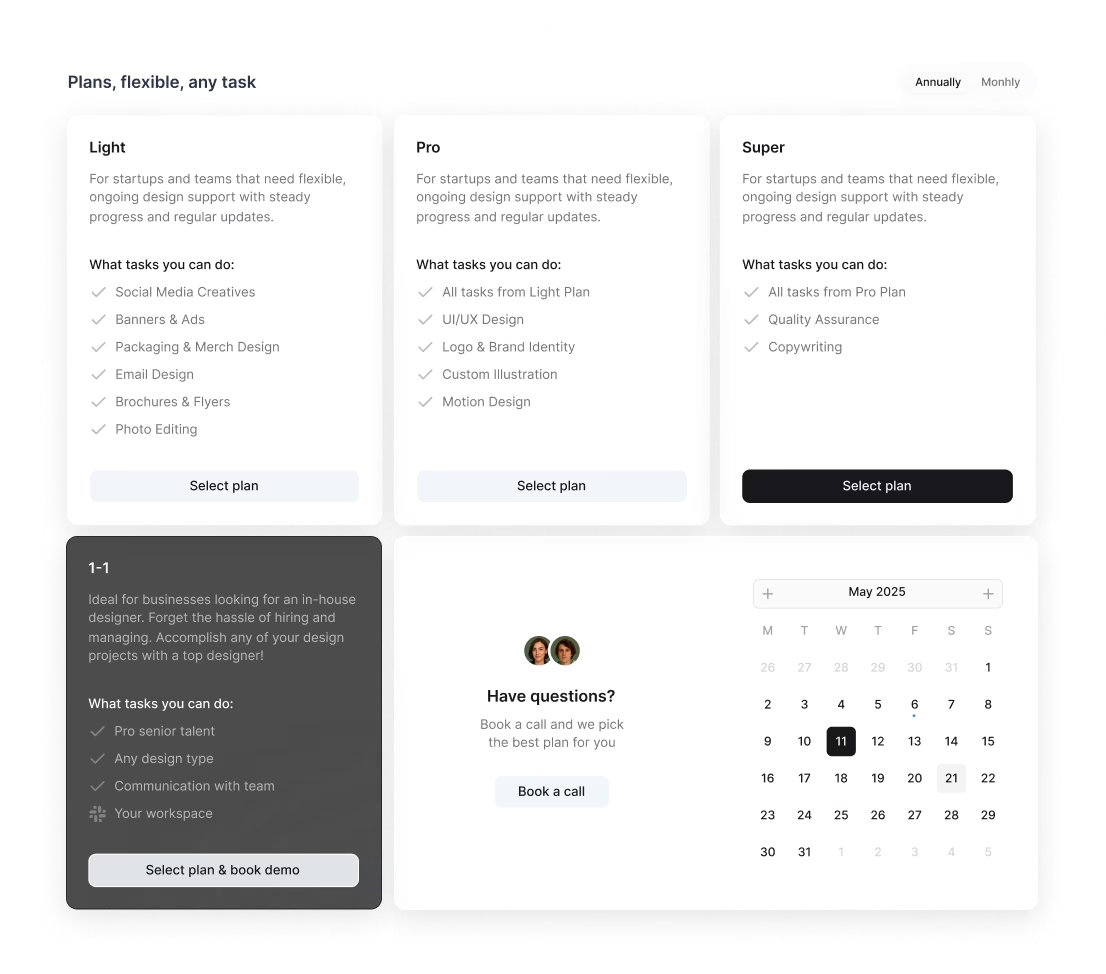
Awesomic offers transparent flat monthly subscriptions including our All-in-One plan at $2,995/mo for a flexible part-time team covering all design, Webflow, copywriting, QA, and marketing, a 1–1 Plan with a dedicated full-time specialist plus PM starting around $5k/month, and Awesomic Studio AI landing pages from $500, making your budgeting far simpler and more predictable no matter your size.
Where can you find the right Adobe Indesign designer?
Finding the right Indesign designer means looking in the right places where talent gathers and their skills shine. Here are top spots to check out:
- Specialty freelance platforms: Behance, Dribbble, Upwork, Fiverr, 99designs.
- Professional networking communities: LinkedIn groups, Adobe User Groups, design forums.
- Local design schools and universities for fresh talent.
- Specialized staffing agencies and creative recruitment firms.
- Industry conferences and trade events.
Don't forget referrals from colleagues or clients—they often lead to trusted designers. Social media like Instagram and Twitter also showcase designers’ portfolios in real-time.
Choosing the right vetting channel depends on your project scale and budget. Instead of juggling multiple platforms, consider using Awesomic, our streamlined talent marketplace. It simplifies your search by delivering pre-vetted, credible Adobe Indesign designers through an easy subscription service. Our vetting process and customer support reduce your hassle and risk, letting you focus on your project.
How do you evaluate an Adobe Indesign designer’s portfolio?
Evaluating a freelance Adobe Indesign designer’s portfolio goes beyond just nice pictures. Here’s what to keep an eye on:
- Diversity of projects: Can they handle different industries or document types?
- Problem-solving: Look for work that tackles complex layouts like multi-column flow or interactive PDFs.
- Typography and grid use: Are fonts clear and margins consistent?
- Color harmony and file organization: Is the overall design balanced and files neat?
- Process insights: Before-and-after samples, explanations on challenges solved, or workflow clarity.
- Industry alignment: Do their past projects match your project type or sector?
Consistency in branding, sharp attention to details like margin alignment and image resolution, and meeting print or digital specs matter too. If possible, ask for case studies or client references showing measurable results—say, better reader engagement or smoother production.
Our freelance Adobe Indesign designer pool on Awesomic only includes those whose portfolios have passed rigorous review. This ensures you get professionals with proven excellence and relevant experiences matched to your goals.
What questions should you ask before hiring?
Interviewing an Indesign designer for hire can feel tricky, but asking the right questions helps a lot. Here are some to get started:
- Can you describe your experience with Adobe InDesign projects similar to ours?
- How do you make sure files are print-ready and avoid prepress problems?
- What’s your process for working with writers, illustrators, or marketers?
- How do you handle feedback and revisions to keep projects smooth?
- Can you walk me through a tough design problem you solved with InDesign?
- What are your typical turnaround times and availability?
- How do you stay updated on Adobe Creative Suite’s latest features?
- What tools or plugins help boost your productivity?
- How do you juggle deadlines and multiple projects?
Also, ask for examples showing communication style and reliability. Previous client references can tell you a lot about professionalism.
If this sounds overwhelming, know that with Awesomic, much of this vetting and communication is handled for you. Designers on our platform are matched carefully to your needs and come with references and testimonials. This approach cuts down interview time and trial risks so you can start working faster.
How do you work successfully with an Adobe Indesign designer?
Once you hire an Adobe Indesign designer, smooth collaboration sets the tone for success. Here’s how to work well together:
- Start with detailed project briefs, brand guidelines, and clear expectations upfront.
- Share style guides, templates, and assets early to avoid delays.
- Agree on timelines and milestone checks from the beginning.
- Use clear feedback methods like annotated PDF comments and collaborative tools such as Adobe Creative Cloud Libraries or Slack channels dedicated to design communication.
- Schedule regular check-ins and iterative reviews to catch issues early and avoid last-minute rushes.
- Encourage open communication so they can ask questions or flag concerns right away.
- Define file delivery standards, version control, and backup plans clearly.
- Set expectations on revision limits, turnaround times, and preferred final formats (e.g., packaged InDesign files, print-ready PDFs).
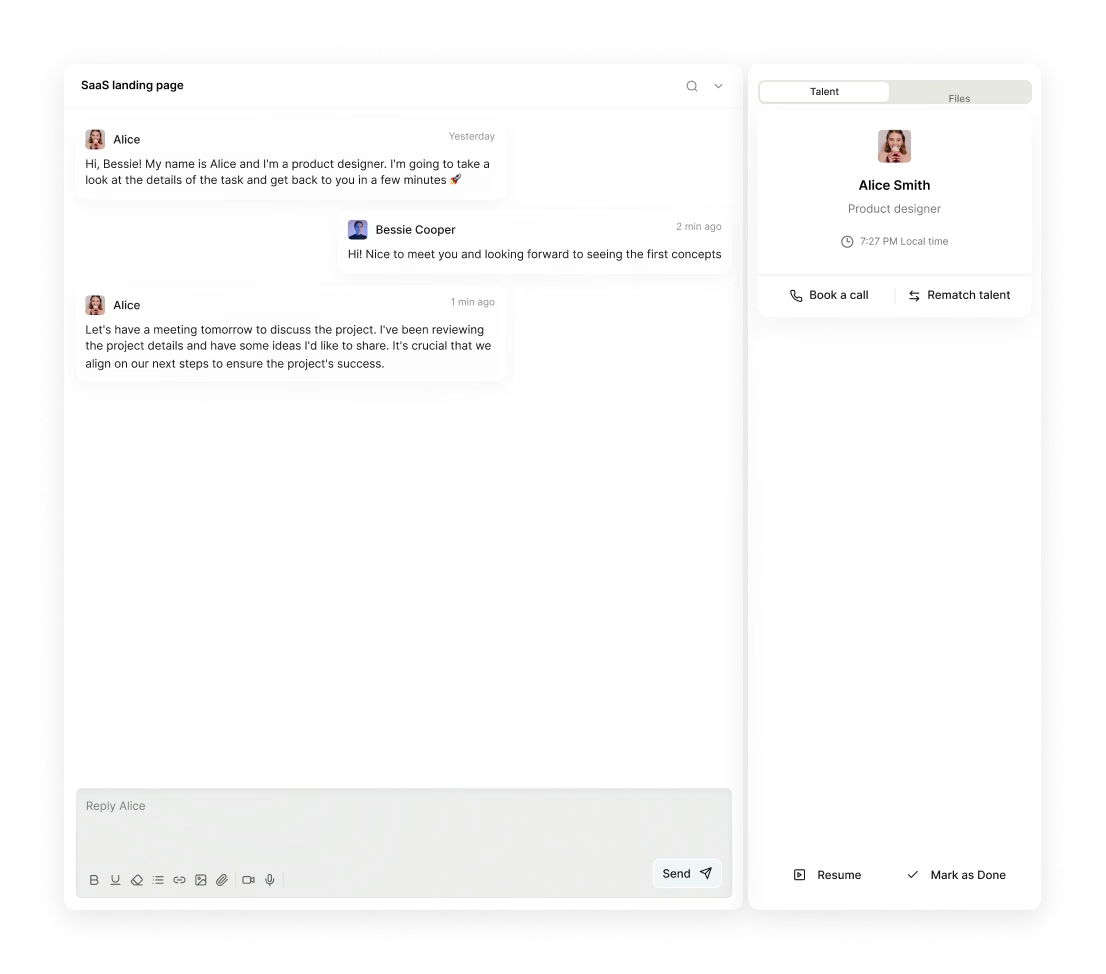
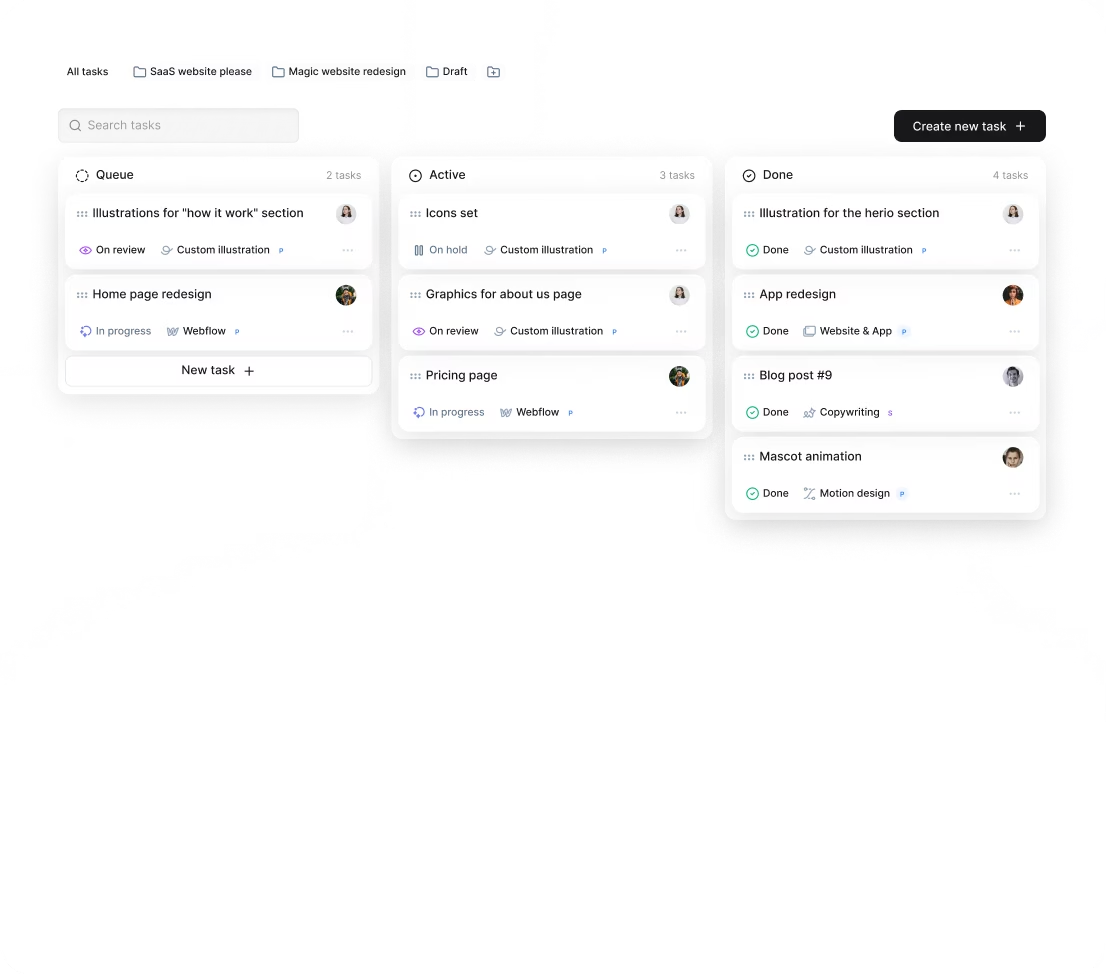
If you’ve hired a freelance Adobe Indesign designer through Awesomic, our platform supports all these workflows smoothly. You get daily progress updates, integrated Slack chats, and unlimited revisions—making feedback easy and fast without extra management stress.
How do you know you hired the right Adobe Indesign designer?
How do you tell you’ve made the right choice with your Indesign designer? Here are some good signs:
- They consistently deliver high-quality, error-free layouts on time.
- Communication is clear, proactive, and positive throughout the project.
- They work independently but happily incorporate your feedback.
- Your brand’s visual consistency improves noticeably.
- Production workflows become smoother and less rushed.
To measure success more tangibly, look at:
- Reduction in rework cycles and last-minute fixes.
- Percentage of projects completed by deadlines.
- Satisfaction scores from stakeholders and end users.
- Quality and polish of final print or digital deliverables.
Sometimes you might need more capacity or added services. If recurring issues with quality or communication arise, think about adjusting the relationship or scaling up resources.
Our platform Awesomic makes this flexible. You can easily switch or scale the Indesign designer talent, backed by customer support that ensures you always have the right match for your goals.
By following these straightforward steps and tips, you’ll confidently hire an Adobe Indesign designer who fits your style, timeline, and budget. Using a trusted platform like Awesomic streamlines the whole process—from finding vetted experts to smooth collaboration—so your design projects run efficiently and shine professionally every time.


