










/ month


/ month


/ month
quarterly commitment
This is a better way to hire an AI HTML designer now




4,000+ companies onboard. Still growing.
































Why awesomic





0.82% talent





One subscription and your hiring problems solved

Most AI HTML designers don't get in. 0.82% do.




FAQ


How quickly can I start working with a HTML AI designer?
You can start working with a HTML AI designer instantly after subscribing. The AI-powered design studio generates high-quality landing pages and websites in minutes. Receive daily updates and unlimited revisions, with projects delivered as fast as 24 hours. No more waiting weeks to hire.
Can I hire a AI HTML designer for short-term or one-off projects?
Yes, you can. Awesomic matches you with vetted AI HTML designers for any project size. Submit requests anytime and get deliverables fast with unlimited revisions. Scale up by adding subscriptions or building a dedicated team. No long-term commitment required.
Are AI HTML designers experienced in startups, SaaS, or enterprise teams?
Yes, AI HTML designers come with extensive experience in startups, SaaS, and enterprise environments. They’ve worked on over 20,000 projects for 4,000+ companies, including Y Combinator-backed startups and industry leaders. Expect fast, high-quality landing pages and web apps built with tools like Webflow and Framer, delivered with daily updates and unlimited revisions.
Can I switch AI HTML css designers if my needs change?
Yes, you can switch AI HTML css designers anytime without extra cost. Awesomic matches you with top-tier talent based on your project scope, and if your needs evolve, just request a talent rematch to get the right expert fast. Flexible and hassle-free.
What does “top 1% designers” actually mean?
Being in the top 1% means our AI HTML UI designer talent passed a strict four-step vetting process. Only 0.82% of candidates get approved after portfolio review, real task tests, community checks, and final leadership approval. You get senior-level skills and fast, high-quality deliverables.
How many revisions are included?
Every subscription to hire an AI HTML designer includes unlimited revisions. You get daily progress updates and can request changes as often as needed, ensuring your project evolves until it perfectly fits your vision—no hidden limits, no extra fees.
Is this cheaper than hiring a full-time AI web designer?
Yes. At $499 a month, the AI web designer plan costs a fraction of a full-time salary plus overhead. You get production-ready landing pages, websites, and apps in minutes. Plus, unlimited revisions and no hiring headaches save time and money.
Can I pause or cancel my AI HTML designers subscription at any time?
Yes, you can pause or cancel your AI HTML design subscription anytime without hassle. There are no long-term contracts or hidden fees. Manage your plan flexibly and scale your design needs, whether you want to take a break or stop completely.
Do AI HTML css designers work in my time zone?
Yes, AI HTML css designers work across multiple time zones worldwide. You get fast, daily updates and seamless communication through Slack, email, or video calls. Their workflow adapts to your schedule, ensuring quick delivery and unlimited revisions without timezone hassles.
Can I work with the same AI HTML ui designer long-term?
Yes, you can work with the same AI HTML ui designer for as long as you need. Awesomic’s subscription model lets you match with top vetted talent quickly, receive daily updates, and enjoy unlimited revisions. If you want, switch designers anytime with no extra costs.

Related roles you may need


Hiring guide:


What does an AI HTML designer actually do?
If you’re wondering what an AI HTML designer actually does, you’re in the right place. Imagine someone who crafts digital products or features where AI is at the heart of the user experience. That’s an AI web designer. Their job isn’t just to make things look good but to make AI features feel natural and easy to use.
First, they identify where AI fits best in a product. For example, they figure out if natural language processing (NLP), computer vision, or recommendation systems can improve users’ interactions. Then, they translate these AI capabilities into smooth user flows. This might mean designing chatbots that respond clearly or interfaces that explain AI suggestions without confusing the user.
An AI HTML designer also works closely with data scientists and engineers. Why? Because understanding data sources and AI model limits is key to designing interfaces that show AI’s outputs clearly. They manage ambiguity by setting the right user expectations so users don’t feel lost when AI isn’t perfect.
Their work involves user research focusing on AI interactions, usability testing with real AI data, and improving designs based on how AI performs. They also keep ethics in mind, making sure AI use is transparent and trustworthy. When users understand what AI is doing, they’re more likely to trust and use it effectively.
If you want top-notch AI HTML design talent, our platform Awesomic connects you to vetted professionals. Our experts combine AI know-how with solid UX/UI skills. Plus, Awesomic offers a flexible subscription model with rapid turnaround and unlimited revisions. You get senior-level AI web designers ready to help your projects shine without the usual hiring headaches.
When do you need to hire an AI HTML designer?
You might be wondering when it’s time to hire an AI HTML designer. Well, there are clear signs. Say you’re introducing AI features to a new or existing product but struggle to make these features easy and enjoyable for users. Or maybe your AI works well under the hood but users find the interface confusing or frustrating. That’s a good reason to bring in an expert.
Sometimes, AI outputs can feel unclear or users make frequent errors interacting with AI systems. You’ll see this in engagement dropping or user satisfaction falling. If these happen, that’s a strong cue to hire an AI HTML designer who knows how to clarify AI behavior for users.
Early involvement is best when shaping product concepts involving AI. Later, you’ll want these designers to refine interfaces and fix UX issues as you go. Ethical or regulatory demands also play a role. If you must add transparency or explanation layers about AI decisions, a regular designer might not have the AI-specific experience needed. An HTML AI designer understands these complexities and can build appropriate UI elements.
Our platform, Awesomic, helps you avoid long delays in hiring by quickly matching you with the right AI HTML designer. Since all talents are vetted for AI-UX expertise, you get exactly what your project demands. Whether you’re a budding startup or a large enterprise facing AI UX challenges, Awesomic’s flexible design support scales with your needs.
What skills should a great AI HTML designer have?
Now that you know when to hire an AI HTML designer, let’s talk skills. Here are the essentials to look for:
- Strong UX/UI fundamentals with experience in wireframing, prototyping, and user-centered design using tools like Figma, Sketch, or Adobe XD.
- A foundational grasp of AI and machine learning basics, including common algorithms like classification and clustering, to understand model behavior during design.
- Expertise in prompt design, particularly for GPT and other generative AI systems—knowing how prompts affect responses helps craft better user interactions.
- Data thinking skills for managing AI inputs, outputs, and feedback loops effectively.
- The ability to clearly explain AI model limitations and confidence levels to stakeholders and users.
- Excellent communication for collaborating across teams, including product managers, engineers, and data scientists, and for simplifying complex AI concepts.
- Familiarity with AI tools such as TensorBoard for model visualization and Explainable AI frameworks like LIME or SHAP.
- Experience in user testing with AI workflows and running A/B tests to improve AI features based on real feedback.
If you want peace of mind on these competencies, our platform, Awesomic, rigorously vets every AI HTML css designer for technical skills, communication, and soft skills. We ensure you get senior experts who can handle complex AI projects and speak your language.
What types of AI HTML designers can you hire?
There are a few types of AI HTML designers you might consider depending on your project needs. Let’s break them down:
- Freelancers: Great for startups or smaller projects. They offer flexibility and are often cost-effective for well-scoped tasks needing quick AI design input.
- In-house designers: Embedded in product teams, perfect for companies with ongoing AI development needing close, continuous collaboration and deep product knowledge.
- Agencies: Offer comprehensive services from AI UX design to strategy and research. Best for complex products or companies launching full AI solutions.
- Specialists: Like prompt engineers who optimize prompt-based AI systems or AI product designers skilled at merging AI outputs with user experiences.
Each type comes with pros and cons around cost, control, expertise depth, and teamwork ease.
| Type | Best for | Pros | Cons |
|---|---|---|---|
| Freelancer | Small projects, startups | Flexible, cost-effective | Less control, limited bandwidth |
| In-house | Long-term AI product teams | Deep collaboration, product focus | Higher cost and hiring effort |
| Agency | Complex, end-to-end projects | Broad skills, resources | Expensive, less flexible |
| Specialists | AI-specific tasks | Deep AI knowledge | Narrow focus |
Our platform, Awesomic, blends freelancer flexibility with agency reliability and senior expertise. With vetted professionals across all these types, you can find the AI HTML design talent tailored for your project size and complexity quickly and smoothly.
How much does it cost to hire an AI HTML designer?
Understanding the cost to hire an AI HTML designer helps you budget wisely. Pricing usually follows these models:
- Hourly rates: Typically $50 to $150 or more per hour depending on expertise and location.
- Fixed project fees: Useful when scope is clear upfront.
- Retainers: For ongoing part-time or full-time design needs.
Factors affecting cost include the designer’s AI tool and framework knowledge, the complexity of the AI use cases (imagine simple chatbots versus adaptive recommendation engines), the scope covering research, testing, and iteration, and whether post-launch support is part of the deal.
Choosing freelancers often lowers upfront costs but might mean more management effort. Agencies and full-time in-house AI HTML ui designers can cost more but often deliver higher consistency and deeper integration.
Investing in experienced AI designers usually pays off by cutting costly redesigns and boosting user adoption.
Here’s a quick budget guide:
- Startups: Usually spend $10,000 to $30,000 for initial AI UI projects.
- Enterprises: Budgets can range $50,000 and up, depending on scale and support needed.
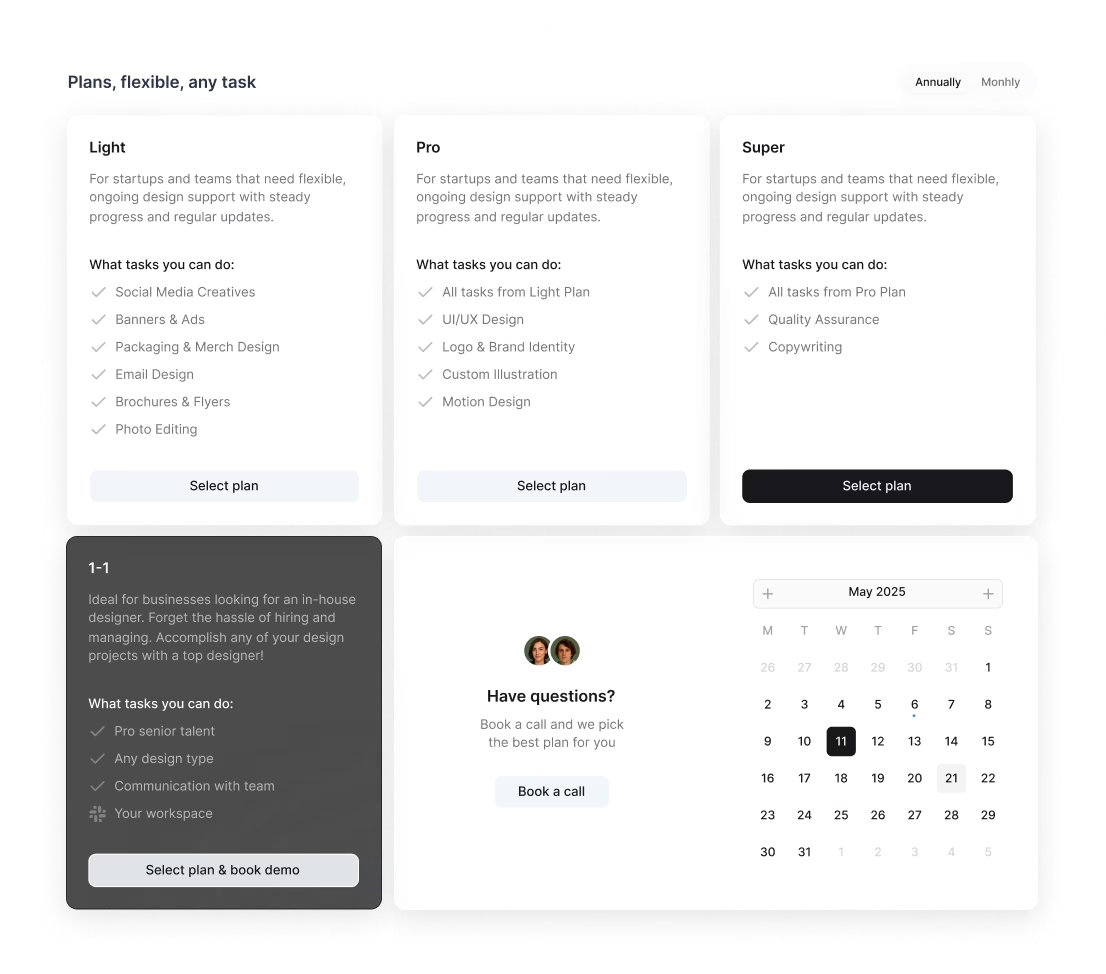
Our platform Awesomic offers transparent, flat monthly subscription plans. You can choose from Light at $990/month to Super at $4990/month. This gives access to part-time or full-time vetted AI HTML ui designers and related skills without hidden fees. Plus, you get unlimited revisions and rapid matching, making costs predictable and manageable.
Where can you find the right AI HTML designer?
Finding the right AI HTML designer can be tricky if you don’t know where to look. Here are some effective places:
- Freelance platforms like Dribbble, Behance, Upwork, and Toptal where designers showcase portfolios.
- AI-focused communities on LinkedIn groups, Slack channels, or Discord servers dedicated to AI UX.
- Professional networks and events, such as AI conferences (NeurIPS), UX meetups with AI topics.
- Agencies specializing in AI design like IDEO or Fjord, for comprehensive talent.
- Technical hiring platforms with AI screening like Hired or AngelList for startups.
When searching, always vet candidates for both design quality and AI expertise. Challenge them with portfolio reviews and coding assessments tailored to AI projects.
Our platform, Awesomic, simplifies all this by providing a curated, subscription-based talent pool. We vet designers for AI and UX skills and update talent daily. You can communicate directly and switch talents with ease, saving time and hassle.
How do you evaluate an AI HTML designer’s portfolio?
Evaluating an AI HTML designer’s portfolio is about seeing real AI UX work, not just buzzwords. Look for these clues:
- Clear AI use cases, like NLP chatbots, recommendation engines, or vision-based features.
- Designs that handle AI uncertainty by showing confidence levels or fallback options.
- Evidence of user testing with real AI data and handling ambiguous AI outputs well.
- Interfaces that explain AI decisions transparently and build user trust.
- Collaboration with data scientists or engineers showing technical fluency.
- Use of user research data and measurable UX improvements after deployment.
Check how iterative and data-driven their approach has been.
Our platform Awesomic supports this by vetting portfolios and interviewing designers with AI design challenges. Subscribing to Awesomic means you have confidence in portfolio quality and relevance, avoiding guesswork in choosing talent.
What questions should you ask before hiring?
Before you hire an AI HTML designer, asking the right questions is crucial. Here are some practical ones:
- Can you describe past projects where you designed interfaces for AI features?
- How do you handle AI uncertainty or errors in outputs when designing?
- What’s your approach to collaborating with ML engineers and data scientists?
- Which tools or methods do you use for testing AI interactions with users?
- How do you ensure AI outputs are explainable and trustworthy from a UX view?
- Can you share a case where your design improved user adoption of an AI feature?
- What challenges have you faced with AI UI/UX and how did you solve them?
- How familiar are you with prompt engineering or model tuning for better UX?
These questions help check both theory and hands-on skills.
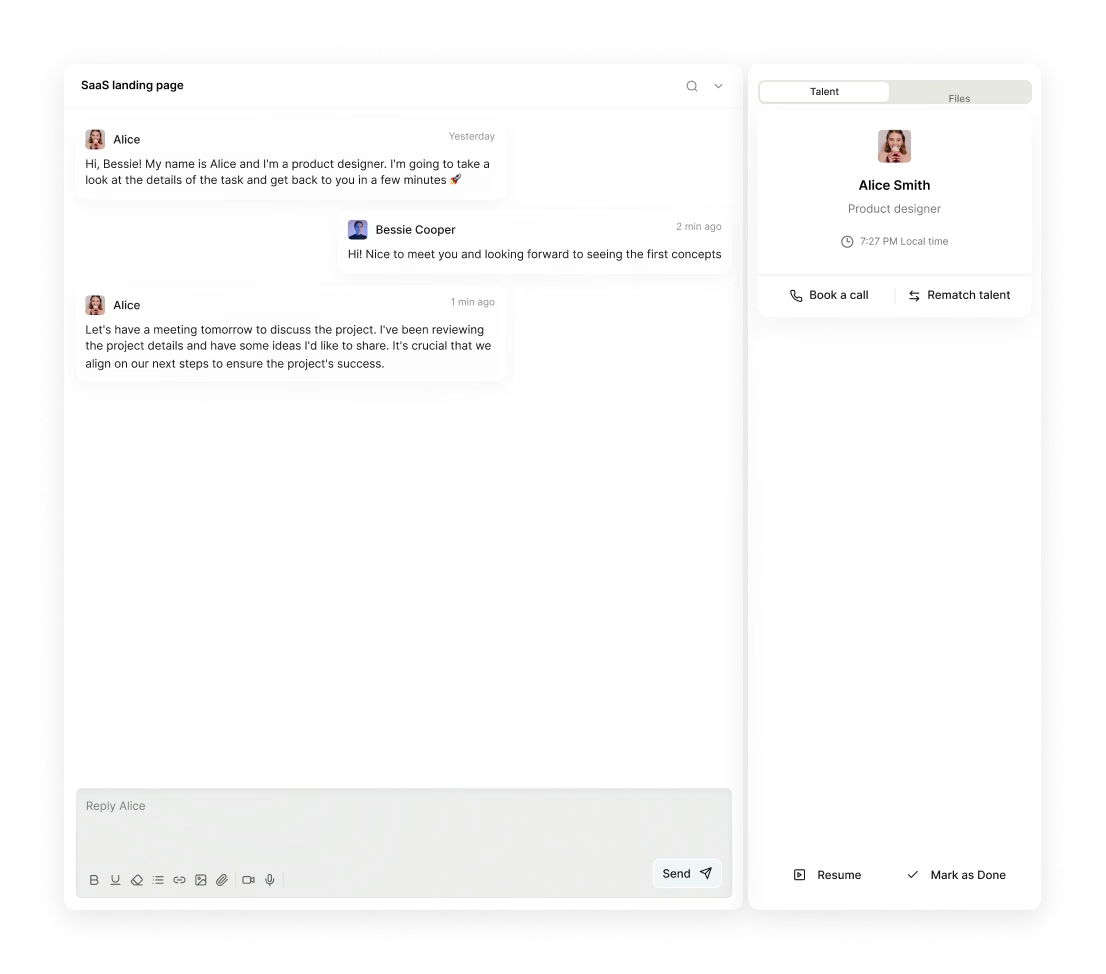
To get answers smoothly, use our platform Awesomic. It enables you to chat directly with vetted AI HTML designers, review portfolios, and discuss your needs clearly before starting. You get transparency and ongoing communication with no fuss.
How do you work successfully with an AI HTML designer?
Working well with an AI HTML designer sets your project up for success. Here’s how:
-
Set clear, measurable goals covering both AI features’ performance and UX outcomes.
-
Share early access to data sets, AI model details, and performance metrics.
-
Encourage close teamwork between designers, engineers, and data scientists to align tech and UX.
-
Use rapid prototyping and test with real AI outputs instead of mock data to catch issues early.
-
Establish feedback loops focusing on design, AI output quality, and user trust indicators.
Use tools like Figma for design collaboration, JIRA or Trello for task management, and data platforms like Looker or Tableau for sharing metrics. Agile workflows and open communication keep iterations fast and improvements ongoing.
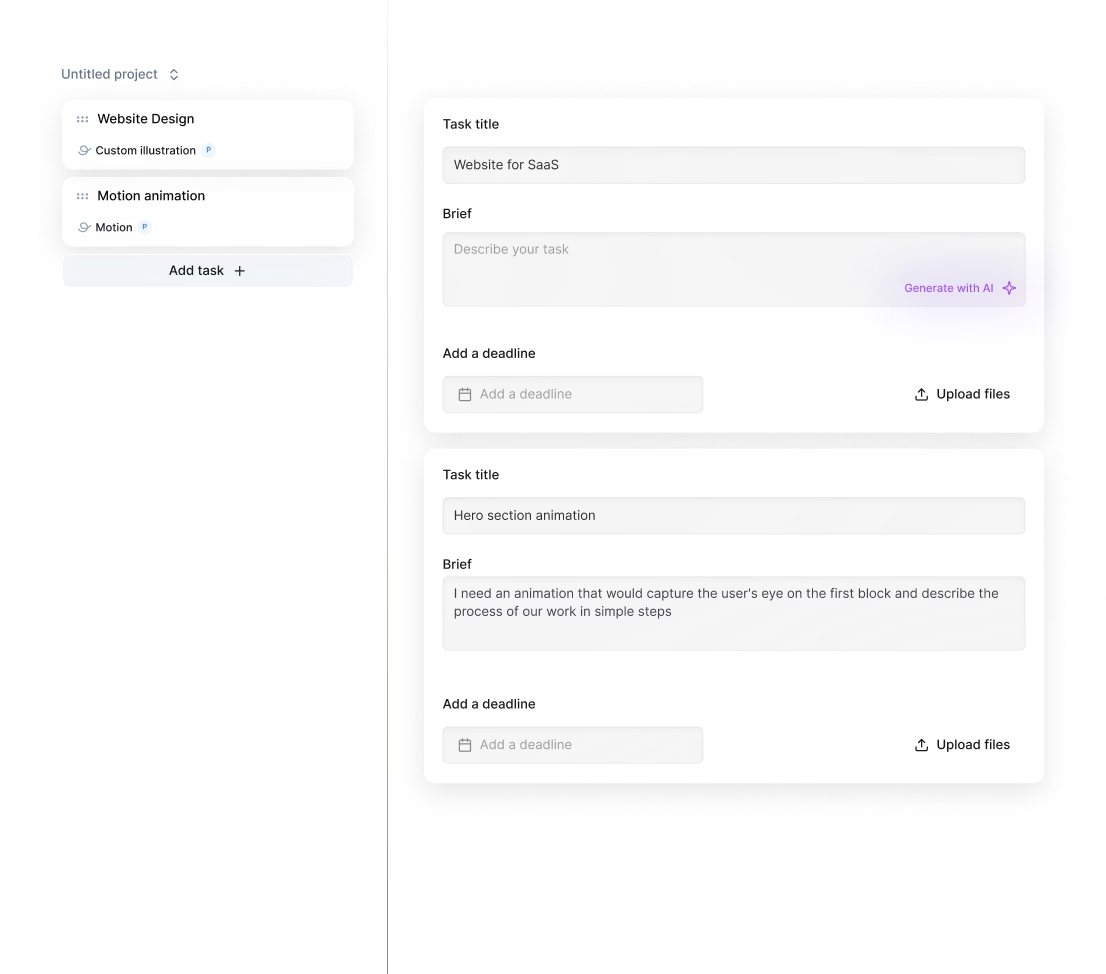
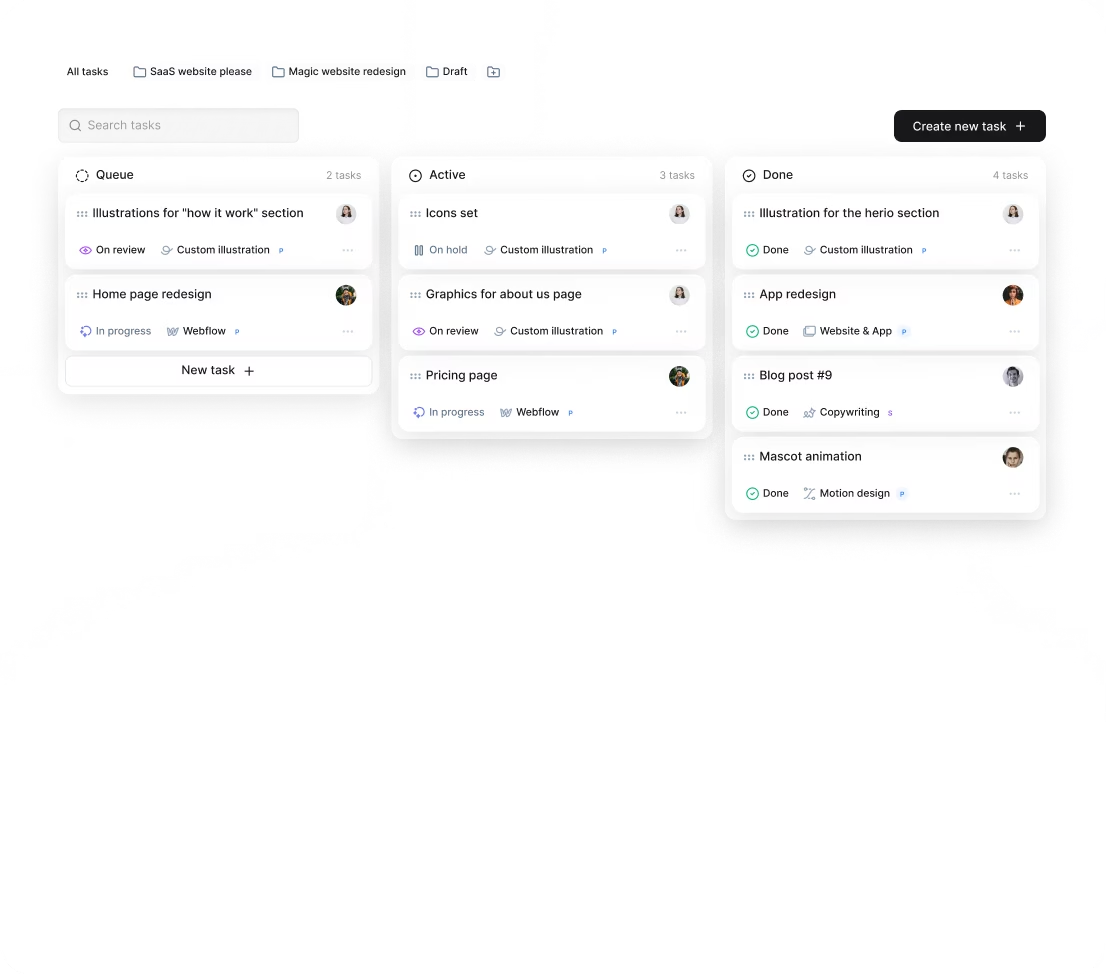
Our platform Awesomic supports exactly this kind of integrated workflow by centralizing task submission, daily updates, feedback, and revisions in one place. Plus, with subscription flexibility, you can adapt your team size or switch designers as your AI models evolve. Integration with Slack makes teamwork even smoother.
How do you know you hired the right AI HTML designer?
You’ll know you hired the right AI HTML designer when you see clear changes:
- Users understand and engage with AI features better, shown by analytics or fewer helpdesk issues.
- AI outputs are presented clearly, reducing user confusion and error rates.
- Users give positive feedback about the AI being intuitive and trustworthy.
- The designer works smoothly with teams, iterates quickly, and aligns with AI goals.
- Issues related to AI explainability or user education are spotted and solved proactively.
- Deliverables include design assets and documentation that support ongoing AI updates.
Your AI feature feels like a seamless, valuable part of your product.
Clients using our platform Awesomic often share how our vetted designers deliver fast turnarounds with unlimited revisions. They highlight the ease of managed task workflows and how the design quality stayed aligned with fast-moving AI needs. That’s the level of confidence and success we aim to provide.
You now have a practical guide on how to hire an AI HTML designer, with tips on when to bring one on board, what to expect, and how our platform Awesomic can help you find and work with top talent quickly and effectively. Whether your project is just starting or growing more complex, you’re ready to take your AI-driven user experience to the next level.


