










/ month


/ month


/ month
quarterly commitment
This is a better way to hire an AI Figma designer now




4,000+ companies onboard. Still growing.
































Why awesomic





0.82% talent





One subscription and your hiring problems solved


Most AI Figma designers don't get in. 0.82% do.




FAQ


How quickly can I start working with a Figma AI designer?
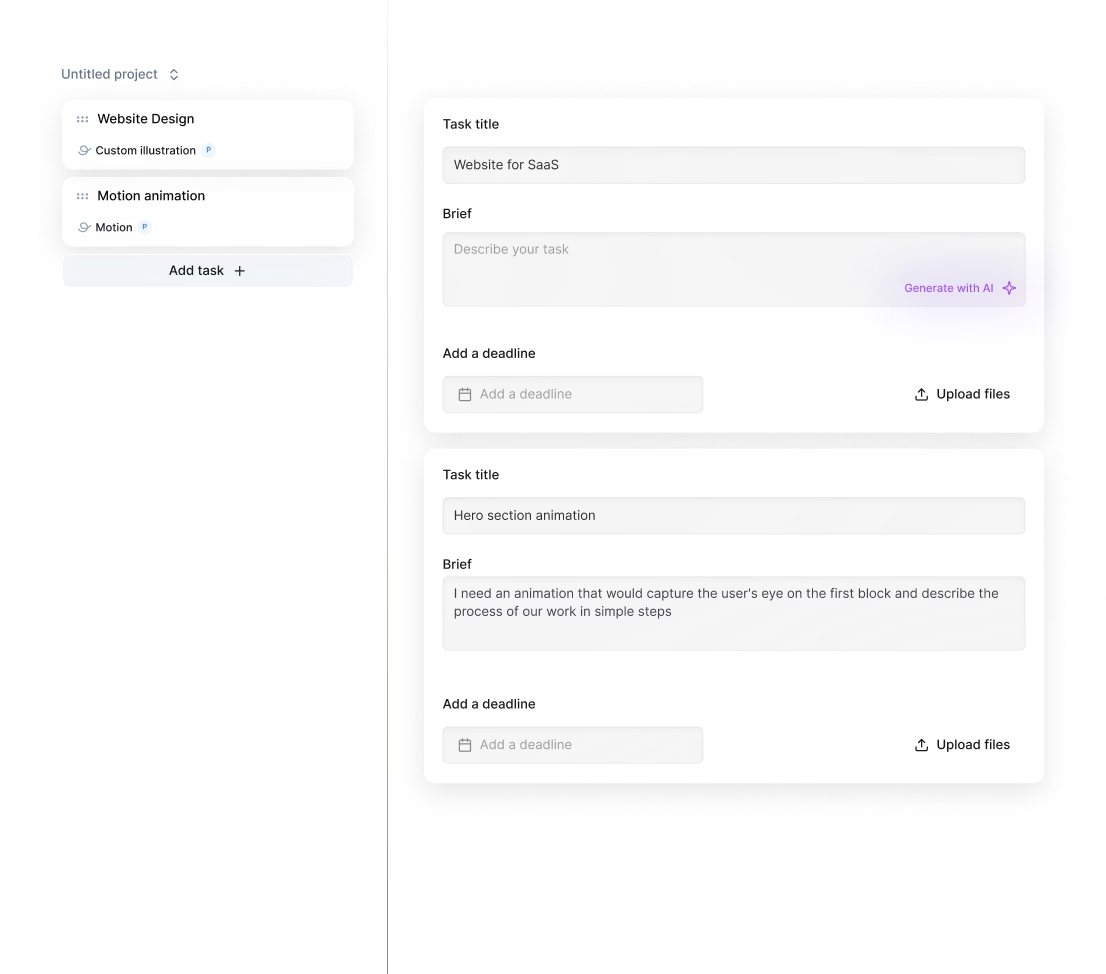
You can start working with a Figma AI designer in as little as 24 hours after subscribing. Submit your project, and you'll receive daily updates with production-ready designs. Unlimited revisions and talent rematches ensure your project hits the mark fast and hassle-free.
Can I hire a AI Figma designer for short-term or one-off projects?
Yes, you can. Awesomic’s subscription model lets you submit tasks anytime and get matched to top AI Figma designers fast. While it’s a subscription, you control deliverables with unlimited revisions and can scale up or pause as your project demands.
Are AI Figma designers experienced in startups, SaaS, or enterprise teams?
Yes, AI Figma designers at Awesomic come with 7 to 15+ years of experience working for startups, SaaS, and enterprise clients like Coca Cola, Disney, Udemy, and Y Combinator-backed companies. They deliver fast, high-quality designs tailored to business goals.
Can I switch designers if my needs change?
Absolutely. With Awesomic, you can switch AI Figma designers anytime at no extra cost. If your project scope or style shifts, just request a talent rematch. This ensures you always get the right expert matched to your AI web design Figma needs—flexible and hassle-free.
What does “top 1% AI Figma designers” actually mean?
It means these AI Figma designers pass a strict four-step approval: portfolio and skills review, a real test task, peer review, and leadership sign-off. Only 0.82% make the cut, ensuring you get top-level, fast, and reliable design work every time.
How many revisions are included?
With Awesomic, every subscription includes unlimited revisions. Your Figma AI designers provide daily updates, and you can request as many changes as you need until the design fits perfectly. If needed, you can switch talents at any time with zero extra cost.
Is this cheaper than hiring a full-time AI designer Figma?
Yes. For $499 a month, you get instant, unlimited access to AI designer Figma who delivers ready-to-use landing pages and web apps. No hiring delays, salary, or overhead. It’s up to 70% cheaper than full-time hires, with daily updates and unlimited revisions.
Can I pause or cancel my AI Figma designers subscription at any time?
Yes, you can pause or cancel your AI Figma designers subscription anytime with no long-term contracts. This flexible subscription lets you scale your design needs up or down without hassle, giving you full control over your projects and costs.
Do AI Figma designers work in my time zone?
Yes, our AI Figma designers work globally and adapt to your time zone. Expect daily updates and fast turnarounds within 24 hours. You can connect via Slack, email, or video calls anytime, ensuring smooth collaboration without timezone hassles.
Can I work with the same AI Figma designers long-term?
Yes. With Awesomic, you can get matched to a dedicated AI Figma design maker or choose from vetted designers. Subscription plans allow long-term collaboration backed by daily updates, unlimited revisions, and easy talent switching. Scale your design output as needed without hiring delays.

Related roles you may need




Hiring guide:


What does an AI Figma designer actually do?
Hiring an AI Figma designer can feel like stepping into a new world—one that mixes design with cutting-edge AI technology. But what exactly does a Figma AI designer do? Simply put, they craft user interfaces and experiences for products or features powered by artificial intelligence. That means they don’t just focus on how things look, but on how users interact with AI-driven actions and feedback.
Think of it this way: AI Figma designers work closely with product managers and data scientists to figure out where AI should have an impact. They help define meaningful problems that AI can solve, such as making helpful recommendations, predicting what users might want to do next with predictive typing, or building seamless conversational interfaces like chatbots. From there, they map out user flows that include these AI actions, making sure everything operates smoothly.
These designers pay special attention to how users interact with data, including how they input information, get AI-driven feedback, and understand the AI’s confidence or any uncertainty in results. A big part of their job is making AI output clear and actionable. They create easy-to-understand visualizations, explanations, and error messages designed to reduce confusion and increase trust.
To pull this off, AI Figma designers use Figma as their main tool, often enhanced by plugins like Anima for animation or FigJam for collaborative brainstorming sessions. They also bring in AI explainability concepts—simplified from frameworks like LIME or SHAP—to help users see why AI makes certain suggestions. Prototyping tools that simulate AI behavior let them test these flows early on, catching issues before full development.
Our platform Awesomic makes it simple to hire an AI Figma designer with these specific skills. We offer access to vetted designers who understand the nuances of AI UX design and fit seamlessly into your team through a subscription model. This approach saves you from the hassles of lengthy hiring cycles while giving you top talent ready to push your AI product forward.
When do you need to hire an AI Figma designer?
You might wonder when it’s the right time to bring in an AI Figma designer. The answer is anytime AI becomes central to your product or feature. For example, if you’re weaving AI capabilities into a new app or adding them to an existing one to boost personalization or automate tasks, it’s time to get expert help.
Often, signs that you need to hire an AI Figma designer include user struggles to understand AI suggestions. Maybe your feedback channels reveal users think AI outputs are confusing or unreliable. If your current AI features aren’t boosting engagement or building trust, that’s a red flag. Another common case is facing complex data or machine learning models that make your user experience technical or frustrating instead of smooth and helpful.
You’ll also want to hire an AI Figma designer when launching AI chatbots, personalization engines, or automation tools. These use cases demand clear communication of AI actions and outcomes to earn user trust. Importantly, bringing in an AI Figma designer early in product development prevents costly UX fixes down the line.
Our platform, Awesomic, makes getting an AI Figma design maker easy and quick. Startups and enterprises alike benefit from access to top-tier specialists who understand scenarios just like yours, without the wait and headaches of traditional recruitment. You’ll be able to keep pace with fast AI iterations and integrate great UX from day one.
What skills should a great AI Figma designer have?
To hire an AI Figma designer who truly delivers, you want someone with a solid blend of design and AI knowledge. Here’s a quick rundown of the core skills that matter:
- Strong UX foundations: user research, wireframing, interaction design, and usability testing all customized for AI contexts.
- Basic AI/ML understanding: how supervised and unsupervised learning works, the meaning of model outputs like probabilities and classifications, plus awareness of AI limitations such as bias and uncertainty.
- Prompt design expertise: knowing how to craft prompts that get the best results from generative AI models like GPT and DALL-E.
- Data thinking: understanding the impact of data quality and model training on the user experience.
- Clear communication: explaining complex AI behavior simply to non-expert users.
- Familiarity with design tools: deep skill with Figma and AI-focused tools like RunwayML or GPT-3 Playground.
- Knowledge of design systems that support dynamic and personalized UI.
- Experience with human-centered AI frameworks such as IBM's AI Fairness 360 and Google’s People + AI Guidebook.
We thoroughly vet all our AI designer Figma talent on Awesomic through a multi-step process. This includes portfolio reviews, test tasks, and community approvals, ensuring you get senior-level experts who know how to adapt traditional UX methods for AI’s unique challenges.
What types of AI Figma designers can you hire?
When it’s time to hire an AI Figma designer, you’ll notice there’s more than one kind. Knowing which type fits your project can save you time and money.
- Freelance AI designers offer flexibility for short-term projects or specific UX challenges. They’re great for MVPs or testing new AI ideas.
- In-house designers join your product team full-time, bringing long-term ownership of AI features and smooth iteration.
- Agencies provide multidisciplinary teams that scale your AI product design fast. They’re ideal when you want to push lots of features quickly.
- Niche specialists include prompt designers who craft precise AI queries and AI product designers focused on data ethics and explainability.
Here’s a quick comparison table to help you decide:
| Designer Type | Best for | Commitment | Cost Estimate |
|---|---|---|---|
| Freelancer | MVPs, quick fixes | Short-term | $60-$150/hour |
| In-house | Long-term AI feature ownership | Full-time | $100K+ annual salary |
| Agency | Scaling AI features fast | Project or retainer | Varies widely |
| Niche specialist | Complex AI ethics & prompt design | Depends on need | Premium rates |
Our platform Awesomic supports all these types through flexible subscription plans. Whether you’re a startup seeking light help or an enterprise needing ongoing pro support, you can switch talent profiles anytime without extra hiring stress.
How much does it cost to hire an AI Figma designer?
Cost is often top of mind when you hire an AI Figma designer. Expect to see a variety of pricing models including hourly rates, fixed project fees, or retainers.
Hourly freelancer rates typically range from $60 to $150 depending on experience and AI expertise. In-house roles cost around $100K or higher annually plus benefits. Agencies charge more, with fees varying based on project scope and scale.
Keep in mind that AI designers command premium rates because they balance UX knowledge with AI model understanding. They stay up to date on evolving AI tools, ethical concerns, and iterative testing demands.
Several factors influence the cost, such as:
- The designer’s experience with AI-specific tools like GPT-3 Playground or RunwayML.
- The novelty and complexity of AI use cases (e.g., generative AI vs classification models).
- Project length and need for multiple AI testing cycles.
- Integration depth with engineering and data science teams.
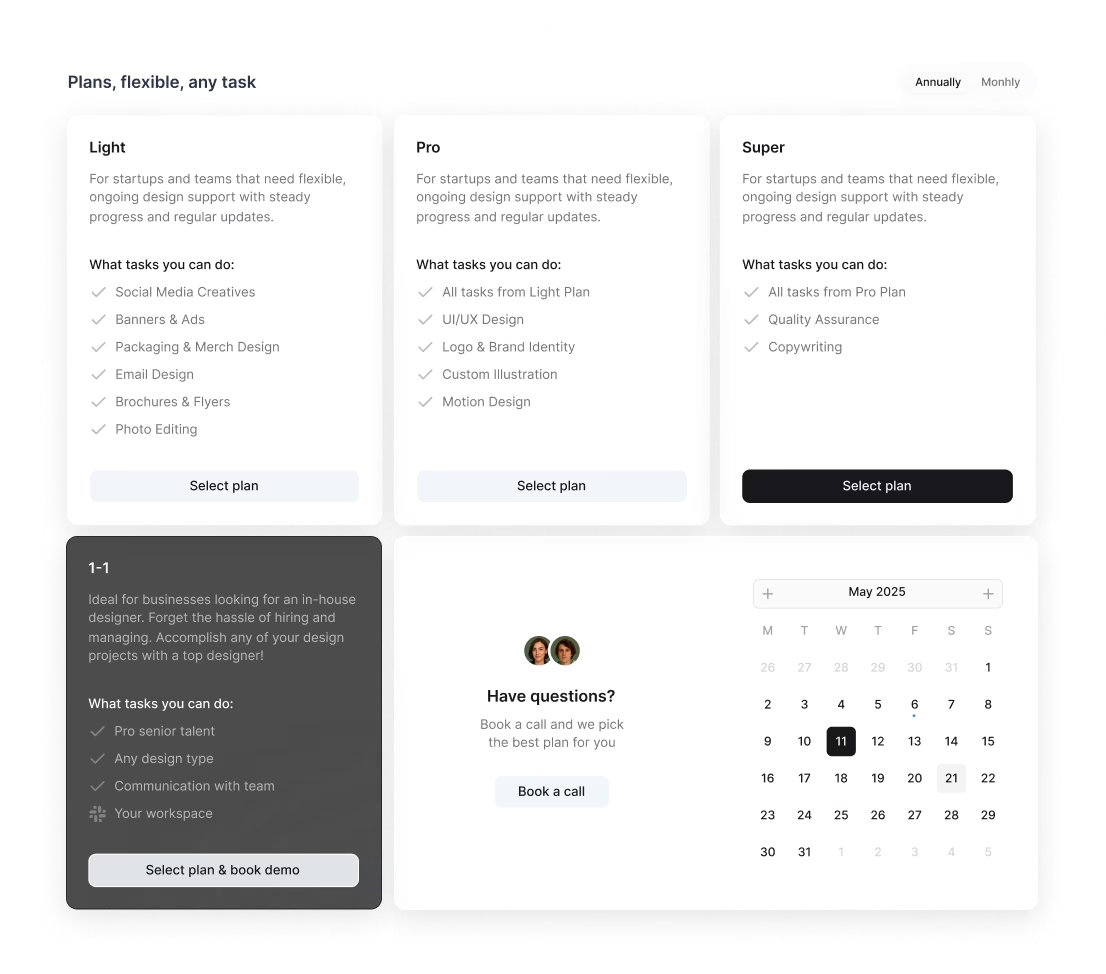
On our platform Awesomic, the pricing is transparent with monthly subscriptions starting at $990 (Light) for startups and scaling up to $4990 (Super) for enterprises. These plans cover part-time, vetted AI design talent, unlimited revisions, daily updates, and managed workflows. You can save up to 70% compared to traditional freelancers or agencies, while cutting out hiring delays and overhead.
Where can you find the right AI Figma designer?
Finding the right AI Figma designer means looking in the right places. Here’s where you’ll want to search:
- Design portfolio sites like Dribbble and Behance showcase designer styles and AI-related projects.
- Freelance platforms such as Upwork and Toptal vet talent for freelance AI Figma design makers.
- LinkedIn groups focused on AI and UX design connect you with professionals sharing expertise.
- AI communities like AI Product Institute, OpenAI forums, and Slack design channels diving into AI topics.
- Agencies renowned for AI product UX, like IDEO, Fjord, or specialist AI UX consultancies.
- Recommendations from your own data science or engineering teams who’ve collaborated with AI-centric designers.
Our platform Awesomic operates as an exclusive talent marketplace, accepting only the top 0.82% of applicants after rigorous vetting. It includes specialized AI Figma designers who fit your specific needs. You can browse portfolios and book vetted design experts through our site, with matching usually done within 24 hours, saving you precious time.
How do you evaluate an AI Figma designer’s portfolio?
Evaluating a portfolio when you want to hire an AI Figma designer should go beyond looks. You want evidence the designer deeply understands AI-driven UX challenges. Look for projects with:
- Clear problem statements outlining AI use cases tackled.
- Effective handling of AI uncertainty with fallback options, confidence indicators, and user feedback loops.
- Innovative ways to explain AI results through visuals or microcopy.
- Demonstrated efforts in improving user trust via transparent AI interfaces or ethical design choices.
- Realistic prototypes simulating AI behavior.
- Usability testing results showing reduced confusion or error in AI interactions.
On our platform Awesomic, many portfolios feature case studies from real clients like Playhouse and Willow. These highlight the complexity of AI UI/UX solved with tangible outcomes. Choosing an AI Figma designer through Awesomic means you get this proven expertise without guesswork.
What questions should you ask before hiring?
Before you hire an AI Figma designer, asking the right questions sets you up for success. Here are practical ones to steer the conversation:
- Can you describe a complex AI feature you’ve designed and the biggest challenges you faced?
- How do you handle unclear or unexpected AI results in UX? What strategies do you use for ambiguity or error states?
- How have you collaborated with engineers and data scientists to understand AI models and incorporate feedback?
- What user testing methods do you apply specifically for AI features? How do you measure user trust or satisfaction?
- What’s your knowledge of AI ethics, like fairness, bias, and transparency, and how do you apply it in your designs?
When you work with our platform Awesomic, we handle talent screening upfront by our multi-phase vetting. Still, you get the chance to interview matched AI designer Figma experts to ensure they’re the right fit. Plus, if something’s not right, we make it easy to rematch talent anytime.
How do you work successfully with an AI Figma designer?
Getting the best from an AI Figma designer requires solid collaboration habits. Here’s how to set the stage:
- Set clear, shared goals balancing AI’s capabilities with user needs right from the start.
- Provide timely access to datasets or AI model outputs for accurate prototyping.
- Encourage regular syncs between designers, engineers, and data scientists to stay aligned on AI constraints and changes.
- Test AI features iteratively, from quick low-fidelity mockups to detailed prototypes, gathering both qualitative and quantitative feedback.
- Foster open feedback focusing on UX flow, AI output clarity, and relevance.
- Use collaboration tools like Figma, project trackers like JIRA or Asana, and shared docs for AI specs.
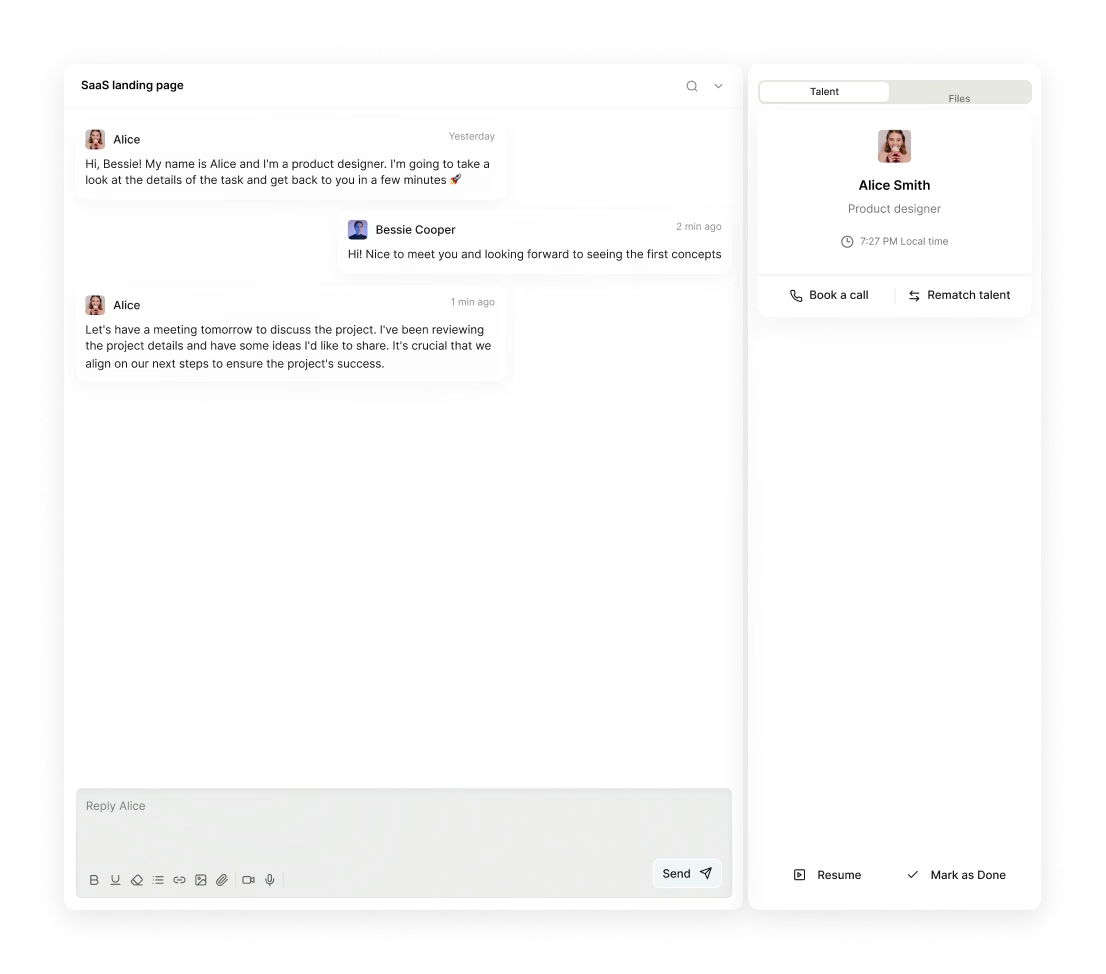
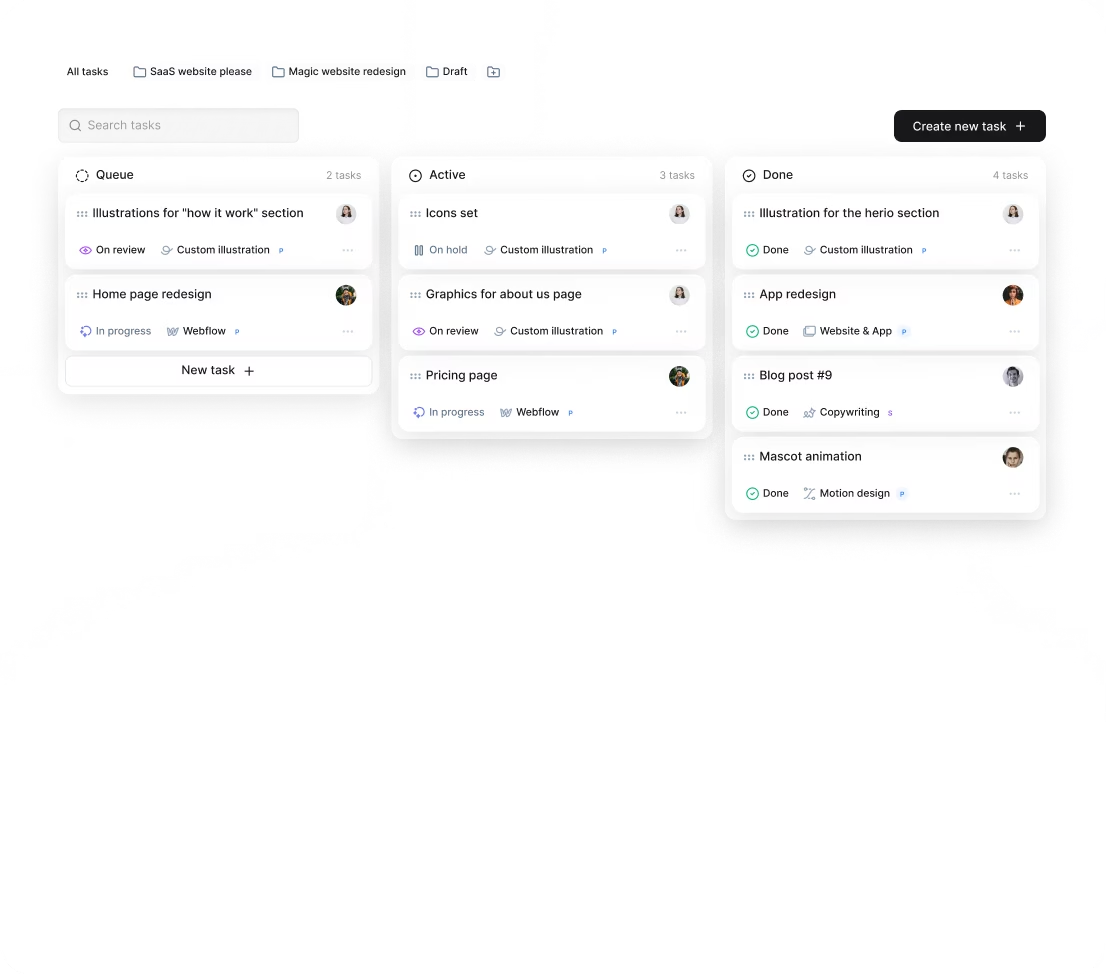
Our platform Awesomic enhances this workflow with app and Slack integrations that keep communication seamless. Daily progress updates and task management within Awesomic make sure feedback loops are fast and issues get caught early—key when working on evolving AI features.
How do you know you hired the right AI Figma designer?
How do you spot success after you hire an AI Figma designer? Here are some clear signs:
- Users show better understanding of AI features, measured by usability scores or fewer help desk calls.
- Increased engagement with AI-powered components after redesigns.
- Reduced complaints or confusion about AI outputs.
- Smooth teamwork among designers, engineers, and data teams that speeds up iteration cycles.
- The designer proposes improvements for AI transparency, ethics, or discoverability without being prompted.
- The AI feature feels like a natural, trusted part of the overall product experience.
Many companies that hire with our platform Awesomic report exactly these results. Fast project delivery, high-quality designs, and improved user engagement prove that investing in vetted AI web design Figma experts pays off in the long run.
By now, you’ve got a complete practical guide on how to hire an AI Figma designer who fits your unique AI-driven design needs. Whether using freelancers or in-house specialists, whether just starting or scaling up, knowing these basics will save you time and avoid common pitfalls.
And remember, with our platform Awesomic, you have access to a curated pool of top AI web design Figma talent, flexible plans to fit any stage, and collaboration tools that keep your project moving. You’re not just hiring designers—you’re partnering with experts ready to make your AI product easy to use, trusted, and powerful.


