










/ month


/ month


/ month
quarterly commitment
This is a better way to hire an AI UI designer now




4,000+ companies onboard. Still growing.
































Why awesomic




0.82% talent





One subscription and your hiring problems solved

Most AI UI designers don't get in. 0.82% do.



FAQ


How quickly can I start working with a best AI UI designer?
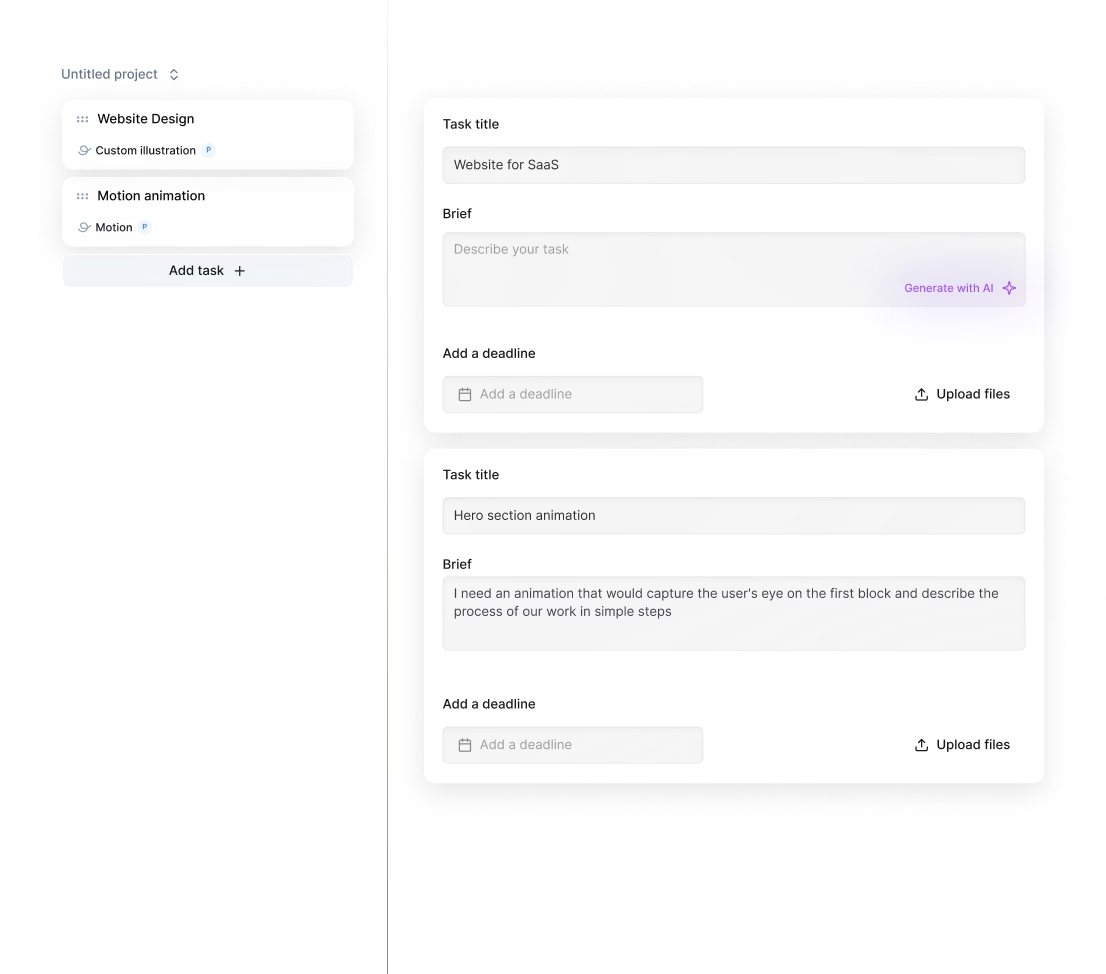
You can start working with a best AI UI designer within 24 hours after subscribing. Submit your tasks in minutes, get daily updates, and receive high-quality, production-ready deliverables fast. Unlimited revisions and easy talent switches keep your project on track without delays.
Can I hire a AI UI designer for short-term or one-off projects?
Yes, you can hire AI UI designers for short-term or one-off projects with Awesomic. Submit your request, get matched instantly with vetted experts, and enjoy daily updates plus unlimited revisions. It’s fast, reliable, and perfect for flexible project needs without long-term commitments.
Are designers experienced in startups, SaaS, or enterprise teams?
Our AI UI designers have 7 to 15+ years of experience working with startups, SaaS, fintech, and enterprise clients. They’ve delivered over 20,000 projects, including product design, UI/UX, landing pages, and branding for clients like Coca-Cola, Disney, and Y Combinator-backed startups.
Can I switch AI UI designers if my needs change?
Absolutely. With Awesomic’s subscription model, you can switch AI UI designers anytime at no extra cost. This flexibility lets you adjust your design team as your project evolves, ensuring the right skills and style for every task—no long contracts or delays.
What does “top 1% AI based UI designers” actually mean?
It means only the best 0.82% of AI based UI designers pass our rigorous vetting process. They clear multiple checks including portfolio reviews, a multi-step test task, community evaluation, and final approval to deliver fast, high-quality design for your projects.
How many revisions are included?
Every subscription with the best AI UI designer includes unlimited revisions. You get daily progress updates and can request changes as often as needed until the design fits your vision perfectly. No extra fees. No limits. Your satisfaction is non-negotiable.
Is this cheaper than hiring a full-time AI UI designer?
Yes. For $499 per month, you get access to the best UI AI designer who delivers high-quality, production-ready landing pages and websites in minutes. This costs much less than a full-time hire, which involves salary, overhead, and weeks of hiring time.
Can I pause or cancel my AI UI designer subscription at any time?
Yes, you can pause or cancel your AI UI designer subscription anytime. There are no long-term contracts, so you stay flexible. This means no hassle if your project needs change—just manage your subscription directly and keep control without extra fees or commitments.
Do AI UI designers work in my time zone?
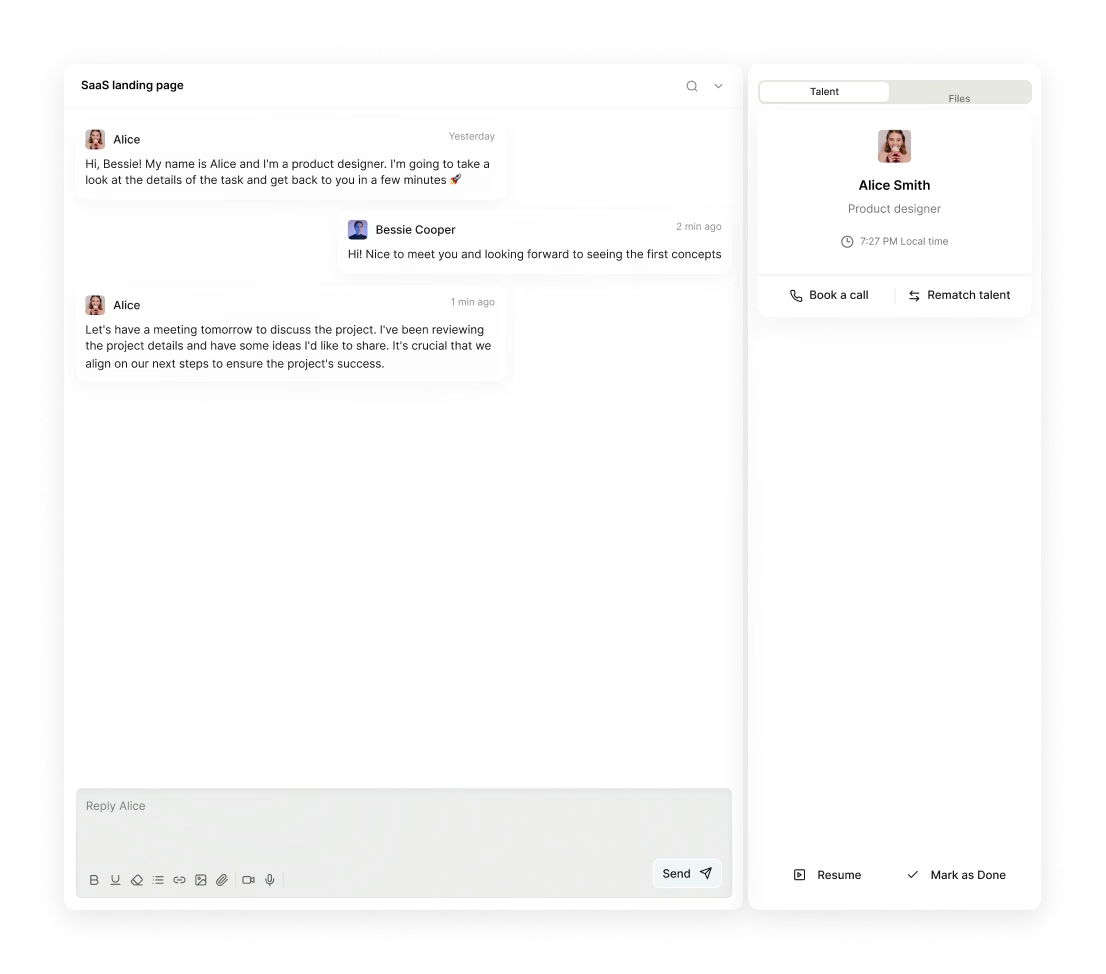
Yes, AI UI designers at Awesomic work across multiple time zones globally. You get daily progress updates and direct communication via Slack, email, or video calls, ensuring smooth collaboration regardless of your location or project timeline.
Can I work with the same AI based UI designer long-term?
Yes. Awesomic lets you get matched with a top AI based UI designer quickly and collaborate daily. You can keep working with the same designer on unlimited tasks, get fast revisions, and switch only if needed. It's a flexible subscription—no long contracts required.

Related roles you may need



Hiring guide:


What does an AI UI designer actually do?
If you’re wondering what an AI UI designer actually does, you’re in for a clear and practical explanation. These designers specialize in creating user interfaces for products or features that use artificial intelligence. It’s not just about making things look good but about designing ways for users to interact with AI smoothly and confidently.
First, an AI UI designer starts by defining practical AI use cases. They figure out how AI can solve real problems for users while aligning with business goals. This means mapping user flows that include AI decision points—places where the AI suggests or decides something—and making sure these points feel natural and helpful to the user.
Then comes the design of interactions. AI outputs can be uncertain or complex, so these designers create interfaces that handle this gracefully. They ensure users can understand AI recommendations, take action on them, and feel in control. Think of it like translating complicated AI behavior into simple, clear experiences that build trust.
Collaboration plays a big part here. AI UI designers work closely with data scientists and engineers. They need to understand where data comes from, how the AI model works, and what limitations the system has. This teamwork helps them create designs that reflect the real capabilities of the AI while managing user expectations.
A few key techniques these designers use include managing uncertainty in AI predictions by showing confidence levels, providing explanations for AI outputs to ensure transparency, and building feedback loops that let the product learn and improve continuously from user interactions.
For example, they might design an interface that shows why an AI made a particular decision, giving users options to adjust or override it. This focus on explainability, transparency, and user control is essential for good AI experiences.
If you want to hire an AI UI designer who excels in all this, you might check out our platform Awesomic. It connects you with a vetted talent marketplace of AI UI designers experienced in integrating AI into user interfaces seamlessly. This way, you get matched quickly with the best UI AI designer suited for your project.
When do you need to hire an AI UI designer?
Knowing when to hire an AI UI designer can make or break your project. You want the right expertise when it matters most. Here are the key moments to think about hiring one:
-
When you’re introducing AI features into your product for the first time. New AI components can confuse users if not designed well.
-
When you’re redesigning or improving existing AI functionalities that users find hard to use or don’t trust.
-
When user feedback flags specific issues, such as “the AI performs well technically, but users find the experience confusing or unreliable,” or “users don’t understand how the AI reached its conclusions.”
-
When there are frequent support requests around AI outputs, indicating users feel lost or frustrated.
-
If your AI components are complex or critical to your product’s success. Early involvement of an AI UI designer can avoid costly mistakes.
-
When your market competition depends on superior AI UX for differentiation.
It’s a common pitfall to think you can handle AI UI design internally without specialized skills, but often poor AI UX leads to low adoption or mistrust.
Here’s a quick list to watch out for signals you need help:
-
Users report unclear AI results.
-
AI features have low usage despite good AI accuracy.
-
Support tickets spike with AI-related complaints.
-
Product team struggles to explain AI behavior to users.
-
Time to redesign AI-driven flows is overdue.
When those signs appear, it’s time to hire an AI UI designer.
We’ve seen that Awesomic’s subscription-based platform works great at these moments. You get quick onboarding of highly skilled AI based UI designer professionals, avoiding long hiring cycles. Plus, it lets you scale design talent flexibly as your AI features evolve.
What skills should a great AI UI designer have?
To hire an AI UI designer who makes a real difference, look for a mix of design fundamentals and AI understanding. Here’s what a great AI UI designer brings to the table:
-
Solid UX/UI design basics: wireframing, prototyping, user research, and usability testing.
-
Foundational AI and machine learning knowledge. This includes understanding supervised vs unsupervised learning, model confidence, bias, and data limitations.
-
Expertise in prompt engineering if you’re working with generative AI models—knowing how to craft inputs that get useful outputs.
-
Data thinking skills: interpreting model outputs carefully, spotting data biases, and designing flows that accommodate imperfect or uncertain AI.
-
The ability to translate technical AI behavior into plain, simple language for users that builds trust.
-
Familiarity with common design tools like Figma, Sketch, and Adobe XD for crafting interfaces.
-
Experience with AI prototyping platforms such as RunwayML or Lobe helps to test AI interactions early.
-
Use of collaboration tools like Jira or Confluence to sync with engineering and product teams efficiently.
-
Basic knowledge of Python or SQL can be a plus for better data literacy.
-
Strong communication skills to explain AI concepts clearly and work cross-functionally.
If this sounds like a tall order, it is—that’s why you want the best AI UI designer.
Luckily, our platform Awesomic has a vetted talent pool filled with AI UI designers who possess these cross-disciplinary skills. The subscription model makes it easy to access these experts without endless searching or negotiation.
Here’s a simple list to keep in mind when reviewing skills:
-
UX fundamentals and prototyping.
-
AI and ML fundamentals.
-
Prompt engineering capabilities.
-
Data literacy for AI interpretation.
-
Communication and teamwork.
What types of AI UI designers can you hire?
When you decide to hire an AI UI designer, you have several routes to consider. Picking the right type depends on your project size, budget, and timeline. Here’s a quick comparison of your options:
-
Freelancers: These are often cost-effective for small projects or specific AI tasks like prompt design. They bring niche skills but may lack long-term commitment.
-
In-house designers: Best for long-term AI product development. They integrate deeply with engineering and product teams and provide continuity.
-
Agencies: Specialized AI UX agencies offer end-to-end design, research, and consulting. Ideal for complex, large-scale projects but often at a higher cost.
-
Specialists: These include prompt engineers, AI product designers, or AI interaction designers who focus on particular AI UI tasks.
Choosing which fits best:
-
If your budget is tight and the project scope is limited, freelancers might be enough.
-
If AI is central to your product and evolving, an in-house designer may be best.
-
For ambitious projects with large teams and timelines, agencies can cover all bases.
-
Use specialists only when you need focused expertise on a narrow AI UI area.
Our platform Awesomic blends these options through a subscription talent marketplace. You get vetted part-time or full-time AI UI designers, which is perfect if you want flexibility without juggling freelancers or agencies yourself. This hybrid approach helps startups and enterprises balance cost, expertise, and control smoothly.
Here’s a handy table summing it all up:
| Type | When to Choose | Pros | Cons |
|---|---|---|---|
| Freelancers | Small projects, specific AI tasks | Cost-effective, niche skills | Less long-term commitment |
| In-house | Long-term AI product development | Deep integration, continuity | Higher fixed cost |
| Agencies | Large, complex projects with research and consulting needs | Full service, expertise | Expensive, less flexible |
| Specialists | Narrow AI UI tasks (e.g., prompt engineering) | Deep focused expertise | Limited scope |
How much does it cost to hire an AI UI designer?
When budgeting for AI UI design, expect prices to vary based on expertise, location, and project complexity. The specialized nature of AI UI work usually commands higher rates because it blends UX design, AI knowledge, and data skills.
Here’s what you can expect by experience level (all hourly):
-
Junior AI UI designers: around $40–$70
-
Mid-level designers: $70–$100
-
Senior or specialized AI UX experts: $100–$200+
Pricing models vary too. You might pay hourly, fixed project fees, or retainers for ongoing work. Factors driving cost include how complex your AI use cases are, how much research and iteration is needed, collaboration with data and ML teams, and deliverables like interactive prototypes or usability testing reports.
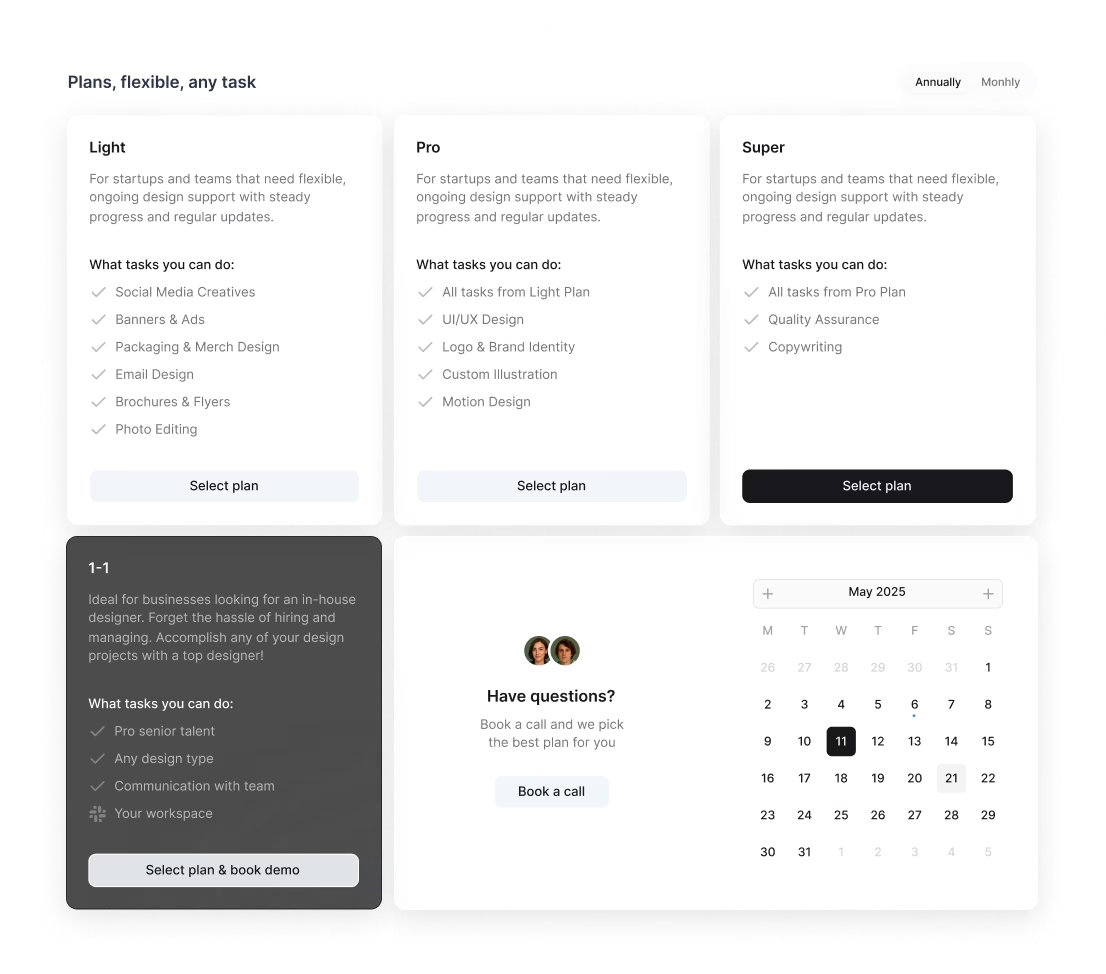
If you want predictable budgeting with no surprises, our platform Awesomic offers transparent flat monthly subscription pricing. Plans start at $990/month (Light) and go up to $4990/month (Super). This gives you access to vetted talents, unlimited revisions, and Slack integration for seamless communication—all under one affordable roof.
So if you want to hire an AI UI designer without wrestling with fluctuating fees, opting for a UI AI designer through our service could be a smart move.
Where can you find the right AI UI designer?
Finding the right AI UI designer means looking in the right places and knowing where to trust. Common places to search include:
-
Design marketplaces like Dribbble, Behance, Upwork, or Toptal for freelancers.
-
LinkedIn groups and specialized AI/ML UX forums such as the AI Product Designers community.
-
Agencies with AI UX expertise, including firms like Clevertech or ThoughtBot.
-
Academic and research hubs that produce AI interaction talent.
-
Niche job boards like AngelList for startup-focused AI UX roles.
-
Referrals from AI engineers, data scientists, or product managers familiar with AI product development.
All these can help, but they often require time-consuming vetting and coordination.
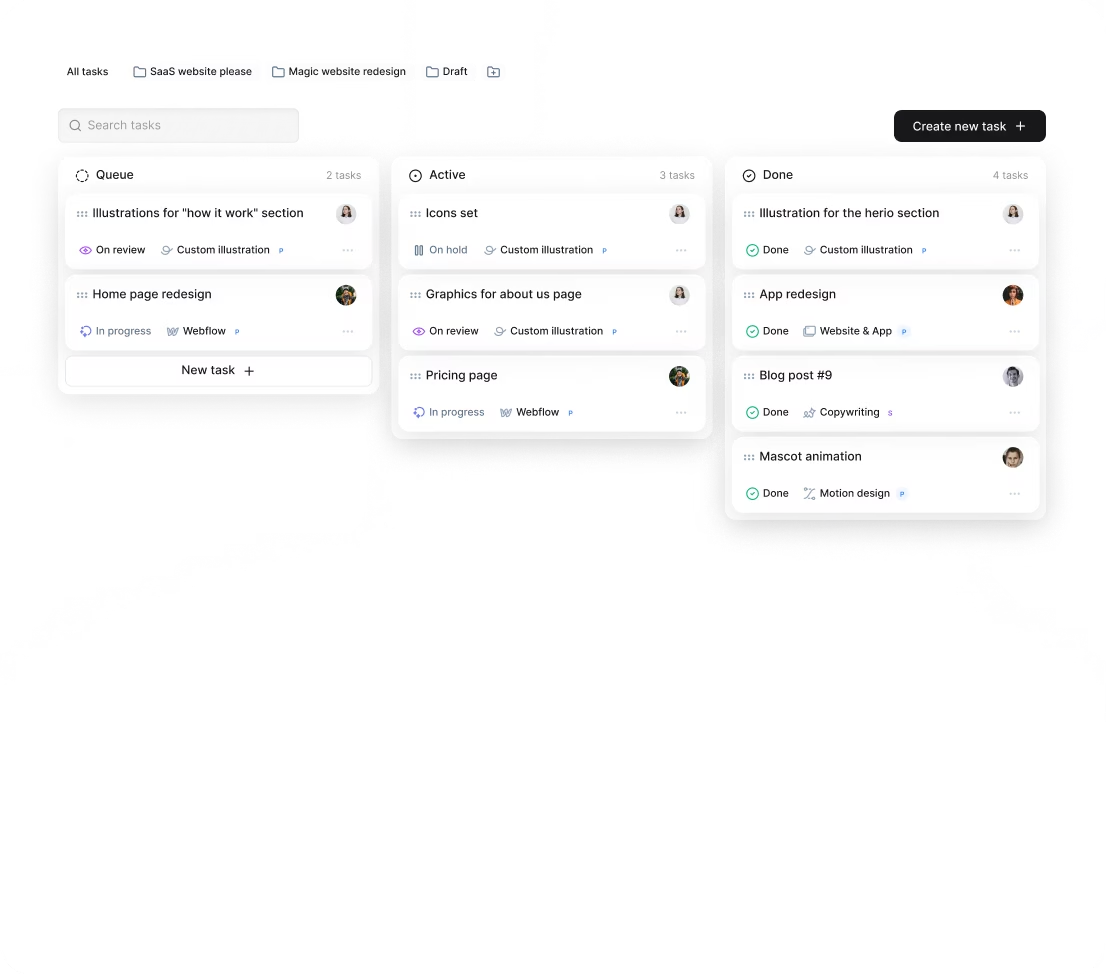
If you want a quicker, hassle-free option, our platform Awesomic stands out. It rigorously vets AI UI designers and efficiently matches them with companies. You avoid long searches and unreliable freelancers or expensive agencies altogether. Plus, daily updates and task management happen inside the platform, keeping everything on track.
So when you’re ready to hire an AI UI designer, consider using Awesomic as your base—giving you quality talent without the usual headaches of sourcing.
How do you evaluate an AI UI designer’s portfolio?
A great portfolio tells you a lot about an AI UI designer’s skills and experience. Here’s what you want to look for when you evaluate one:
-
Clear case studies involving real AI use cases rather than generic or hypothetical designs. Real projects show practical problem solving.
-
Evidence that the designer addressed ambiguity and uncertainty in AI outputs. How did they help users make sense of unclear AI results?
-
Examples showcasing how they designed AI-generated content or recommendations to be usable and clear.
-
Details on improving user trust, explainability, or controls over AI decisions.
-
Insight into their user testing approach—did they test AI interactions with real users?
-
How they collaborated with ML engineers and data teams. Did they explain AI behaviors effectively?
-
Use of relevant design tools and frameworks and documentation of the design process including challenges and iterations.
When you hire an AI UI designer through our platform Awesomic, you get portfolios and verified experience reviewed during a multi-step selection process. This means you can confidently choose the best AI UI designer whose skills have been proven in practice.
To keep it clear, here are five questions to answer while reviewing portfolios:
-
Does the case show real AI integration challenges?
-
Is there clear user testing focused on AI UX?
-
Are AI uncertainties and biases handled thoughtfully?
-
Were ML and data teams part of the collaboration?
-
Is the design documented with iterations and learnings?
What questions should you ask before hiring?
Before you commit to hiring anyone, it’s important to ask targeted questions to confirm they fit your needs. Here are essential questions to ask your AI UI designer candidates:
-
Can you describe AI projects you have worked on and your role in the design process?
-
How do you handle AI outputs that are uncertain, biased, or incorrect when designing the UI?
-
What methods do you use to collaborate with engineers and data scientists?
-
How do you test AI features with real users and incorporate feedback?
-
How do you ensure AI transparency and user trust in your designs?
-
What tools and frameworks do you prefer for prototyping AI interfaces?
-
How do you approach prompt design if working with generative AI?
-
Can you share an example of overcoming a UX challenge related to AI complexity?
Our platform Awesomic makes it easy to have these conversations. After you hire an AI based UI designer through us, you can communicate directly using the platform’s messaging and project management tools, enabling smooth interviews and collaboration.
How do you work successfully with an AI UI designer?
Getting good results with an AI UI designer means setting up the right process together. Here are practical tips to get things rolling and keep momentum:
-
Set clear project goals and define measurable success criteria tied to both user experience and AI outcomes.
-
Give designers early and ongoing access to AI data, model outputs, and system constraints.
-
Encourage tight collaboration by scheduling regular syncs between AI UI designers, data scientists, and engineers.
-
Involve designers early in the AI development cycle so they can influence model design with user needs in mind.
-
Prioritize iterative user testing that targets AI interaction points and gathers honest feedback.
-
Provide detailed input on interface usability and AI output quality throughout the project.
-
Foster open communication about AI’s limitations and uncertainty so the team sets realistic user expectations.
Using our platform Awesomic can make this easy. The subscription model includes Slack integration and daily deliverable updates, helping everyone stay aligned and move fast.
Follow these steps, and you’ll get a UI AI designer who truly enhances your AI product’s user experience.
How do you know you hired the right AI UI designer?
So how do you tell if you’ve made the right hire? Watch for these clear signs:
-
Users better understand and trust your AI features, seen in surveys or fewer support tickets.
-
Usage of AI-driven functions increases, showing improved engagement.
-
Complaints or confusion related to AI outputs drop noticeably.
-
The designer collaborates smoothly with product managers, engineers, and data scientists.
-
They spot and tackle AI UX challenges proactively.
-
Deliverables like prototypes and user flows clearly communicate AI behavior.
-
Iterations happen quickly based on real user testing and feedback.
-
Overall, your product metrics tied to AI adoption and satisfaction improve.
When you hire through our platform Awesomic, you benefit from ongoing customer support and can switch or scale talent easily. That ensures your AI UI designer expertise stays aligned with your changing business goals.
With these practical insights and tools, you’re well on your way to making informed decisions. Whether you’re ready to hire an AI UI designer now or preparing for future AI product growth, our platform Awesomic offers a trusted pathway to the best UI AI designer talent for your needs.


