










/ month


/ month


/ month
quarterly commitment
Finally, a better way to hire an AI PDF designer




4,000+ companies are building with us.
































Why awesomic





0.82% talent





One subscription and your hiring problems solved


Out of 100 AI PDF designers, fewer than 1 get in.




FAQ


How quickly can I start working with a PDF AI designer?
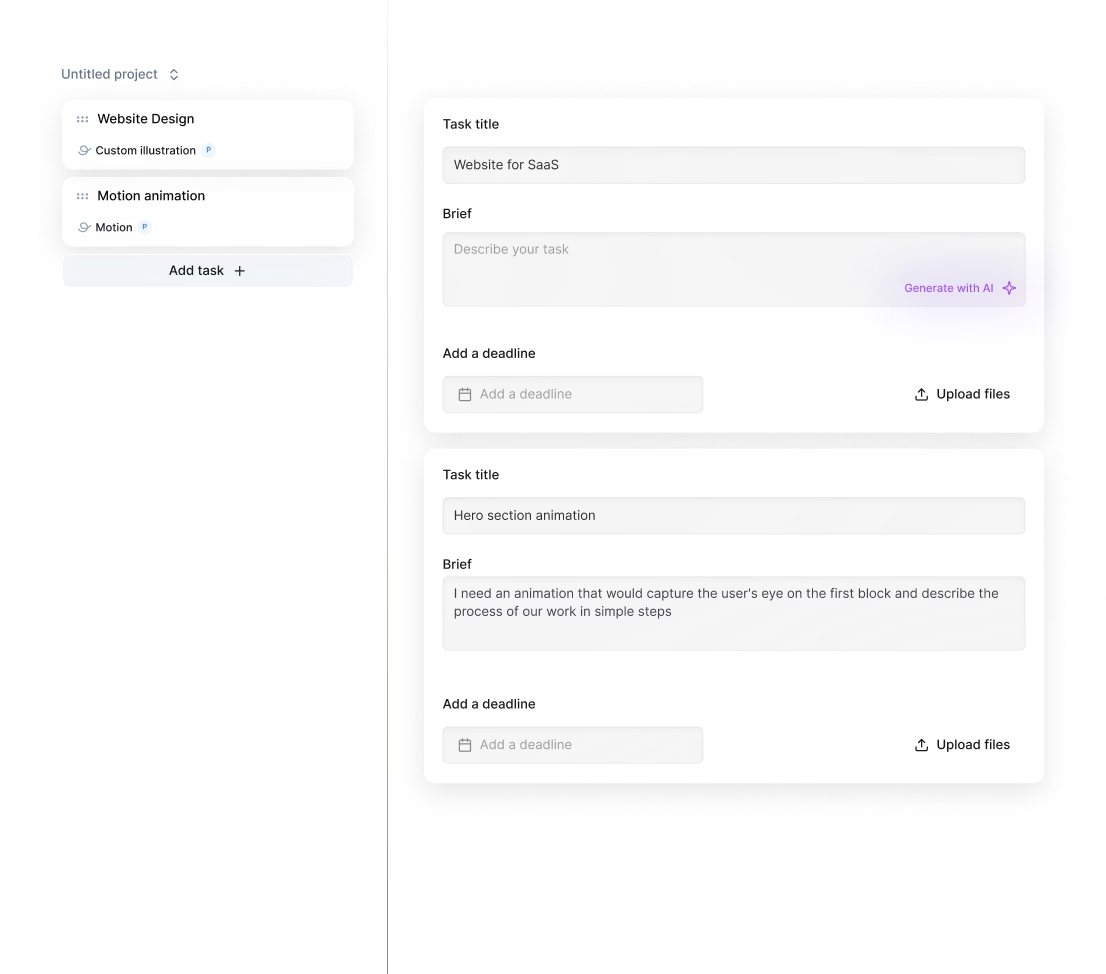
You can start working with a PDF AI designer in as little as 24 hours. After subscribing, submit your project details and get matched instantly with vetted experts. Expect daily progress updates and unlimited revisions until your PDF design is perfect.
Can I hire an AI PDF designer for short-term or one-off projects?
Yes, you can! Awesomic lets you scale easily by subscribing to AI PDF designers on demand. Get matched instantly, start in 24 hours, and enjoy unlimited revisions with daily updates. No long contracts—pause or cancel anytime. Perfect for quick, high-quality deliverables.
Are designers experienced in startups, SaaS, or enterprise teams?
Yes, our AI PDF designers are vetted pros with 7 to 15+ years of experience working on startups, SaaS products, and enterprise projects. They have delivered over 20,000 projects with top clients like Coca-Cola, Disney, and Y Combinator-backed companies, ensuring fast, high-quality results.
Can I switch designers if my needs change?
Absolutely. With Awesomic, you can request a talent rematch anytime at no extra cost. Whether you need new skills or a fresh approach, switching AI PDF designers is seamless. Plus, unlimited revisions and daily updates keep your projects on point.
What does “top 1% AI PDF designers” actually mean?
Top 1% AI PDF designers are elite pros who passed a tough vetting process: only 0.82% get fully approved after portfolio checks, test tasks, community reviews, and leadership sign-off. They deliver fast, high-quality PDF designs with unlimited revisions and daily updates.
How many revisions are included?
Every subscription with our PDF AI designer includes unlimited revisions. You get daily progress updates and can request changes as often as needed until the result is perfect. If a different approach is needed, you can switch your AI PDF designer at no extra cost anytime.
Is this cheaper than hiring a full-time AI PDF designers?
Absolutely. For just $499 per month, our AI PDF design editor delivers production-ready landing pages and web apps instantly. Hiring full-time designers costs 4-8 weeks and includes salary plus overhead. Our subscription cuts costs by up to 70%, offers unlimited revisions, and scales with your needs.
Can I pause or cancel my AI PDF designer subscription at any time?
Yes, you can pause or cancel your AI PDF designer subscription whenever you want, no strings attached. There are no long-term contracts, and you keep full control with a flat monthly rate. Manage your subscription flexibly based on your project needs.
Do AI PDF designers work in my time zone?
Yes. Our AI PDF designers are spread globally and operate across multiple time zones. You get daily updates and direct communication via Slack, email, or calls, ensuring fast turnaround no matter where you are. Work starts in 24 hours, with seamless collaboration anytime.
Can I work with the same AI PDF document designer long-term?
Absolutely. With Awesomic, you can build a lasting relationship with your AI PDF document designer. Our subscription model lets you scale work with daily updates, unlimited revisions, and a dedicated pro who understands your style and projects consistently.

Related roles you may need



Hiring guide:


What does an AI PDF designer actually do?
You might wonder, what exactly does an AI PDF designer do? Well, these designers build products or features that use AI technologies specifically within PDF contexts. Imagine a smart PDF tool that can parse documents intelligently, summarize content automatically, or suggest annotations without you lifting a finger. That’s their playground.
An AI PDF designer starts by defining AI use cases. They identify the challenges where AI brings real value. For example, extracting important data points out of a dense contract, classifying sections automatically, or enhancing search with intelligent filters. It’s about spotting opportunities where AI makes user lives easier instead of just adding complexity.
Once those are set, AI PDF designers map out user flows that integrate these AI features smoothly. They ensure users interact naturally with AI-driven suggestions or automated processes without confusion. Think of a tool that offers to correct OCR mistakes—with a friendly interface allowing manual fixes or validations—this builds trust and makes AI outputs more actionable.
Collaboration is key. AI PDF designers work closely with data scientists and engineers. They need to understand data pipelines, what AI models can and can’t do. With this knowledge, they design outputs that are not only accurate but interpretable. This means showing confidence levels, explaining AI decisions clearly, and providing options for users to override or adjust AI results.
Here’s a quick look at their key tasks:
- Identifying AI use cases in PDFs.
- Designing smooth user interactions with AI features.
- Collaborating with AI and data teams.
- Creating transparent AI outputs.
- Building interfaces for correcting AI errors, like OCR mistakes.
By the way, if you want to hire an AI PDF designer, platforms like Awesomic can help. Our platform connects you with vetted AI product designers and UX/UI experts experienced in AI-powered workflows for PDFs. We give you fast access to specialists who grasp document intelligence deeply and deliver user-friendly, high-quality AI PDF designs with quick turnarounds and unlimited revisions.
When do you need to hire an AI PDF designer?
You might not need an AI PDF designer all the time, but there are key moments when they become essential. For example:
- When you want to add AI features to an existing product, like smart text recognition or predictive document filling.
- If your current AI functionality confuses users or produces errors.
- When users don’t trust your AI because the UX doesn’t explain how results are generated.
- If analytics show users drop off heavily during AI-powered tasks.
- When frequent complaints about AI inaccuracies pile up.
- If evolving AI models require new interface designs or extra data interaction.
All these signs point towards the need for expert help. That’s where you want to hire an AI PDF designer who can quickly troubleshoot UX problems, redesign flows, and make AI features intuitive.
Here’s when an AI PDF designer is critical:
- Introducing new AI-driven PDF capabilities.
- Fixing confusing or inaccurate AI features.
- Boosting user trust in AI.
- Adapting to updated AI models.
- Reducing user drop-offs on AI tasks.
In such scenarios, our platform Awesomic comes in handy by giving you immediate access to AI PDF designers without long wait times or recruitment hassles. Startups or big companies can use Awesomic’s subscription model to scale design talent up or down quickly as AI feature needs evolve. This helps with rapid iterations, smooth troubleshooting, and better UX for your AI PDF tools.
What skills should a great AI PDF designer have?
Now, what makes a great AI PDF designer? It’s a unique mix of skills focused on AI and PDFs. Here are the core skills you should look for:
- UX/UI design expertise with experience in complex, data-driven products and adaptable interfaces.
- Strong AI/ML foundation, especially in NLP and computer vision as applied to PDFs, to understand model strengths and limits.
- Prompt design skills for crafting good inputs when working with generative AI models.
- Data thinking to interpret AI outputs and visualize uncertainty or confidence clearly.
- Clear communication skills to explain AI’s complex behaviors simply to non-technical stakeholders and users.
Many AI PDF designers use tools like Figma or Adobe XD for prototyping interfaces. They might also use TensorBoard to peek into AI model performance, or platforms like OpenAI Playground and Hugging Face Spaces to test prompts. Familiarity with explainability frameworks like LIME or SHAP helps them decide how to reveal AI decisions in the UI. Plus, they often create onboarding flows that teach users about AI features.
Here’s a simple list of practical tools and skills:
- UX/UI design tools (Figma, Adobe XD)
- AI insights tools (TensorBoard, LIME, SHAP)
- Prompt testing environments (OpenAI Playground, Hugging Face Spaces)
- AI/ML foundational understanding (NLP, computer vision)
- Strong communication & user education ability
When you hire an AI PDF designer through Awesomic, you tap into vetted talents who not only have these skills but are excellent communicators and collaborators. Our experts bring proven experience working closely with AI product teams, delivering AI PDF design maker solutions with seamless customer interactions and ongoing support.
What types of AI PDF designers can you hire?
When choosing AI PDF designers, you have options depending on your project size and needs. Here’s a rundown:
- Freelancers: Flexible, cost-effective, great for small projects or specific tasks like prompt design or quick UX fixes. Perfect for startups or pilots.
- In-house designers: Best for ongoing AI product evolution and deep integration with engineering teams. They build domain expertise over time.
- Agencies: Bring multidisciplinary experts including AI strategists, UX designers, and data scientists. Ideal for complex projects needing full AI product design.
- Specialists: Focus solely on AI inputs or outputs, such as prompt designers or AI product designers. Crucial for generative AI features or cutting-edge workflows.
Each fits differently:
| Type | Best For | Pros | Cons |
|---|---|---|---|
| Freelancers | Small tasks, fast UX tweaks | Flexible, cost-effective | Less reliability or bandwidth |
| In-house | Continuous AI product updates | Deep integration, ownership | Higher cost, longer hiring |
| Agencies | Large-scale projects | Broad expertise | More expensive, slower |
| Specialists | Advanced AI input/output design | Deep focused knowledge | Narrow scope |
Alternatively, our platform Awesomic offers a hybrid approach. We provide subscription access to vetted part-time AI PDF design editors, combining freelancer flexibility and agency reliability but without usual freelancer risks or agency overhead. We offer plans that fit different business sizes and let you switch or scale talents easily without management headaches.
How much does it cost to hire an AI PDF designer?
Let’s talk money. Hiring an AI PDF designer can follow a few pricing models like hourly rates, fixed fees, or retainer packages. Typical hourly rates range from $50 to $150 depending on experience and location.
Why are AI designers pricier? Because they need a niche mix of UX skills plus AI understanding. Also, complexity matters. Simple OCR automation costs less than designing a full NLP pipeline with confidence scoring and user overrides.
Here are some cost factors to consider:
- Experience with AI tools and frameworks.
- Complexity of PDF AI use cases.
- Scope: prototype versus full product.
- Required collaboration with data teams.
- Training time on proprietary AI pipelines.
- Extra user research for AI-specific UX needs.
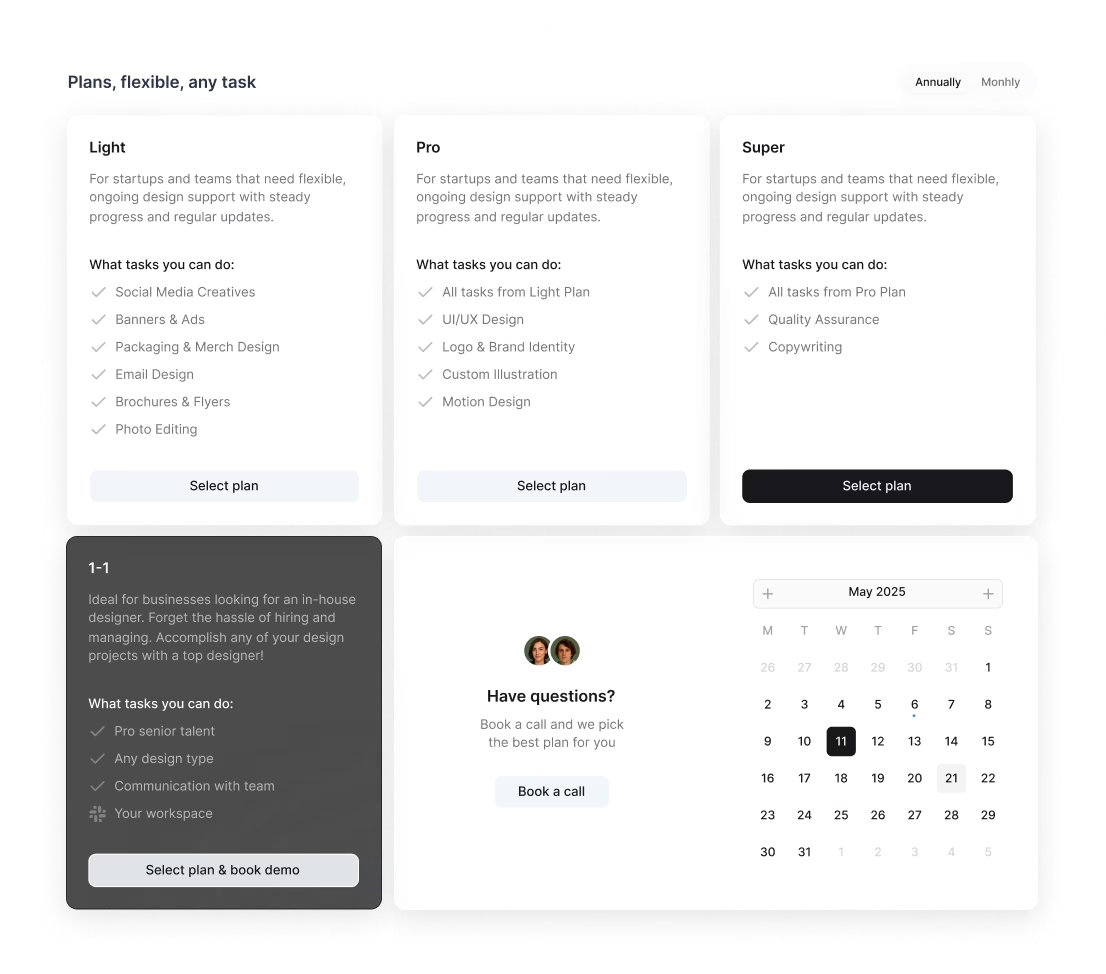
Our platform Awesomic simplifies this with clear subscription pricing—from $990/month for Light plans up to Super and 1-to-1 plans. You get unlimited task revisions, fast turnarounds, and no surprise fees. Compared to freelancers, agencies, or in-house hires, Awesomic bundles expert talent, project management, and ongoing support into predictable costs that save money and stress.
Where can you find the right AI PDF designer?
Finding the right AI PDF designer feels daunting. But there are a few focused channels where your search becomes easier:
- Specialized design platforms like Dribbble and Behance let you filter portfolios for AI-related projects.
- AI and ML communities such as the AI Product Managers Slack, Reddit’s r/MachineLearning, or the OpenAI Community host active designers working in AI spaces.
- Professional networks like LinkedIn where you can search for titles like
AI UX Designer,AI Product Designer, orPrompt Engineer. - Referrals from AI-focused agencies or product teams with hands-on PDF AI experience.
- Agencies specializing in AI product design that provide bespoke hiring or consulting.
You can also explore niche job boards like AngelList for startup roles or marketplaces like Toptal with an AI category.
Most importantly, you can count on our platform Awesomic to streamline this process. We use data-driven matching to connect you with pre-vetted AI PDF design makers quickly. Just submit your project details and skill needs, and within 24 hours, you’ll see candidates ready to dive in. This eliminates long sourcing and vetting headaches.
How do you evaluate an AI PDF designer’s portfolio?
When evaluating portfolios, focus on these key points to find someone who truly understands AI PDF design:
- Look for real AI use cases involving document intelligence, AI workflows, or interactive AI PDF features.
- Check if they handle AI uncertainty well—showing confidence scores, error handling, or fallback options.
- See if they design AI-generated content clearly, building trust through explanation modals or progressive disclosure.
- Notice how they improve user trust: onboarding flows, transparency features, or feedback mechanisms for correcting AI errors.
- Read case studies showing collaboration with engineers or data scientists, user testing, and overcoming technical challenges.
If you’re curious, our platform Awesomic offers detailed portfolio reviews and client feedback. You can see how designers performed on AI product design for PDFs and quickly assess if they fit your needs.
What questions should you ask before hiring?
Before you hire an AI PDF designer, asking the right questions helps you avoid surprises:
- Can you share examples involving AI-driven PDF features or similar AI products?
- How do you design around uncertain or ambiguous AI outputs?
- What methods do you use to ensure AI transparency and build user trust?
- How do you collaborate with engineers and data teams to match AI model capabilities?
- Describe how you test AI features with real users and iterate based on feedback.
- How do you keep up with AI/ML advancements relevant to product design?
- What tools or frameworks do you use for prototyping and validating AI interactions?
If you decide to hire an AI PDF document designer through Awesomic, you can chat with matched candidates directly, review portfolios, and request interview sessions. Plus, our platform supports risk-free hiring with talent rematch if needed.
How do you work successfully with an AI PDF designer?
Working well with an AI PDF designer requires clear communication and structured collaboration. Here’s how you can make it smooth:
- Set clear, measurable goals aligning AI capabilities with user needs and business outcomes.
- Provide access to data or sandbox environments so designers can experience AI outputs and limitations firsthand.
- Encourage close teamwork between designers, engineers, and data scientists with regular meetings and shared docs.
- Promote early prototyping and usability tests of AI features to catch UX problems early.
- Give actionable feedback about the UI and AI output quality.
- Support iterative cycles incorporating user feedback on AI explanations and interactions.
- Help create user education materials or tooltips to improve AI understanding.
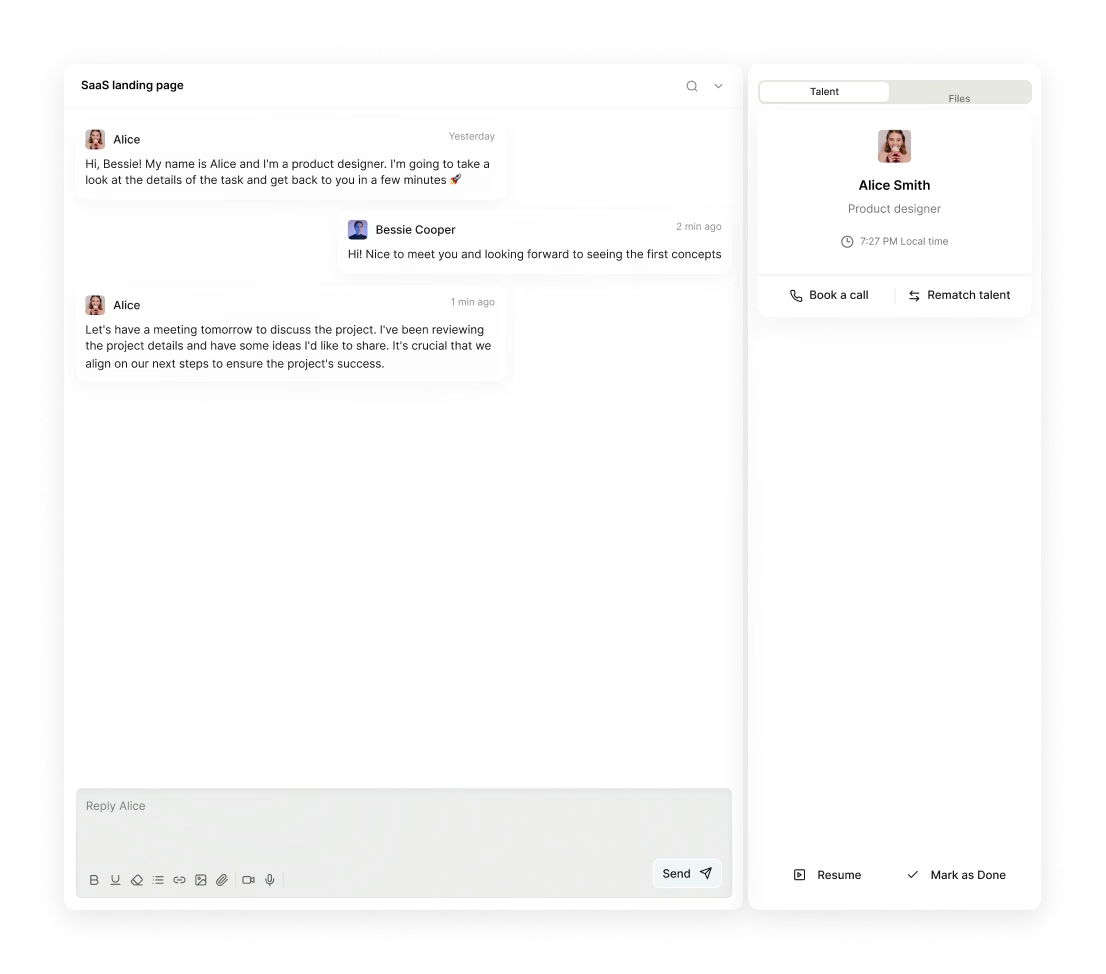
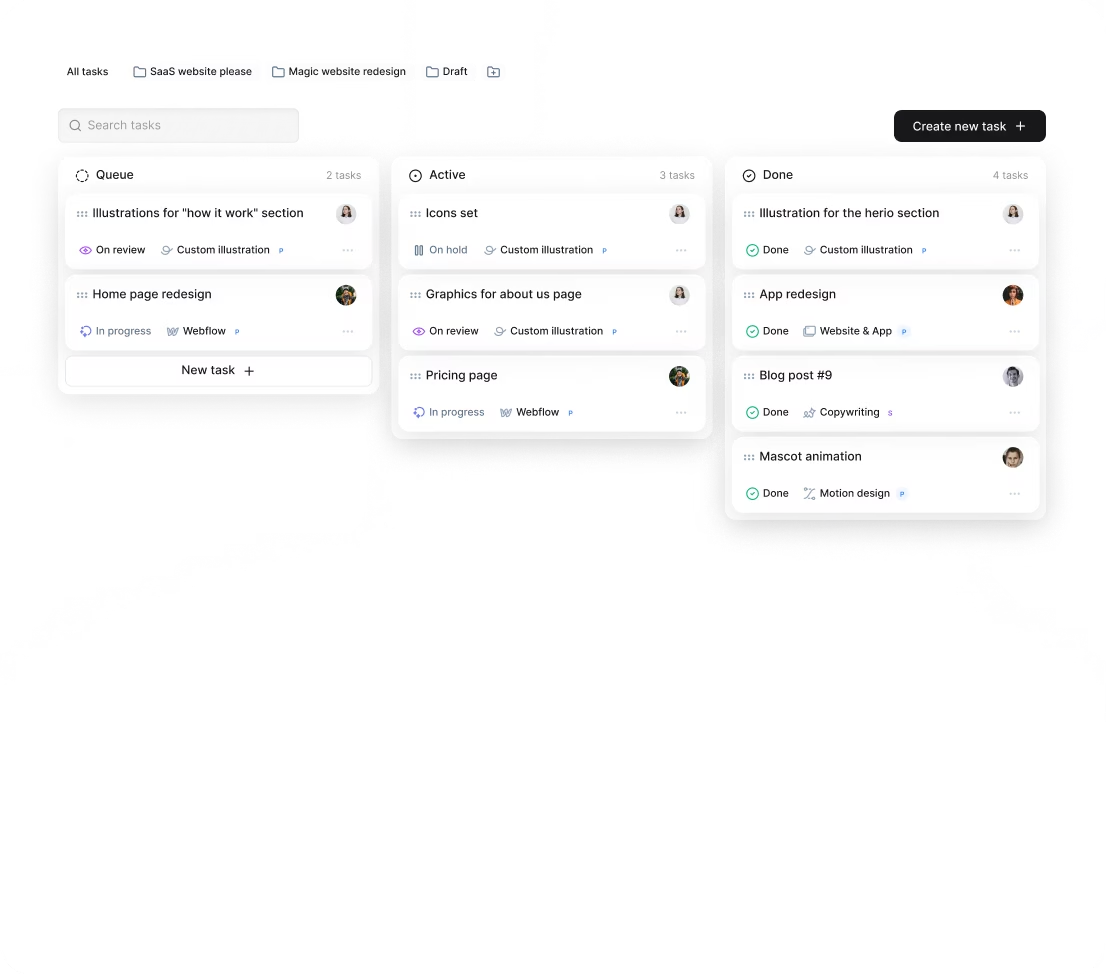
At Awesomic, we make this even easier by integrating daily updates and communication directly in our app. Plus, with our managed service model, task management and project execution flow smoothly for everyone.
How do you know you hired the right AI PDF designer?
So how do you tell you’ve hired the right person? Watch for these signs:
- Users understand AI features better, shown by surveys or feedback.
- AI-driven PDF tools get more usage, with analytics confirming lower friction.
- Fewer complaints or confusion reports about AI results.
- Positive feedback from engineers and data scientists on collaboration.
- Intuitive designs that handle AI uncertainties and clearly explain AI decisions.
- On-time delivery of milestones balancing tech and UX.
- Overall improvements in product metrics like task completion, error corrections, or time savings.
By teaming with Awesomic, you don’t just get top AI PDF designers but ongoing talent support and continuity that boost your design quality and business results. Just check out customer testimonials on our platform praising our designers’ efficiency, communication, and excellence.
This guide is designed to help you hire an AI PDF designer effectively and confidently. If you want to unlock AI-powered PDFs that users love and trust, connecting with experts through Awesomic might be your best next step.


