










/ month


/ month


/ month
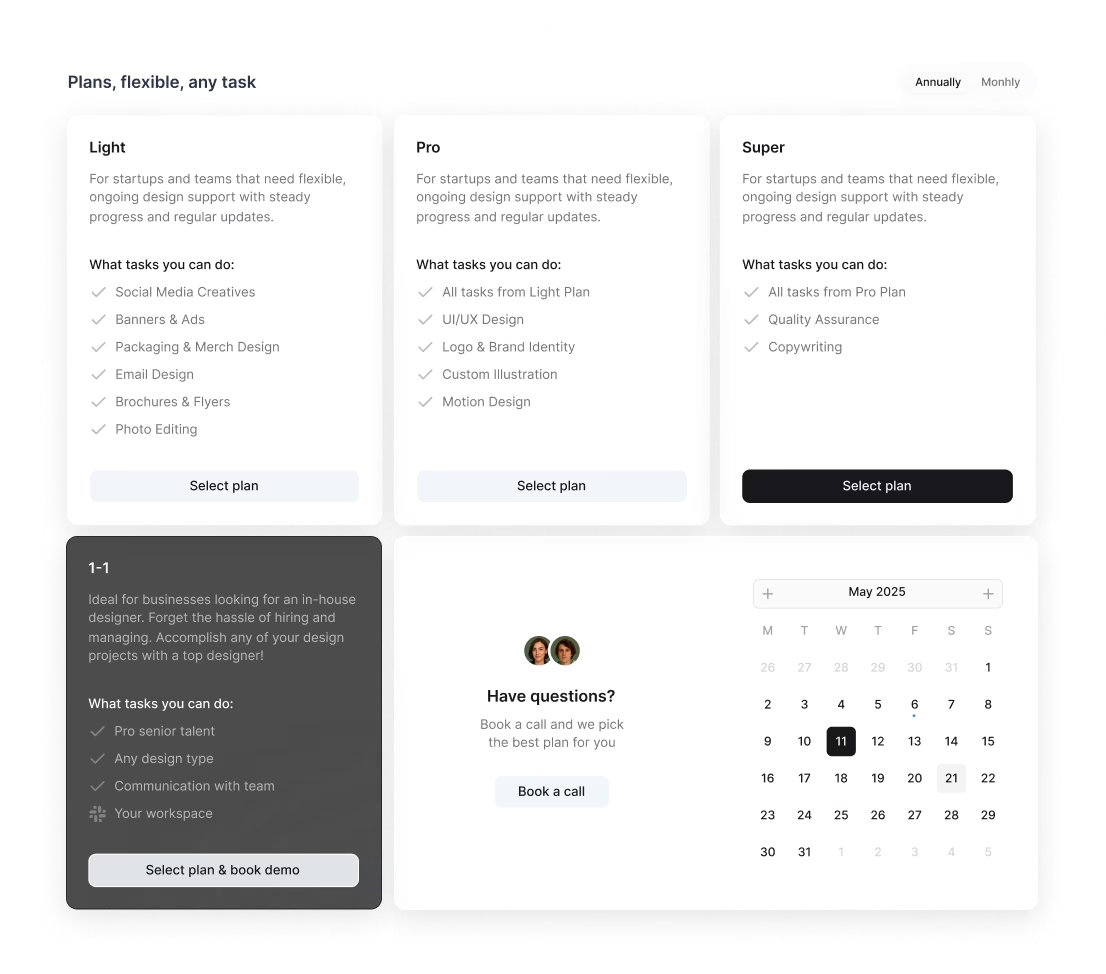
quarterly commitment
A better way to hire an AI art designer now




4,000+ companies onboard































Why awesomic



0.82% talent





One subscription and your hiring problems solved

We accept just 0.82% of AI art designers



FAQ


How quickly can I start working with an AI art designer?
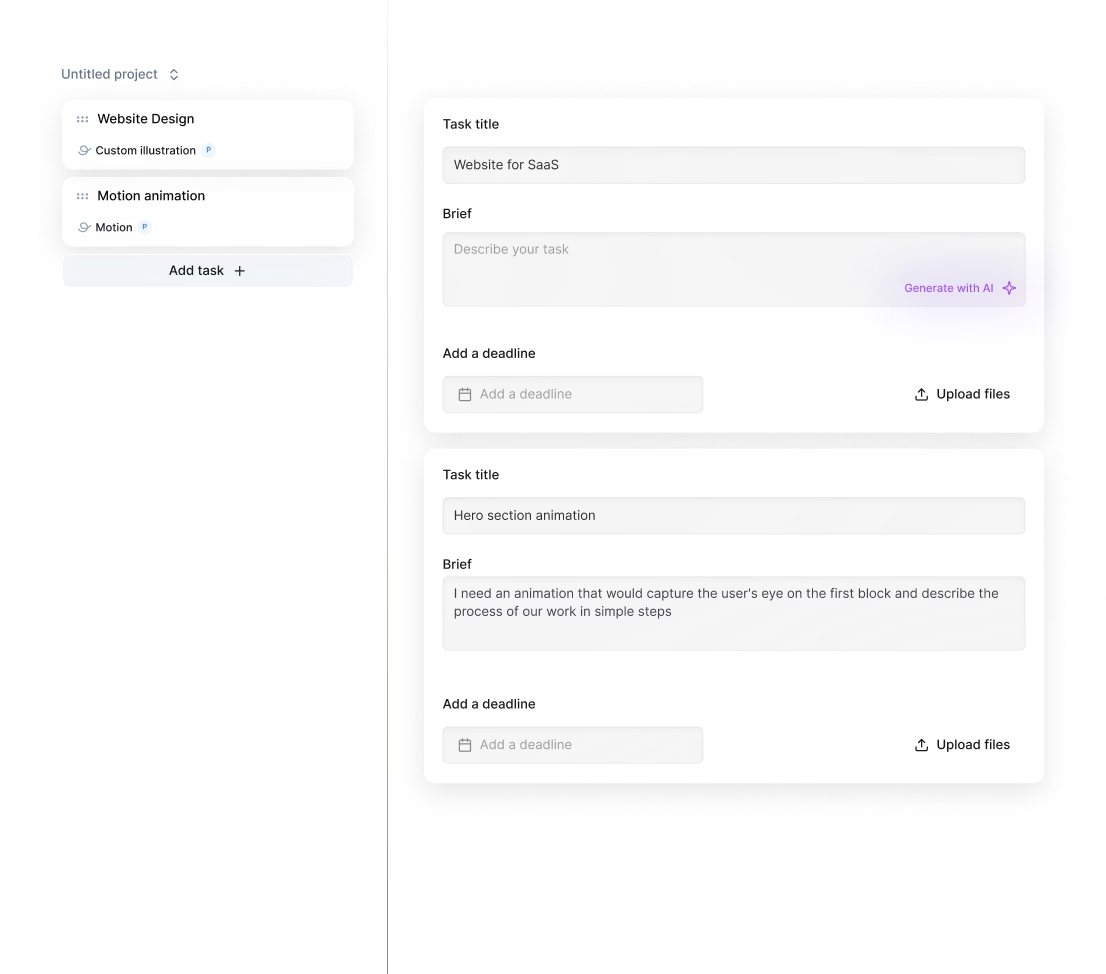
You can start working with an AI art designer within 24 hours after subscribing. Submit your project details through the app, and we’ll match you with vetted talent fast. You get daily updates and unlimited revisions until it’s perfect, ensuring quick and smooth delivery.
Can I hire a AI art designer for short-term or one-off projects?
Yes, you can. Awesomic matches you instantly with vetted AI art designers who deliver production-ready work fast. Though subscription-based, you can scale output by adding plans or switching talents anytime. Enjoy unlimited revisions, daily updates, and zero long-term contracts.
Are AI art designers experienced in startups, SaaS, or enterprise teams?
Absolutely. Our AI art designers have 7 to 15+ years of hands-on experience working with startups, SaaS platforms, and enterprise clients. They've delivered designs for Y Combinator-backed companies and global brands, ensuring scalable, production-ready results that fuel growth and funding success.
Can I switch AI art designers if my needs change?
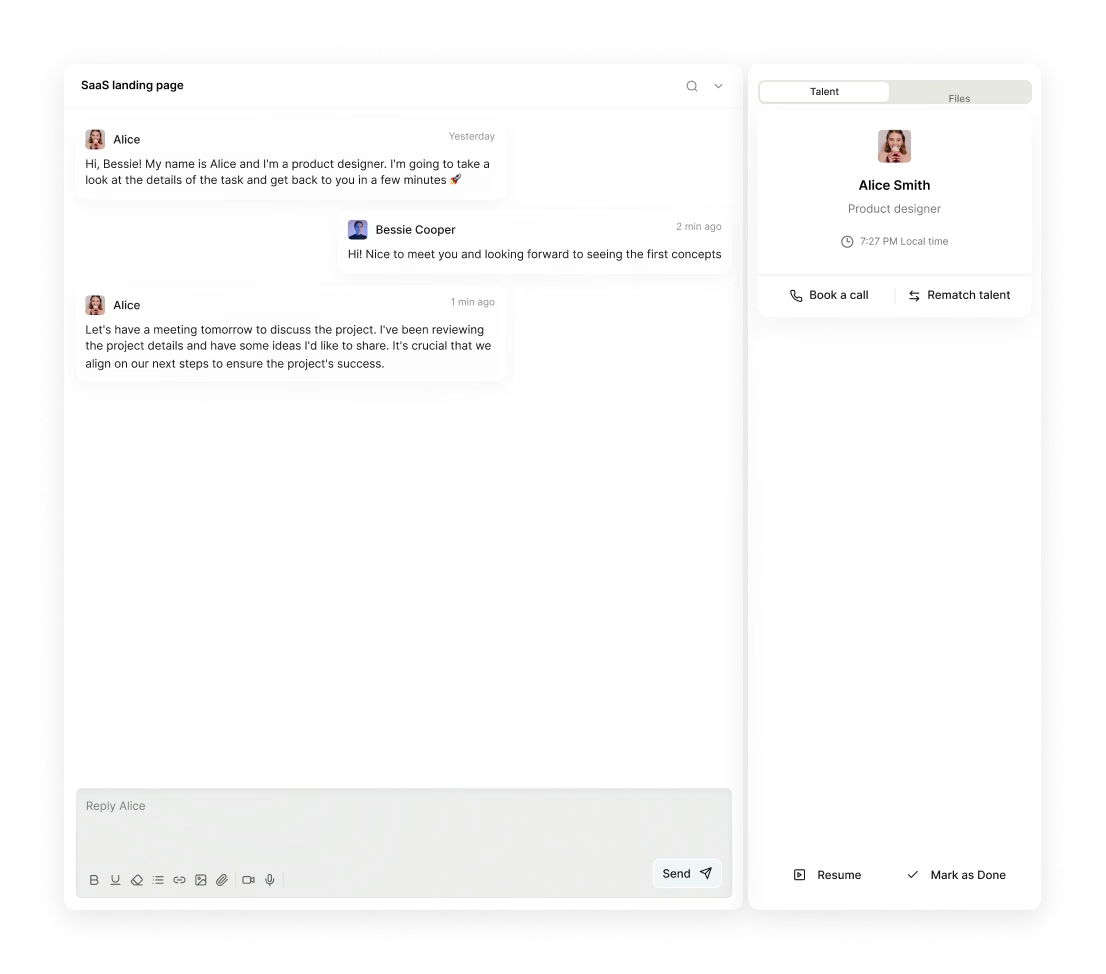
Absolutely. Awesomic lets you switch AI art designers anytime at no extra cost. Just request a talent rematch through the app. This ensures you get the right skill set as your projects evolve, with continuous daily updates and unlimited revisions.
What does “top 1% AI art designers” actually mean?
It means these AI art designers pass a tough four-step vetting process involving portfolio review, skill tests, peer evaluations, and final approval. Only 0.82% make it through, ensuring you get senior-level talent delivering high-quality, fast, and reliable results.
How many revisions are included?
Every Awesomic subscription with AI art designers comes with unlimited revisions. You get daily progress updates and can request as many changes as needed until the final design meets your expectations. This ensures efficient, precise results without limits or extra costs, whether for AI art or digital art projects.
Is this cheaper than hiring a full-time AI art designer?
Absolutely. For $2995 a month, you get access to vetted AI art designers with unlimited revisions, daily updates, and no hiring hassle. That beats paying a full-time salary plus overhead, with 70% lower costs and faster delivery. AI art design and culture scaled smartly.
Can I pause or cancel my AI art designers subscription at any time?
Yes, you can pause or cancel your AI art and graphic design subscription anytime, no long-term contracts needed. Just manage your plan through the app. This flexibility helps you control costs and scale effortlessly, whether you need steady work or a quick design sprint.
Do AI art designers work in my time zone?
Yes. Our AI art designers operate globally with flexible schedules, ensuring daily updates and fast turnaround times. You can communicate easily via the Awesomic app, Slack, or email. Projects start within 24 hours, fitting your time zone and deadlines seamlessly.
Can I work with the same AI art designers long-term?
Yes, you can. Awesomic lets you get matched with vetted AI art designers who deliver daily updates and unlimited revisions. If you like your designer, keep working with them as long as you subscribe. You can also switch talents anytime without extra fees.

Related roles you may need


Hiring guide:


What does an AI art designer actually do?
You might wonder what an AI art designer really does. Imagine you’re building a product that includes AI features. The AI art designer starts by defining clear use cases for AI tailored to your product goals and what your users need. They don’t just guess—they map out user flows that include AI decision points, making sure AI-generated content or actions feel natural and improve the overall user experience.
It’s not just design. They work closely with data scientists and engineers to understand the limits and biases of your datasets. This helps ensure the AI output is meaningful, clear, and easy to act on. For example, they might include clear explanations of AI decisions, confidence scores for AI results, or controls letting users correct AI mistakes. Designing transparency is key.
To bring these complex ideas to life, AI art designers use frameworks like Human-Centered AI design principles. Tools such as Figma help them prototype AI-driven interfaces quickly, while usability testing platforms like UserTesting or Lookback allow testing AI features with real users. These tools help spot where AI might confuse users or fail to meet expectations.
If you want to skip the usual hiring hassle, our platform Awesomic offers access to vetted AI design pros. These experts are ready to integrate all these AI complexities smoothly into your projects, giving you high-caliber design talent on demand. So when you decide to hire an AI art designer, you’re getting someone who’s not just creative but also skilled in making AI work intuitively and responsibly.
Let’s look at a practical summary:
- Define AI use cases tied to product and user needs.
- Map AI decision points within user flows.
- Collaborate with scientists and engineers on data limits and biases.
- Create transparent AI outputs with explanations and controls.
- Use tools like Figma, UserTesting, and platforms like Awesomic for expert talent.
Understanding the difference between AI art vs digital art is also helpful here. AI art designers leverage AI’s generative capabilities, whereas digital art focuses purely on traditional digital creation without AI decision-making baked into UX.
When do you need to hire an AI art designer?
You might wonder, when is the right time to hire an AI art designer? The answer is simple: whenever you’re adding AI capabilities to a new product or feature and need expert advice on how that AI will connect with users.
Sometimes, your AI might be technically great but hard to use. Users get frustrated because the AI behaves unpredictably or the interaction feels confusing. You might hear complaints like “the AI works but the UX feels confusing.” Or maybe your AI features are hidden or unclear, leading to underuse. These are clear signs you should hire an AI art designer.
Ethical concerns and compliance also require their expertise. Designing AI responsibly to avoid biases and risks is essential. This is where AI art design and culture come in—they guide how AI fits socially and ethically in your product.
Our platform Awesomic makes it easy to tap into this expertise quickly. With a flexible subscription model, you can onboard AI art designers experienced in tackling these exact issues. You get senior-level talent who understand ethical design and UX challenges in evolving AI systems without the overhead of traditional hiring.
Here are signs you should consider hiring:
- Adding new AI features needing user guidance.
- Existing AI causes user frustration or confusion.
- AI outputs are unclear or unexpected.
- AI features have low discoverability or use.
- Need to manage AI ethics and compliance in design.
When these situations arise, hiring an AI art designer is your practical next step to improve AI’s impact and user satisfaction.
What skills should a great AI art designer have?
Finding a great AI art designer means looking for a mix of classic design skills and AI knowledge. Here’s a quick list of what to look for:
- Strong UX design basics: wireframing, user research, and usability testing.
- Basic AI understanding: models, data flows, common issues like bias or overfitting.
- Prompt design expertise to optimize generative AI workflows.
- Data thinking: interpreting datasets, metrics, and feedback loops to improve AI features.
- Clear communication to simplify AI behaviors for users and to collaborate across teams.
Beyond skills, knowing the tools they use helps. They should be familiar with OpenAI Playground for testing prompts, GPT prompt libraries, AI explainability tools like LIME or SHAP, and design software like Adobe XD or Sketch with AI plugins.
Working with our platform Awesomic simplifies finding such talent. Designers in our marketplace are pre-vetted for the right blend of creative design and technical AI skills. That means you save time and get access to designers using the latest AI art and graphic design tools and methodologies.
Here’s a handy list to refer to:
- Wireframing and usability testing skills.
- AI and machine learning basics.
- Expertise in prompt design for generative AI.
- Data analysis and feedback integration.
- Communication and team collaboration.
- Familiarity with tools like OpenAI Playground, LIME, Adobe XD.
- Access to vetted talent via Awesomic for quick hiring.
With these skills, AI art designers become your bridge between creative design and AI technology.
What types of AI art designers can you hire?
Depending on your needs, you have several options for hiring AI art designers:
- Freelancers: Great for flexible or short-term projects, like exploring experimental AI features.
- In-house designers: Best if AI design is a long-term, strategic product focus.
- Agencies: Offer end-to-end solutions, covering strategy, execution, and scaling AI design.
- Specialists: Like prompt designers focused only on maximizing generative AI outputs, or AI product designers who blend AI tech with product design holistically.
Each option suits different situations. Freelancers fit quick tasks or proof of concepts, agencies help scale across projects fast, and in-house designers embed AI design expertise deeply into your product team.
A hybrid approach is growing too—contracting prompt engineers while working with design experts for layered AI workflows.
What makes things easier is our platform Awesomic, where you can subscribe to vetted AI art designers. This balances freelancer flexibility with in-house reliability. Plus, you get rapid talent matching and managed project workflows that scale with your needs.
Check out this comparison table to see how options stack up:
| Type | Best for | Flexibility | Integration Depth | Cost Range |
|---|---|---|---|---|
| Freelancer | Short-term, experimental projects | High | Low to Medium | $75-$150/hr |
| In-house designer | Core strategic AI design | Low | High | Salary-based |
| Agencies | Large scale, multi-projects | Medium | High | $10,000-$100,000+ |
| Specialists | Focused AI workflows | High | Medium | Varies |
| Awesomic platform | Flexible subscriptions | High | Medium to High | From $990/month |
When you want to hire an AI art designer, think about what fits your project size, timeline, and budget, then choose the right type of talent accordingly.
How much does it cost to hire an AI art designer?
Cost is always a major question. Hiring an AI art designer can range widely depending on experience, project scope, and delivery model. Here’s a practical overview:
- Hourly rates: Freelancers with AI knowledge typically charge between $75 and $150 per hour.
- Fixed project fees: Agencies may start around $10,000 for simple AI projects but can exceed $100,000 for complex AI integrations.
- Retainers: For ongoing consulting, retainer fees vary widely based on involvement.
Why the premium? AI specialists demand higher fees because their skills sit at the intersection of creative design, AI tech, and constant learning to keep up with rapid AI changes. Plus, multi-discipline collaboration with engineers and data scientists adds complexity.
More AI complexity often means more cost. For example, designing for generative art might be more involved than simpler recommendation engines. Also, preparing datasets and cross-team coordination adds time and expense.
Another key point: AI projects often require longer discovery and testing phases than traditional UX projects. Iterative tuning of AI models and UX together means more time and cost.
If you want to control costs yet get expert design help, our platform Awesomic offers subscription plans starting from $990/month. You get part-time senior AI art design talents without management overload. It’s a budget-friendly way to access an AI art design creator with real expertise tailored for your needs.
Here’s a straightforward cost summary:
- Freelancer hourly: $75-$150/hr
- Agency projects: $10,000-$100,000+
- Retainers: variable based on scope
- Complexity and dataset prep add cost
- AI projects need longer testing phases
- Awesomic subscription starts at $990/month
With this info, you can plan your budget realistically when you decide to hire an AI art designer.
Where can you find the right AI art designer?
Finding the right AI art designer means looking in the right places. Start with popular design platforms like Dribbble, Behance, or LinkedIn. Use AI skill filters to narrow down candidates.
You can also explore AI-focused communities and forums. Slack or Discord groups dedicated to AI UX design gather professionals sharing projects and advice. Technical platforms like GitHub and Kaggle showcase AI projects that sometimes include designers.
Referrals are gold. Reach out to AI product companies or agencies specializing in AI—they can recommend trusted talent.
Specialized marketplaces like Toptal or Upwork let you specify AI design skills when hiring freelancers.
Conferences like NeurIPS or UXDX are great for meeting AI design talent in person or virtually. Academic partnerships with universities also help source fresh talent familiar with the latest AI models and ethics.
Among all these options, our platform Awesomic stands out as a streamlined solution. It offers instant access to a rigorously vetted pool of AI art design creators. This eliminates delays and complexity in hiring. You get creative and technical excellence, ready to work immediately.
Here’s a quick rundown:
- Dribbble, Behance, LinkedIn with AI skill filters
- AI UX Slack/Discord communities
- GitHub, Kaggle AI projects
- Referrals from AI companies/agencies
- Marketplaces like Toptal, Upwork
- Conferences like NeurIPS, UXDX
- Academic partnerships
- Awesomic subscription platform for vetted, ready-to-work designers
So when you decide to hire an AI art designer, consider starting with these sources—and let a platform like ours simplify your search.
How do you evaluate an AI art designer’s portfolio?
Evaluating an AI art designer’s portfolio isn’t just about pretty pictures. You want solid proof of real AI use cases—not just traditional UX projects mislabeled as “AI.”
Here’s what to check:
- Clear examples of designing for uncertain or probabilistic AI outputs. Did they handle how to show ambiguous AI results?
- Interfaces that help users interpret AI outputs with explanations or feedback options.
- Case studies showing improved user trust and clarity through design.
- Metrics or qualitative data on engagement and user understanding linked to their work.
- Documentation of their design thinking, problem framing, and collaboration with data and engineering teams.
Our platform Awesomic makes this step easier by showing detailed AI-related project portfolios, client reviews, and case studies upfront. This transparency helps you make informed decisions without guessing.
Remember to keep in mind the difference between AI art vs digital art again. Focus on portfolios with AI-driven work—where design actively shapes how AI fits the user experience—not just visual digital art.
To sum up, look for portfolios that:
- Show real AI project experience
- Handle AI uncertainty and explainability
- Include measurable user impact
- Demonstrate teamwork with technical experts
- Provide documented design process
Doing this well means you’re more likely to hire a designer who truly understands AI design challenges.
What questions should you ask before hiring?
Before you hire an AI art designer, ask questions that reveal their depth and approach. Here’s a handy list:
- What AI projects have you worked on? Describe the AI use case, user problem, and outcome.
- How do you design for uncertainty in AI outputs or unclear results?
- How do you collaborate with engineers and data scientists? Do you join data exploration or model validation?
- What methods do you use to test AI features early and gather user feedback?
- Are you familiar with prompt engineering or AI explainability tools?
- How do you stay updated on AI ethics and bias mitigation? Can you share examples?
Having these questions handy ensures you’re hiring someone who really gets the nuances of AI art design and culture.
Working with talents from our platform Awesomic makes this easier. Candidates are pre-vetted for these skills and you get direct communication channels to dig deeper before you start.
Here’s a quick list to keep from this section:
- Past AI project details and outcomes
- Designing for ambiguous AI behavior
- Collaboration with data and engineering teams
- Early user testing methods
- Knowledge of prompt engineering and explainability
- Ethical design updates and examples
- Use Awesomic’s pre-vetted candidates for better hiring conversations
These questions help you make the best choice when you decide to hire an AI art designer.
How do you work successfully with an AI art designer?
Working with an AI art designer is a team effort. To get the best results, start by setting clear goals focused on both user experience and AI output quality.
Sharing data is critical. Give the designer access to relevant datasets or AI model outputs. This grounds their design choices in real information, not assumptions.
You also want close collaboration with engineering and data science teams. This ensures AI accuracy, latency, and failure modes are tracked while UX is refined. Early prototyping and user testing help gather feedback on AI’s usability and clarity.
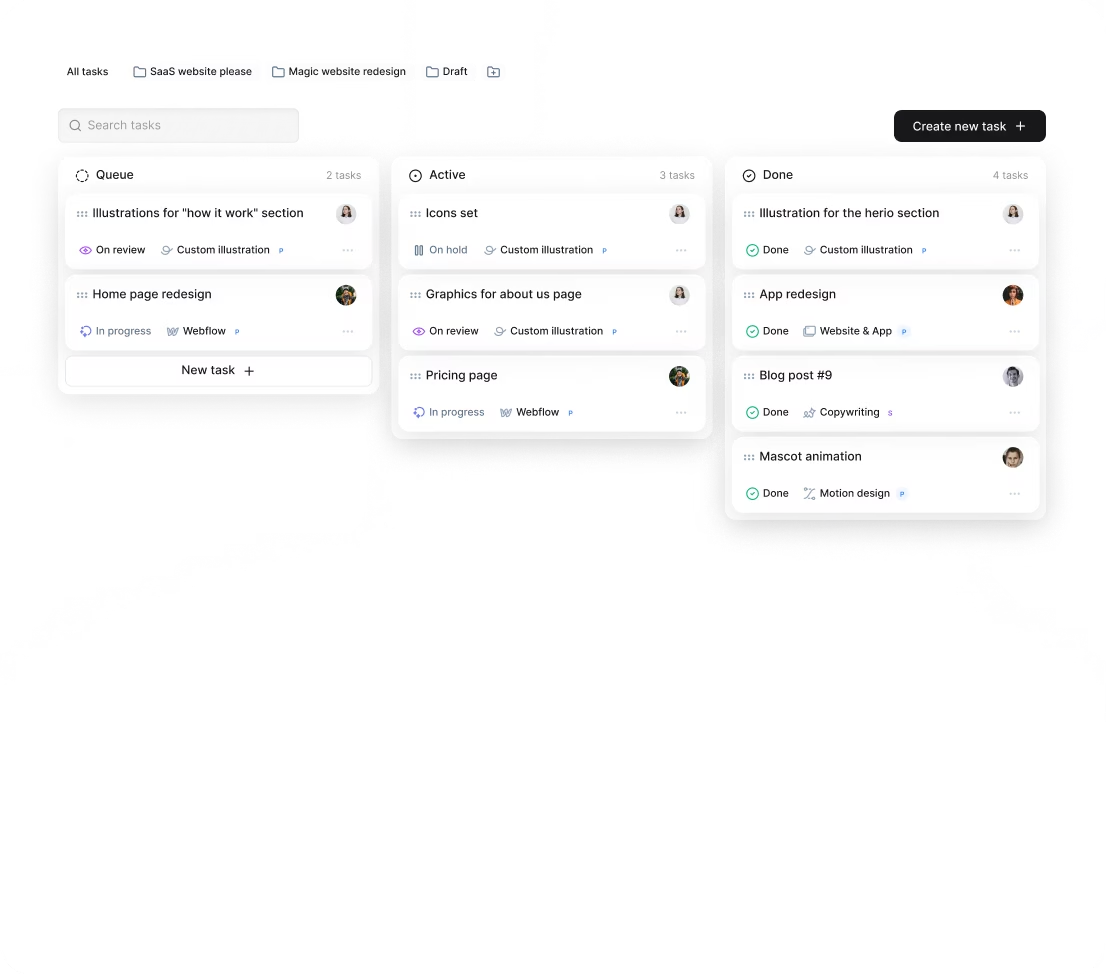
Make sure feedback cycles cover both UI polish and AI behavior—how AI fits user expectations and business goals. Use collaboration tools like Jira or Asana for tracking tasks, and Slack or Microsoft Teams for real-time communication.
If you subscribe to Awesomic, working remotely is seamless. Designers provide daily updates through the app and integrate feedback quickly. This reduces management overhead and keeps iterative improvements flowing smoothly.
Let’s keep it practical with a quick list for successful collaboration:
- Define clear UX and AI goals upfront.
- Share AI data and model outputs.
- Collaborate closely with engineers and data scientists.
- Use prototyping and user testing early.
- Maintain continuous feedback cycles via tools like Jira and Slack.
This approach helps you fully leverage AI art and graphic design expertise while keeping your projects on track.
How do you know you hired the right AI art designer?
You’ll know you hired the right AI art designer when you see clear improvements in how users understand and trust your AI features. Look for measurable signals like higher feature adoption rates or fewer user errors related to AI.
You may also notice that support tickets or feedback mentioning confusion or complaints around AI drop significantly.
Good collaboration among product, engineering, and design teams is another sign. A top-notch AI art designer translates AI capabilities and limitations efficiently, smoothing teamwork.
Check if AI outputs improve iteratively, guided by design input and user feedback. Positive feedback from users expressing delight or trust in AI-generated content is priceless.
Plus, see if the team is future-proofing AI UX for evolving AI models and datasets.
Our platform Awesomic supports continuous subscription services so you keep access to AI art designers for ongoing refinements and scaling. Transparent client satisfaction ratings also help validate your choice.
Here’s a final checklist to confirm success:
- Measurable user understanding and adoption gains
- Reduced user complaints about AI
- Smooth collaboration with product and engineering
- Iterative improvements in AI outputs
- Positive user feedback on AI-generated features
- Design team future-proofs AI UX
- Ongoing support via Awesomic subscription
If these signs show up, you made the right call to hire an AI art designer to boost your product.
That’s your practical guide to how and when to hire an AI art designer. From understanding their role and skills to sourcing, evaluating, working together, and measuring success—you have the tools to make smart, confident decisions. Plus, our platform Awesomic is here to help you find the right talent efficiently and cost-effectively. Ready to bring AI art design expertise to your project? You know where to look.


