










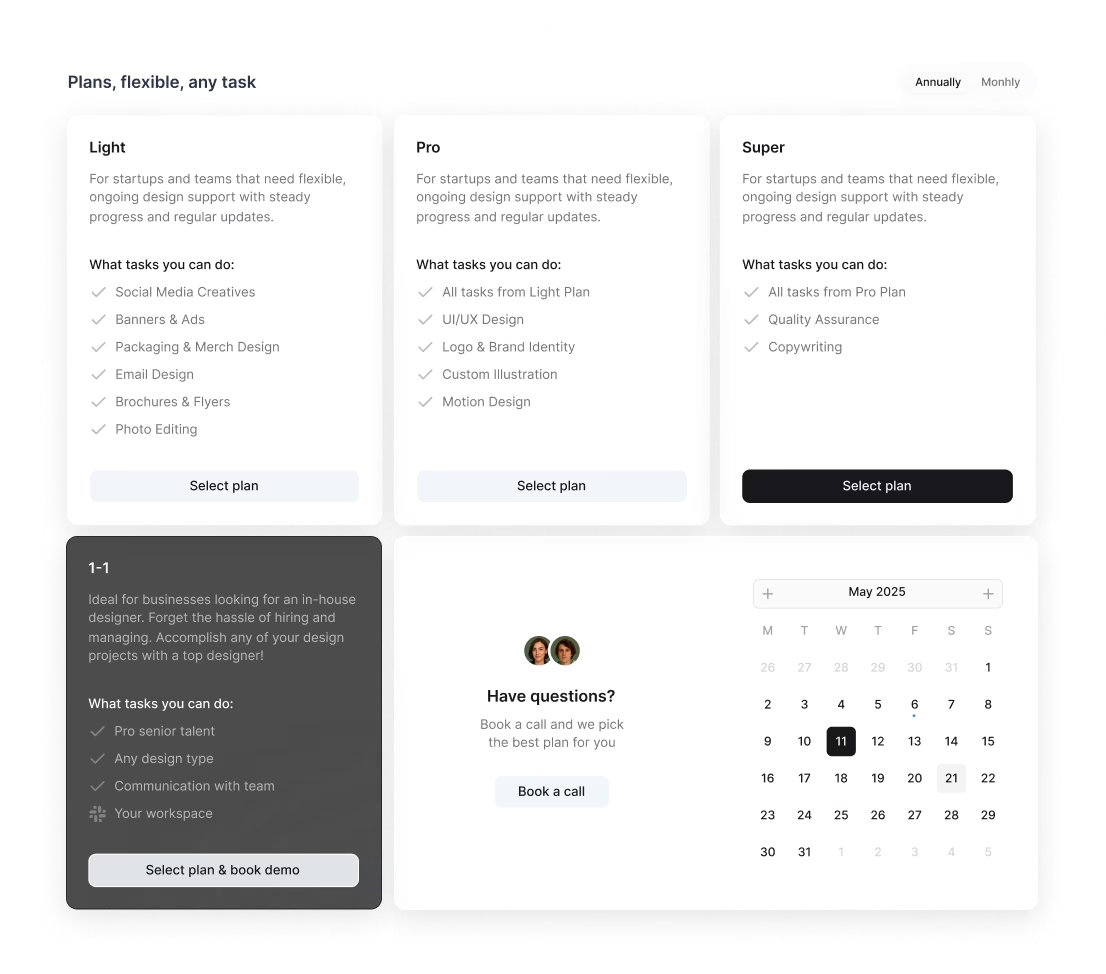
/ month


/ month


/ month
quarterly commitment
Yes, there's a better way to hire an AI visual designer




4,000+ companies didn’t wait. They’re onboard.
































Why awesomic





0.82% talent





One subscription and your hiring problems solved

We say no to 99.18% of AI visual designers



FAQ


How quickly can I start working with an AI graphic designer?
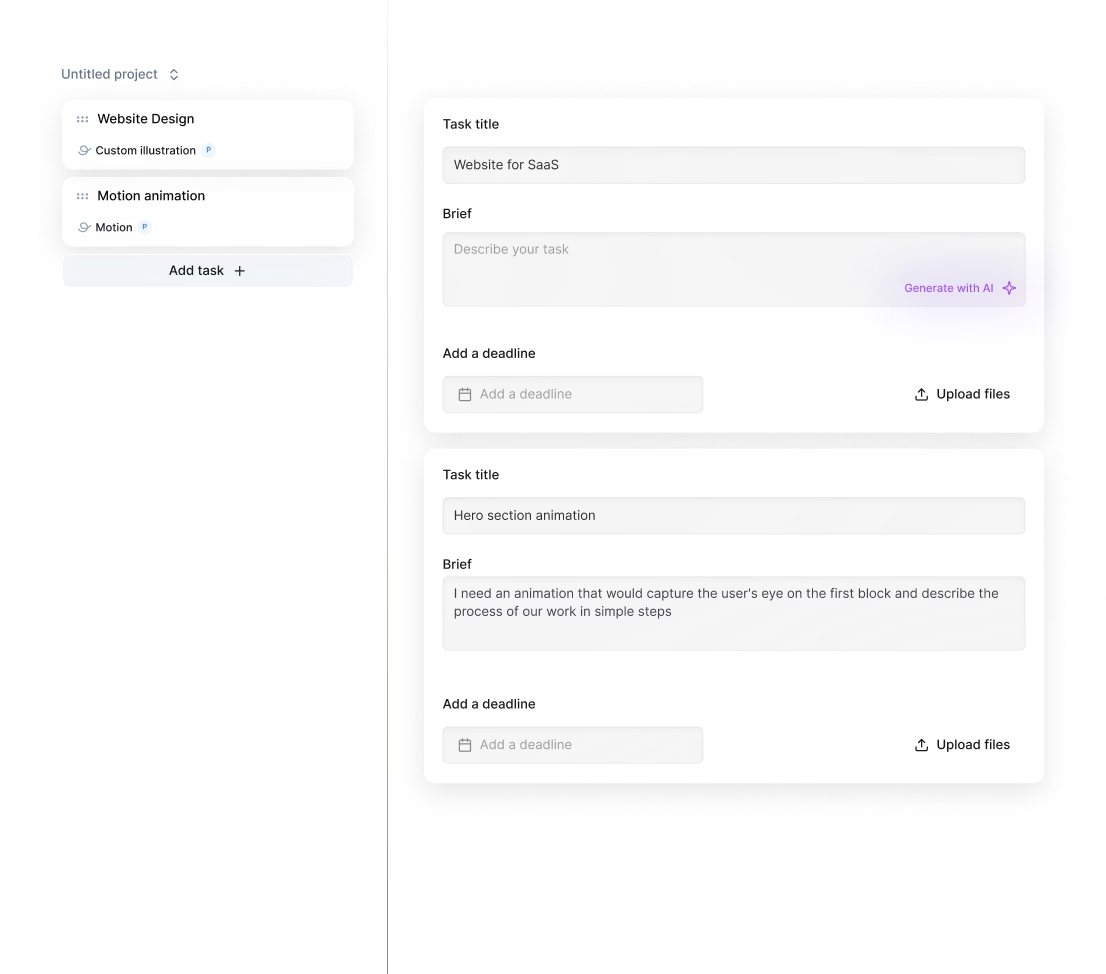
You can start working with an AI graphic designer within 24 hours. Just subscribe, submit your project requests, and get matched instantly. You’ll receive daily updates, with unlimited revisions until you’re satisfied. This fast process eliminates the usual hiring delay.
Can I hire a AI visual designer for short-term or one-off projects?
Yes. You can directly hire AI visual designers through our subscription service, starting at $499/month. Get production-ready designs fast, use services across multiple projects, and scale up anytime. You'll receive daily updates with unlimited revisions until it’s perfect.
Are AI visual designers experienced in startups, SaaS, or enterprise teams?
Yes, AI visual designers on Awesomic have 7 to 15+ years of experience working with startups, SaaS, and enterprise companies. They've contributed to projects for Y Combinator-backed firms and brands like Coca-Cola and Disney, delivering high-quality UI/UX, branding, and product design fast.
Can I switch AI visual designers if my needs change?
Absolutely. With Awesomic’s subscription model, you can switch AI visual designers anytime without extra costs or delays. Our vetted pros ensure seamless handoffs, so your projects keep moving fast. Unlimited revisions and daily updates guarantee the output matches your evolving needs perfectly.
What does “top 1% AI visual designers” actually mean?
It means our AI visual designers pass a strict four-step vetting process: portfolio review, a multi-step skill test, blind community evaluations, and final leadership approval. Only 0.82% make it, ensuring you get senior-level skills, fast delivery, and top-quality AI graphic design maker results.
How many revisions are included?
Every subscription with our AI graphic designer includes unlimited revisions. You get daily progress updates and can request changes as often as needed until the design fits perfectly. Plus, if you want a fresh perspective, you can switch your AI graphic designer anytime at no extra cost.
Is this cheaper than hiring a full-time AI visual designer?
Yes. Our AI visual design subscription costs $499/month, delivering production-ready landing pages, websites, and apps instantly. It’s 70% cheaper than hiring full-time, with daily updates, unlimited revisions, and no overhead. Scale up or down without long contracts or management headaches.
Can I pause or cancel my designer subscription at any time?
Yes, with Awesomic you can pause or cancel your subscription to AI visual designers anytime, no strings attached. Enjoy total control over your monthly plan without long-term contracts, hidden fees, or waiting periods. Flexibility meets fast, high-quality deliverables from your visual AI creator.
Do AI visual designers work in my time zone?
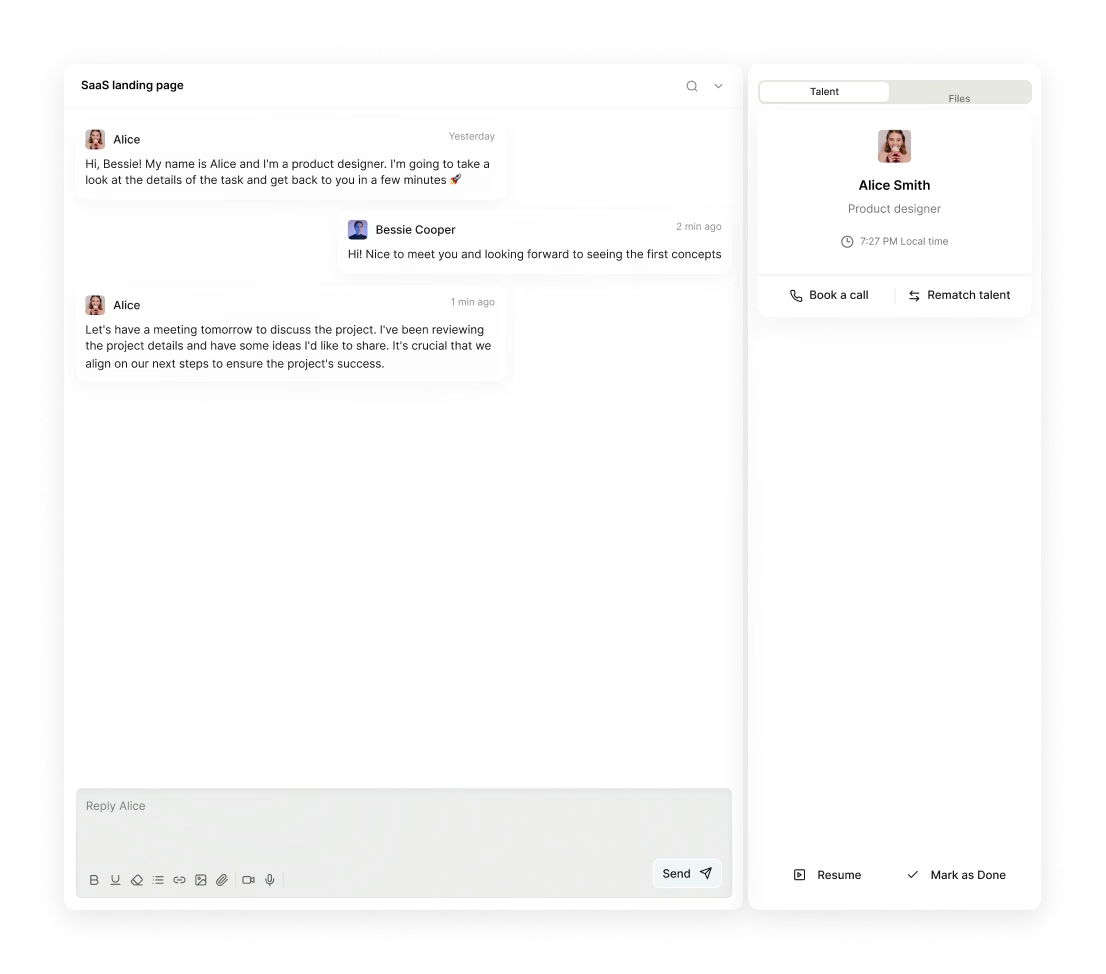
Yes. Our AI visual designers are spread globally, ensuring fast, daily updates and smooth communication via Slack, email, or video calls. You get high-quality AI graphic design services in your time zone, with tasks delivered in as little as 24 hours and unlimited revisions.
Can I work with the same AI visual designers long-term?
Absolutely. With Awesomic, you can get matched to a dedicated AI visual designer for full-time or part-time work. Enjoy daily updates, unlimited revisions, and the ability to scale your team. Pause or cancel anytime—no long-term lock-ins.

Related roles you may need



Hiring guide:


What does an AI visual designer actually do?
When I first tried to get my head around what an AI visual designer does, I realized it’s more than just making things look good. These designers focus on creating products or features that use artificial intelligence, but keep the user front and center. Think of them as the bridge between complex AI tech and everyday users, making sure AI helps rather than confuses.
An AI visual designer starts by defining AI use cases. They ask, "Where can AI really add value or automate tasks in this product?" For example, is it better at giving recommendations, or maybe automating routine parts of the user flow? Once they figure that out, they design how users interact with these AI features. They build smooth transitions between what the AI handles automatically and what users do manually. This smooth flow is critical because AI isn’t flawless, and users need to know when they’re in control.
Working with data is another big part of their job. They team up with data scientists and engineers to understand what data the AI uses, what the model spits out, and where it might mess up. That helps them make design choices that show the AI’s strengths and weaknesses honestly.
One thing I found super practical is how they make AI output clear and useful. For example, they might design dashboards that visualize AI predictions or feedback messages that explain why the AI suggests something. This reduces confusion and builds trust—a must-have in AI products.
Prototypes and user testing also play a huge role. AI behavior can be unpredictable, so these designers run real tests to see how users react not just to the design but also to the AI itself. That lets them tweak and refine continuously.
If you want to hire an AI visual designer who’s already skilled in all these areas, our platform Awesomic is a great choice. It connects you with vetted AI visual designers who know this specialized space well. Plus, Awesomic makes it easy to manage tasks and speed up iterations, which is a lifesaver when working with AI projects.
When do you need to hire an AI visual designer?
You might wonder, when is the right moment to hire an AI visual designer? From my experience, there are some clear triggers that show you need one.
First, launching new AI-powered features like chatbots, recommendation engines, or predictive analytics is a classic time to bring in an AI visual designer. These features can be complex and users might struggle if the design doesn’t handle AI’s quirks well.
Second, if existing AI features work technically but don’t connect with users, that’s a red flag. For example: the AI generates results correctly but users don’t understand the outputs, or there’s a high drop-off rate during AI interactions. These signs tell you the AI visual design isn’t doing its job.
Third, when user trust in AI is low or users keep ignoring AI suggestions, you should rethink the interface. An AI visual designer can create transparency and clarity that improves trust.
Also, as your product’s AI complexity grows, balancing usability with technical accuracy requires specialized skills. Regulatory or ethical demands for clear AI transparency in UX add more reasons to hire one.
Our platform, Awesomic, shines here by offering flexible subscription plans to hire an AI visual designer on demand. It lets you quickly onboard top talent exactly when you need them, no lengthy hiring delays or complicated contracts involved.
Here’s a quick list of moments to consider:
- Launching AI features like recommendation systems or chatbots
- Users don’t understand AI outputs despite correct predictions
- High user drop-off during AI interactions
- Low trust or ignored AI suggestions
- Increasing AI complexity or regulatory transparency needs
What skills should a great AI visual designer have?
You want someone who’s not just creative but also knows their way around AI and data. From what I’ve seen, a great AI visual designer blends UX design know-how with AI tech understanding.
First, solid UX skills are a must: interaction design, visual design, and usability testing. They should create interfaces that are intuitive and easy to navigate.
Second, they need a basic to intermediate grasp of AI and machine learning ideas like supervised vs. unsupervised learning, model confidence, bias, and data dependencies. This helps them design with AI’s strengths and limits in mind.
Third, prompt design skills have become essential, especially for generative AI tools. They should know how to craft prompts users can understand and how to interpret AI responses for better interactions.
Fourth, they need strong data thinking. That means being comfortable with datasets, metrics, and performance indicators to align their design choices with AI results.
Fifth, communication skills are key. They must explain tricky AI behaviors in simple, clear terms that stakeholders and users can follow.
Hands-on tool experience is also important. They should use Figma or Sketch for design, TensorBoard or Weights & Biases to interpret model outputs, and prompt engineering platforms like OpenAI Playground, ChatGPT, or LangChain.
Knowing frameworks like Human-Centered AI, Explainable AI, and IDEO’s adapted Design Thinking method helps them push AI design further.
If you want to hire an AI visual designer who ticks all these boxes, Awesomic's talent pool is a reliable source. Designers here are rigorously vetted through portfolios and practical tasks, ensuring you work with professionals skilled both in AI tech and UX.
To summarize, here’s what to look for:
- UX design: interaction, visual, testing
- AI basics: learning types, bias, confidence
- Prompt design for generative AI
- Data-driven design thinking
- Clear communication skills
- Tools: Figma, TensorBoard, OpenAI Playground, etc.
- Familiarity with AI design frameworks
What types of AI visual designers can you hire?
Not every project needs the same type of AI visual designer. Based on what I’ve learned, here’s how different types fit into various situations and budgets.
First, freelancers are great for small projects or startups. They offer flexibility and speed for rapid prototyping and one-off tasks, without a long-term commitment.
Second, in-house designers work embedded in your product team. They’re ideal for ongoing projects where deep domain knowledge and tight collaboration with engineers is key.
Third, agencies provide end-to-end AI product design. These teams tackle multi-disciplinary challenges and deliver complete solutions, perfect for complex AI rollouts.
Fourth, specialists like prompt designers focus on generative AI, crafting precise inputs and interpreting AI language outputs. AI product designers blend AI tech with product strategy, guiding high-level AI roadmaps.
Each choice has trade-offs:
- Freelancers: lower cost, variable availability
- In-house: higher cost, deep integration
- Agencies: comprehensive but expensive
- Specialists: niche skills, may cost more
Our platform, Awesomic, combines the best of both worlds. You get the flexibility of freelancers but with a managed subscription model that guarantees senior-level AI visual designers, daily progress updates, and unlimited revisions. This approach lets you save time and cut risks while ensuring high-quality output.
Here’s a practical comparison table:
| Type | Best for | Cost | Collaboration | Availability |
|---|---|---|---|---|
| Freelancer | Small projects, startups | Low to medium | Variable | Flexible, but not full-time |
| In-house | Long-term, ongoing iteration | High | High | Full-time |
| Agency | Large-scale, end-to-end design | High | Multi-disciplinary | Project-based |
| Specialist | AI tech niches, prompt design | Medium to high | Focused | Project or consulting |
| Awesomic (hybrid) | Flexible, senior expertise | Medium | Strong | Managed, subscription |
How much does it cost to hire an AI visual designer?
Money matters, right? Understanding costs upfront helps avoid surprises. So, how much should you budget?
Pricing varies based on the type of hire and region. Freelancers typically charge between $60 and $150 per hour. If you want to hire an AI visual designer full time, salaries range roughly from $90,000 to $150,000 a year, depending on experience and location.
Agencies are a bigger investment, often charging $20,000 to over $100,000 per project due to their comprehensive services.
Why are AI visual designers often pricier than typical designers? They combine AI tech knowledge with UX and data-driven design skills. That makes them rare and valuable.
Several factors push cost up or down:
- Complexity of AI use cases (chatbot vs. complex models)
- Integration with data teams and engineering
- Scope of AI features and user testing
- Ongoing support and iteration needs
- Software licenses for AI tools and research platforms
If you want a more predictable, cost-effective option, Awesomic offers subscription plans starting as low as $990 per month. These include access to highly skilled designers, unlimited revisions, and managed workflows, making your budget and project timeline easier to control.
Here’s a quick pricing overview:
- Freelancers: $60–$150/hr
- In-house: $90,000–$150,000/year
- Agencies: $20,000–$100,000+ per project
- Awesomic subscription: from $990/month, all-inclusive
Where can you find the right AI visual designer?
Finding the right AI visual designer can feel like looking for a needle in a haystack. But there are solid places to start.
Check out design platforms like Dribbble and Behance. Use filters to find AI-related projects and see real portfolios.
Join AI-focused design communities. For example, LinkedIn groups like AI UX Collective and Machine Learning UX can connect you to experienced designers. Also, look for graduates from AI bootcamps or courses, such as Stanford’s HCI + AI.
Referrals work well too. Ask people in AI startups, product teams, research labs, or data science meetups. They often know great talents.
Agencies specializing in AI product design, like IDEO or Fjord, are options if you want end-to-end help.
Events like AI conferences and workshops are perfect for networking and recruitment. Online platforms like Upwork also have vetted freelance AI designers.
When it comes to simplifying this hunt, our platform Awesomic stands out. It pre-vets AI visual designers across 30+ skills and offers on-demand matching within 24 hours. You get built-in communication and project management tools, all in one place.
So if you want to hire an AI visual designer without the usual hassle, Awesomic makes it smooth and efficient.
How do you evaluate an AI visual designer’s portfolio?
A portfolio tells a lot about a designer’s skills, especially in such a niche field as AI visual design. Here’s what you should look for, based on what I’ve learned.
Focus on projects that clearly involve real AI use cases. Did they face AI-specific problems like uncertainty, bias, or interpretability? For instance, how did they handle ambiguous or probabilistic AI outputs? Good designers build interfaces that show confidence levels or data limits clearly.
Next, see if they improved user trust with transparency features, feedback mechanisms, or thoughtful error handling. This shows they understand common AI pitfalls.
Look at how they designed AI-driven user interactions, including user flows that adapt to AI predictions. Bonus points if they document collaboration with engineers and data scientists or results from user testing focused on AI comprehension.
Diversity matters, too. Portfolios covering AI domains like natural language processing, computer vision, or recommendation systems reveal broader expertise.
Overall, the best portfolios balance creativity, technical know-how, and practical AI UX problem-solving.
If you want a shortcut, Awesomic vets portfolios and tests designers on real-world, multi-step AI tasks. That way, you get reassurance of proven experience before you hire an AI visual designer.
Here are five key portfolio check points:
- Real AI use cases with specific challenges addressed
- Handling ambiguous AI outputs clearly
- Features boosting AI transparency and user trust
- Adaptive AI-driven user interaction flows
- Collaboration and testing documentation
What questions should you ask before hiring?
When chatting with candidates, certain questions will reveal how well they fit your project needs.
Start by asking about their past AI projects. Can they describe specific AI features they designed? What challenges did they face? This helps you see their direct experience.
Next, dig into how they handle unclear AI results. For example: "How do you design for probabilistic or unexpected outputs? How do you maintain user trust and clarity?" Their answers show practical AI visual design skills.
Ask about collaboration habits. "How do you work with engineers and data teams? How do you integrate data insights into design?" These reveal their teamwork approach.
Find out if they’ve tested AI features with real users. "How do you measure success for AI interactions? How do you use user feedback for iteration?" This reflects a user-centered mindset.
Don’t forget ethics. Ask about their awareness of AI ethics, transparency, and bias mitigation in design.
Check their familiarity with AI tools and prompt engineering.
Finally, see how they keep learning in the fast-changing AI design world.
Working with designers through Awesomic makes much of this vetting easier upfront. You can still interview candidates and request talent rematches at no cost if needed. This guarantees you hire the right visual AI creator fit for your team.
Here’s a handy checklist of questions:
- Describe past AI projects and challenges
- How do you handle unclear AI outputs?
- What’s your collaboration process with engineers/data scientists?
- How do you test AI features and measure success?
- Thoughts on AI ethics and bias mitigation?
- Familiarity with AI and prompt engineering tools?
- How do you stay updated on AI design trends?
How do you work successfully with an AI visual designer?
Getting the best from an AI visual designer means setting up the right conditions early.
Start by agreeing on clear goals focused on both AI and user experience. Define success with combined metrics: UX KPIs plus AI performance indicators. This keeps the team aligned.
Share data access early on. Designers should understand datasets, model outputs, and constraints to make informed design choices.
Promote tight collaboration between designers, engineers, and data scientists. Regular sync meetings or integrated workflows help solve issues faster.
Early prototyping and iterative user testing focused on AI features is a must. Testing catches problems with AI behavior or user confusion before launch.
Give feedback on both visual design and how AI outputs are presented and integrated.
Use collaborative tools like Figma, Jira, Confluence, or Slack, ideally linked with data monitoring platforms.
Encourage open communication around AI uncertainties and continuous improvement. AI is evolving, and so should your product.
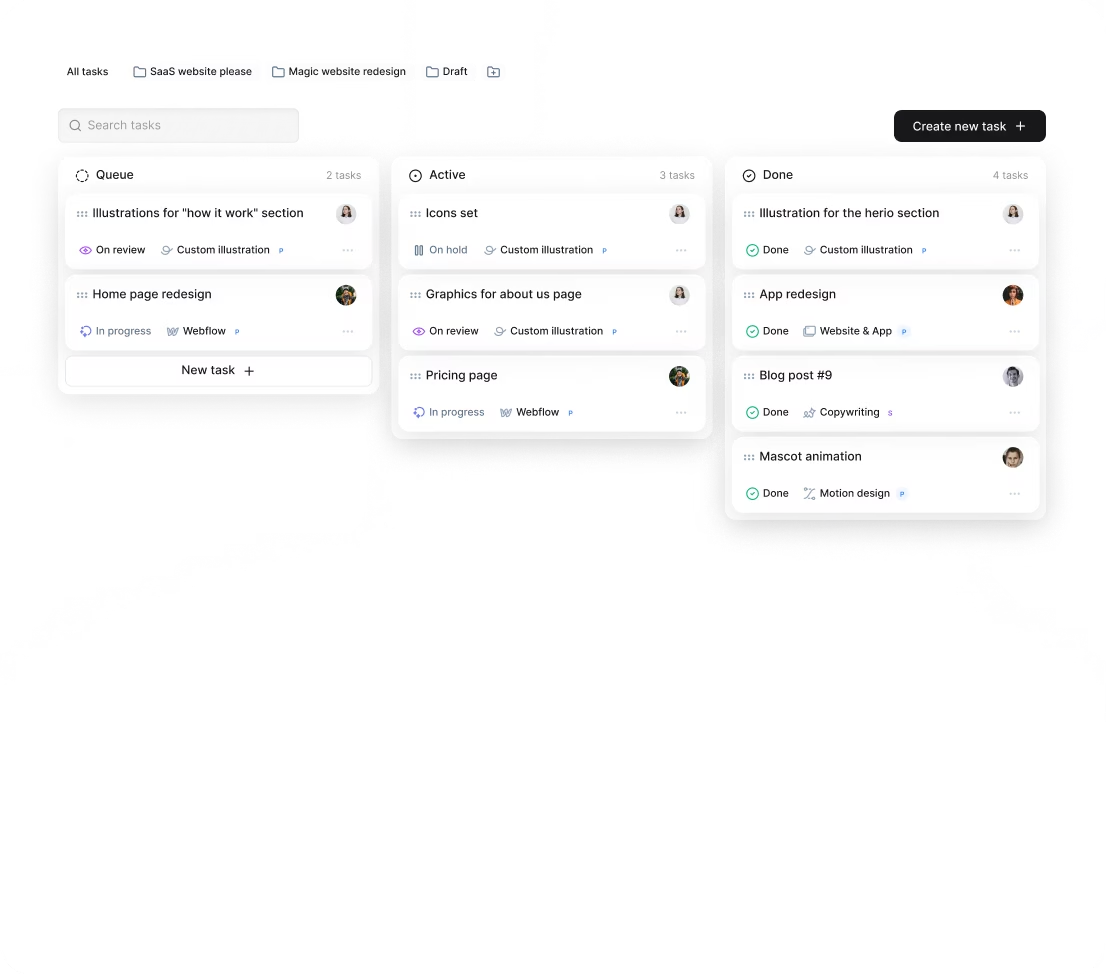
Our platform Awesomic supports this well. It offers managed project workflows, daily updates, and seamless communication with Slack and in-app messaging. This reduces your management load and keeps projects on track.
So here’s a simple five-step success plan:
- Set joint AI and UX goals with clear metrics
- Provide early access to data and model info
- Schedule regular cross-team collaboration
- Prototype and test AI features with real users
- Use integrated tools for feedback and updates
How do you know you hired the right AI visual designer?
How do you tell if you really made the right hire? Here are some clear signs I’ve noticed:
Users understand and trust AI features better. You’ll see this in positive feedback and higher use rates or fewer drop-offs.
AI interactions become smoother and more intuitive. Expect fewer user complaints or support issues related to AI confusion or errors.
Collaboration between the AI visual designer and your technical teams improves. Solutions come faster, and design-technical problems get resolved efficiently.
The designer consistently delivers iterations that enhance UX and clarify AI outputs.
They proactively suggest improvements based on user data and AI performance insights instead of waiting to be told.
Ultimately, your product’s AI stops feeling like a mysterious black box and becomes a trusted, transparent tool users rely on.
Working with Awesomic makes this easier to achieve. Our platform provides access to senior AI graphic design makers with top client ratings around 4.8 to 4.9 stars. Plus, if things aren’t working out, you can switch talent quickly without extra hassle, lowering risks and boosting your chances of success.
Here’s a quick checklist to recognize success:
- Better user understanding and engagement
- Fewer AI-related complaints or drop-offs
- Efficient teamwork across design and tech
- Consistent, impactful design iterations
- Proactive improvement suggestions
- Overall increase in AI transparency and trust
I hope this guide helps you confidently hire an AI visual designer. Remember, working with the right professional, especially through a platform like Awesomic, can make AI products not just smarter but also easier and more enjoyable for users.


