










/ month


/ month


/ month
quarterly commitment
Yes, there's a better way to hire an AI graphic designer




4,000+ companies didn’t wait. They’re onboard.
































Why awesomic





0.82% talent





One subscription and your hiring problems solved

We say no to 99.18% of AI graphic designers



FAQ


How quickly can I start working with a best AI graphic designer?
You can start working with a best AI graphic designer within 24 hours of subscribing. Submit your project in just a few clicks and receive high-quality deliverables fast, with daily updates and unlimited revisions until it’s perfect.
Can I hire an AI graphic designer for short-term or one-off projects?
Yes, you can. Awesomic lets you start in 24 hours with vetted AI graphic designers ready to handle your project fast. While it’s a subscription model, you can request specific tasks and switch talents anytime, making it perfect for short-term or one-off projects without hiring hassles.
Are AI graphic designers experienced in startups, SaaS, or enterprise teams?
Absolutely. Our AI graphic designers have 7 to 15+ years of solid experience working with startups, SaaS, FinTech, healthcare, and enterprise clients—including Y Combinator-backed companies. They deliver high-quality, production-ready designs and brand identities, handling projects from landing pages to complex web apps with fast daily updates and unlimited revisions.
Can I switch AI based graphic designers if my needs change?
Absolutely. With Awesomic, you can switch AI based graphic designers anytime without extra cost. Our subscription gives you unlimited revisions and daily updates, so if your project scope shifts, just request a new match. Flexible, fast, and hassle-free.
What does “top 1% AI graphic designers” actually mean?
It means these AI graphic designers are the elite, passing a tough vetting process that filters down to less than 1%. They’ve nailed portfolio reviews, skills tests, and leadership approval, delivering top-quality designs fast with fewer revisions. You get the AI best graphic designer, guaranteed.
How many revisions are included?
Every subscription with our best AI graphic designer includes unlimited revisions. You get daily progress updates, and can request as many changes as needed until the design is perfect. If you want a different style, switch your AI graphic designer anytime at no extra cost.
Is this cheaper than hiring a full-time AI graphic designer?
Yes. For $499 a month, you get instant access to AI graphic designers who deliver high-quality, production-ready designs fast—often with 40% faster turnaround and 60% fewer revisions. No hiring, overhead, or management costs. Scale easily as your projects grow.
Can I pause or cancel my designer subscription at any time?
Yes, you can pause or cancel your subscription at any time without hassle. Our service with a graphic designer using AI starts delivering in 24 hours, offers unlimited revisions, and lets you scale or stop instantly—no long-term contracts or hidden fees.
Do AI based graphic designers work in my time zone?
Yes, AI based graphic designers at Awesomic work globally and operate with daily updates and real-time communication via Slack, email, or video calls. This ensures they sync with your time zone and keep projects moving fast, delivering results within 24 hours.
Can I work with the same AI graphic designer long-term?
Yes, you can. Awesomic lets you match with the AI best graphic designer for your needs and stay with them as long as you want. Enjoy daily updates, unlimited revisions, and personalized service without hiring headaches or extra fees.

Related roles you may need


Hiring guide:


What does an AI graphic designer actually do?
If you’re wondering what an AI graphic designer actually does, you’re in the right place. Imagine someone who blends design and artificial intelligence to create smarter user experiences. They don’t just make things look good—they design products and features that use AI in meaningful ways.
It all starts with identifying where AI truly adds value in a product. An AI graphic designer digs deep into the user journey, spotting moments where AI can improve the flow, make decisions smarter, or offer new possibilities. Think chatbots that understand you better or recommendations that feel personal. They map out user flows optimized for AI, ensuring the interactions feel natural and helpful.
Designing for AI isn’t just about visuals. These designers create interfaces that manage AI outputs too. For example, they design how confidence scores show up, how alternative suggestions are presented, or how explanations clarify AI decisions. They know AI isn’t perfect, so they focus on transparency by building in error handling and progressive disclosure—showing just enough information when it’s needed and gracefully managing moments when the AI is unsure.
Collaboration is key. An AI graphic designer works closely with data scientists and engineers. They learn about the data sources powering the models, understand training data limitations, and respect model constraints. This teamwork ensures that the AI output is useful, clear, and actionable.
Building trust is part of their role too. They make sure AI-generated content is clearly labeled. They design user controls letting people adjust or override AI suggestions. And they create feedback loops that collect user input, helping improve the AI over time.
If you want reliable, high-quality AI interaction design without the hassle of long hiring cycles, you can turn to our platform Awesomic. We offer vetted AI-savvy design professionals who excel at these skills and provide their services on flexible subscription plans. This way, you get experts on demand, ready to jump into your project quickly.
Here’s a quick summary of what an AI graphic designer does:
- Define AI use cases where it adds value.
- Design user flows tailored for AI interactions.
- Create interfaces that handle AI outputs (confidence scores, explanations).
- Collaborate with data scientists and engineers.
- Build transparency and trust through clear communication and feedback systems.
Now that you understand what they do, let’s see when you actually need to hire an AI graphic designer.
When do you need to hire an AI graphic designer?
Knowing when to hire an AI graphic designer can feel tricky, but there are clear signals. The first time you add AI to your product, it’s a big change. You’ll need new interaction patterns that fit AI capabilities, like chatbots, recommendation engines, or automatic content creation. This is a classic moment to bring in an AI based graphic designer.
Sometimes, you already have AI features in place, but users find them confusing or don’t engage. Maybe analytics show high drop-off rates, or user feedback says they don’t trust AI suggestions. You might notice that “the AI works technically, but the UX feels confusing.” These clues point to the need for specialized design help.
Another time to hire is when you want to make AI outputs more transparent or explainable for everyday users. AI can be complex, so good design helps users understand why the AI made a suggestion or when it’s uncertain. This builds trust.
Finally, consider the pivot points in your product development where AI goes from backend magic to something users interact with directly. That’s when an AI graphic designer’s expertise in designing usable AI experiences becomes essential.
To move fast with these urgent needs, our platform Awesomic makes it easy to access skilled AI based graphic designers. They’re vetted and ready for exactly these situations. Plus, you get unlimited revisions and daily updates, so your AI-driven design improves quickly and efficiently.
Here’s a handy list of when to bring on an AI graphic designer:
- Adding AI features for the first time.
- Fixing confusing or unintuitive AI interactions.
- Reducing drop-offs or engagement issues in AI features.
- Making AI outputs clearer and more explainable.
- Shifting AI from backend to user-facing functionality.
Moving on, let’s explore the skills you should look for in a great AI graphic designer.
What skills should a great AI graphic designer have?
Hiring the best AI graphic designer means knowing the exact skills they need to succeed. It’s not just traditional design. Here’s what stands out in high-quality AI graphic designers:
-
Advanced UX design principles tailored for AI: They handle uncertainty and create adaptive interfaces that respond to AI’s sometimes unpredictable outputs.
-
Basic to intermediate AI understanding: They need to grasp AI and machine learning concepts like different model types, the difference between training and inference, and issues like bias and fairness.
-
Prompt design for generative AI tools: They craft and test prompts iteratively to get the best results from AI models.
-
Data thinking: They interpret model outputs and understand datasets and their biases to design smarter experiences.
-
Strong communication: They translate complex AI behavior into simple language users understand and collaborate well with technical teams.
-
Tools familiarity: Knowing UI design tools like Figma or Sketch; flow mapping tools such as Miro or FigJam; prompt engineering tools like OpenAI Playground; knowledge of AI explainability frameworks like LIME or SHAP; and data visualization software like Tableau or Power BI.
-
Prototyping skills: They create prototypes integrating AI APIs like OpenAI or Google Vertex AI and use testing frameworks to validate AI interactions.
On our platform Awesomic, we carefully select talents with exactly these skills. Our designers are comfortable with popular collaboration tools like Slack, offer daily progress updates, and bring AI design competencies you can count on.
To make it practical, here are the five essential skills for your AI graphic designer:
- AI-focused UX design handling uncertainty.
- Understanding of AI/ML basics and ethics.
- Expertise in prompt engineering.
- Strong cross-functional communication.
- Hands-on use of AI and design tools with prototyping.
Knowing these skills will help you recognize the best when you’re ready to hire an AI graphic designer.
What types of AI graphic designers can you hire?
When it comes to finding the right AI graphic designer, you have several options depending on your needs and budget.
-
Freelancers: Great for quick, cost-effective projects or early exploration. They’re flexible and often specialize in specific tools or AI design aspects.
-
In-house designers: If you want someone deeply embedded in your product and company culture, hiring full-time helps with long-term ownership and deep product knowledge.
-
Agencies: For scaling AI design across multiple product lines, agencies bring full-service support and often have cross-disciplinary AI expertise.
-
Specialists like prompt designers or AI product designers: These focus on specific challenges, such as crafting prompts for generative models or combining traditional UX with AI’s unique issues.
You can also consider hybrid models like consultants who train your team on AI best practices.
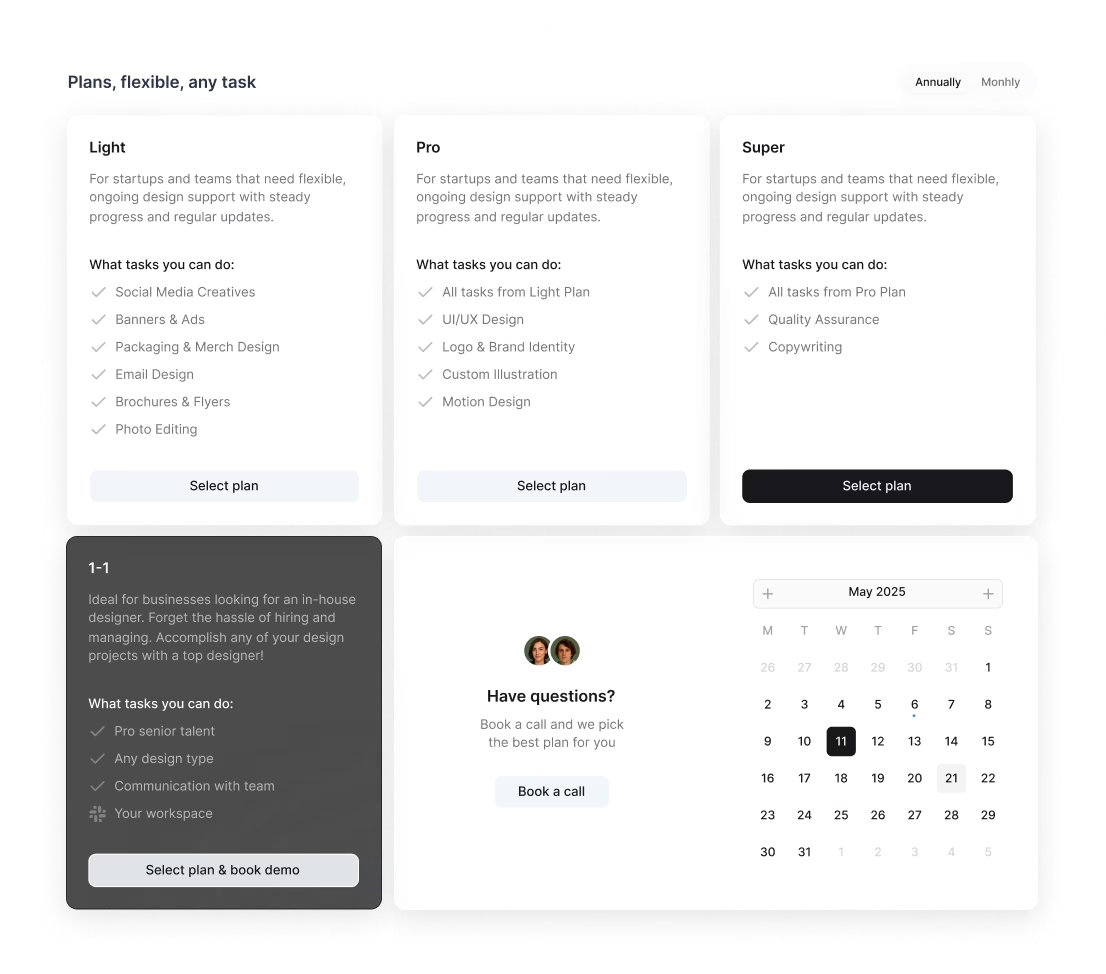
To make this easier, you can use our platform Awesomic. We offer vetted experts from all these categories—freelancers, in-house-ready talent, agencies, and specialists—with simple subscription plans: light, pro, super, and 1 to 1 full-time. This allows you to scale your AI design talent easily without the headaches of hiring or managing.
Here’s a practical comparison table to help you decide:
| Type | Best for | Pros | Cons |
|---|---|---|---|
| Freelancer | Small projects, rapid prototyping | Cost-effective, flexible | Less long-term commitment |
| In-house designer | Deep product knowledge | Long-term alignment, product expertise | Higher cost, longer hiring process |
| Agency | Scaling AI design | Full-service, cross-disciplinary | Higher price, less flexible |
| Specialist (Prompt designer, AI product designer) | Cutting-edge AI features | Expert-level AI knowledge | Niche skills, cost varies |
With this knowledge, you can make a smart choice to hire an AI graphic designer that fits your unique context.
How much does it cost to hire an AI graphic designer?
Budgeting is always a concern, so let’s break down typical costs for AI graphic design talent.
You’ll see different pricing models: hourly rates for freelancers, fixed project fees, or retainers for ongoing work.
-
Freelancers usually charge between $50 and $150 per hour depending on experience and AI expertise.
-
In-house salaries range from $80,000 to $140,000 annually, depending on location and skill level.
-
Agencies price by project scopes, often starting at $10,000 and sometimes exceeding $100,000 for larger, complex assignments.
Why the higher costs? AI design requires niche skills, multidisciplinary collaboration, and iterative testing of AI behaviors which can be time-consuming and complex.
Costs also depend on how complex your AI use case is. A simple AI chatbot is easier to design for than a multi-modal AI system combining text, image, and voice inputs. Project length and integration needs with data and engineering teams also affect pricing.
Don’t forget hidden costs like prototyping AI behavior, user testing with live AI features, and collaborating on model retraining.
Now, if you want cost transparency and predictability, our platform Awesomic offers subscription plans ranging from $990/month (Light) to $4990/month (Super). You also get the option for dedicated full-time AI best graphic designer support through the 1 to 1 plan. This removes hidden fees, offers unlimited revisions, and speeds up delivery compared to traditional hires or freelance gigs.
Here’s a quick practical list summarizing costs:
- Freelancers $50-$150/hour.
- In-house $80,000-$140,000/year.
- Agencies $10,000-$100,000+ per project.
- Hidden costs for AI prototyping and testing.
- Subscription models (like Awesomic) offer predictable budgeting and faster starts.
This clarity helps you plan your AI design spend more confidently.
Where can you find the right AI graphic designer?
Finding the best AI graphic designer can feel like searching for a needle in a haystack. But there are key places to start your hunt.
First, check specialized design platforms like Dribbble and Behance. Look for designers who showcase AI-centric work in their portfolios.
Next, AI-focused communities and forums are gold mines. Groups like AI UX Collective, LinkedIn Machine Learning Communities, and Discord channels such as the AI Product Design Guild bring together designers who think deeply about AI UX.
Niche job boards like AngelList, AI-specific recruiting agencies, and developer communities on GitHub often feature AI product designers contributing code or design.
Referrals are powerful too. Ask AI product companies or partner agencies for trusted recommendations.
You can also explore online marketplaces like Upwork and Toptal—filtering specifically for AI UI/UX expertise.
Finally, consider attending AI conferences or workshops like the UXAI Summit for networking.
To save time and hassle, our platform Awesomic is a premier global marketplace. We offer vetted AI graphic designers instantly matched through subscriptions. Usually, you get a match within 24 hours, bypassing the delays and risks of traditional searches or unknown freelancers.
Here’s where to focus your search:
- Design platforms (Dribbble, Behance) filtered for AI.
- AI UX-focused communities (LinkedIn, Discord).
- Niche job boards and recruiting agencies.
- Freelancer marketplaces (Upwork, Toptal).
- AI conferences and workshops.
Knowing where to look means you’ll find the best AI graphic designer faster.
How do you evaluate an AI graphic designer’s portfolio?
When evaluating AI graphic designers, you want more than pretty pictures. Look for real proof of AI expertise.
Good portfolios show case studies involving chatbots, recommendation engines, or generative AI tools. Pay attention to how they handled AI’s uncertainty—did they design fallback options or explain AI decisions clearly?
Check how they present AI outputs visually and functionally. Look for confidence indicators, alternative suggestions, or explanation layers.
Well-documented user research and testing focused on trust, understanding, and error recovery is a plus.
See if they simplify complex AI behaviors for users through educational onboarding or transparency UX.
The best portfolios show collaboration with engineering and data teams, and iterative design based on metrics.
On our platform Awesomic, talent undergoes thorough portfolio review, including multi-step test tasks and real case experience before joining. This means clients can trust quality and AI-specific design mastery.
Here’s a practical checklist for reviewing portfolios:
- Evidence of AI use cases with UX impact.
- Designs addressing uncertainty and error handling.
- Clear visualization of AI outputs (confidence, suggestions).
- Research and testing for user trust.
- Collaboration and iteration with technical teams.
Use this lens to hire an AI graphic designer who truly understands AI design challenges.
What questions should you ask before hiring?
Before you hire an AI based graphic designer, ask questions that reveal their real skills and approach. Here are some essential ones:
-
What AI technologies and models have you designed for?
-
How do you handle designing for uncertain or ambiguous AI results?
-
How do you collaborate with engineers or data scientists during development?
-
Can you describe your approach to prompt design or AI explainability in interfaces?
-
What user testing strategies and tools do you use for AI features?
-
How do you keep up with emerging AI UX patterns and ethics?
Try scenario questions like: How would you design a feature where AI is occasionally wrong but users rely on it heavily?
Also ask about their experience integrating AI APIs and using prototyping tools.
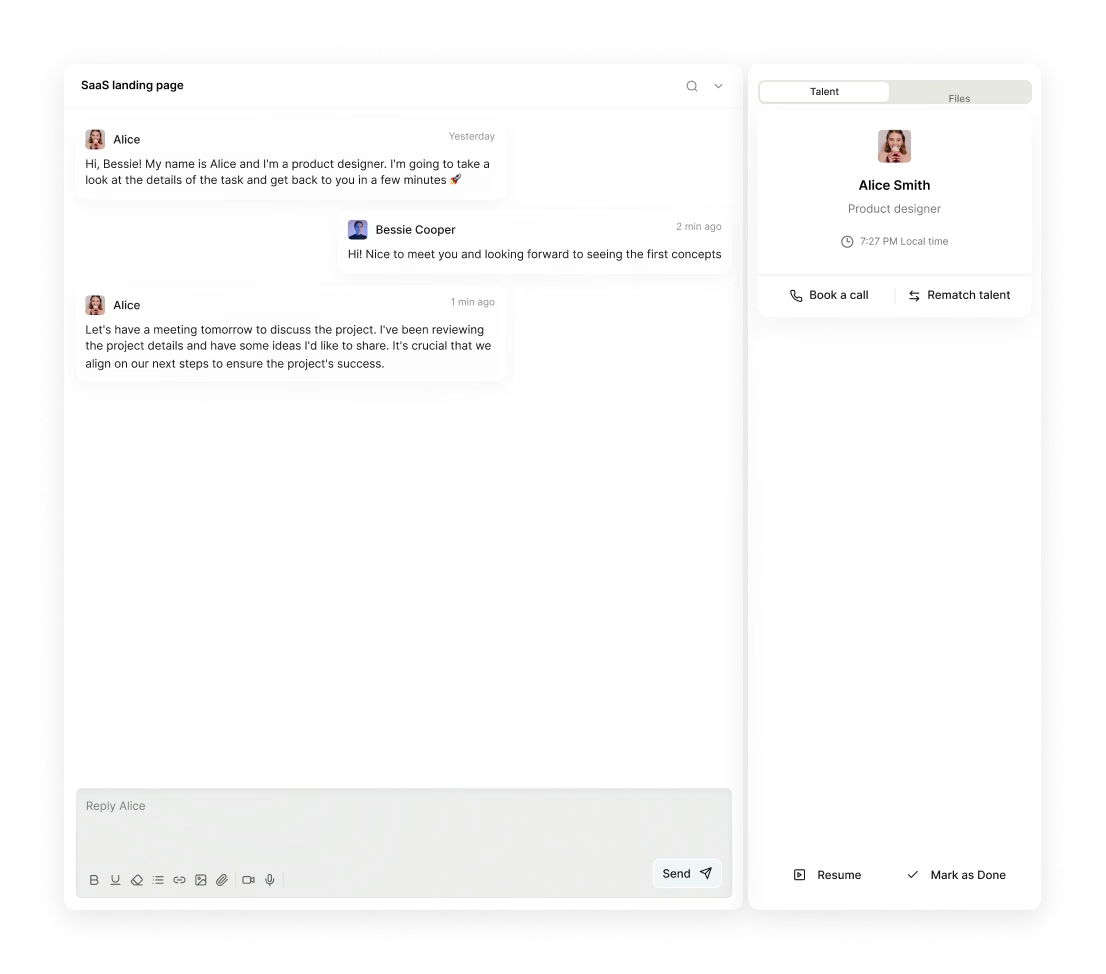
Our platform Awesomic makes this easy by enabling direct communication with matched designers via app or Slack. You can ask these questions upfront and even request talent rematches if things don’t fit—giving you confidence from the start.
Here’s a handy list of questions to ask:
- Past AI projects and technologies.
- Managing AI uncertainty in design.
- Cross-team collaboration experience.
- Approach to prompt design and explainability.
- Testing methods and staying current with AI trends.
These will help you hire an AI graphic designer who’s a real fit for your needs.
How do you work successfully with an AI graphic designer?
Working well with a graphic designer using AI takes clear communication and teamwork. Start by setting clear, measurable goals. These should cover both UX success and AI performance metrics.
Be transparent about your data access and explain your AI models’ capabilities and limits. This helps designers understand technical constraints.
Maintaining close ties with engineers and data teams is critical. Work iteratively with rapid prototyping and early user testing so you catch AI-UX issues before launch.
Give timely, specific feedback on both user experience and AI output quality. Encourage openness about AI uncertainties and potential improvements.
Use collaboration tools like Jira to track tasks, Slack for daily communication, and shared docs on Confluence or Notion for reference.
Create continuous learning loops where designer insights feed AI model retraining, and AI improvements inform design tweaks.
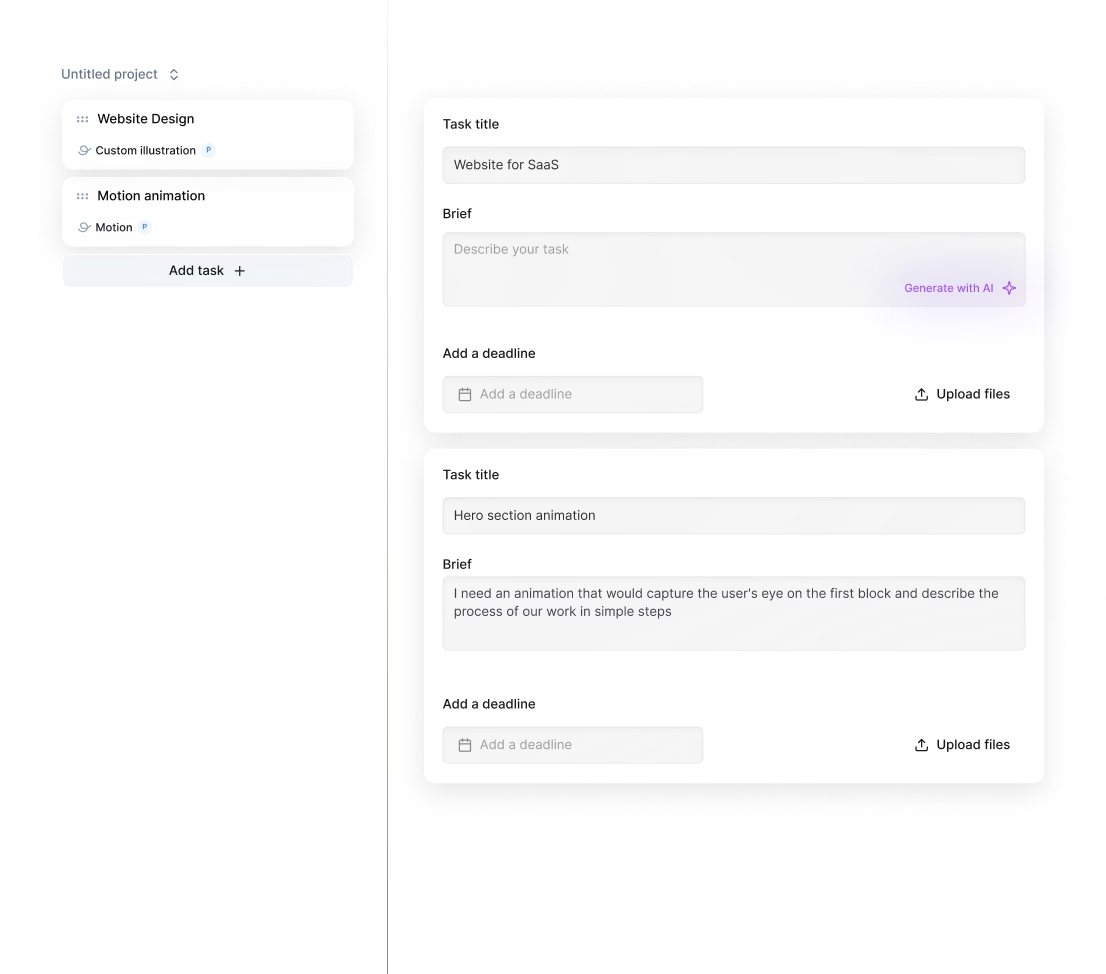
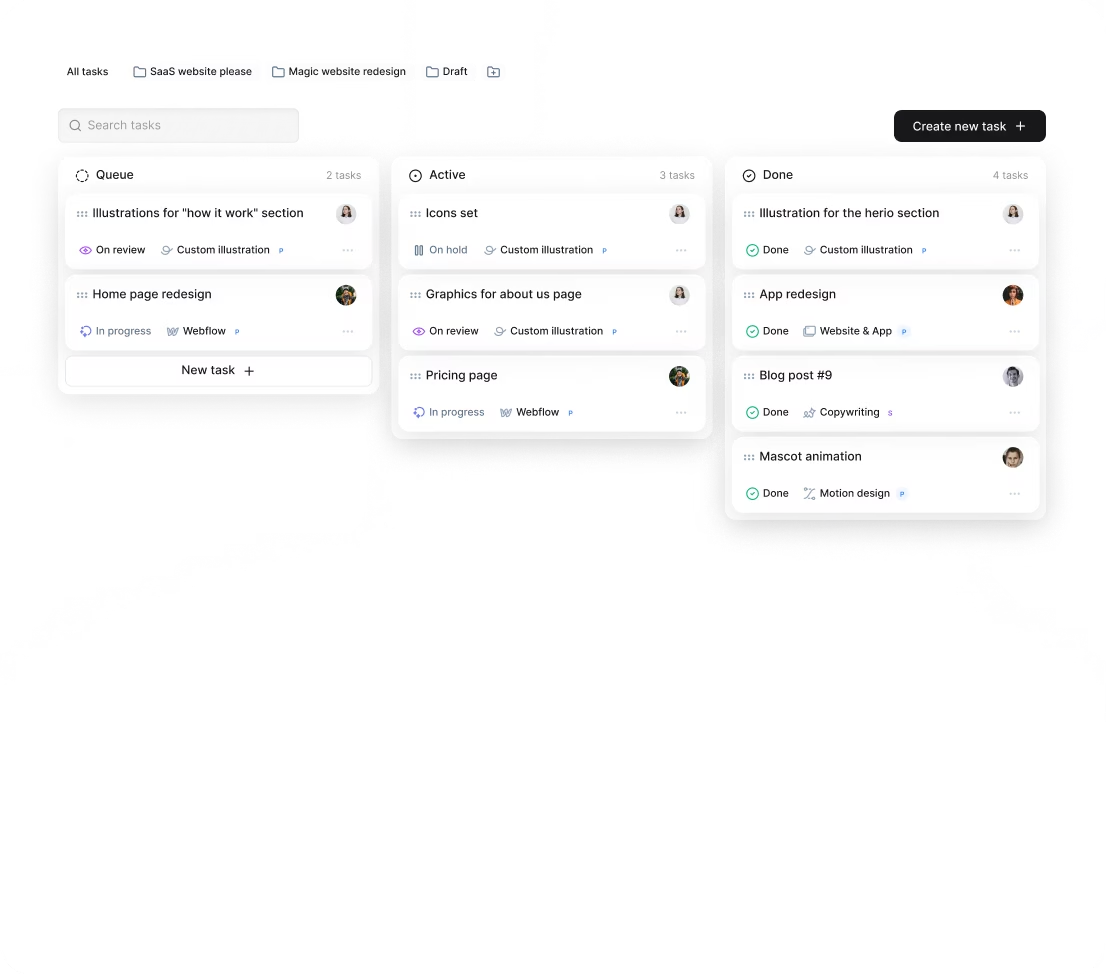
Our platform Awesomic supports this workflow perfectly. With task management in the app, daily progress updates, unlimited revisions, dedicated support, and seamless Slack integration, it’s smooth teamwork from start to finish.
Here’s a practical checklist for successful collaboration:
- Set clear goals on UX and AI metrics.
- Share data and AI model details openly.
- Collaborate closely with engineers and data scientists.
- Use rapid prototyping and early user testing.
- Employ tools like Jira, Slack, and shared docs to stay aligned.
Following these makes your partnership with the graphic designer using AI a success.
How do you know you hired the right AI graphic designer?
You’ll know you hired the right AI graphic designer when you see clear, positive changes in your product and team.
Look for user feedback showing better understanding and trust of AI features. Analytics should reflect increased engagement and usage of AI-driven functions.
A drop in user complaints related to AI confusion or errors is another good sign.
Your development cycles will feel smoother with fewer iteration rounds. Collaboration with engineering and data teams will be more seamless.
Clear documentation and communication about AI design trade-offs show professionalism.
The designer should proactively address edge cases and explain AI behavior in user-friendly language.
User testing should reflect higher success rates when interacting with AI features.
Stakeholders, both internal and external, should praise the designer for bridging AI technology and user-friendly design.
Our platform Awesomic’s clients often report these outcomes. They appreciate faster turnaround times, fewer revisions, and reliable high-quality results. Plus, with ongoing support and flexible talent switching, you can keep your design fit perfect.
To sum it up, here are signs you picked the AI best graphic designer:
- Improved user trust and understanding.
- Higher engagement with AI features.
- Fewer user complaints about AI.
- Smoother engineering collaboration.
- Strong documentation and proactive communication.
If you see these, congratulations—you’ve made a great hire.
With this guide, you’re now equipped to hire an AI graphic designer successfully. Whether you’re starting fresh with AI, improving your product, or scaling up, you’ll know when to bring in specialized design talent that can make AI work for your users. And remember, our platform Awesomic is here to connect you quickly to vetted experts at every step—helping your AI design journey move forward without a hitch.


