










/ month


/ month


/ month
quarterly commitment
Yes, there's a better way to hire an AI dashboard designer




4,000+ companies didn’t wait. They’re onboard.
































Why awesomic





0.82% talent





One subscription and your hiring problems solved


We say no to 99.18% of AI dashboard designers




FAQ


How quickly can I start working with an AI dashboard designer?
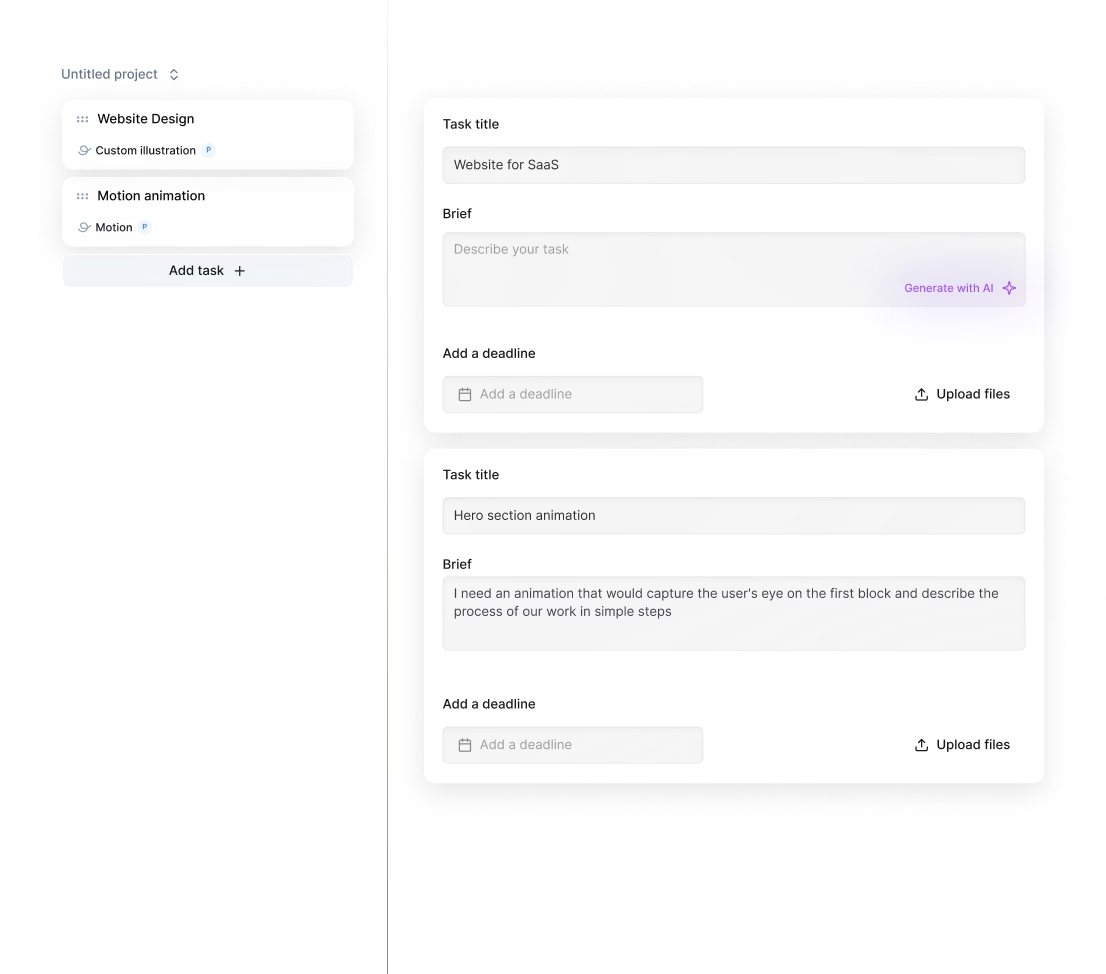
You can start working with an AI dashboard designer within 24 hours after subscribing. Submit your project details via the app, and you’ll get matched with a vetted expert quickly. Expect daily updates and unlimited revisions until your design is perfect.
Can I hire AI dashboard designers for short-term or one-off projects?
Yes, you can. Awesomic matches you instantly with vetted AI dashboard designers ready to start within 24 hours. While we work on a subscription model, it’s flexible—scale up or pause anytime. Expect daily updates, unlimited revisions, and fast, quality results without the usual hiring hassle.
Are AI dashboard designers experienced in startups, SaaS, or enterprise teams?
Yes, AI dashboard designers at Awesomic have over 7 to 15 years of experience working with startups, SaaS, and enterprise clients, including Y Combinator-backed companies. They deliver high-quality UX/UI, product, and brand designs, backed by proven tools like Webflow and Framer, ensuring fast and reliable results.
Can I switch designers if my needs change?
Absolutely. With Awesomic’s subscription, you can switch AI dashboard designers anytime at no extra cost. Get daily updates and unlimited revisions, ensuring the perfect fit as your project evolves. No long contracts, just flexibility to match your shifting needs.
What does “top 1% AI dashboard designers” actually mean?
It means only 0.82% of applicants pass our strict vetting process, including portfolio checks, multi-step skill tests, peer reviews, and leadership approval. These AI dashboard designers deliver high-quality, fast, production-ready dashboards with unlimited revisions, ready within 24 hours.
How many revisions are included?
Every subscription with our AI dashboard designers includes unlimited revisions. You get daily progress updates and can request changes as needed until the design fits your vision perfectly. If you want a different approach, you can also switch designers anytime at no extra cost.
Is this cheaper than hiring a full-time AI dashboard designer?
Absolutely. Our AI dashboard design service costs $499/month, delivering production-ready landing pages in minutes. Compared to $3,000+ monthly for part-time or full-time hires, you get faster turnaround, unlimited revisions, and no overhead. Save 70% vs hiring full-time talent.
Can I pause or cancel my AI dashboard designers subscription at any time?
Yes, you can pause or cancel your AI dashboard designers subscription anytime without hassle. There are no long-term contracts, and you maintain full control. This flexibility means you only pay for what you need, scaling up or down as your projects and deadlines demand.
Do AI dashboard designers work in my time zone?
Yes, AI dashboard designers at Awesomic work globally across time zones, offering daily updates and fast turnaround—often within 24 hours. With a vetted, flexible talent pool and seamless communication via Slack or app, you get aligned support exactly when you need it.
Can I work with the same AI dashboard designers long-term?
Yes, you can. Awesomic lets you build lasting relationships with AI dashboard designers through flexible subscriptions. Enjoy daily updates, unlimited revisions, and personal project management. Scale up anytime or switch talents hassle-free to keep your projects sharp and consistent.

Related roles you may need

Hiring guide:


What does an AI dashboard designer actually do?
If you’re wondering what an AI dashboard designer actually does, let me break it down in simple terms. These designers create products or features that use AI in ways that make sense for your business and your users. It starts with defining clear AI use cases. For example, they might focus on predictive analytics to boost sales or design a recommendation engine to improve customer experience. The key is aligning AI capabilities to real business goals and actual needs.
Next, they map out user flows. This means they look carefully at how users will interact with AI features so everything feels natural and not forced. Great designers make AI just another helpful part of the product, not a confusing add-on.
They also work a lot with data. This includes both structured data, like numbers and categories, and unstructured data such as text or images. Understanding data quality and sources is crucial, because AI can only be as good as its input. Plus, they watch out for potential biases that could mislead users or skew results.
A huge part of their role is collaborating with data scientists and engineers. AI isn’t simple math to the average user, so the designer’s job is to translate those complex outputs into clear and actionable insights. For example, if the AI predicts a sales drop next week, the dashboard designer makes sure it’s easy to understand why and what to do about it.
Visualizing AI predictions, recommendations, or alerts clearly is another core skill. The goal here is to reduce ambiguity and prevent users from misinterpreting AI outputs. They often add explainability features, confidence scores, and interactive elements. These tools help users explore how and why the AI made a decision, which builds trust.
When it comes to tools, AI dashboard designers use popular design platforms like Figma or Sketch to create prototypes. They apply frameworks such as explainable AI or human-in-the-loop design to make sure the product feels intuitive while still offering control.
Usability testing is particularly focused on AI decisions. Designers watch how real users interact with AI features, refine confusing points, and ensure that the AI adds value without frustration.
If this sounds like a lot, that’s because it is. But you don’t have to spend months searching for someone who ticks all the boxes. Our platform, Awesomic, connects you with vetted AI dashboard designers experienced in AI UX design and dashboard development. This means you can hire an AI dashboard designer who’s ready to jump in right away and help you build trustworthy, effective AI features.
When do you need to hire an AI dashboard designer?
Knowing exactly when to hire an AI dashboard designer can save you headaches and money later. Imagine you’re adding AI-driven features to a product you already have, or maybe you’re starting fresh with a new AI-centric product. Either way, these are prime moments to bring in a specialist.
Watch out for signs like these:
- The AI works technically, but users say the experience feels confusing or overwhelming.
- Users don’t trust AI recommendations or misunderstand what the AI can do.
- Your product’s AI features are scaling but the dashboards don’t keep up.
- Complex AI data outputs need clear interpretation to be useful.
- You want to increase adoption and engagement with AI-driven functions.
The bottom line is, early expert involvement is key. Waiting to fix AI UX problems after launch can lead to costly redesigns. Getting a skilled designer upfront saves time and builds better user trust.
One big plus is how our platform, Awesomic, makes it quick and easy to get AI dashboard design help. Their subscription model means you can onboard top designers within 24 hours, whether you’re a startup or a large company. So when you’re facing those critical moments, you’ll have the right expertise without delay.
What skills should a great AI dashboard designer have?
You might want to know what skills to look for when you hire an AI dashboard designer. Here’s a quick list of the essentials:
- Core UX design skills like wireframing, prototyping, interaction design, and visual communication, all tailored for AI environments.
- Solid understanding of AI and machine learning basics, including algorithms, outputs, data bias, and model uncertainty.
- Expertise in prompt design when working with generative AI models.
- Data thinking skills to read data visualizations, analyze user behavior, and adjust designs accordingly.
- Clear communication abilities to explain complex AI behavior simply for stakeholders and users.
- Proficiency with design and testing tools such as Figma, Adobe XD, UserTesting, Lookback, and AI visualization SDKs.
- Experience with explainability toolkits like LIME or SHAP and integrating user feedback loops.
- Comfort working in agile, cross-functional teams alongside engineers and data scientists.
Such a designer isn’t easy to find. Thankfully, our platform Awesomic carefully vets talents based on both technical and communication skills. You’ll get access to senior-level AI chatbot dashboard design pros who can deliver robust, user-friendly interfaces.
What types of AI dashboard designers can you hire?
Depending on your project, budget, and timeline, you have several options for AI dashboard designers. Here’s a quick overview to help you decide:
- Freelancers: Flexible and cost-effective for small or prototype projects. But they may lack deep integration knowledge.
- In-house designers: Become long-term team members with full product knowledge and closer collaboration. Usually more expensive.
- Agencies: Offer broad expertise and strategic input, often with multiple perspectives. Higher cost and less direct control.
- Specialists: Such as prompt designers focused on language models, AI product designers covering full AI experiences, or UX designers with niches like AI agent dashboard design.
Now, if you want something that blends flexibility with agency-quality reliability, consider our platform Awesomic. It works like a subscription-based talent marketplace offering vetted freelance and part-time designers. You get the best of both worlds: expert AI dashboard design delivered fast without long hiring cycles or big overheads. Perfect if you’re a startup or scaling quickly.
How much does it cost to hire an AI dashboard designer?
Cost is always on your mind, right? Here’s how pricing usually breaks down:
| Pricing Model | What It Covers | Typical Cost Range |
|---|---|---|
| Hourly rates | Time-based work, good for small tasks | $60 to $150+ per hour |
| Fixed project fees | Set price for whole project, clear budget | Varies widely |
| Retainer agreements | Ongoing support for longer projects | Monthly or quarterly fee |
AI dashboard designers often charge higher fees due to their unique mix of tech knowledge and UX skills. Key factors that influence cost include:
- Experience with AI tools and complex AI domains
- Number of dashboards or screens to design
- Integration complexity
- Iterative testing cycles needed
- Level of AI output visualization detail
Remember, budgeting should cover ongoing collaboration, not just initial design. AI models need updating, and interfaces require fine-tuning to stay effective.
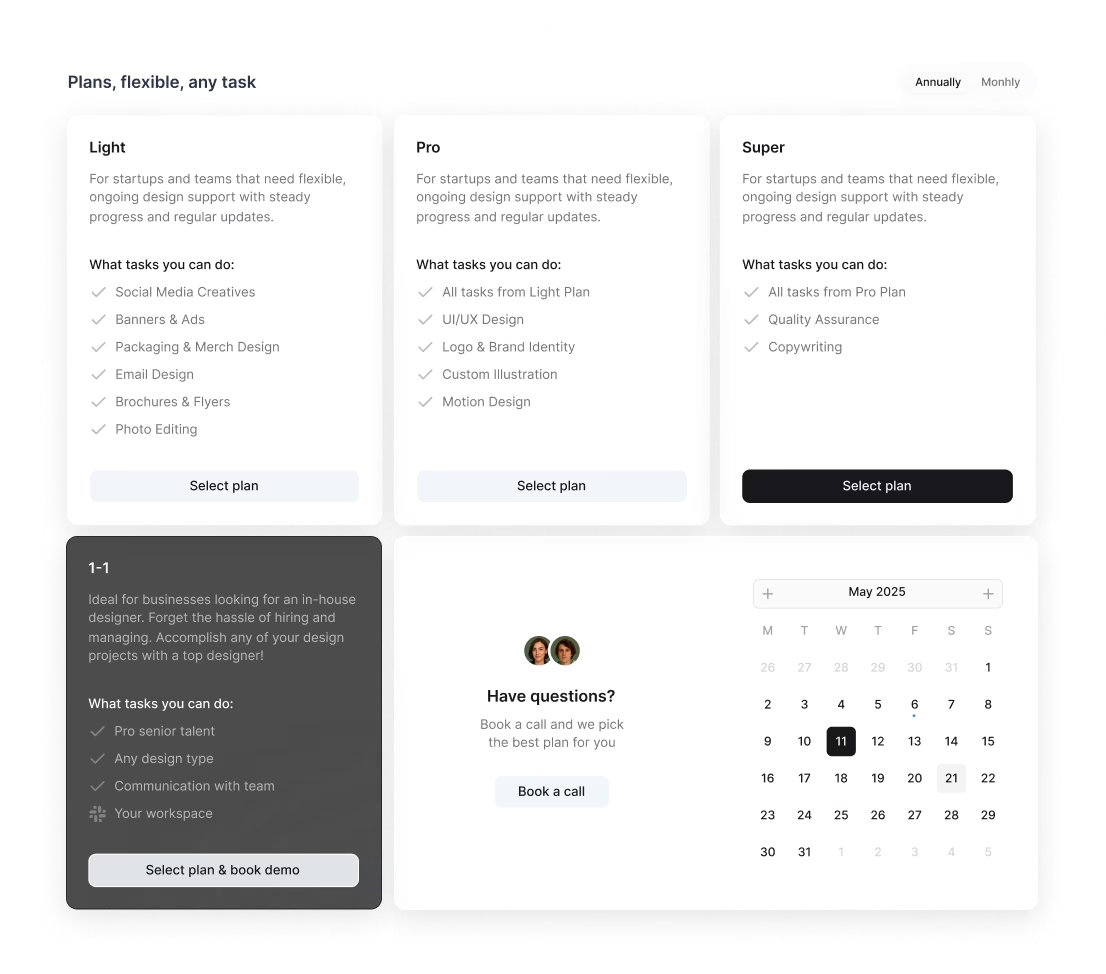
One way to keep costs predictable is to use our platform Awesomic. They offer flat monthly subscriptions: Light for basics, Pro and Super for more hands-on work, plus 1-to-1 full-time support. This includes unlimited revisions and managed workflows. It can be more affordable and less stressful than hourly freelance rates or in-house hires.
Where can you find the right AI dashboard designer?
Finding the right talent feels like hunting for a needle in a haystack sometimes. But here are proven places to look:
- Online design and freelancing sites: Dribbble, Behance, Upwork, Toptal—all with AI-focused portfolios.
- AI and ML communities: Slack channels for AI UX design, ML product forums.
- LinkedIn groups: “AI Product Leaders,” “Human-Centered AI.”
- AI or UX conferences and meetups: Great for networking with fresh talent.
- Agencies specializing in AI: Fjord, IDEO, boutique firms known for AI products.
- Word-of-mouth referrals: Always a reliable channel.
- Niche job boards: ai-jobs.net and angel.co for full-time roles.
Of course, an easy shortcut is our platform Awesomic. It’s a centralized place to find vetted AI dashboard designers quickly. You get matches based on skills and experience, plus a broad range of design and development options all under one subscription.
How do you evaluate an AI dashboard designer’s portfolio?
Knowing how to review a portfolio helps you pick the right fit. Here are five key things to look for:
- Real-world AI use cases like predictive analytics dashboards or NLP tools.
- How the designer handled uncertainty in AI outputs (confidence scores, error explanations).
- Clarity and usability of AI output visualizations—is it easy to understand?
- Features that build user trust, like transparency layers and onboarding flows.
- Evidence of collaboration with data scientists and iterations based on feedback.
Good portfolios don’t just show pretty designs. They tell a story of problem-solving, prototyping, and testing.
When you browse portfolios on Awesomic, you see only talents who passed multiple vetting steps—skill tests and community reviews. This makes evaluating portfolios easier and more reliable.
What questions should you ask before hiring?
To make sure you hire the best AI dashboard designer, ask these questions upfront:
- Can you describe past AI dashboard projects you led or contributed to?
- How did you design for uncertain or probabilistic AI results?
- What methods do you use to help users trust AI outputs?
- How do you collaborate with data scientists, ML engineers, and product managers?
- What tools and frameworks do you use for prototyping and testing AI interactions?
- How do you validate AI feature effectiveness with users? What metrics do you track?
- Can you share an example of a challenging AI UX problem you solved?
- How do you stay updated on AI tech and design trends?
These questions show you the designer’s practical skills, teamwork approach, and learning mindset.
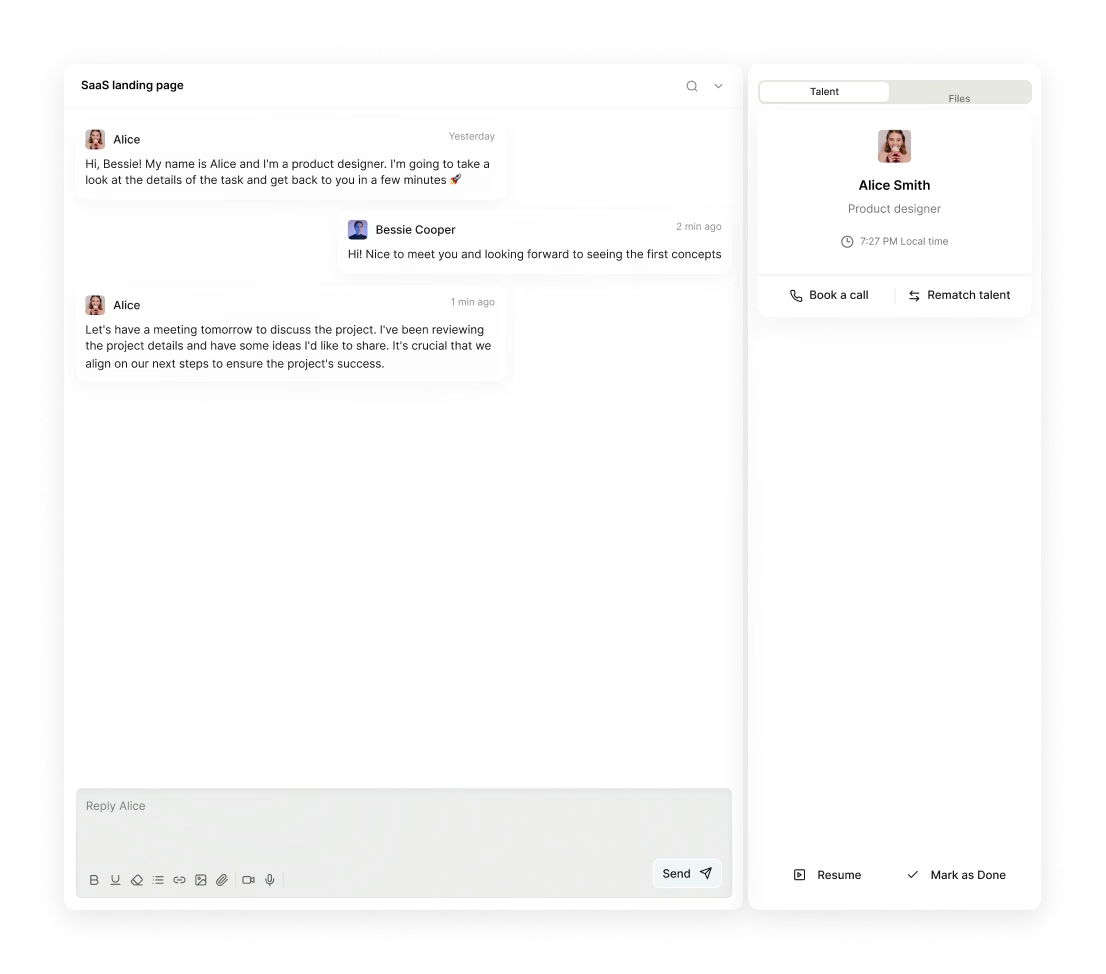
With our platform Awesomic, you can chat with matched talents early in the process right in the app. If expectations don’t match, you can ask for rematches. This direct communication makes hiring smoother and more transparent.
How do you work successfully with an AI dashboard designer?
Working well with an AI dashboard designer requires some key practices:
- Set clear, measurable goals linking AI features to business and user outcomes.
- Provide seamless data access so the designer fully understands AI inputs and outputs.
- Encourage close collaboration between designers, engineers, and data scientists through standups and shared docs.
- Start usability testing early with real or simulated AI outputs to catch problems early.
- Give continuous feedback not only on design but on clarity and usefulness of AI info.
- Use agile workflows to iterate quickly and adapt to AI updates.
- Support experimentation with AI-human interaction patterns and explainability tools.
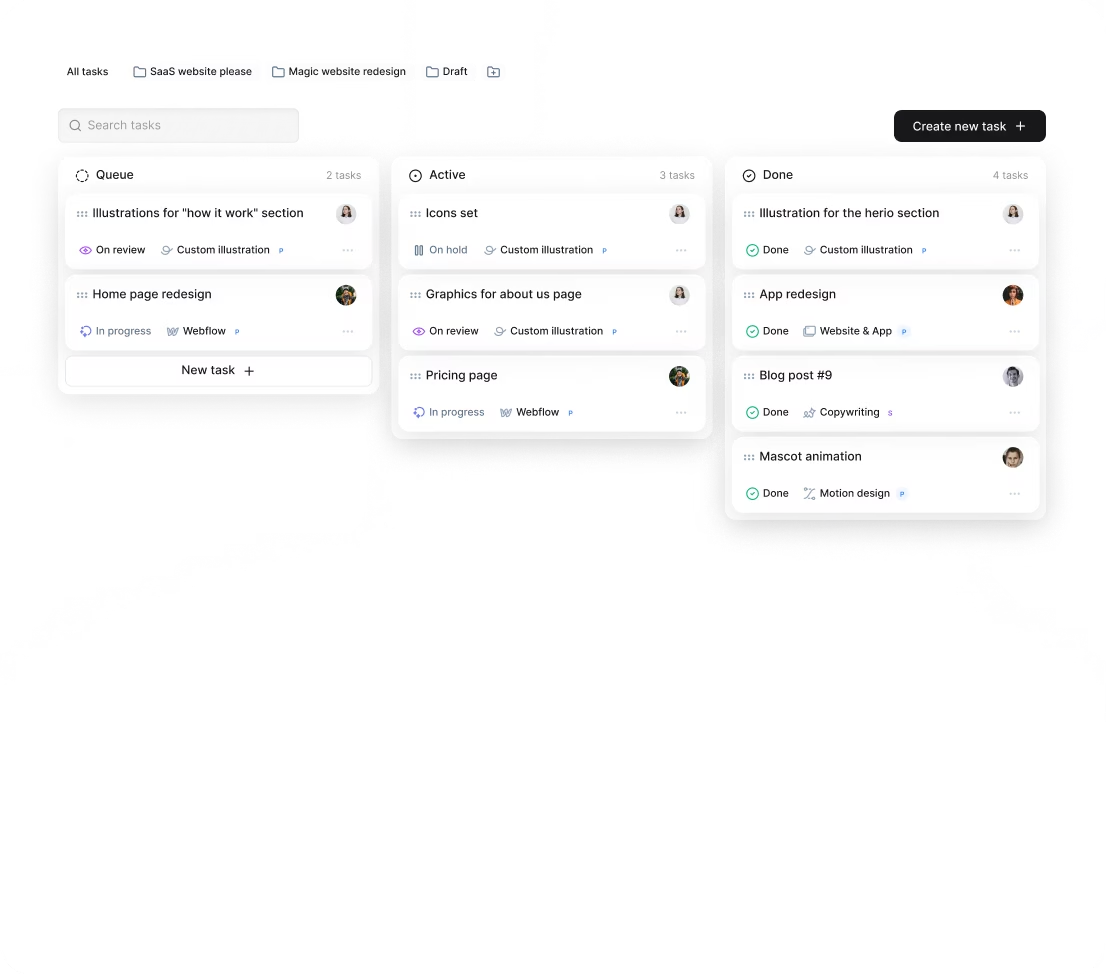
Our platform Awesomic makes this process easier by enabling daily updates, unlimited revisions, and smooth feedback through Slack or the app. That way, you can keep pace with rapid AI changes and improve your dashboard iteratively.
How do you know you hired the right AI dashboard designer?
How can you tell if you nailed it? Here are signs you hired the right person:
- User testing shows better understanding of AI features.
- AI functionalities see higher adoption and engagement.
- Fewer user complaints about AI confusion or mistrust.
- Product, engineering, and data teams report smoother collaboration.
- Deliverables include clear, intuitive interfaces that explain AI outputs well.
- Measurable positive impact on business or product metrics.
- The designer adapts to evolving AI models and user feedback.
- Positive feedback from stakeholders praising the designer’s work.
Clients on our platform Awesomic often share high satisfaction stories. They’re happy with vetted pros who meet deadlines and produce quality work. Plus, the subscription model lets you switch talents if needed to keep your project on track.
You now have a clear and practical guide to hire an AI dashboard designer. From knowing their role to cost, where to find them, and how to work together, you’re ready to take the next step. And remember, our platform Awesomic is here to help you connect with the right talent quickly and trustworthily, making your AI dashboard design journey much smoother.


