










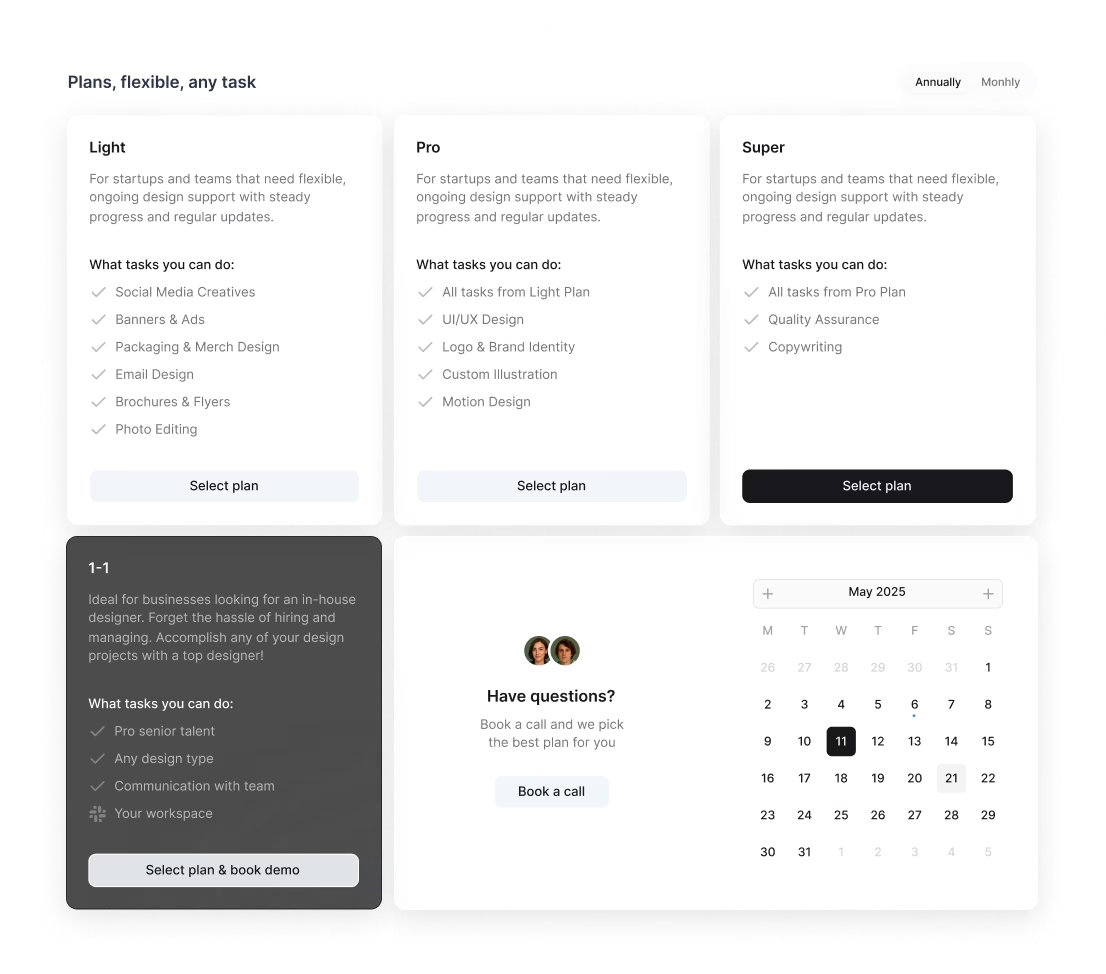
/ month


/ month


/ month
quarterly commitment
Yes, there's a better way to hire an AI PowerPoint designer




4,000+ companies didn’t wait. They’re onboard.
































Why awesomic





0.82% talent





One subscription and your hiring problems solved


We say no to 99.18% of AI PowerPoint designers




FAQ


How quickly can I start working with an AI designer PowerPoint?
You can start working with an AI designer PowerPoint in as little as 24 hours. After subscribing, submit your project details, and we match you instantly to vetted experts. Expect daily updates and unlimited revisions until your presentation is perfect.
Can I hire a AI PowerPoint designer for short-term or one-off projects?
Yes, you can. Awesomic matches you with vetted AI PowerPoint designers quickly, delivering high-quality results with daily updates and unlimited revisions. Scale your project by adding subscriptions or talents. All work is managed, so no hiring hassle or long-term contracts.
Are AI PowerPoint designers experienced in startups, SaaS, or enterprise teams?
Yes. Our AI PowerPoint designers are vetted rigorously, with many boasting 7 to 15+ years in startups, SaaS, and enterprise environments. They’ve worked with companies like Coca-Cola, Disney, and Y Combinator-backed startups. Expect fast, high-quality, tailored presentations that drive clear outcomes.
Can I switch AI PowerPoint designers if my needs change?
Yes, you can switch AI PowerPoint designers anytime without extra cost. Awesomic offers unlimited revisions and daily progress updates so your projects stay on track. This flexibility lets you adapt quickly and get the best match for your changing design needs.
What does “top 1% designers” actually mean?
Top 1% means only 0.82% of applicants pass our strict vetting process. These AI PowerPoint designers undergo portfolio checks, multi-step skill tests, and community reviews. You get fast, reliable experts producing high-quality, ready-to-use presentations with unlimited revisions.
How many revisions are included?
Every subscription with AI PowerPoint designers includes unlimited revisions. You get daily progress updates and can request changes anytime until the design is exactly what you want. If needed, you can also switch designers at no additional cost.
Is this cheaper than hiring a full-time AI PowerPoint designer?
Yes. For $499 a month, you get access to top-tier AI PowerPoint designers ready to deliver high-quality, production-ready presentations fast. No hiring delays, no overhead, unlimited revisions, and the flexibility to scale or pause anytime, saving you up to 70% versus full-time hires.
Can I pause or cancel my AI PowerPoint designer subscription at any time?
Yes, you can pause or cancel your AI PowerPoint designer subscription whenever you want. Awesomic offers flexible monthly plans with no long-term contracts, so you’re in control. Pause during slow periods or cancel if you choose, with no hidden fees or hassle.
Do AI PowerPoint designers work in my time zone?
Yes, our AI PowerPoint designers operate globally to match your schedule. With daily updates and seamless communication through our app, Slack, or email, you get timely progress regardless of your time zone. Start receiving deliverables in as little as 24 hours.
Can I work with the same AI PowerPoint designer long-term?
Yes, you can! Awesomic matches you with vetted AI PowerPoint designers who deliver consistent, high-quality work. With plans offering full-time or part-time dedicated talent and daily updates plus unlimited revisions, building a long-term partnership is easy and flexible.

Related roles you may need


Hiring guide:


What does an AI PowerPoint designer actually do?
If you’re wondering what an AI PowerPoint designer does, you’re about to get a clear, practical answer. These designers don’t just create pretty slides. They build products or features that use AI specifically for presentation design. Think of features like automated slide generation, where AI helps create slides based on your content. Or content summarization, where lengthy text is boiled down quickly. They also recommend design layouts and even bring in real-time data visualization to make presentations more dynamic.
AI designers PowerPoint work to blend these AI capabilities into your everyday PowerPoint experience. They focus on making sure these tools are not only smart but also easy to control. Users need to trust what the AI is doing, so transparency about AI actions is key. This means creating user flows that let you access AI help smoothly, with full control over when and how to use it.
Working with data is another big part of their job. They understand different data types—whether it’s text, images, or charts—and collaborate closely with data scientists or engineers. This way, they get access to the AI models or APIs powering the features. At the same time, they’re careful about data privacy, making sure user info stays protected.
The goal? To make AI-generated content both useful and clear. Designers build feedback loops so users know what AI is thinking or if something went wrong. Visual hints like confidence scores or uncertainty cues help people understand AI outputs better. Plus, they craft explanations that strike the right balance—simple enough for everyday users but accurate enough to show real AI reasoning.
A few popular design approaches guide these efforts. User-centered design (UCD) ensures the AI serves real user needs. Human-in-the-loop (HITL) frameworks keep people in charge of AI decisions. Explainable AI (XAI) helps make AI actions understandable and trustworthy.
You might wonder where to find such specialized AI design help. Our platform, Awesomic, offers access to skilled AI-focused designers through a carefully vetted talent marketplace. This means companies can quickly find professionals who know how to weave AI features seamlessly into presentation design workflows. With Awesomic, you get high-quality design talent who specialize in AI-powered UI/UX. This cuts down the time to hire and makes collaboration smooth from day one.
So if you want to hire an AI PowerPoint designer, look for someone who not only understands design but also knows how to bring AI magic right into your slides with clarity and care.
When do you need to hire an AI PowerPoint designer?
Knowing when to hire an AI PowerPoint designer can save you time and avoid costly mistakes. You’ll want one at specific moments when AI features are key to your product’s success.
A few clear signs include: when you want to integrate AI that automates slide creation or summarizes long documents. Maybe you need recommendations for visual layouts powered by AI or want to introduce voice-guided presentations. These are complex AI tasks that demand expert UX design to feel natural and helpful.
You might already have AI features, but users find them confusing or unreliable. Maybe support tickets spike because users don’t understand what the AI is doing. Or the AI “works,” but the user experience is frustrating, leading to poor adoption rates. If users ask for clearer explanations about AI decisions, that’s a strong hint you need a PowerPoint AI designer on your team.
Critical phases in product development especially call for this expert. During prototyping, when you’re still testing how AI will fit into your UI, having the right AI designer helps avoid building features no one wants. Also, during user testing with AI components, you need someone who can listen to feedback and adjust designs quickly.
Our platform, Awesomic, makes this easy. Because it uses a subscription-based talent model, startups and big companies can quickly onboard an AI PowerPoint designer exactly when they need one. No long hiring cycles, no overhead headaches. Just expert design support on demand for those moments AI meets presentation design.
Here are 5 practical triggers to hire:
- Launching AI-powered slide automation
- Improving confusing AI features
- Adding AI-driven content summarization
- Addressing trust issues with AI UX
- Rapid prototyping or testing AI features
Spot any of these? It’s time to bring in a PowerPoint AI designer to get things right.
What skills should a great AI PowerPoint designer have?
Let’s talk skills. If you hire an AI PowerPoint designer, you want someone who knows the ropes both in UX design and in AI. Here’s what makes a great one:
- Strong UX design fundamentals. This means being good at wireframing, prototyping, and usability testing, but with a focus on tricky AI interactions. AI can act unpredictably, so a designer must plan for complex user flows.
- Basic AI/ML understanding. They should know how AI models output results, what confidence scores mean, and where biases can creep in. This helps them communicate AI behavior clearly to users.
- Prompt design expertise. They need to craft effective prompts for generative AI tools like GPT or image generation models like DALL·E or Midjourney. This skill is crucial to make AI respond exactly as users want.
- Data thinking skills. An AI PowerPoint designer must see AI as a flow of data and design interfaces that account for data reliability or variability.
- Clear communication. Whether talking to tech teams or users, they explain AI logic simply and effectively.
Moreover, familiarity with these tools is a plus:
- Figma or Adobe XD for design
- Miro or Whimsical for user flow mapping
- AI testing platforms like OpenAI Playground or Hugging Face for prompt iteration
- Analytics tools such as Hotjar or Mixpanel to monitor how users engage with AI features
Our platform Awesomic vets all specialists carefully. Designers pass manual portfolio reviews and test tasks, so you get AI PowerPoint designers with excellent skills across AI UX, UI tools, communication, and iterative design. We quickly match you with those who know the latest AI integration methods.
Curious about does PowerPoint designer use AI? A skilled AI PowerPoint designer not only uses AI but designs for it—they make AI work better for all users.
What types of AI PowerPoint designers can you hire?
Choosing the right type of AI PowerPoint designer depends on your project needs. Here’s how to think about your options:
- Freelancers offer flexible, project-based help. Great for startups or short-term AI tasks. They bring cost-effective support without long-term commitments.
- In-house designers work within your team full-time. Ideal for companies planning ongoing AI feature development and iteration. They provide consistent collaboration with engineers and data teams.
- Agencies specialize in AI and UX design. They handle strategy and execution comprehensively. Choose agencies if you want an end-to-end AI design partner but be ready for higher costs.
- Specialists like prompt designers focus on optimizing AI inputs. AI product designers link AI strategy with UX and business goals, perfect when experimentation is heavy.
Sometimes you’ll want a mix. That’s why our platform Awesomic is great. We offer vetted freelance and contractor AI PowerPoint designers via a subscription model. You get the flexibility of freelancers combined with the reliability and continuity of in-house or agency talent. Whether your project is small, big, short, or long, Awesomic has AI-savvy presentation designers ready on demand.
Here’s a quick comparison table for clarity:
| Designer Type | Best For | Key Benefits | Cost Range |
|---|---|---|---|
| Freelancer | Startups, short-term projects | Flexibility, affordability | $50-$150/hour |
| In-house Designer | Long-term, integrated teams | Consistency, tight collaboration | Salary + benefits |
| Agency | Full-service, large scale | Strategy to execution | High fixed/project fees |
| Specialist (prompt/AI product) | AI input/output optimization | Deep AI expertise | Varied, project-based |
Need the best AI PowerPoint creator who adapts to your pace? Consider our platform Awesomic where options and quality meet efficiently.
How much does it cost to hire an AI PowerPoint designer?
Cost is a big factor when you’re ready to hire an AI PowerPoint designer. Pricing varies depending on several factors we’ll break down for you.
Hourly rates usually range from $50 to $150 or more. Why the wide range? AI designers command higher rates because their skills are niche and they need to stay updated in a fast-changing tech space. The complexity of what you want matters too: a simple automation costs less than multi-modal AI features combining voice, visuals, and data.
Other factors influencing price include:
- Designer’s experience with AI tools like ChatGPT or DataRobot
- Project scope: Is it just design, or does it include prototyping and testing?
- Geographic location impacting labor costs
You might opt for fixed project fees or retainers for ongoing work. But these can bring unpredictability in timeline and revisions.
That’s where our platform Awesomic offers a smarter approach. We have transparent subscription pricing tiers:
| Plan | Monthly Price | Features |
|---|---|---|
| Light | $990 | Access to AI design talent, unlimited revisions |
| Pro | $2490 | Faster response, premium design expertise |
| Super | $4990 | Top-tier AI designers, priority support |
With flat monthly rates, you get predictable costs, lower overhead, and faster start times compared to traditional agencies or freelancers.
If you want to hire an AI PowerPoint designer without surprise bills, considering our platform Awesomic can be a game-changer.
Where can you find the right AI PowerPoint designer?
Finding the right AI PowerPoint designer can feel like searching for a needle in a haystack. But knowing where to look makes all the difference.
Popular platforms to discover freelancers include:
- Dribbble and Behance, where designers showcase AI-related portfolios
- Upwork, offering a wide talent pool with AI skills
If you want AI-focused communities, try:
- AI UX Design Slack groups
- LinkedIn groups like AI Product & Design
- Reddit forums such as Machine Learning & UX
Also, consider referrals via your own product and design network or check out professional AI conferences like NeurIPS Workshops or UXDX AI tracks.
Agencies known for AI UX like Fjord (part of Accenture), IDEO, or boutique AI design studios are other options.
Still, all these require sifting through hundreds of candidates and portfolios. Our platform Awesomic simplifies this. We thoroughly vet AI and UX professionals, cutting search down to handpicked, highly qualified AI PowerPoint designers. Our matching algorithm ensures you find the best fit fast. Plus, with Awesomic, onboarding is quick, letting startups and enterprises worldwide get AI design help without delays.
So if you want a PowerPoint AI designer without fuss, come to our platform Awesomic for an efficient, quality-driven solution.
How do you evaluate an AI PowerPoint designer’s portfolio?
Evaluating portfolios when you hire an AI PowerPoint designer takes more than pretty slides. You want proof they understand AI’s special challenges.
Look for projects featuring real AI use cases like:
- NLP summarization of large texts
- Generative design where AI creates visuals or layouts
- AI-driven analytics integrated into presentations
Check how they manage AI uncertainty. Do they show user cues when AI confidence is low? Can users easily act on AI suggestions?
Good portfolios will include case studies illustrating how the designer boosted user trust. Maybe they added explainability layers, interactive tutorials, or transparency features to clarify AI outputs.
Also, review the quality of prototypes. Are there working AI demos or videos illustrating the AI in action?
Our platform Awesomic curates detailed talent profiles with portfolios and case studies verified for relevant AI UX experience. This means you can better assess candidates before you hire an AI PowerPoint designer. We combine portfolio vetting with feedback and test results to help you pick designers likely to meet your expectations.
Wondering about does PowerPoint designer use AI? The best portfolios demonstrate not just design skills but smart AI integration and user-focus in their projects.
What questions should you ask before hiring?
Before you hire an AI PowerPoint designer, asking the right questions is key to avoid surprises.
Here are 5 practical questions to get you started:
-
What AI technologies have you worked with, and what challenges did you face? Understanding their hands-on AI experience shows how deep their expertise goes.
-
How do you handle unclear or unexpected AI results to keep user trust? AI isn’t perfect; their approach to handling failure is critical.
-
What’s your process for collaborating with engineers and data teams? AI design often requires tight cross-team work.
-
How do you test AI features for usability? Look for methods like A/B testing or collecting user feedback on AI outcomes.
-
Do you have experience in prompt engineering or fallback UI design? This is a growing need, especially with generative AI tools.
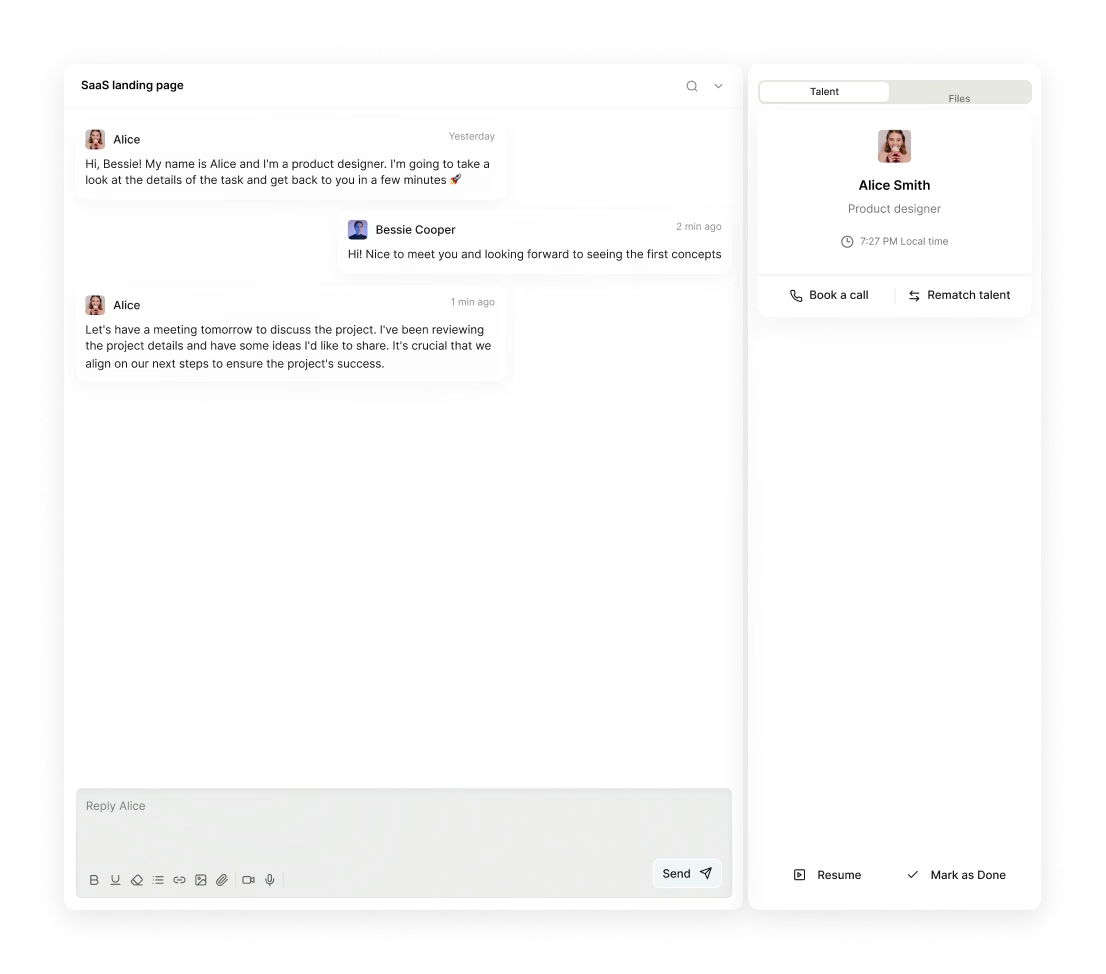
Our platform Awesomic helps you engage with matched designers right through the hiring process. Integrated chat, video calls, and task management tools allow you to ask these questions and get real-time answers. Plus, with open feedback and revision systems, you keep hiring discussions transparent and iterative.
If you want to find the best AI PowerPoint creator, a detailed conversation powered by Awesomic is a smart start.
How do you work successfully with an AI PowerPoint designer?
Success with an AI designer PowerPoint depends on good collaboration and clear communication. Here’s how to get the most out of your work together:
First, set clear, measurable goals for the AI feature UX. Whether it’s improving trust, boosting adoption, or reducing support tickets, having targets helps track progress.
Next, share access to relevant data or analytics. Designers need evidence-based insights to spot problems and validate solutions.
Encourage close collaboration between your designer, engineers, and data scientists. AI is complex and sometimes unpredictable. Real-time troubleshooting unlocks faster iterations and better outcomes.
Test AI features early and often with real users. Unexpected AI behavior will always surface, and catching these early saves headaches later.
Always provide detailed feedback not just on user flows but also on the quality and clarity of AI outputs. This encourages iterative improvements and helps the designer tune suggestions and explanations.
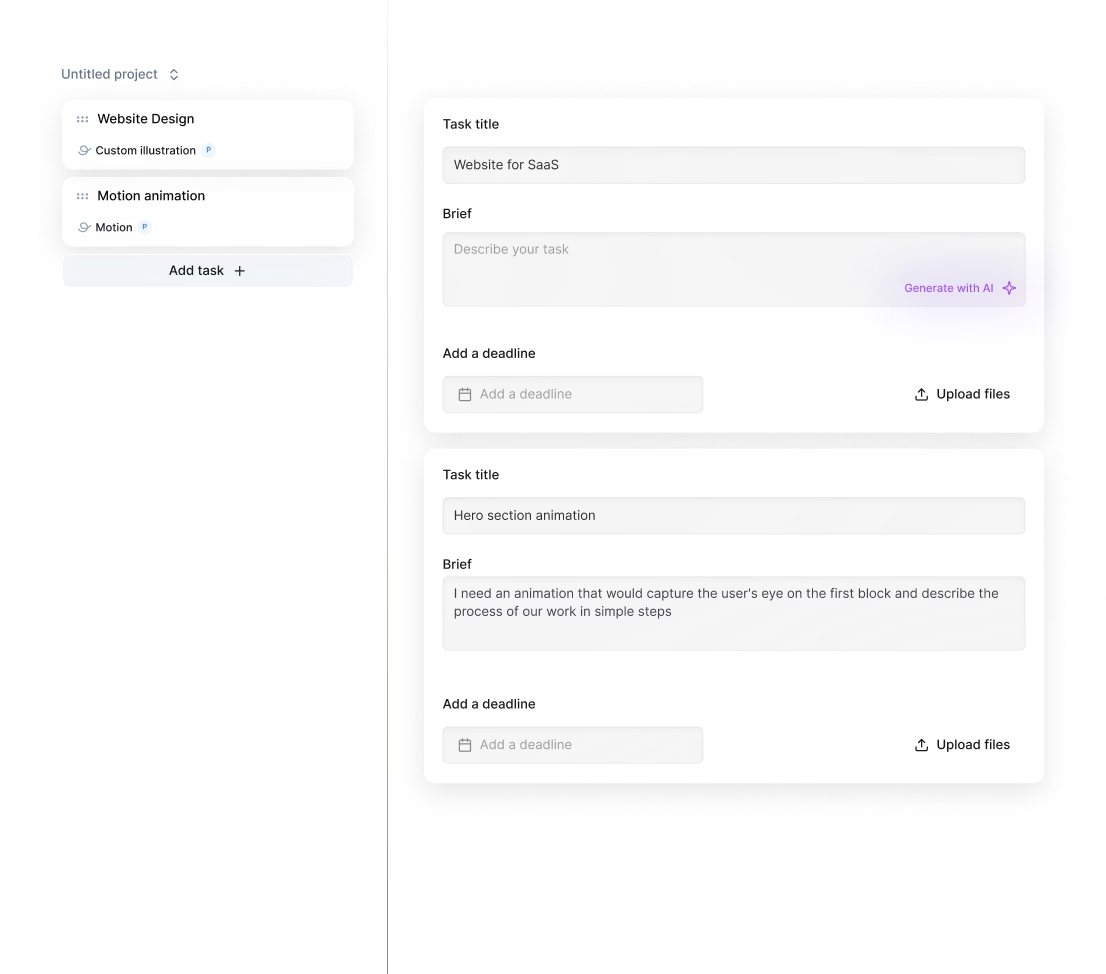
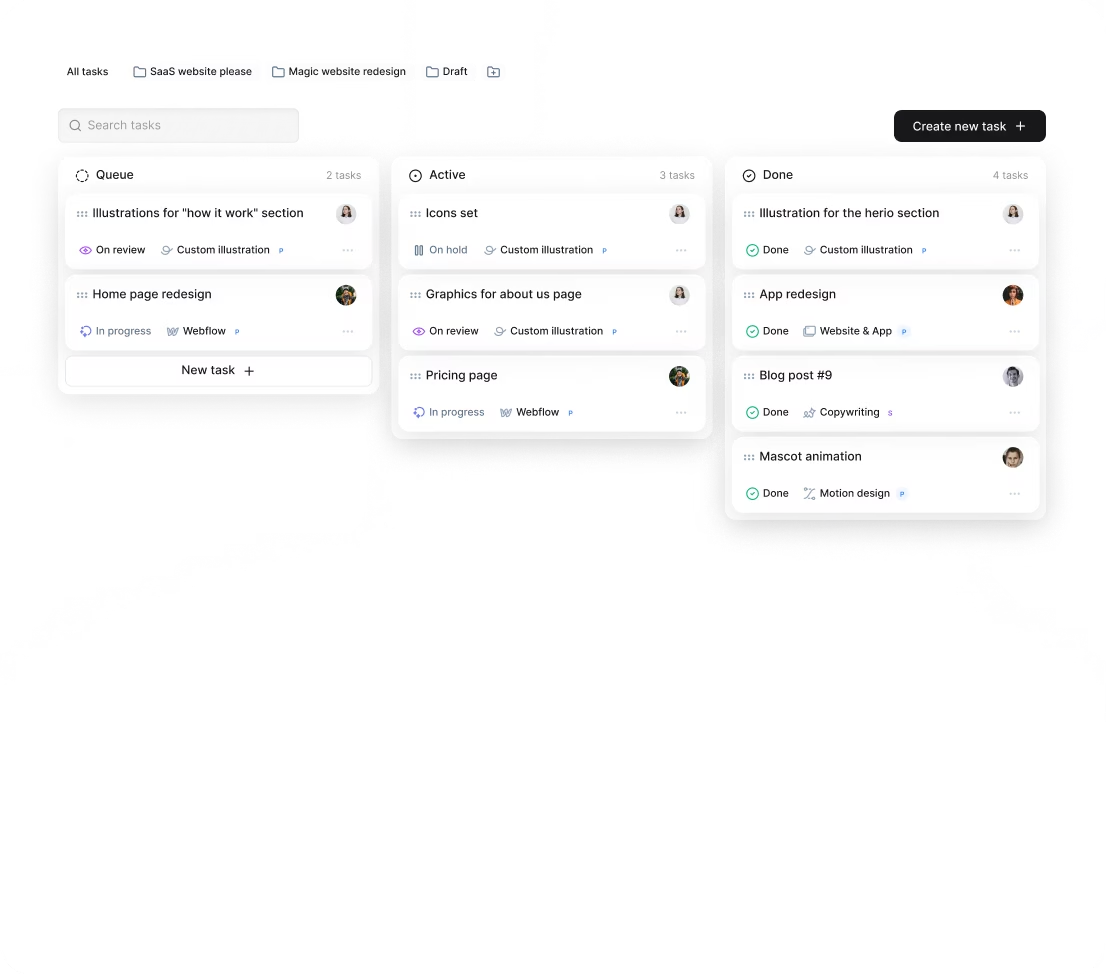
Thanks to our platform Awesomic’s subscription service, managing this collaboration becomes easier. We include task management, daily updates, and unlimited revisions within one platform. This streamlines communication and keeps AI PowerPoint design workflows running smoothly.
By choosing to hire an AI PowerPoint designer through Awesomic, you turn complex AI design collaboration into a clear, manageable process.
How do you know you hired the right AI PowerPoint designer?
After the work starts, how do you know you picked the right AI PowerPoint designer? Here are key signs to watch for:
- Users better understand AI features, shown by survey feedback or task success rates
- AI feature adoption increases and user engagement rises
- Complaints or confusion about AI outputs drop significantly
- Collaboration flows smoothly with your product, engineering, and data teams thanks to clear communication
- Positive user remarks about AI’s transparency and helpfulness
Ideally, the AI PowerPoint designer contributes measurable business results or user engagement goals connected to your AI features.
Keep tracking progress with KPIs and continuous feedback using tools or surveys integrated into your workflow.
If you find things aren’t clicking, our platform Awesomic can help by swapping or upgrading your talent mid-subscription. That way, you always have the best AI PowerPoint creator aligned with your project’s success.
Hiring an AI PowerPoint designer is an investment. With clear signs and ongoing evaluation, you can be confident you made the right choice.


