 Awesomic Team
Key takeaways:
- Appsmith's free edition self-hosts at no license fee but leaves out audit logs, workflows, custom roles and SAML SSO. Audit logs start on Business at $15 per user a month, and SAML or OIDC SSO needs Enterprise at $2,500 a month for 100 users.
- Self-hosting is a patching job. In the 30 days to October 8, 2026, ToolJet shipped 17 LTS releases, NocoBase 14, and Appsmith and Budibase 4 each, and in 2026 alone Appsmith has published 41 GitHub security advisories and Budibase 89. Read those counts as upgrade work, not as a security ranking.
- Budibase and NocoBase put no user cap on their free self-hosted editions, while ToolJet's free license stops at 2 builders and 50 end users and Retool's Free plan at 5 users.
- SSO costs very different amounts across the list: free on Budibase's self-hosted plan, $199 per builder a month billed annually on ToolJet Team, an $8,000 one-time license on NocoBase Professional, and an Enterprise contract on Retool.
Appsmith is a good way to build internal tools. You build screens by dragging tables, forms and charts into place, write the queries in SQL or JavaScript, and run the whole thing on your own servers under an Apache 2.0 license. That last part is why most teams pick it, and it's often why they start comparing Appsmith alternatives a year later.
Running Appsmith yourself means tracking its releases (four in September 2026 alone), its security advisories (41 published so far in 2026) and an upgrade path with mandatory checkpoints. Every page-one roundup we read for this search was written by a competing vendor that ranks itself first, and none of them mentions release cadence, upgrade checkpoints or advisories.
This list covers five alternatives to Appsmith, with a self-host option column and the patching load each one asks of you. We read every price, edition grid and release feed on the vendors' own pages and GitHub repositories on October 8, 2026.
Why teams look for Appsmith alternatives
Most teams don't leave because the builder is bad. They leave because of what the free edition holds back, and because of the server work that comes with self-hosting it. On a small engineering team, every hour spent on that server comes out of SaaS product development time.
The free edition leaves out the controls auditors ask for
Appsmith's pricing grid gives the free edition self-hosting, 5 workspaces, 3 Git repositories and sign-in with Google or GitHub. It leaves out audit logs, workflows, reusable packages, custom roles and high availability, and it backs up and restores only "When updating to a higher Appsmith version."
Business adds those for $15 per user a month, up to 99 users, and the page shows no annual price. SAML or OIDC SSO, SCIM and CI/CD need Enterprise, which costs $2,500 a month for 100 users, with the airgapped edition sold as an add-on on top. The page caps cloud Free at 5 users and states no cap for a self-hosted install.
Upgrades come with checkpoints
Appsmith's update guide asks for 2 GB of free storage, MongoDB 5.0 or later, and a backup before you start. An instance between v1.9.2 and v1.96 has to stop at a v1.96 to v1.99 checkpoint before it can move to 2.0 or later, and anything older than v1.9.2 needs its own checkpoint guide. Skip a few quarters of updates and the upgrade turns into a small project.
The patch queue keeps filling
Appsmith shipped v2.4, v2.4.1, v2.4.2 and v2.4.3 between September 9 and September 30, 2026. Its GitHub repository lists 44 published security advisories, 41 of them from 2026. One critical advisory covered arbitrary file reads and writes through symlinks in Git import. The fix shipped in v2.3 on August 13, and the advisory went public on October 6.
That order is normal practice, since a project fixes first and discloses later. It also means an instance that skipped v2.3 had no public warning for almost eight weeks, which is why routine upgrades matter more than reading advisories.
None of this means Appsmith is fading. In a Reddit r/selfhosted thread from October 2025, a user worried that commits had "almost stopped," and a commenter identifying as Appsmith's founder put the drop down to "both the maturity of the platform and our investment in some AI features for paid users."
Another commenter made the point that fits this whole list: open-source low-code tools "limit the amount of users, workflows runs, etc., the stuff that will really get you to convert to paid." That's one anecdotal thread, but the edition grids below bear it out.
How we picked and ordered these Appsmith alternatives
Our own Awesomic Studio goes first because we make it, and it's also the only option here with no self-hosted install at all. The other four run from the closest drop-in for an Appsmith app to the most different one.
Retool works the same way Appsmith does, with queries wired to a canvas of components. ToolJet is the nearest open-source match, Budibase adds its own database and automations, and NocoBase starts from a data model you define rather than from a database you already run.
Retool and Budibase appear in all six page-one roundups for this search, and ToolJet in four. NocoBase showed up only in a Reddit thread and GitHub results, but it publishes the clearest edition grid we found, and it means three of the four app builders here publish their source.
We left out UI Bakery and Superblocks so proprietary builders wouldn't crowd out open-source ones. Lowcoder and ILLA Builder are out too, since their last releases date to January 3, 2026 and August 5, 2024.
The best Appsmith alternatives compared
The table gives each tool's self-host option, a paid plan with its billing basis, and what its free self-hosted edition leaves out. Appsmith sits in the last row for reference.
| Tool | Best for | Self-host option | Paid plan to compare (billing basis) | What the free self-hosted edition leaves out |
|---|---|---|---|---|
| Awesomic Studio | Recurring reports and dashboards, nothing to host | No. Studio hosts it; the dedicated DigitalOcean server add-on (no price shown) is still a hosted environment | Basic, $20/month, equal to that month's usage budget | No self-hosted edition |
| Retool | The same query-plus-canvas model as Appsmith | Yes, on every tier; Team and Business self-host up to 100 users | Team, $10 per builder + $5 per internal user/month billed annually ($12 + $7 monthly) | Free stops at 5 users; SSO and unlimited users need Enterprise |
| ToolJet | The closest open-source swap | Yes, free Community Edition (AGPL v3) | Cloud Basic, $23 per builder/month billed annually ($29 monthly); self-hosted paid starts at Team, $199 | Free license capped at 2 builders and 50 end users; audit logs and Git sync start on Team |
| Budibase | Many users on one free server | Yes, free open-source edition (GPL v3 core) | Cloud Pro, $19/month billed yearly; paid self-hosting is custom-priced Enterprise | One workspace; backups, environment variables and audit logs need Enterprise |
| NocoBase | Building the data model and app together | Self-host only; free Community Edition | Standard, $800 one-time (lifetime use, 1 year of upgrades) | External databases, SSO, version control and audit logs |
| Appsmith (reference) | Queries and widgets on your own servers | Yes, free edition (Apache 2.0) | Business, $15 per user/month (no annual price shown) | Audit logs, workflows, custom roles, SAML SSO |
Four of these Appsmith alternatives can run on your own servers, and three of those four publish their source. The last column is the one to read twice, because a free self-hosted edition that lacks audit logs or SSO usually means a paid plan later.
1. Awesomic Studio
Best for: Recurring internal reports without a server
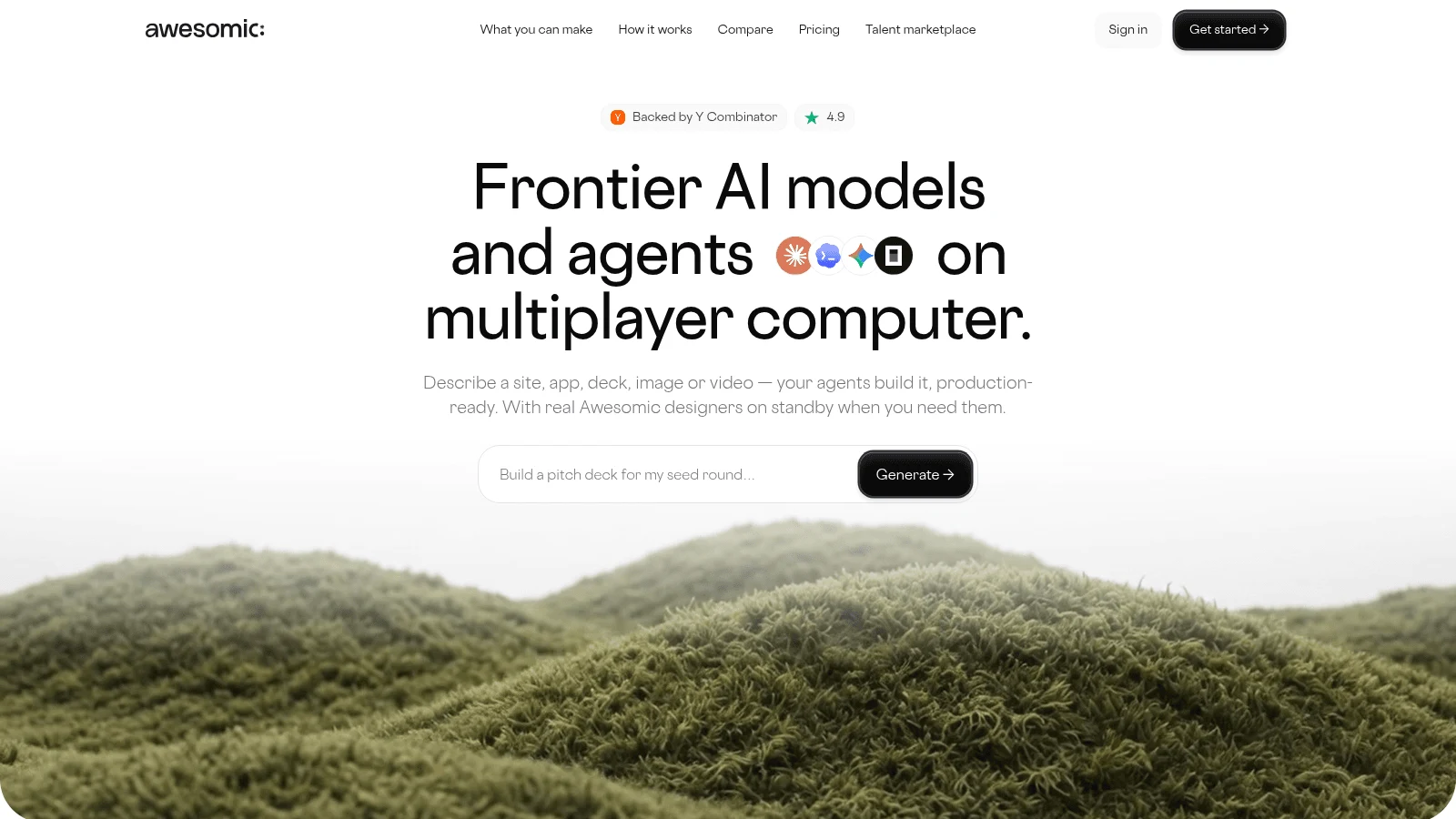
Awesomic Studio is our AI workspace, and it answers the self-hosting question by taking the server off your list. You bring the inputs as files, links or plain text, agents (Codex, Claude Code and OpenCode) build the internal tool or dashboard, and the finished tool runs on Studio's hosting, at a link you can keep inside the team or make public.
The setup that suits an Appsmith team best is Automated. Your team comments on, revises and approves work in one shared workspace, and recurring jobs become "reusable workflows that anyone on the team can run." Scheduled automations handle "refreshes, reports, and updates that run on their own," so a weekly ops report doesn't wait for someone to open a query editor.
If you want the work on a machine of its own, the dedicated DigitalOcean server add-on gives you "a private, always-on environment to host and run everything you build," on any plan. It's still a hosted environment, not software you install on your own servers.
Studio is a first step that extends your team, never a replacement for a developer. If the agents fall short, a vetted Awesomic designer or developer can take over, drawn from the network behind our 20,000+ delivered projects and quoted apart from the plans.
Key features:
- The Automated setup, which turns recurring work into workflows anyone on the team can rerun.
- Scheduled refreshes, reports and updates that run with nobody logged in.
- Builds that start from whatever files, links or plain text you supply.
- Hosting included, with private or public sharing.
- An optional dedicated DigitalOcean server add-on, with no price shown.
- Connections to Slack, Notion, Google Drive, GitHub, Linear and three other tools.
Pricing: Maximum costs $500 a month, Pro $200 and Basic $20, and whichever you choose is spent as that month's agent and model usage. There's no free plan or trial, and the pricing page doesn't say how fast a build spends the budget. The server add-on shows no price, and a human takeover is quoted separately.
Pros: No server of yours to install or upgrade, reports that refresh on a schedule, workflows a non-developer can rerun, a private always-on server option, an expert who can step in at a separate quote
Cons: No self-hosting or on-prem install (the closest option is the server add-on, which is still hosted), no database or REST connectors beyond its eight listed tools, so you bring the data, and its pages make no SSO or role-permission claim
How to start using it:
- Pick the Appsmith report your team reruns or rebuilds every week.
- Export its data to a spreadsheet, or collect the links it pulls from.
- On Basic, describe the dashboard you want and upload the file.
- Ask for fixes in plain words, then share the link with the team.
- Turn the refresh into a scheduled automation or a reusable workflow.
Why it's a good Appsmith alternative: It removes the upgrade job entirely for reports and dashboards, which is the part of an Appsmith install many teams never wanted to run.
Final verdict: Pick Studio for recurring reports and lightweight internal tools you'd rather not host, and keep a self-hosted builder from this list for apps that write to your database.
2. Retool
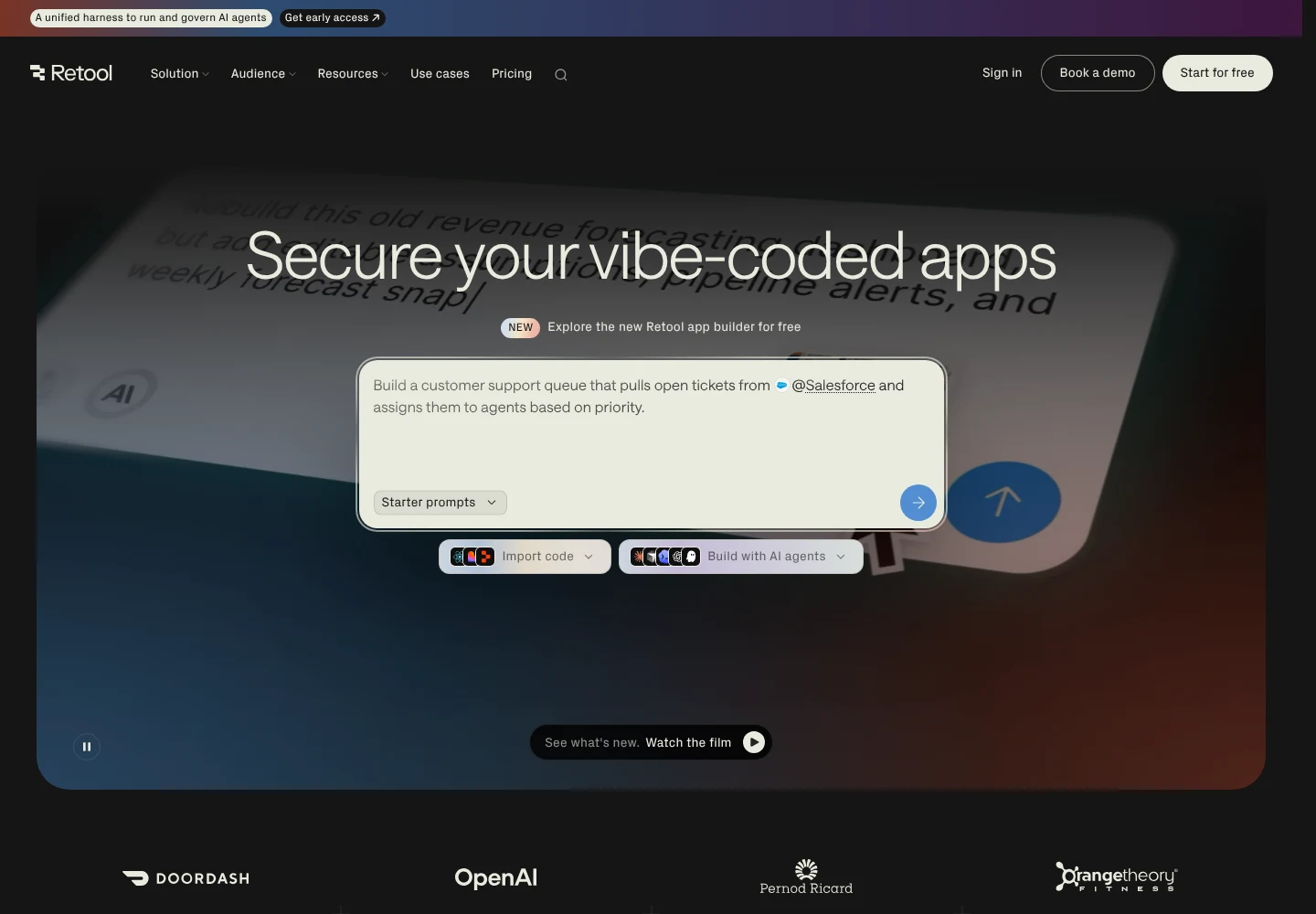
Retool is the closest drop-in for an Appsmith app. Both wire SQL and API queries to a canvas of tables, forms and charts, so a developer who knows Appsmith can read a Retool app on day one. The difference is the license: Retool is proprietary, so you can run it on your own servers but can't read or fork its code.
Its self-hosting setup is the most structured on this list. Retool's docs offer a Stable channel with "a new release each quarter," generally four versions behind cloud, and support each release for six months of patch updates. A weekly Edge channel ships features sooner.
The same docs rate the operational overhead of a self-managed deployment "High," against "Low" for a Retool-managed single-tenant instance on AWS where Retool performs the updates.
Key features:
- Self-hosting on every plan tier, per its pricing page, with production deploys on Kubernetes via Helm.
- A quarterly Stable channel for teams that upgrade on a schedule.
- Audit logs and role-based permissions on Business.
Pricing: Free covers up to 5 users. On Team, annual billing works out to $10 a month per builder plus $5 per internal user ($12 and $7 if you pay monthly), and Business costs $50 and $15 billed annually or $65 and $18 monthly.
Running it yourself: Self-hosted Team and Business cap out at 100 users, and going past that, or adding SSO and the advanced self-host features, takes Enterprise. Retool's pricing page also contradicts itself: one section says all tiers support self-hosting, while its self-host feature grid shows full access on Enterprise only.
Pros: The most familiar model for an Appsmith developer, a release channel built for planned upgrades, self-hosting without an Enterprise contract
Cons: Builders and internal users both pay per seat, SSO, SCIM and Git source control sit on Enterprise, no source code to inspect or patch yourself
Why it's a good Appsmith alternative: It's the shortest move for a team that likes how Appsmith works and wants fewer, slower upgrades with a published support window.
Final verdict: Choose Retool when you want Appsmith's way of building with a quarterly upgrade rhythm, and per-seat pricing plus closed code don't bother you.
3. ToolJet
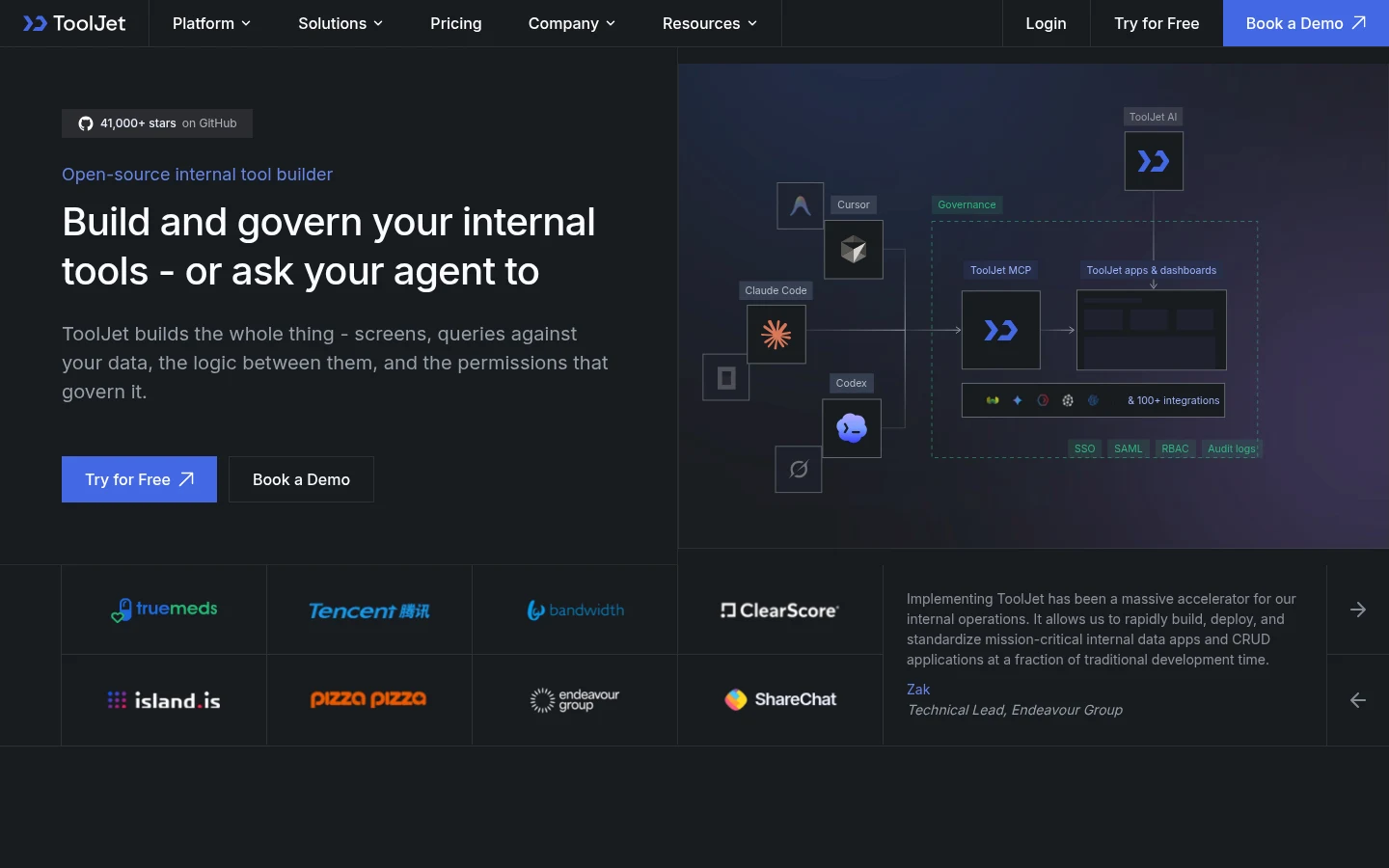
ToolJet is the nearest open-source match for Appsmith. Its Community Edition, under the AGPL v3 license, gives you a visual builder, JavaScript and Python, the built-in ToolJet Database and 80+ data sources. The README calls it "the open-source foundation of ToolJet AI," the paid edition that adds AI app generation, audit logs, custom groups, multi-environment and GitSync.
Its MCP plugin is the newest reason to look. The pricing page says you can "Build apps from Claude Code, Codex or Cursor using your coding-agent subscription. No ToolJet AI credits are consumed," which suits developers already paying for one of those agents.
Key features:
- A Community Edition you can self-host with no license fee.
- Workflows and Agent Builder, which the pricing grid marks "Available on Self-hosted only."
- An MCP plugin for building from a coding agent.
- LTS releases that the README says carry "production bug fixes, security patches."
Pricing: The free plan covers 2 builders and up to 50 end users, on cloud or self-hosted. On cloud, Basic costs $23 per builder a month billed annually or $29 monthly, and Pro $79 or $99, both with 50 end users. Team costs $199 per builder billed annually or $249 monthly, with up to 100 end users, SSO, audit logs and Git sync, and it's the first paid self-hosted plan, sold behind a "Buy License" button.
Running it yourself: ToolJet shipped 17 LTS releases in the month to October 8, roughly four a week, and has published 12 GitHub security advisories in 2026. From v3.5.20-ee-lts, the free license in the Enterprise image allows 1 super admin, 2 builders, 50 end users, 2 workflows and 1 workspace, and extra builders are "automatically archived" on upgrade. Its docs and pricing page disagree on how many apps that tier allows, so check before you build.
Pros: The closest open-source analog to Appsmith, a coding-agent route that spends no ToolJet credits, workflows included on self-hosted
Cons: Two builders and 50 end users is the free ceiling, audit logs and Git sync start on Team at $199 per builder billed annually, a fast LTS cadence to keep pace with
Where it fits: Teams that want to stay open source and keep Appsmith's query-and-widget habits, and that already build with Claude Code, Codex or Cursor.
Final verdict: Pick ToolJet for an open-source swap that feels familiar, but price Team early if an auditor will ask who changed what.
4. Budibase
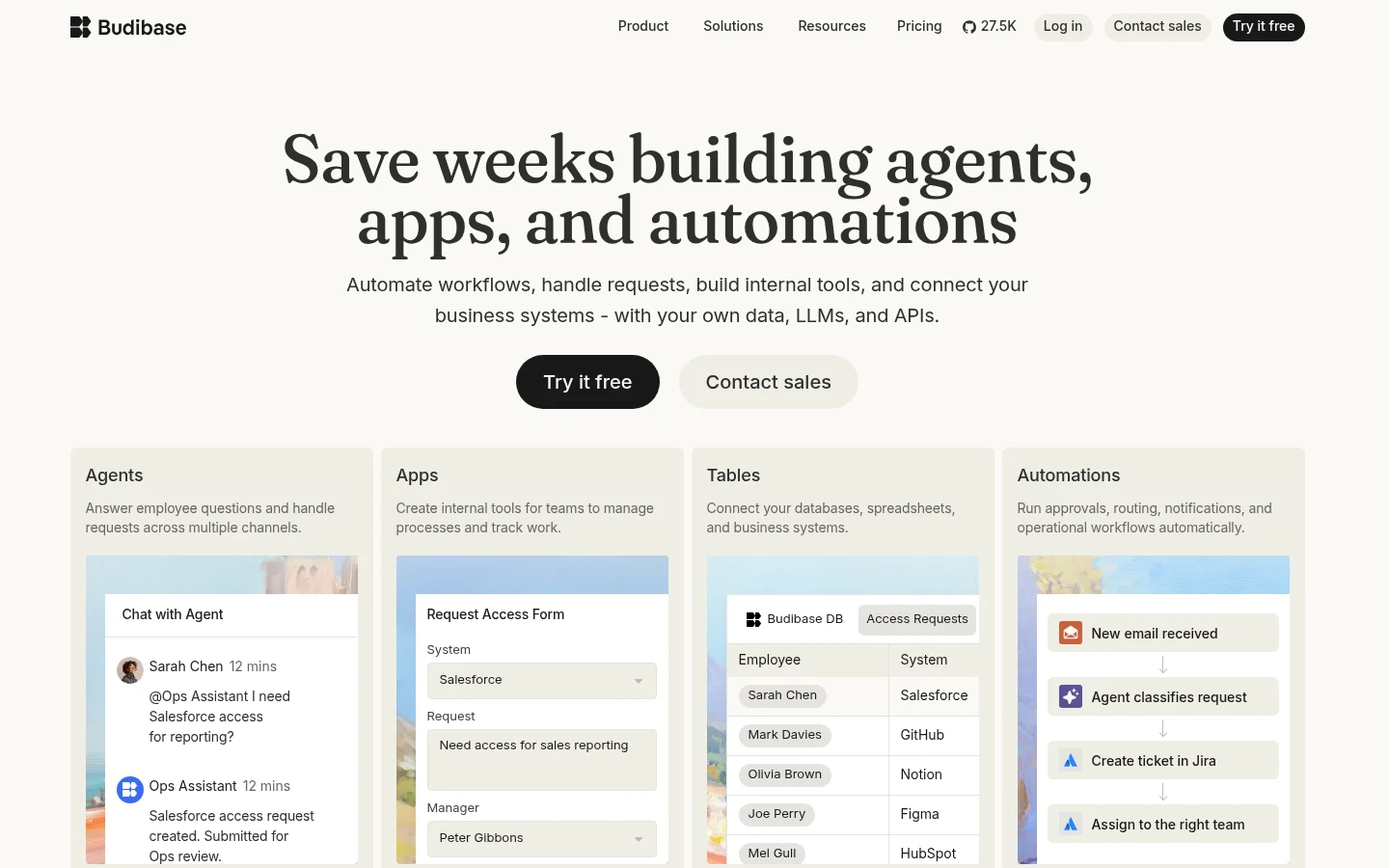
Budibase's free self-hosted plan, like NocoBase's, has no headcount cap. Its open-source edition, with a GPL v3 core, includes unlimited users, apps, automations and agents plus SSO in one workspace, and its FAQ calls it "a fully open-source self-hosted plan that is free to use indefinitely."
The apps you build don't have to be open source, because app packages ship under MPL 2.0, while paid features sit in a separate folder under the Business Source License. Unlike Appsmith, Budibase brings its own database and automation engine, so a small team can build a tracker before anyone sets up Postgres.
Key features:
- Unlimited users on the free self-hosted plan.
- A built-in database and automations in the same workspace.
- Custom SQL and API calls exempt from the cloud action limits.
Pricing: Self-hosting is free, and the only paid self-hosted tier is Enterprise at a custom price. Cloud Pro costs $19 a month billed yearly (the FAQ says monthly billing costs 20 percent more), Premium $49 and Business $299 billed yearly. Cloud actions are hard monthly limits, so going over means moving up a tier rather than paying overage.
Running it yourself: Self-hosted installs have to reach the Budibase Account Portal over HTTPS on port 443 to activate and validate the license, and an offline license is an Enterprise add-on. Budibase shipped 4 stable releases (v3.45.0 to v3.48.0) over the same 30-day window, and it has published 89 GitHub security advisories in 2026, 44 of them since July 1, so plan on upgrading often.
Pros: No user cap on the free self-hosted plan, a built-in database and automations, SSO without a paid plan
Cons: The free plan stops at one workspace, built-in backups, environment variables and audit logs need custom-priced Enterprise, license checks need outbound internet access
Why it made this list: With NocoBase, it's the cheapest way to put an internal app in front of hundreds of staff on your own server: the license fee stays at zero however many people sign in.
Final verdict: Self-host Budibase when headcount is the problem and someone on the team will own the upgrades.
5. NocoBase
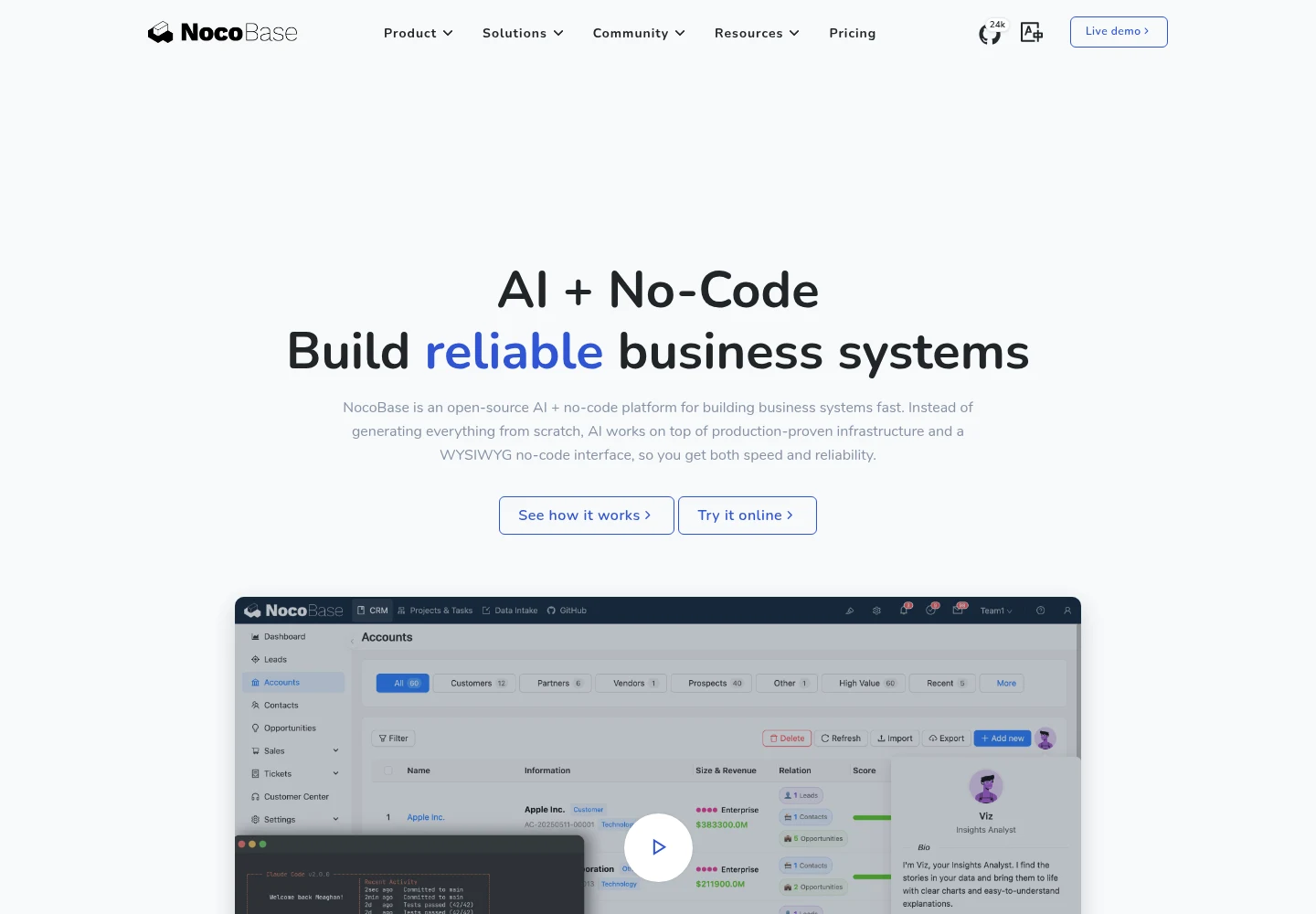
NocoBase works the other way round from Appsmith. Instead of putting screens on top of a database you already run, you define tables and relations first and build the interface from that model. Roles, field-level permissions and a workflow engine with scheduled triggers and SQL, HTTP and JavaScript nodes all come in the free Community Edition.
Its license is Apache 2.0 plus NocoBase's own supplementary terms, which take precedence, such as a bar on removing the NocoBase brand "except for the main LOGO in the upper left corner." Its homepage pitches the chance to "Build a complete system fast with coding agents," naming Claude Code, Codex and Cursor.
Key features:
- Unlimited users, apps and records on the free Community Edition.
- Roles and field-level permissions without a paid plan.
- AI employees, MCP and a CLI.
- Backup management built in.
Pricing: Community is free. Standard costs $800 and Professional $8,000, each a one-time payment for lifetime use with a year of upgrades and support, and Enterprise is priced on request.
Running it yourself: Its pricing page lists only self-hosted editions, so you run it or pay a third-party host. The Docker upgrade guide says to back up the database, change the pinned image tag, then pull and recreate, and warns "Only upgrades are supported; downgrades are not!!!" Its release feed shows 14 stable versions over the same 30 days, and its advisory feed lists 9 for 2026, none since July 1.
Pros: No user cap and no monthly fee, permissions down to the field on the free edition, a one-time license instead of a subscription
Cons: Community can't use your existing MySQL or PostgreSQL as a data source (that starts on Standard), SSO needs the $8,000 Professional edition, audit logs, 2FA and cluster mode are Enterprise-only
What it's genuinely good at: Greenfield internal systems where the data model doesn't exist yet, so building the tables and the app in one place saves a step.
Final verdict: Choose NocoBase for a new system you'll model from scratch, and look elsewhere if your Appsmith apps sit on a database you can't move.
What running an Appsmith alternative yourself really costs
The license is the cheap part of a self-hosted builder. The recurring cost is the hours someone spends reading release notes, upgrading, testing and restoring, and those hours don't show up on any pricing page.
Why patching belongs in the budget
Verizon's 2026 Data Breach Investigations Report found that exploiting a vulnerability is now the most common way into a breach, at 31% of its dataset, ahead of credential abuse at 13%. Organizations fully fixed only 26% of the critical vulnerabilities on CISA's Known Exploited Vulnerabilities catalog in 2025, down from 38%, and the median time to a full fix rose from 32 days to 43.
Verizon's figures describe organizations in general, not internal-tool builders. Still, a self-hosted app builder is one more server on that patch list, usually with database credentials attached.
NIST's patch management guide (SP 800-40 Rev. 4) puts it bluntly: "Patching should be considered a standard cost of doing business and should be rigorously followed and tracked." It also warns that routine patching "is often postponed and neglected" because it interrupts work, which is exactly how a skipped quarter turns into an Appsmith checkpoint upgrade.
The patching load, tool by tool
The table counts what each project shipped and disclosed, from the GitHub releases and security-advisory feeds on October 8, 2026. A long advisory list partly reflects a project that discloses openly, so read it as the patching you'd sign up for, not as which tool is safer.
| Tool | Releases in the 30 days to Oct 8, 2026 | GitHub security advisories published in 2026 | Upgrade rule to know |
|---|---|---|---|
| Awesomic Studio | Hosted by Studio, nothing for you to install | Not applicable (no self-hosted edition) | No server of yours to upgrade |
| Retool | Stable: one release a quarter, each supported six months; Edge: weekly | Not counted (closed source) | Retool's docs rate self-managed overhead "High" |
| ToolJet | 17 LTS releases | 12 (1 critical, 1 high, 10 medium) | Extra builders are archived when the free license applies |
| Budibase | 4 stable releases | 89 (23 critical, 52 high, 14 medium) | License validation needs outbound HTTPS |
| NocoBase | 14 stable releases | 9 (2 critical, 5 high, 2 medium) | No downgrades; pin a version number |
| Appsmith (reference) | 4 releases | 41 (6 critical, 20 high, 15 medium) | MongoDB 5.0+ and version checkpoints |
That cadence decides how often someone has to book downtime.
A monthly routine that keeps a self-hosted builder current
Whichever open-source tool you pick, the routine looks about the same. These steps assume one person owns the server.
- Watch the project's GitHub releases and security advisories, with notifications on.
- Pin a numeric version in production rather than a "latest" tag, as NocoBase's docs advise.
- Back up the database before every upgrade, and test a restore once a quarter.
- Upgrade a staging copy first, then production in a fixed maintenance window.
- Log each upgrade and the version you landed on, so the next owner can pick it up.
- Put a recurring monthly slot for it on one person's calendar.
If nobody in-house can own that calendar slot, the server work can go to an outside developer on a development subscription instead of becoming a part-time job for whoever installed it.
What SSO and audit logs cost on each alternative
The first paid plan rarely matters as much as the plan that carries SSO and audit logs, because those are what security reviews ask for. Prices below are the published ones, with the billing basis.
| Tool | Where SSO starts | Where audit logs start |
|---|---|---|
| Awesomic Studio | No SSO or role-permission claim on its pages | No audit-log claim on its pages |
| Retool | Enterprise (custom SAML or OpenID), price on request | Business, $50 per builder + $15 per internal user/month billed annually ($65 + $18 monthly) |
| ToolJet | Team, $199 per builder/month billed annually, $249 monthly | Team, same price |
| Budibase (self-hosted) | Free plan includes SSO; enforced SSO needs Enterprise | Enterprise, custom price |
| NocoBase | Professional, $8,000 one-time | Enterprise, price on request |
| Appsmith (reference) | Google and GitHub on Free; SAML and OIDC on Enterprise, $2,500/month for 100 users | Business, $15 per user/month |
Price the plan you'll need in a year, not the one you need today. Internal tools at a larger company end up judged on enterprise UX and on controls like these, and a mid-year jump to Enterprise is harder to approve than one budgeted up front.
How hard is it to move off Appsmith?
Plan on rebuilding the screens rather than importing them. What moves cleanly is the logic you wrote, meaning the SQL queries and JavaScript functions, plus the database underneath, which stays where it is.
NocoBase is the exception on the data side. Its Community Edition doesn't accept external databases as data sources, so you'd either buy Standard or move the data into NocoBase's own model.
A move that keeps the team working usually runs like this:
- List every Appsmith app, its datasources, and who opens it in a typical week.
- Copy each query and JavaScript object into a plain text file, grouped by app.
- Start with the app people open most, rebuilt on the new tool's free self-hosted edition.
- Set up roles again and sign in as a read-only user to check what each role sees.
- Run old and new side by side for one release cycle, then retire the Appsmith instance and its MongoDB.
Rebuilding is also when fixing the screens your team works around costs least, since web app design choices like table density and form layout decide how fast an ops desk moves through its queue.
Which Appsmith alternative fits your team
Start from what the app does every day and who will run the server, because those two answers rule out most Appsmith alternatives before you test one.
Appsmith alternatives for internal operations
If your ops team edits records all day, stay close to Appsmith's model with Retool or ToolJet. Retool's quarterly Stable channel means fewer upgrade days, which can justify its per-seat price when the same engineers also ship your product.
Alternatives to Appsmith for internal dashboards
Read-only dashboards are cheap on Budibase Cloud, because its action limits exclude custom SQL and API requests. If nobody edits a row and the app is only charts, dedicated data visualization tools can fit better than any app builder, since they're built around the chart rather than the form.
If the source code has to be open
The three Appsmith open source alternatives here are ToolJet (AGPL v3), Budibase (GPL v3 core) and NocoBase (Apache 2.0 with added terms). Read the license before you build, since NocoBase's terms limit removing its branding and ToolJet keeps audit logs, custom groups and GitSync in its paid edition.
If nobody on the team wants to run a server
Retool's own docs rate a Retool-managed instance "Low" on overhead, and Studio's hosted workspace suits reports and dashboards that don't need your database. Anything that writes to your own database still needs one of the four builders above.
Decide who patches before you pick a tool
Write down who will own upgrades, how many hours a month they have, and which plan carries the SSO and audit logs your security team will ask for. Then shortlist two tools from the tables above and rebuild your most-used Appsmith app on each free tier for a week.
If the rebuild itself is the bottleneck, a design engineer can handle the screens and the queries together, so one person carries the move instead of two.
If what you really need is a weekly report that refreshes itself, try it in Awesomic Studio first and skip the server entirely. Get started
FAQ
What are the best open source alternatives to Appsmith?
ToolJet's Community Edition, Budibase and NocoBase are the three open source alternatives to Appsmith on this list, under AGPL v3, a GPL v3 core, and Apache 2.0 with NocoBase's own terms respectively. Retool can also run on your own servers, but it's proprietary. Lowcoder is open source as well, but it hasn't shipped a release since January 2026.
Who are the main Appsmith competitors?
Of the six vendor-written roundups ranking for this search, every one names Retool and Budibase as Appsmith competitors, five name Superblocks and four name ToolJet. UI Bakery and DronaHQ get two mentions each, and NocoBase turns up only in GitHub results and a self-hosting thread on Reddit.
Is Appsmith free to self-host?
Yes. The free edition self-hosts under the Apache 2.0 license, and the pricing page caps only cloud Free at 5 users. The catch is the missing controls: audit logs need the $15-per-user Business plan, and SAML SSO needs the Enterprise plan.
Which Appsmith alternative has no user cap when self-hosted?
Budibase's free self-hosted plan and NocoBase's Community Edition both allow unlimited users. ToolJet's free tier allows 2 builders and 50 end users, and Retool self-hosts up to 5 users on Free and 100 on Team or Business before you need Enterprise.
Can I move an Appsmith app to another tool?
Plan on rebuilding the interface. Your SQL queries and JavaScript move as text, and your database stays put, except on NocoBase's free edition, which needs the paid Standard license to read an outside database. Rebuild your most-used app first and run both versions side by side before shutting Appsmith down.





