




How to Use Content Creation Automation in 2026 to Save Time and Cut Costs

Key takeaways:
- The savings come from automating the pipeline (research, briefs, formatting, repurposing, publishing), not from asking a model to write the whole thing.
- Google's spam policies name generating many pages with AI without adding value as scaled content abuse, and say those sites may not appear in results at all.
- Different models suit different jobs. Practitioners running this daily route long-form and short-form to different tools rather than standardizing on one.
- Automation tools price by volume, not by seat: n8n charges per workflow execution, Make per credit. Model the volume before comparing the headline numbers.
Half the advice on this topic is a list of AI writing tools, which misses where the time actually goes. Writing a first draft was never the expensive part of content. The expensive parts are deciding what to make, gathering the source material, formatting it for four channels, chasing approvals, and publishing it in five places.
That's the pipeline, and it's where automation pays. A team that automates the plumbing and keeps humans on the judgment calls ships more without the quality collapse that makes AI content recognizable at a glance.
This guide covers what to automate and what not to, how to build the workflow, which tools handle which layer with real prices, how to keep brand voice intact, and how to tell whether any of it actually saved money.
What content creation automation actually covers
Content creation automation means using software to handle the repeatable steps in producing and distributing content. Generation is one step among many, and usually not the one costing you the most.
A complete pipeline has five layers. Intake decides what to make, pulling from keyword research, support tickets, sales questions, or a content calendar. Production creates the draft, whether by a person, a model, or both.
Adaptation then turns one asset into the formats each channel needs, review routes it to whoever has to approve it, and distribution publishes and schedules it. Only the second of those five is what most people mean by "AI content."
Most teams automate production first because it's the most visible, then discover they've made the bottleneck worse. You now have thirty drafts waiting on one editor instead of five, and the queue moved rather than shrank.
Start where the queue actually is. If your drafts sit for six days waiting on legal, no writing tool will help, and a review workflow with automatic routing and reminders will.
The context for all this is that AI at work is no longer unusual. Gallup's survey of 23,717 US employees found that for the first time, half of employed American adults use AI in their role, with 13% using it daily. The question stopped being whether to use it and became which parts to hand over.
What to automate, and what to keep human
The split isn't about capability. Models can write a passable opinion piece; it's just that publishing one is a bad idea, because the value of an opinion piece is that a specific person holds the opinion.
| Task | Automate? | Why |
|---|---|---|
| Keyword and topic research | Yes | Volume work with a checkable output |
| Turning a transcript into a draft | Yes | The thinking already happened in the interview |
| Repurposing long-form into social posts | Yes | Mechanical reformatting of settled material |
| Alt text, meta descriptions, tags | Yes | High volume, low judgment, easy to review |
| Publishing and scheduling | Yes | Pure plumbing, no judgment at all |
| First drafts of routine explainers | Partly | Fine as a starting point, never as the final text |
| Original research and data analysis | No | The value is that you actually did it |
| Opinion, strategy, and point of view | No | The byline is the product |
| Customer stories and quotes | No | Fabricating these is a credibility risk, not a shortcut |
| Final editorial judgment | No | Someone has to be accountable for what ships |
The rule that holds up: automate the steps where the answer is checkable, and keep humans on the steps where the answer is arguable. That line also happens to be where the legal and reputational risk sits.
The constraint everyone finds out about late
Before building anything, understand the ceiling. Google's spam policies explicitly name using generative AI tools to generate many pages without adding value for users as scaled content abuse, and state that sites doing this may rank lower or not appear in results at all.
Read that carefully, because it isn't a ban on AI. The policy targets scale without value, not the tool used to produce the text. A well-researched, genuinely useful page drafted with model assistance and edited by someone who knows the subject is not what the policy is aimed at.
The practical implication is that "publish 400 pages a month" is a strategy with a known failure mode, while "publish 12 genuinely useful pages a month with half the production time automated" is not. Automation should raise your floor on quality by removing drudgery, not lower it by removing people.
At Awesomic we've watched clients arrive after the first approach stopped working, usually needing the whole library reviewed and a chunk of it deleted. Cleaning that up costs more than doing it properly did.

How to build a content automation workflow
Build it one connection at a time, and resist designing the whole thing on a whiteboard first. Every content creation workflow automation that survives started as one annoying task someone fixed, not as a diagram.
- Write down your current process step by step, including the waiting.
- Time each step honestly for two weeks, including the handoffs.
- Pick the single slowest step that has a checkable output.
- Automate only that step and run it alongside the manual version.
- Compare the outputs for a week before switching over.
- Add a human checkpoint wherever the output gets published without further review.
- Repeat with the next slowest step.
Steps four and five are what separate a working pipeline from a fun weekend project. Running both versions in parallel is how you find out that your automated brief generator quietly drops the audience section.
Connect the tools you already use
Most AI content creation workflow automation comes down to moving information between systems you already pay for: the calendar to the doc, the doc to the CMS, the CMS to the social scheduler.

n8n handles this with a visual canvas and the option to self-host, which matters if your content touches anything confidential. Pricing runs on workflow executions rather than seats: $20 a month for the Starter plan with 2,500 executions, $50 for Pro with 10,000, and $800 for Business with 40,000, all billed annually, with unlimited users on every plan.
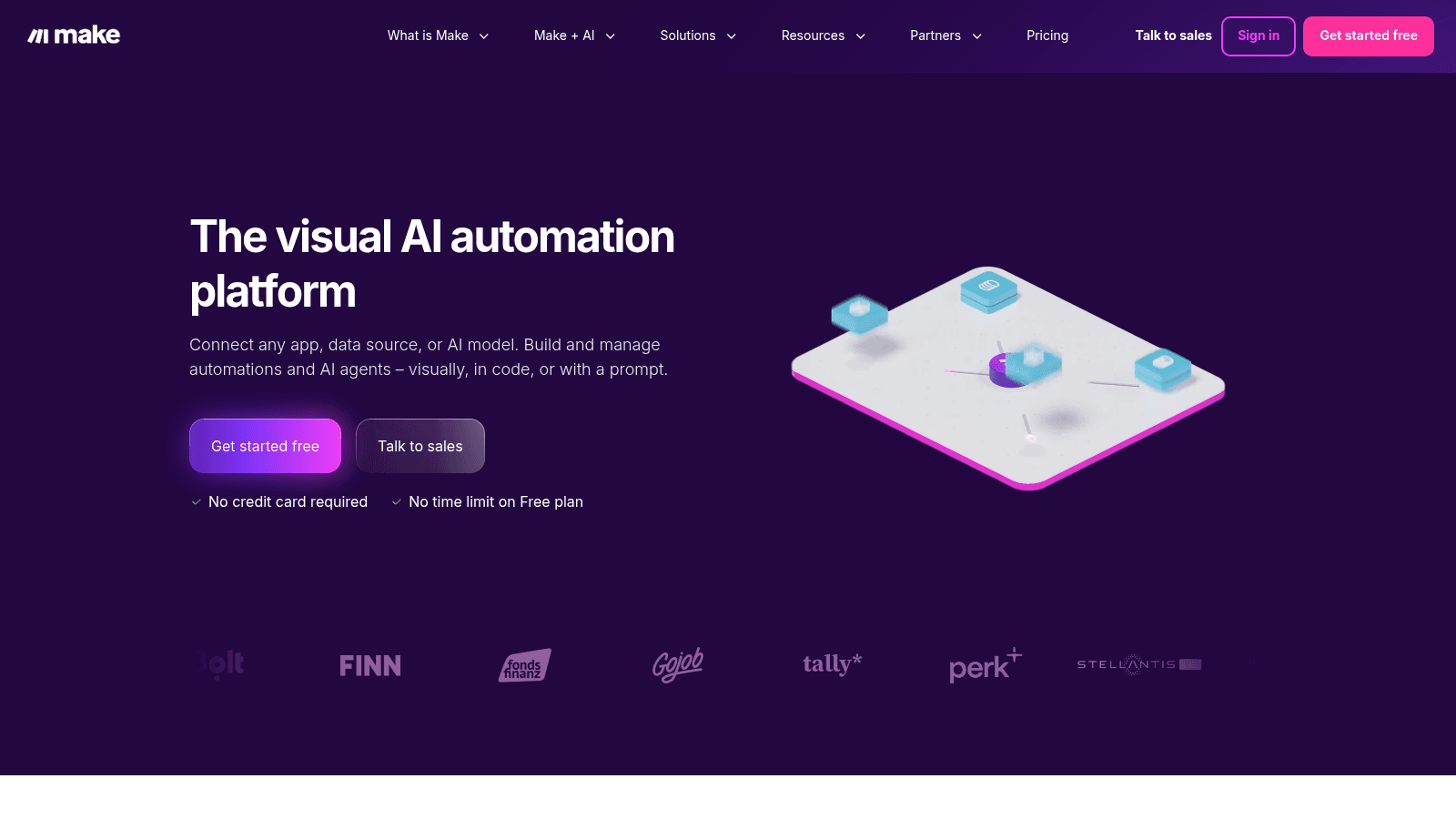
Make covers similar ground with a gentler learning curve. Its free tier allows 1,000 credits a month with a 15-minute minimum interval between runs, and paid plans start at $12 a month for Core, $21 for Pro and $38 for Teams at the 10,000-credit level, billed annually.
That last detail matters. Make's prices scale with the credit volume you select, so any quoted figure is meaningless without the volume attached to it.
Put a person at the publish step
The single most valuable rule is that nothing reaches an audience without a human seeing it. Not a review of every sentence, but a genuine look before it goes live.
This costs a few minutes per piece and prevents the failure that damages you: a factual error, an outdated price, or a sentence that reads as if nobody at your company was involved.
Version your prompts like code
The prompt that generates your briefs is now part of your production system. When it changes, output changes, and if nobody recorded the change you'll spend a day wondering why quality dropped.
Keep prompts in a file with dates and notes on what each revision was trying to fix. This sounds fussy until the first time a pipeline degrades and you can roll back.
Choosing tools for each layer
Buying one platform that claims to do everything usually means doing several things adequately and the important one badly. Most AI content creation automation tools are strongest at a single layer, so assemble by layer instead.
| Layer | What it does | Options |
|---|---|---|
| Orchestration | Moves data between systems, triggers steps | n8n, Make, Zapier, Activepieces |
| Generation | Drafts text against a brief and style guide | Claude, GPT, Gemini, Jasper |
| Optimization | Checks structure, coverage, internal links | Surfer, Clearscope, your CMS plugins |
| Creative | Produces images, layouts, and video cuts | Canva, Adobe Express, Pictory |
| Distribution | Schedules and publishes across channels | Buffer, Hootsuite, your CMS scheduler |
| Measurement | Tells you whether any of it worked | Your analytics, Search Console |
One caution on model choice: no single model wins everything. In a thread on r/AIAssisted, someone who had spent two years building this kind of pipeline for a B2B industrial audience described routing work by type.
Their split was Claude for long-form structured content and following style guidelines, GPT for short-form social variations, and Gemini where the largest context window mattered. Another commenter had settled on n8n mostly because it was free to start.
That's anecdotal rather than benchmarked, but it's more useful than a vendor comparison chart, and it matches the specialization pattern we see elsewhere.
Creative automation for images and video
Text is the easy half. The pipeline that saves the most time in 2026 is usually the one turning a single recording into a month of visual assets.
A working video pipeline looks like this: record once, transcribe automatically, cut the transcript into segments, generate captions, render vertical and horizontal versions, and push them to each platform. Every step except choosing which segments are worth using is mechanical.
This is the part people mean by AI content pipeline automation, video creation included, and it's the clearest win available. One 45-minute recording can carry a month of short-form output without anyone editing a timeline by hand.
Creative automation for content creation gets misunderstood as generating images from scratch, which is the least reliable use of it.
The reliable use is templated variation: one approved design, resized and re-versioned across formats, with the layout rules enforced by a template rather than by a person nudging boxes. Duplicating from a controlled source beats regenerating from scratch, the same argument we make about copying a website properly.
That distinction is what keeps a brand recognizable at volume. A template system produces fifty on-brand assets, while an open-ended prompt produces fifty that each look like a different company made them.
Our AI video production workflow walks through how we run this end to end, and our post on using AI for graphic design covers where the current tools genuinely help.
The judgment call stays human. Deciding which 40 seconds of a 45-minute recording are worth publishing is the whole job, and no tool does it well. Our piece on AI and graphic designers is a fair summary of where that line currently sits.
Keeping brand voice intact at volume
Voice drift is the tax on automation, and it compounds quietly. Each piece is fine; forty of them together read like a committee with no opinions.
Three things prevent it. A written voice guide with real examples of both good and bad, because "friendly but professional" gives a model nothing to work with. A glossary fixing your product's terminology so the same feature doesn't get three names. And a banned-words list, which does more work than any positive instruction.
That glossary is the same artifact content design teams build for product copy, and it's worth maintaining one rather than two. Our take on vibe marketing covers the strategic version of the same tension.
Feed all three into every generation step rather than relying on the model to remember. Then check drift monthly by reading four recent pieces in a row, which is the only reliable way to notice that everything now opens with the same construction.
The stronger version is to design the templates first and generate into them. When structure is fixed by a template, the model fills gaps rather than inventing shapes, and consistency stops depending on the prompt.
Where the money actually goes
The tooling is cheap, and the automation platform is usually the smallest line on the bill. n8n's Starter plan is $20 a month and Make's Core plan is $12, so the orchestration layer that does the most work often costs less than one seat of anything else in the stack.
The real costs are elsewhere. Setup time is the big one: expect several days of someone's attention to build and debug a pipeline that works reliably, and that person is usually your most senior operator.
Review time doesn't disappear either, it concentrates. The editor who used to spend an hour a week now spends three, because there's more to check and less context about how each piece came to exist.
Then there's a maintenance cost nobody budgets for. APIs change, models get deprecated, prompts drift, and an unattended pipeline breaks in ways that are silent rather than loud. The failure mode isn't an error message, it's four weeks of slightly worse output that nobody notices until someone reads the archive.
Budget maintenance as a recurring line, not a one-off. A useful rule of thumb is to assume any pipeline needs a check-in each month and a real repair once a quarter, and to name who owns that before you build it.
The honest calculation is straightforward. Count the hours a step takes now, multiply by the loaded hourly cost, and compare against the tool cost plus a realistic share of setup and maintenance. Steps that run weekly rarely justify automation. Steps that run daily almost always do.
Where this changes the math is creative capacity. Design is the step that can't be automated away, so it becomes the new bottleneck once the text pipeline is running.
That's the gap Awesomic fills: a flat monthly fee, matching in up to 24 hours, and unlimited revisions across design and video, so the volume your pipeline produces doesn't stall waiting on assets. Our roundup of AI design agencies covers the wider market if you're comparing.
Measuring whether it worked
Track two things: time saved per piece, and whether performance held. The first is why you built it, the second is what tells you if you broke something.
Measure output per person per week before you start, then again after two months. If volume doubled while engagement per piece halved, you've automated your way to the same total impact with more maintenance, which is a loss disguised as a win.
Watch quality signals that lag: time on page, scroll depth, replies, and whether sales still send the content to prospects.
Sales quietly abandoning your content is the clearest early warning that a pipeline has drifted, and it shows up months before traffic does. Our guide on why startups need video is a reminder that a format has to earn attention regardless of how it was produced.
Start with one step
Pick the single most repetitive step in your current process, automate only that, and run it alongside the manual version for a week. That's a two-hour project and it'll teach you more about where your real bottleneck is than any planning session.
If the bottleneck turns out to be creative capacity rather than words, that's a staffing question rather than a tooling one. Awesomic covers design, video and web on one flat monthly fee with vetted talent matched in up to 24 hours, so you can Get started whenever the pipeline is producing faster than your design queue can absorb.
FAQ
What is content creation automation?
It's using software to handle the repeatable steps of producing and distributing content: topic intake, research, drafting, reformatting for each channel, routing for approval, and publishing. Generation is only one of those layers. Most of the time savings come from automating the plumbing between systems rather than from having a model write the text.
Will Google penalize AI-generated content?
Google's spam policies target scaled content abuse, defined as generating many pages without adding value for users, and warn that such sites may rank lower or not appear at all. The policy is about scale without value rather than about the tool used. Content that is genuinely useful, accurate, and edited by someone accountable is not the target, regardless of how the draft started.
What are the best AI tools for content creation automation?
There's no single winner, and practitioners running these pipelines daily route work by task rather than standardizing. A typical stack pairs an orchestration platform such as n8n or Make with one or more language models, an optimization tool, a creative tool for images and video, and a scheduler. Choose per layer rather than buying one platform that claims to cover everything.
How much does a content automation stack cost?
The tooling is usually the smallest cost. n8n starts at $20 a month billed annually for 2,500 workflow executions, and Make has a free tier with 1,000 credits a month plus paid plans from $12 at the 10,000-credit level. Both price by volume rather than per seat, so model your expected volume first. Setup and ongoing maintenance time typically cost more than the subscriptions.
Can automation keep a consistent brand voice?
Only if you give it something concrete to work from. A written voice guide with good and bad examples, a product glossary, and a banned-words list, all fed into every generation step, do most of the work. Generating into fixed templates rather than open-ended prompts is stronger still, because structure constrains output more reliably than instructions do.
One subscription and your hiring problems solved


FAQ


Awesomic is a revolutionary app that matches companies with vetted professionals across 30+ skill sets, from design and development to marketing and product. Based in San Francisco with a global core team, we offer a faster and more flexible alternative to traditional hiring through a subscription-based model. Awesomic delivers high-quality talent on demand, without the delays of recruiting.
We function as a subscription-based service that matches you to top-tier, vetted talent. Submit a project in just a few clicks and start receiving deliverables in as little as 24 hours. Scale your Awesomic plan up or down as your business needs change.
Every Awesomic subscription comes with unlimited revisions. You receive daily progress updates via the app, and you can provide feedback or request iterations as needed. If your project requires a different approach, you can request a talent rematch at any time, at no extra cost. You can also add teammates to collaborate and streamline feedback
A talent marketplace is a platform that utilizes data and intelligent matching algorithms to connect professionals with projects based on their skills, experience, and availability. While often used internally by large companies, Awesomic applies this model at scale, matching vetted global talent to your most critical business needs.
Hiring is time-consuming, expensive, and risky. Awesomic eliminates that problem. We rigorously vet all talent for technical ability, communication, and soft skills, ensuring only senior-level professionals work on your projects. You skip the job posts, interviews, and delays, and get straight to results.
No, Awesomic goes beyond design. While many clients utilize us for branding, UI/UX design, or motion graphics, we also provide vetted talent in no-code web development, product design, marketing, and more. Think of us as an extension of your team. A flexible, high-performing creative partner from planning to execution, whether you're building awesome products or scaling your team.
You can talk directly with your matched talent via the Awesomic app, connect via Slack, email, or schedule video calls. No matter the plan, you’ll receive daily updates in the app for every active task. You can also tag us in for any issues through our in-app customer chat.


