




How to Copy a Website in 2026: Easy Steps to Save Time and Money

Key takeaways:
- "Copy a website" means four different jobs: saving one page's code, mirroring a static site, migrating a WordPress install, or rebuilding a design. Each needs a different tool.
- Site copiers only capture what the server returns as HTML. Anything a database or JavaScript generates on the fly does not come with it, and the tools' own documentation says so.
- For your own site, a migration plugin or a host's clone button beats any crawler, because it moves the database too.
- Copying the structure and rebuilding it yourself is faster than fighting a broken mirror, and it's the only version that produces a site you can actually maintain.
There are a lot of legitimate reasons to copy a website. You're moving hosts and need an identical staging copy. You want an offline archive of a site that's about to disappear. You're studying how a layout works. You bought a template and want to duplicate a page. Or you're migrating a WordPress install and would rather not rebuild 60 pages by hand.
The methods for those jobs are genuinely different, and most guides blur them together, which is why people end up running a crawler against a database-driven site and wondering why nothing works.
This guide goes method by method: browser developer tools for a single page, HTTrack and wget for static mirrors, WordPress migration plugins for a live install, builder duplication for templates, and AI cloners for design starting points. It also covers what reliably breaks, which matters more than the download step.
First, a short word on what's legal
Copying your own site, duplicating a template you've licensed, and saving a page for personal offline reading are ordinary technical tasks. Republishing someone else's content or design as your own is a different matter, and it's the part that gets people into trouble.
Text, images, and code are protected by copyright the moment they're created. A site's underlying layout ideas generally aren't, which is why "steal the structure, not the pixels" is both the ethical and the practical advice.
Two technical checks are worth knowing. A site's `robots.txt` file tells crawlers which paths they may fetch, and it's a real standard: RFC 9309, published by the IETF in September 2022, defines the format and the Allow and Disallow rules.
Automated copying tools ignore robots.txt unless you tell them not to, so check it before pointing a crawler at anything you don't own.
On the legal side, the Ninth Circuit's ruling in hiQ Labs v. LinkedIn held that scraping publicly accessible pages likely isn't access "without authorization" under the Computer Fraud and Abuse Act.
That's one statute in one circuit, and it says nothing about copyright or a site's terms of service, so don't read it as blanket permission. Copy your own material freely; for anything else, take the structure and build your own.
Match the job to the right tool
Picking the wrong method is the single biggest time-waster here. This table maps each job to the tool that actually does it.
| What you're trying to do | Use | Gets the database? | Cost |
|---|---|---|---|
| Grab one page's HTML and CSS | Browser developer tools or Save Page As | No | Free |
| Mirror a static site for offline reading | HTTrack, Cyotek WebCopy, wget, SiteSucker | No | Free |
| Move or duplicate your own WordPress site | Migration plugin or host clone tool | Yes | Free tier, paid for large sites |
| Duplicate a page inside a site builder | The builder's own duplicate function | N/A | Included |
| Turn a design into editable code | AI website cloner | No | Free tier to paid |
| Rebuild a site properly on your own stack | A designer or developer | N/A | Varies |
Read the third column carefully, because it explains most failed attempts. Only the migration tools move the database, and a modern site is mostly database.
Worth saying plainly up front, since we get asked this at Awesomic most weeks: if what you actually want is a site of your own that works like one you admire, none of the copying methods will get you there. They're the right answer for archives and migrations, and the wrong answer for building something.
How to copy the HTML code of a website page
For a single page, the browser already has everything you need. This is the fastest route when you want to read how something was built or lift a specific component's markup, and it's what most people actually mean when they ask how to copy a website code from a live page.
- Open the page, right-click the element you care about, and choose Inspect.
- In the Elements panel, right-click the highlighted node and choose Copy, then Copy outerHTML.
- Switch to the Styles pane to read the CSS rules applying to that element, including which stylesheet each came from.
- For the whole page, press Ctrl+S (Cmd+S on macOS) and choose "Webpage, Complete" to save the HTML plus its assets folder.
- Open the saved file locally to see what survived and what depended on the live server.
Step five is the reality check. A "complete" save usually renders roughly right and then falls apart wherever the page expected a live API, a login session, or a font served from a domain that now refuses the request.
Those five steps are the whole answer to how to copy a website page, and they cover how to copy a website HTML and CSS in one go, since the save pulls the stylesheets alongside the markup.
Reading the CSS without copying it
If your goal is understanding rather than duplication, the Computed tab is more useful than the raw stylesheet. It shows the final value the browser actually applied after every rule cascaded, which is the number you'd need to match.
Note the spacing scale, the type sizes, and the breakpoints. Those three things carry most of what makes a layout feel considered, and you can apply them to your own markup without copying a single line.

How to make a copy of a static website with HTTrack
HTTrack is the tool most people land on, and it's still the standard answer for mirroring a site you can reach without logging in.
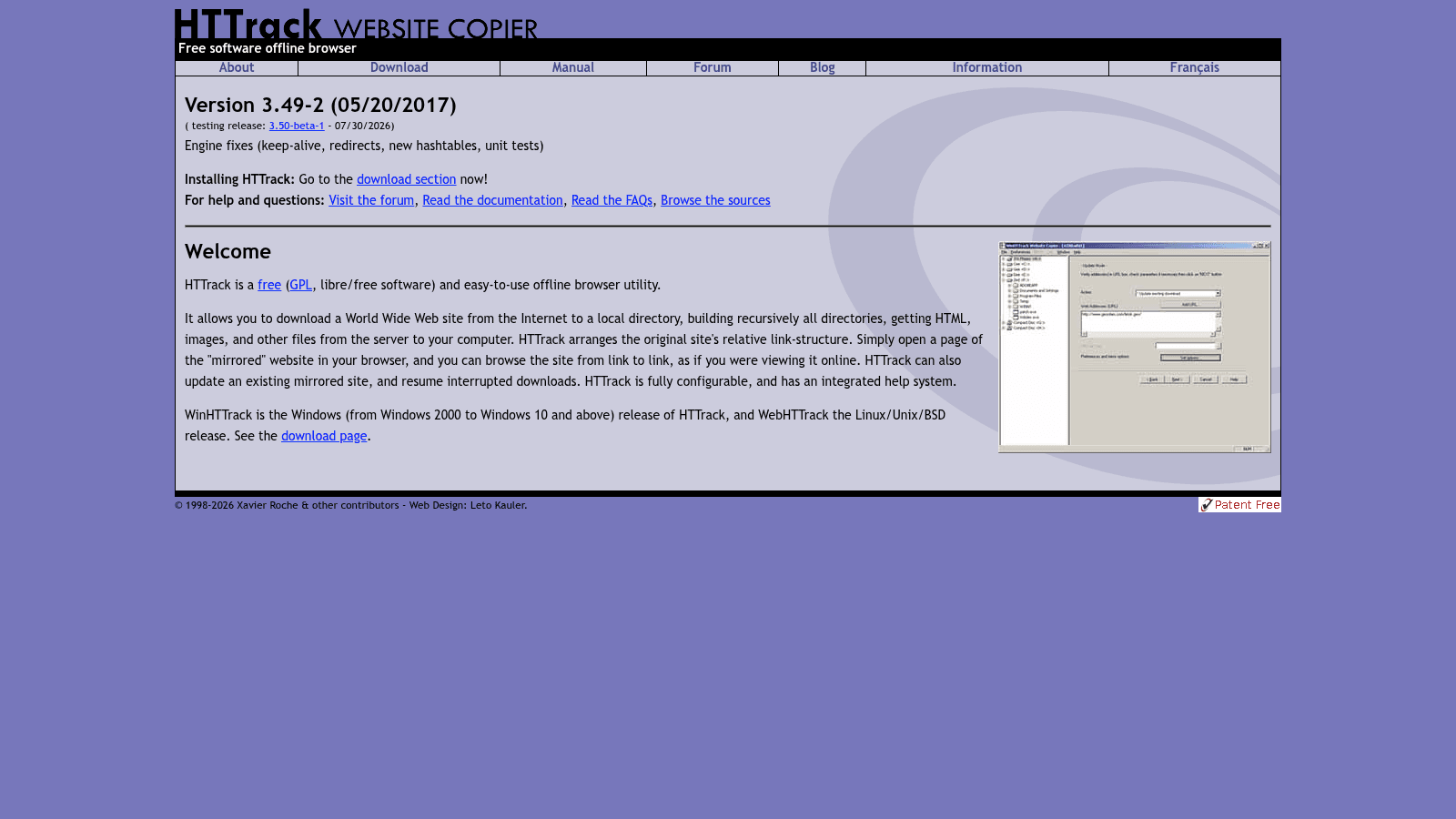
It's free GPL software that has been maintained since 1998. The current stable release is 3.49-2, dated May 2017, with a 3.50 beta dated July 2026, and it ships as WinHTTrack on Windows and WebHTTrack on Linux, Unix and BSD. It downloads a site into a local directory, rebuilds the original relative link structure, and can resume interrupted downloads or update an existing mirror rather than starting over.
The setup is a wizard rather than a command line:
- Install WinHTTrack and create a new project with a name and a destination folder.
- Paste the target URL and choose "Download web site" as the action.
- Open Set options, then the Limits tab, and set a maximum mirroring depth of 3 to 5 so you don't pull the entire internet through outbound links.
- On the Spider tab, decide how to handle robots.txt rules before you start.
- Under Flow control, lower the connections per second if you're copying a small server, so you don't hammer it.
- Start the mirror and open `index.html` in the destination folder when it finishes.
Depth is the setting people get wrong. Leaving it unlimited on a site with pagination or filters can generate tens of thousands of near-identical pages and run for hours.
Cyotek WebCopy and wget, and what they miss
Cyotek WebCopy is the other common Windows option, and the Reddit thread below is a good example of it succeeding where HTTrack stalled.
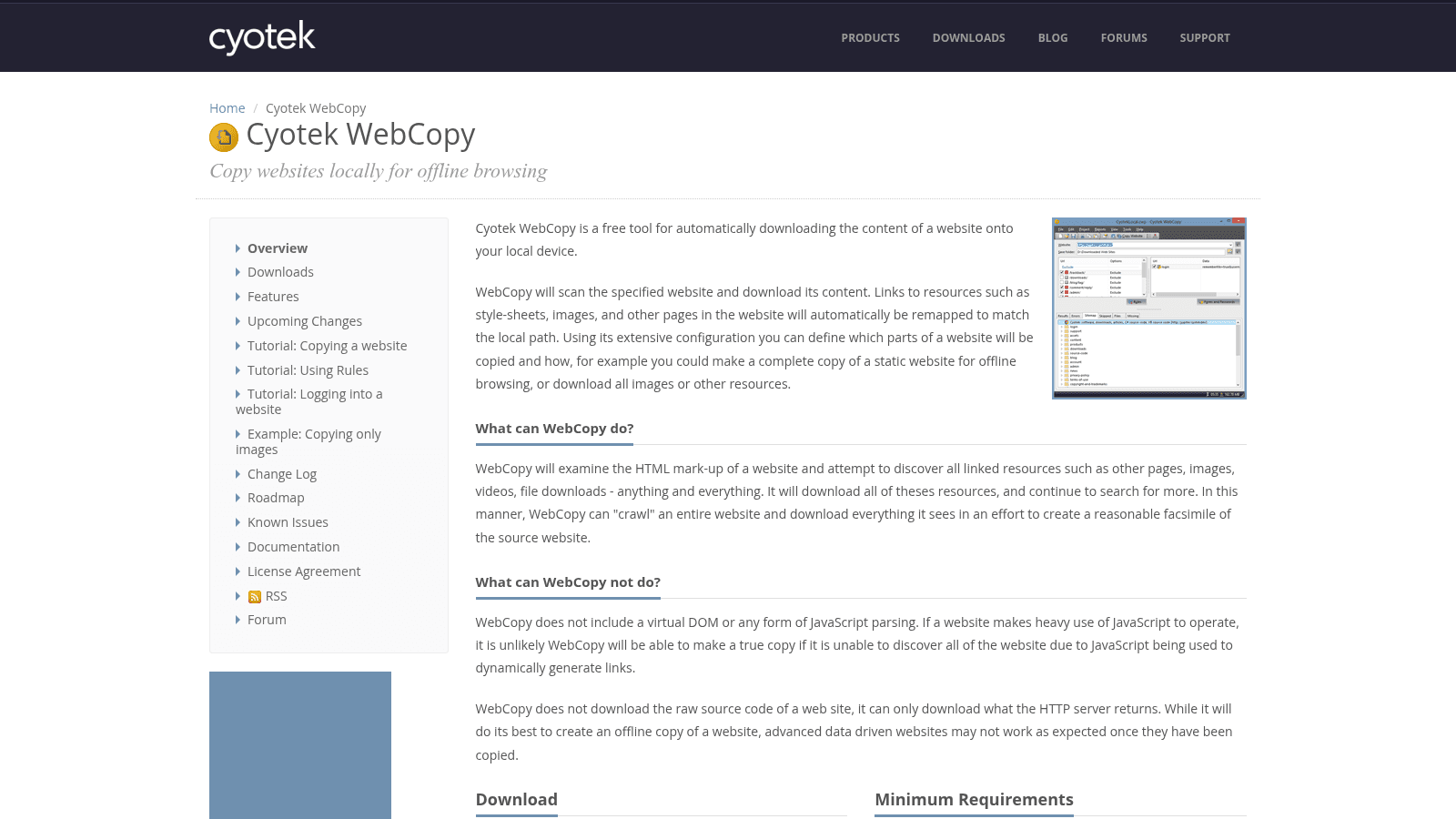
What makes its documentation genuinely useful is that it states its own limits plainly. WebCopy "does not include a virtual DOM or any form of JavaScript parsing," so if a site uses JavaScript to generate its links, the crawler can't discover the pages it should be fetching.
It also "does not download the raw source code of a web site, it can only download what the HTTP server returns," and warns that "advanced data driven websites may not work as expected once they have been copied."
That's the honest description of every tool in this category, including HTTrack. On Linux or macOS, wget does the same job in one line:
`wget --mirror --convert-links --adjust-extension --page-requisites --no-parent https://example.com`
Those flags mirror the site, rewrite links to work locally, add `.html` extensions where needed, pull in the CSS and images each page requires, and stop it from climbing above the starting directory.
What always breaks, and why
The most useful answer on this topic came from a Reddit thread, not a blog post. In r/hacking, a student trying to preserve a school site full of lecture material got the usual HTTrack and wget recommendations.
One commenter added the thing that actually matters: if the site uses a database, a crawler misses those calls entirely, and you end up able to browse only whatever was available as HTML. The original poster eventually succeeded with Cyotek WebCopy after struggling with password-protected areas in HTTrack.
That's anecdotal, but it matches what Cyotek's own documentation says, and it predicts almost every failure you'll hit.
| What you'll lose | Why | What to do instead |
|---|---|---|
| Search, filters, comments, logins | They query a database that isn't in the copy | Migrate the database, or accept a read-only archive |
| Content behind a login | The crawler has no session | Use the tool's authentication options, if you're authorized |
| JavaScript-rendered pages and links | No DOM, no JS execution in the crawler | Use a headless-browser crawler, or copy pages individually |
| Contact and signup forms | The server-side handler stays behind | Rebuild the form against your own backend |
| Fonts and assets on a CDN | Requests to other domains often fail or are blocked | Self-host the assets you're licensed to use |
| Anything personalized per visitor | Generated per session | Not recoverable by copying |
Once you've read that list, the calculation usually changes. For anything beyond a brochure site, mirroring produces a museum piece rather than a working website.
How to copy a WordPress website properly
WordPress is the case where crawlers are the wrong answer entirely, because the content lives in a MySQL database and the crawler only sees the rendered output. If you want to know how to make a copy of a website you own, this is the section that applies.
Use a migration plugin instead. Duplicator, All-in-One WP Migration, and UpdraftPlus all package the database plus `wp-content` into an archive you restore on the destination, and each has a free tier that covers a typical site. Most managed WordPress hosts also have a one-click staging or clone function that does the same thing without a plugin.
The sequence is the same whichever you choose. Take a full backup first, generate the package, create an empty destination install, restore, then update the site URLs so internal links and image paths point at the new domain. Skipping that last step is why a migrated site loads with no styling.
Two things reliably catch people out. Large sites hit PHP memory and execution-time limits mid-export, which is what the paid tiers mostly solve. And licensed premium themes and plugins usually need reactivating on the new domain, since the license is keyed to a URL. If you'd rather hand this over, our roundup of WordPress design agencies covers who does migrations well.
Duplicating pages and templates inside a site builder
If you're asking how to copy a website template you already own, the builder almost always has a native duplicate function, and it's the correct tool.
Webflow, Framer, Squarespace, Wix and Shopify all let you duplicate a page or a whole site inside your own account, which preserves the CMS structure that an external crawler would flatten. Cloning across accounts is more restricted and depends on each platform's sharing or transfer feature.
The thing worth checking before you buy a template is what happens when you change it. A template that looks close to your brand is often harder to adapt than a simpler one, because every custom section fights the original's assumptions. Our comparison of templates versus custom design covers where that trade-off lands.
Platform choice shapes how painful duplication is later, which is the practical argument in our Webflow vs WordPress comparison.
How to copy a website with AI
AI website cloners are the newest category, and they're genuinely useful for one specific job: turning a design you like into editable code as a starting point.
Tools like UXPilot's website cloner and Anima's link-to-code feature take a URL or a screenshot and generate HTML, CSS, or React components. What comes out is a visual approximation with a real component structure, which is a much better starting point than an empty file.
What they don't give you is a working site. There's no backend, no CMS, no forms that submit anywhere, and the generated code usually needs restructuring before it's maintainable. Treat the output as a fast wireframe with the styling filled in, not as a finished product.
The honest use case is speed of exploration. Generating three variants of a layout in ten minutes to see which direction feels right is a good use of the technology. Shipping the output is where it turns into technical debt you didn't write and don't understand.
That trade-off shows up across every automated pipeline, and our guide to content creation automation draws the same line: generate to explore, review before anything reaches an audience. Once a page is live, improving it becomes a growth design problem rather than a copying one.
How to copy a website and make it your own
This is the request underneath most of the others, and the good news is that it's the cheapest path. What you actually want from a site you admire is its decisions, and those transfer without copying anything.
Write down what the page does structurally: what appears above the fold, how many sections before the first call to action, what proof it shows and where, how the navigation is grouped, and what it deliberately leaves out. That's a brief, and it's the valuable part.
Then rebuild it with your own content and brand. You'll end up with something you can edit, that loads properly, that doesn't carry another company's assumptions, and that nobody can send you a takedown notice about. Our post on easy design hacks covers the specific moves that make the biggest visual difference.
That rebuild is most of what our web team does at Awesomic. Clients arrive with three sites they like and a rough sense of why, and the work is turning that into a structure that fits their own content.
We run it on a flat monthly fee rather than a per-project quote, so the revisions don't come with a change order. Our web design and WordPress pages cover how that works.
Pick the method that matches the job
If it's your own site, use a migration tool and move the database. If it's a static site you want offline, HTTrack or wget will do it in an afternoon. If it's a design you admire, write down its structure and build your own version, because that's the only outcome you can actually maintain.
The expensive mistake is spending two days fixing a broken mirror and ending up with a site you can't edit.
If the goal is a working site rather than an archive, Awesomic matches you with a vetted web designer in up to 24 hours, with unlimited revisions on one monthly fee. Compare the options in our breakdown of monthly web design packages and our list of website design agencies, or Get started directly.
FAQ
How do I copy an entire website for offline viewing?
Use HTTrack on Windows, or wget with the `--mirror --convert-links --page-requisites` flags on macOS and Linux. Set a crawl depth of 3 to 5 so you don't pull in the whole internet through outbound links. You'll get the static HTML, CSS and images, but nothing that depends on a database or a login, so treat the result as a read-only archive.
Can I copy a website's HTML and CSS from my browser?
Yes. Right-click any element, choose Inspect, then right-click the node and copy its outerHTML, with the applied rules visible in the Styles pane. Saving the page with Ctrl+S and choosing "Webpage, Complete" grabs the markup plus an assets folder. Either way you're getting the rendered front end, not the server code that produced it.
How do I copy a WordPress website?
Use a migration plugin such as Duplicator, All-in-One WP Migration or UpdraftPlus, or your host's built-in staging or clone tool. These package the MySQL database along with the files, which a site crawler cannot do. After restoring, update the site URLs so internal links and images resolve, and reactivate any premium licenses keyed to the old domain.
Is it legal to copy a website?
Copying your own site, a template you've licensed, or a page for personal offline use is normal. Republishing someone else's text, images or code as your own infringes copyright. Layout ideas and structural patterns are generally not protected, which is why rebuilding a similar structure with your own content is both safer and more useful than cloning.
Can AI copy a website accurately?
AI cloners like UXPilot and Anima will convert a URL or screenshot into HTML, CSS or React that looks close to the original, which is useful for prototyping. They don't reproduce backends, databases, CMS content or working forms, and the generated code usually needs restructuring before it's maintainable. Use it as a starting point, not a finished site.
One subscription and your hiring problems solved


FAQ


Awesomic is a revolutionary app that matches companies with vetted professionals across 30+ skill sets, from design and development to marketing and product. Based in San Francisco with a global core team, we offer a faster and more flexible alternative to traditional hiring through a subscription-based model. Awesomic delivers high-quality talent on demand, without the delays of recruiting.
We function as a subscription-based service that matches you to top-tier, vetted talent. Submit a project in just a few clicks and start receiving deliverables in as little as 24 hours. Scale your Awesomic plan up or down as your business needs change.
Every Awesomic subscription comes with unlimited revisions. You receive daily progress updates via the app, and you can provide feedback or request iterations as needed. If your project requires a different approach, you can request a talent rematch at any time, at no extra cost. You can also add teammates to collaborate and streamline feedback
A talent marketplace is a platform that utilizes data and intelligent matching algorithms to connect professionals with projects based on their skills, experience, and availability. While often used internally by large companies, Awesomic applies this model at scale, matching vetted global talent to your most critical business needs.
Hiring is time-consuming, expensive, and risky. Awesomic eliminates that problem. We rigorously vet all talent for technical ability, communication, and soft skills, ensuring only senior-level professionals work on your projects. You skip the job posts, interviews, and delays, and get straight to results.
No, Awesomic goes beyond design. While many clients utilize us for branding, UI/UX design, or motion graphics, we also provide vetted talent in no-code web development, product design, marketing, and more. Think of us as an extension of your team. A flexible, high-performing creative partner from planning to execution, whether you're building awesome products or scaling your team.
You can talk directly with your matched talent via the Awesomic app, connect via Slack, email, or schedule video calls. No matter the plan, you’ll receive daily updates in the app for every active task. You can also tag us in for any issues through our in-app customer chat.


