




Best App Design Apps in 2026, Free and Paid

Key takeaways:
- App design apps come in three kinds: a design canvas (Sketch), AI screen generators such as Uizard, Sleek and Google Stitch, and no-code builders that also publish (Bubble, FlutterFlow, Adalo, Thunkable, Draftbit).
- Eight of the ten can be used at $0, seven on a free plan and Google Stitch during its free beta.
- No free plan here gets an app into the App Store or Google Play. The cheapest paid route is Draftbit's Standard plan at $12 a month.
- Design for thumbs: Apple's general rule for buttons is a 44x44 pt hit region, so measure whatever a tool generates.
App design apps turn an idea for a mobile or web app into screens you can see, test and hand to whoever builds it. Some stop at the design file, while others build the app and send it to the App Store and Google Play.
We wrote this list for founders, product managers and small teams who need app screens without a full-time designer. It covers three kinds of app design software: a design canvas, AI app designers that turn a prompt into screens, and no-code builders that design and ship.
Figma is covered in our UI design tools and prototyping tools lists, so it isn't repeated here. If you're after an app to design apps without learning a canvas first, start with the AI tools and builders below.
Our own Awesomic Studio sits first because we built it for this job, and we'd rather say so up front. Details on the other nine were read off their own pricing and product pages on September 11, 2026, including what each free plan can't do.
What are app design apps?
App design apps are software for planning and drawing the screens of a mobile or web app: the layouts, the path between screens, and what happens on a tap. The three kinds on this list differ most in what you're holding at the end.
A design canvas such as Sketch leaves you with a design file for a developer to build. AI app design tools leave you with generated screens to export to Figma or code, and no-code builders leave you with a working app that paid plans can publish.
The split mirrors the one between an app designer and a UI designer: the UI side decides how each screen looks, while the app side also decides how screens connect and behave. Canvases lean toward the first job, and builders make you do both.
Mobile app design tools and web app design tools overlap more than their names suggest, and several tools here handle both. The real difference is the target, a phone held in one hand or a wide browser window run with a mouse and keyboard.
The 10 best app design apps compared
The table runs in the same order as the entries below. Each price is the lowest the vendor publishes on its own site, as checked on September 11, 2026, and we flag annual billing wherever it applies.
| Tool | Best for | Key features | Main limitation | Pricing (from) | Rating |
|---|---|---|---|---|---|
| Awesomic Studio | App screens without design skills | Plain-word briefs, mobile and web UX/UI, export to code | No free plan, no store publishing claim | $20/month (no free plan) | ★★★★★ |
| Sketch | Mac-based product design teams | Native canvas, real-time collaboration, handoff | Design editing is Mac-only | $12/editor/month, billed yearly | ★★★★☆ |
| Uizard | Quick concept mockups | Autodesigner, screenshot to design, heatmaps | 3 AI generations a month on Free | $0 (free); Pro $12/month billed annually | ★★★★☆ |
| Sleek | Feeding screens to coding agents | Reference matching, Figma and code export, MCP server | Free credits are one-time; agent access needs Pro | $0 (free); Starter $39/month | ★★★★☆ |
| Google Stitch | Free AI screen exploration | App/Web toggle, Figma export, code export | Beta, with no stated limits or future pricing | $0 (free during beta) | ★★★★☆ |
| Bubble | One platform for web and mobile | Native mobile editor, workflows, OTA updates | Workload units get costly at scale | $0 (free); Starter $59/month billed annually | ★★★★★ |
| FlutterFlow | Owning a real Flutter codebase | Visual builder, code and APK download, 1,000+ templates | Needs Firebase or Supabase for real apps | $0 (free); Basic $39/month | ★★★★★ |
| Adalo | Non-technical founders on flat pricing | Multi-screen canvas, hosted Postgres, App Store publishing | Free plan can't publish any app | $0 (free); Starter $36/month billed annually | ★★★★☆ |
| Thunkable | Testing on your own phone first | Build by chat, live device testing, native builds | Live publishing starts at $59/month | $0 (free); Accelerator $19/month | ★★★★☆ |
| Draftbit | Agent-assisted builds with code export | AI agent sandboxes, code export, 1-click store publishing | Free plan publishes to the web only | $0 (free); Standard $12/month | ★★★★☆ |
The rating reflects how well each tool gets you from an app idea to screens you can build or ship, rather than overall software quality. Bubble and FlutterFlow tie our Studio at five: Bubble puts web, iOS and Android apps on one platform, FlutterFlow hands you real Flutter code plus one-click store deployment from $39, and Studio gets non-designers to finished screens.
1. Awesomic Studio
Best for: App screens without design skills
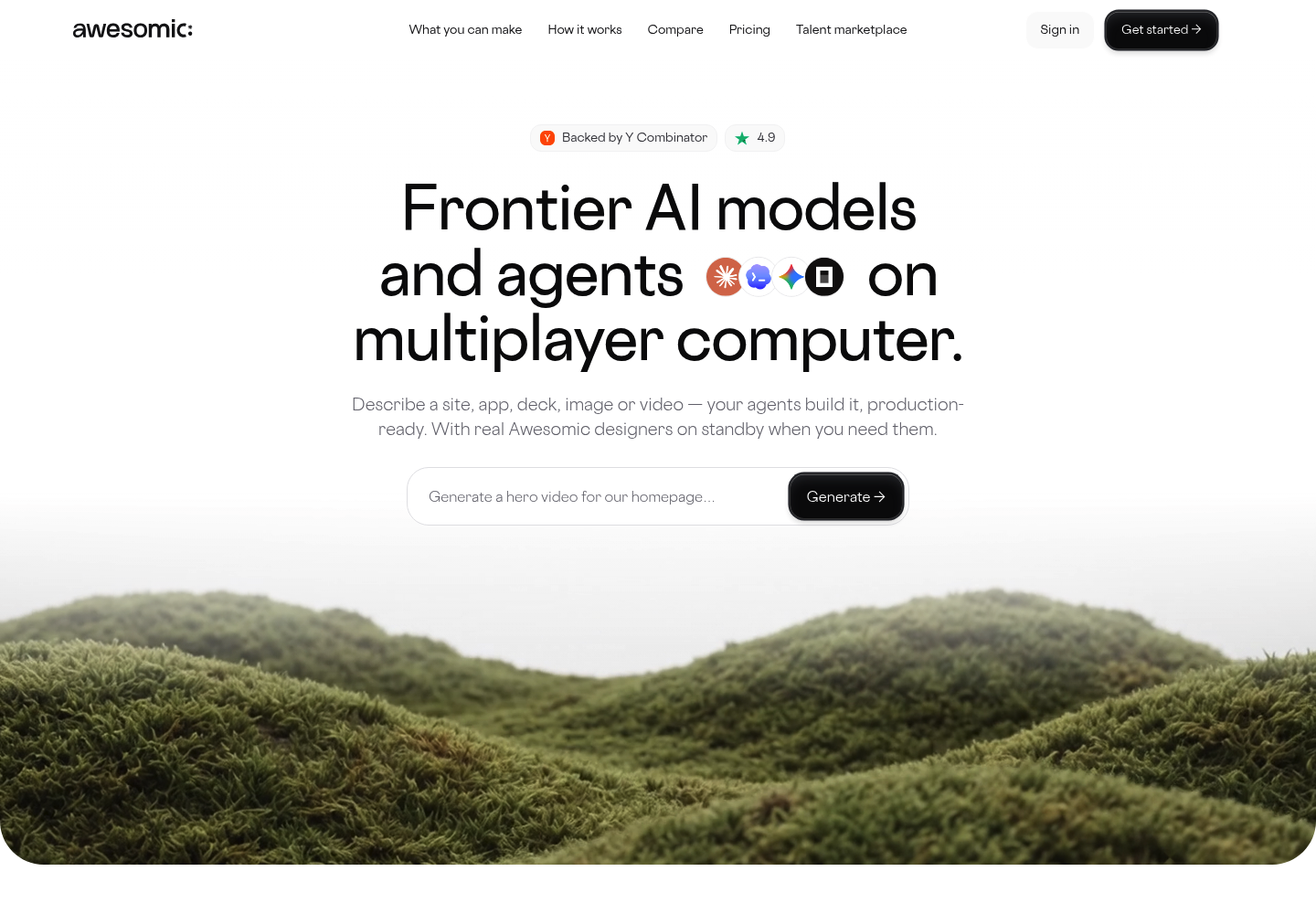
Overview: We built Awesomic Studio for people who can picture an app but can't draw it. You describe it in text, add files or links, or start from a rough idea, and AI agents (Claude Code, Codex and OpenCode) build it in a shared workspace. Studio's own page puts it plainly: "No design skills required."
Mobile app design and web UX/UI design both sit on Studio's list of what it makes, so a signup flow and the web dashboard behind it can share one project and one set of brand assets.
When the screens look right, you export them to code or other tools. If the agents keep missing, a vetted Awesomic designer can step in, then hand the project back.
Key features:
- Briefs in plain words, files or links, so you can start without wireframes
- Mobile and web app design in one workspace, so the product stays consistent
- Agents that research and build end to end, returning built pages
- Export to code or other tools for the build
- Connections to Figma, GitHub, Framer and five other tools
- Claude, GPT and Gemini text models in one place, so you aren't tied to one AI
Pricing: At $20 a month, Studio's Basic plan costs less than the first paid tier of FlutterFlow ($39), Adalo ($36, billed annually) or Bubble ($59, billed annually), and more than Draftbit's $12 Standard or Thunkable's $19 Accelerator, which doesn't include a published app. Pro ($200) and Maximum ($500) raise the monthly usage budget, which matches the plan price, though no rate is published for what a single build consumes.
Pros: no design skills needed, mobile and web screens in one project, export to code or other tools, agents that work while you're away, a designer on standby
Cons: no App Store or Google Play publishing claim on its page, so plan on exporting for a store build, and no free plan or trial, so you pay before your first screen
How to start using it:
- Start a workspace on the Basic, Pro or Maximum plan.
- Describe who the app serves, its main job and the screens you expect.
- Attach a brand file or a screenshot of an app whose look you like.
- Review what the agents build and request changes in plain words.
- Export the finished screens to code or your team's tools.
Why it's one of the best app design apps: Studio removes the step where many non-designers stall, turning an idea into designed screens, with no canvas to learn first. One workspace covers mobile and web, so the app and its web companion look like one product.
Final verdict: Choose Studio if you know what your app should do and want designed screens without learning a design tool. If you'd rather experiment for free first, try Google Stitch or Uizard and bring the winning idea here.

2. Sketch

Overview: Sketch is a native Mac design app and the one pure design canvas here, so you draw every screen yourself. Its web and iPhone/iPad apps handle viewing, handoff and mirroring, not editing.
Key features:
- Real-time collaboration and version history in unlimited cloud documents
- Developer handoff to engineers
- iPhone and iPad mirroring for checking screens at real size
Pricing: Standard is $12 per editor per month, Professional $24 and Enterprise $44, all billed yearly. There's no free plan, only a 30-day trial with no card, or a $120 one-time Mac-only license with a year of updates and no collaboration.
Pros: full control of every screen, a one-time license option, handoff on every subscription
Cons: editing needs macOS Sequoia (15.0.0) or newer, no free plan, no path to a store
Where it fits: Mac-based teams that design by hand and want a native tool, not a browser tab.
Final verdict: Pick Sketch when your designers use Macs, and plan a separate route to build and ship.
AI app design tools that turn a prompt into screens
Three of the leading AI tools for app design stop at the design: you type what you want, and they return screens to edit and export. None of them publishes to the App Store or Google Play, so treat their output as a head start for a canvas, a builder or a developer.
3. Uizard

Overview: Uizard turns a prompt or a screenshot into editable app screens for concept mockups before anything gets built. Miro bought it in 2024, and it's now branded "Uizard by Miro Labs."
Key features:
- Autodesigner, which turns a prompt into a multi-screen UI
- Screenshot to editable design for reworking an existing screen
- Predictive attention heatmaps that estimate where people look first
Pricing: Free allows 3 AI generations a month across 2 projects. Pro costs $12 a month billed annually ($15 month to month) for 500 generations and React/CSS handoff, and Business is $39 a month billed annually for 5,000 generations, with Enterprise custom.
Pros: a low paid entry, screenshots that become editable files, React/CSS handoff on Pro
Cons: 3 generations a month on Free, a 500-generation cap on Pro, no store publishing
What it is genuinely good at: Getting a multi-screen concept in front of stakeholders before anyone draws a frame.
Final verdict: Use Uizard to test an idea cheaply, then build the winner elsewhere.
4. Sleek

Overview: Sleek calls itself an "AI Mobile App Designer": describe an app or share a reference design, and it produces the screens. An official MCP server and agent skill let Claude Code, Cursor and Codex fetch them mid-build.
Key features:
- Prompt-based design or reference matching
- Figma and code export
- An MCP server that plugs designs into coding agents
Pricing: Credits drive every plan: Free has one-time trial credits for 1 project, Starter is $39 a month for about 100 screens, Pro $69 for about 650 plus API and agent access, and Team $99 per user, all billed monthly. Yearly billing is sold as "6 months free," and the paid tiers carry an "Early Bird" label.
Pros: built for mobile screens, a direct line to coding agents, unlimited export from Starter
Cons: limited code and Figma exports on Free, free credits don't renew, agent access starts at $69
Why teams shortlist it: It suits builds already running through Claude Code or Cursor.
Final verdict: Pick Sleek when an agent writes your app's code.
5. Google Stitch

Overview: Google Stitch is a Google Labs product, labeled BETA, that turns ideas into UI designs "for mobile and web applications." An App/Web toggle sets the target, and the results export to Figma or code.
Key features:
- Prompt to full UI screens for an app or a website
- Figma export, so a designer can refine what the AI started
- Code export as a developer's starting point
Pricing: Stitch is free during the beta, and Google publishes no pricing page or paid plan. Nothing it has published commits to future limits or prices, so don't budget around it staying free.
Pros: free today, app and web layouts, Figma and code export
Cons: beta with no commitment on limits or pricing, results that hinge on the prompt, design only
Its real strength: You can try several directions for a screen at no cost while the beta lasts.
Final verdict: Start here on a zero budget, with a paid fallback ready if the beta terms change.
No-code app builders that design and ship
If you want app design software, no coding required, these five builders let you lay out screens and publish the finished app from a paid plan. Native mobile on no-code tools is newer than it looks.
In a Bubble thread on Reddit, one practitioner who built a native marketplace app said Bubble's native mobile "works just fine, was pretty easy to build and to deploy," while others noted that until recently people faked native by wrapping the web app. That's one community's experience, so test on your own phone before you commit.
6. Bubble

Overview: Bubble began as a web app builder and now says it "comes with everything you need to build web, iOS, and Android apps." Its native mobile editor, mobile debugger and on-device testing all work on the free plan.
Key features:
- Visual workflows for app logic
- Unlimited over-the-air (OTA) updates
- API connector for outside services
Pricing: Free gives you 50K workload units a month but no store submissions, so Starter at $59 a month (5 build submissions a month, custom domain) is the minimum to publish. Growth ($209) and Team ($549) add capacity, Enterprise is custom, and all three published prices are billed annually.
Pros: one platform for web, iOS and Android, mobile testing on Free, unlimited OTA updates
Cons: workload-unit billing climbs with usage, no store builds on Free, 5 submissions a month on Starter
Where it beats the alternatives: Web app and native mobile app live on one platform instead of two.
Final verdict: Strong for a web app plus a store app, if you budget for workload units.
7. FlutterFlow
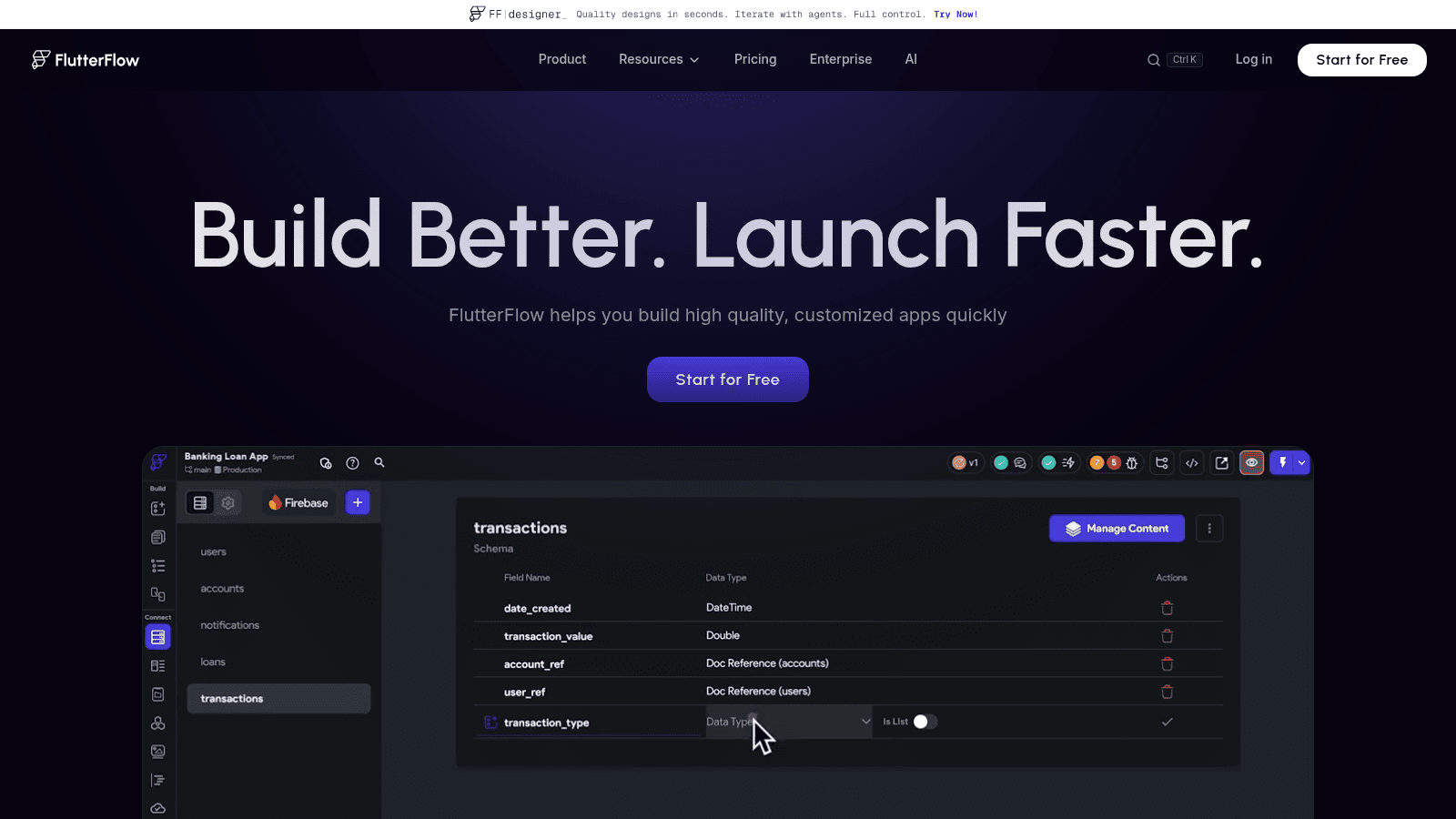
Overview: FlutterFlow is a visual builder that outputs a real Flutter codebase, downloadable on paid plans. Real apps pair it with Firebase or Supabase as the database, and a VS Code extension covers custom code.
Key features:
- 1,000+ templates to start from
- Code and APK download from Basic up
- GitHub and real-time collaboration from Growth up
Pricing: Free covers 2 projects and 5 lifetime AI requests, with no code or APK download. Basic ($39 a month) adds downloads and one-click App Store deployment, Growth is $80 plus $55 for a second seat, Business $150 plus $85 for each seat up to five, and annual billing saves about 25%.
Pros: an owned Flutter codebase, App Store deployment from $39, Figma frame import on Business
Cons: needs Firebase or Supabase, no downloads on Free, per-seat costs for teams
Why it's one of the best app design apps: What you design is the app's actual code, so a developer inherits a repository, not a mockup.
Final verdict: For no-code speed now and code ownership later.
8. Adalo

Overview: Adalo bills itself as "The Visual No Code App Builder: Now Powered By AI." You arrange screens on a multi-screen canvas, store data in its hosted Postgres database, and get help from its Ada AI Assistant (in beta).
Key features:
- Drag-and-drop multi-screen canvas
- Hosted Postgres, so there's no backend to set up
- Automated App Store publishing from Starter up
Pricing: Adalo sets its plans by how many apps you publish and says it has no usage-based charges. Free publishes nothing (500 records per app), Starter is $36 a month for 1 app, Professional $52 for 2 and Team $160 for 5, all billed annually, and paying monthly costs about 20% more.
Pros: no usage-based charges, unlimited screens even on Free, a built-in database
Cons: Free can't publish any app, a 500-record limit per app on Free, a cap of 1, 2 or 5 published apps by plan
Why it made this list: If you can't predict usage, the bill stays flat as traffic grows.
Final verdict: Suits a non-technical founder shipping one or two apps on a fixed budget.
9. Thunkable

Overview: Thunkable now opens with "Welcome to Thunkable AI": you build native iOS and Android apps by chatting, then refine them with drag-and-drop and no-code logic, testing each change on your own phone.
Key features:
- Build by chat for a quick first version
- Real-size live testing on a device
- Native iOS and Android builds
Pricing: Tokens meter the AI: Free includes 2,000 tokens and 3 public projects of 5 screens each, and Accelerator ($19 a month) raises the tokens to 20,000. Publishing starts on Builder at $59 a month for 1 live app, Advanced ($189) allows unlimited live apps, all billed monthly, and Enterprise and Education are custom.
Pros: live testing on your own phone, AI and manual editing together, a $19 first step
Cons: live publishing from $59 a month, 5 screens per project on Free, token caps
Who it suits: Anyone who wants to hold the app on their own phone while it's still being built.
Final verdict: Pay only once the app is ready for the stores.
10. Draftbit

Overview: Draftbit has repositioned from a visual React Native builder to an AI-agent platform: "Build web and mobile apps with AI agents, full visual control, and human experts." Claude Code or OpenAI Codex run in its sandboxes, paid for with your own AI account or Draftbit credits.
Key features:
- Agent sandboxes with visual control
- Full code export from Standard up
- One-click iOS, Android and web publishing
Pricing: Standard, at $12 a month for one editor plus $8 per added seat, is the lowest-priced plan here with iOS and Android publishing. Free is web-only (1 sandbox, 5,000 one-time credits), Pro is $24 with up to 3 sandboxes, simulators and App Store submission help, Team is $120, and credit top-ups cost extra.
Pros: code export and store publishing from $12, simulators on Pro, works with your existing AI accounts
Cons: web-only Free plan, sandbox caps on concurrent builds, AI usage billed on top of paid plans
What sets it apart: Agent-assisted building that keeps the source code yours.
Final verdict: Made for developers already paying for Claude or OpenAI.
How we chose these app design apps
Every tool here had to produce app screens for mobile, web or both, by drawing, prompting or building. We read each vendor's own homepage and, where one exists, its pricing page on September 11, 2026, so every price, limit and free-plan restriction comes from the vendor, not from a directory or another roundup.
We also traced each tool's path to a finished app (a design file, an export or a store build) and checked that it still does the job its name suggests. That check removed Glide, which has rebranded as GlideOS for internal business apps and shows no App Store or Google Play path.
We left out app design agencies and freelancers too, because paying for finished work is a different decision from buying software.
What to look for in mobile app design software
Most tools on this list now sell AI features, so the feature list tells you little. These checks decide far more about whether your app gets built:
- Whether the free plan or trial lets you finish one real flow, from signup to the main task
- What you can export (a design file, Figma, code or a store build) and which plan includes it
- Previews at phone and desktop sizes, since many products need both
- Where the app's data lives, such as Adalo's hosted Postgres or Firebase and Supabase with FlutterFlow
- A pricing unit you can predict as usage grows, such as seats, published apps, credits, tokens or workload units
- Live testing on your own phone before you pay to publish
Web apps bring their own demands, such as dense tables, filters and keyboard shortcuts on a wide screen, so study a few strong examples of web app design before you brief a generator.
Check tap targets on every screen
Whatever mobile app design software draws your screens, people will tap them with a thumb. Apple's Human Interface Guidelines say a button needs "a hit region of at least 44x44 pt" so people can select it easily, and that applies to generated buttons as much as hand-drawn ones.
Academic research lands in the same place. In a 2006 MobileHCI study of one-handed thumb use, researchers Parhi, Karlson and Bederson recommended targets of at least 9.2 mm for single-target tasks and 9.6 mm for multi-target tasks.
Measure a few buttons and list rows in anything a tool hands you, because a screen that looks tidy on a monitor can still be hard to hit on a phone.
How to choose the right app design app
If you want simple app design software for a first version, match the tool to your situation rather than to the longest feature list. The table pairs common starting points with a tool from this list.
| Your situation | Start with | Why |
|---|---|---|
| You can describe the app but can't design it | Awesomic Studio | Agents build mobile and web screens from plain words, then you export |
| Your designers work on Macs | Sketch | A native canvas with handoff and device mirroring |
| You need a free concept for stakeholders | Uizard or Google Stitch | Prompt to screens at $0 |
| An AI agent writes your app's code | Sleek or Draftbit | Sleek feeds designs to agents; Draftbit runs the agents |
| You need a web app and a store app | Bubble | Web, iOS and Android on one platform |
| You want to own the code | FlutterFlow | Flutter code and APK download from $39 a month |
| You want a bill with no usage charges | Adalo | Flat plans set by published-app count |
| You want to build by chat and test on your phone | Thunkable | Chat-built native apps, tested live on your device |
Two cases fall outside the table. If all you need is a clickable demo for a user test, rather than screens you'll build, dedicated prototyping tools handle that with less setup. If your app already has paying users, the better buy may be a person rather than another tool.
How much app design apps cost, free and paid
Pricing follows the kind of tool. Sketch charges per editor ($12 to $44 a month billed yearly, or $120 once for a Mac-only license), and the AI designers meter generations or credits, with paid plans from $12 a month billed annually at Uizard and $39 billed monthly at Sleek, while Google Stitch is free in beta.
The builders bill for what you publish or use: workload units at Bubble, published apps at Adalo, tokens and live apps at Thunkable, seats at FlutterFlow, and sandboxes plus credits at Draftbit.
Eight of the ten tools can be used at $0: seven have a free plan, and Google Stitch is free while its beta lasts. The exceptions are Sketch, which offers a 30-day trial instead, and our own Awesomic Studio, which has neither a free plan nor a trial.
Publishing is the bigger catch. None of the five builders submits an App Store or Google Play build on its free plan, and none of the five design-first tools claims store publishing at any price, as the table shows.
| Tool | Free option | What it can't do for free | Store publishing from |
|---|---|---|---|
| Awesomic Studio | None, and no trial | Not applicable | No store claim; export the result |
| Sketch | 30-day trial, no card | Anything after 30 days | Not offered (design only) |
| Uizard | 3 AI generations a month, 2 projects | Go past 3 generations or 2 projects | Not offered |
| Sleek | One-time trial credits, 1 project | Unlimited code and Figma export | Not offered |
| Google Stitch | Free during the beta | Promise how long it stays free | Not offered |
| Bubble | 50K workload units a month | Submit a store build | Starter, $59/month billed annually |
| FlutterFlow | 2 projects, 5 lifetime AI requests | Download code or an APK | Basic, $39/month |
| Adalo | 500 records per app, 1 editor | Publish any app | Starter, $36/month billed annually |
| Thunkable | 2,000 AI tokens, 3 public projects | Publish a live app | Builder, $59/month |
| Draftbit | 1 sandbox, 5,000 one-time credits | Publish to iOS or Android | Standard, $12/month |
Usage pricing is where a builder's bill grows. A developer on Reddit who says they've rescued more than 50 Bubble apps still likes Bubble for MVPs, but argues it "simply gets too expensive for production" and moved a production app off it. That's a single developer's account, so model your expected traffic against the workload-unit allowance before launch.
Your own hours count too, since time spent arranging screens is time off the product, which is why some teams pay for mobile app design services rather than a tool.
Your next step: a tool, a builder or a designer
Even simple app design software rewards a plan, so put one real screen through the tool you're leaning toward this week, in this order:
- Write a one-paragraph brief covering who the app is for, the main task and the screens that matter most.
- Generate free drafts in Google Stitch or Uizard to settle the layout.
- Make the version you'll keep in an AI designer, Sketch or a builder, depending on who does the work.
- Test it on a real phone, checking tap targets against Apple's 44x44 pt guideline.
- Pay for the first plan that matches how you'll ship, whether that's an export, a code download or a store build.
A tool stops being enough when design becomes how the app competes, for example when onboarding or brand has to stand out in a crowded category. At that point a dedicated mobile app designer who owns the flows and the details is worth more than another subscription.
FAQ
What's the best free app to design apps?
The answer depends on whether you want screens or a finished app. For screens, Google Stitch is free during its beta and handles app and web layouts, and Uizard's free plan gives you 3 AI generations a month.
To build as well, Bubble, FlutterFlow, Adalo, Thunkable and Draftbit all have free plans, though every one of those free plans stops short of the stores.
Which are the leading AI tools for app design?
Three dedicated AI design tools sit in their own group on this list: Uizard, Sleek and Google Stitch. Uizard is aimed at concept mockups, Sleek hands screens to coding agents, and Stitch is free while in beta.
Several builders have added AI too. Thunkable builds apps from a chat, Adalo has its Ada AI Assistant in beta, Draftbit runs Claude Code and Codex agents, and FlutterFlow's free plan includes 5 lifetime AI requests.
Can you design and publish an app without coding?
Yes. For app design software, no coding needed, pick one of the five builders, and expect publishing to sit on a paid plan: Draftbit Standard at $12 a month, Adalo Starter at $36 a month billed annually, FlutterFlow Basic at $39 a month, or Bubble Starter (billed annually) and Thunkable Builder at $59 a month each.
Sketch and the AI design tools make no store-publishing claim, so their output needs a builder or a developer to reach the stores.
How do web app design tools differ from mobile app design tools?
Mostly in the screen they design for. Mobile app design tools center on phone frames, thumb-sized targets and store builds, while web app design tools plan for wide layouts, dense tables and a mouse and keyboard.
Several tools here do both: Google Stitch has an App/Web toggle, while Bubble, FlutterFlow and Draftbit build for web and mobile.
Do you still need a designer if you use an app design app?
Not for a first version, since a founder with a clear brief can get usable screens from the AI tools and builders here. Once the app has users and details like onboarding, accessibility and brand consistency start to matter, many teams bring in a person, and the timing of hiring designers becomes the real decision.
One subscription and your hiring problems solved

FAQ


Awesomic is a revolutionary app that matches companies with vetted professionals across 30+ skill sets, from design and development to marketing and product. Based in San Francisco with a global core team, we offer a faster and more flexible alternative to traditional hiring through a subscription-based model. Awesomic delivers high-quality talent on demand, without the delays of recruiting.
We function as a subscription-based service that matches you to top-tier, vetted talent. Submit a project in just a few clicks and start receiving deliverables in as little as 24 hours. Scale your Awesomic plan up or down as your business needs change.
Every Awesomic subscription comes with unlimited revisions. You receive daily progress updates via the app, and you can provide feedback or request iterations as needed. If your project requires a different approach, you can request a talent rematch at any time, at no extra cost. You can also add teammates to collaborate and streamline feedback
A talent marketplace is a platform that utilizes data and intelligent matching algorithms to connect professionals with projects based on their skills, experience, and availability. While often used internally by large companies, Awesomic applies this model at scale, matching vetted global talent to your most critical business needs.
Hiring is time-consuming, expensive, and risky. Awesomic eliminates that problem. We rigorously vet all talent for technical ability, communication, and soft skills, ensuring only senior-level professionals work on your projects. You skip the job posts, interviews, and delays, and get straight to results.
No, Awesomic goes beyond design. While many clients utilize us for branding, UI/UX design, or motion graphics, we also provide vetted talent in no-code web development, product design, marketing, and more. Think of us as an extension of your team. A flexible, high-performing creative partner from planning to execution, whether you're building awesome products or scaling your team.
You can talk directly with your matched talent via the Awesomic app, connect via Slack, email, or schedule video calls. No matter the plan, you’ll receive daily updates in the app for every active task. You can also tag us in for any issues through our in-app customer chat.


