




Best Website Design Tools in 2026: Our Top Picks

Key takeaways:
- Eight of the eleven are built to publish and host a finished site. Figma publishes through Figma Sites (beta, paid Full seats only) and Figma Make's hosted web apps, while Spline and Rive make pieces for a site built elsewhere.
- Figma, Webflow, Spline and Rive charge per seat, Framer adds $20 a month per extra editor on a yearly plan, and Lovable and Relume's publishing plans don't bill by head.
- Free tiers come with caps: Rive's can't export, and Relume's free sites carry a badge and a limit of 1,500 page views a month.
- Animated transitions helped people read changing charts in a 2007 IEEE study, and Google counts an interaction response of 200 milliseconds or less as good.
Website design tools are where a site gets planned, designed and built, and many now use AI to draft pages, 3D scenes or whole apps from a prompt. What most roundups skip is where the work ends up: on a live site, in a design file, or inside another builder.
We judged each on three questions: what its AI builds without code, how a team shares one site and pays for it, and which interactive elements reach a live page. All-in-one small-business website builders such as Squarespace and GoDaddy aren't here, since they're made to get an owner online fast rather than to hand a designer control.
We ranked our own Awesomic Studio first and held it to the same checks, weak spots included.
What are website design tools?
Website design tools are software for designing a site's pages and getting them to visitors, from the first layout to the animation that plays on a click. They come in three kinds.
Publishing tools such as Webflow, Framer, Wix Studio and Readymag take a design to a live URL. Design canvases such as Figma Design produce the layout a site is built from. Interaction engines such as Spline and Rive make pieces you place inside a site built elsewhere.
The 11 best website design tools, compared
The table follows list order, with each tool's lowest verified price and its billing basis where there's more than one.
| Tool | Best for | Key features | Main limitation | Pricing (from) | Rating |
|---|---|---|---|---|---|
| Awesomic Studio | Briefing agents to build and host a site | Multiplayer workspace, image and video models, hosting | Not a vector editor; no free plan | $20/month | ★★★★★ |
| Figma | Designing site pages as a team | Real-time canvas, Figma Sites (beta), Figma Make | Publishing Sites needs a paid Full seat | $0 (Starter) | ★★★★★ |
| Webflow | CMS sites with custom motion | GSAP interactions, CMS, reviewer roles | Steep learning curve | $0 (Starter) | ★★★★★ |
| Framer | Design-led marketing sites | AI credits, code components, staging | Extra editors bill monthly | $0 (free plan) | ★★★★★ |
| Wix Studio | Agencies handing sites to clients | Same-time editing, live comments, client workspace | 3 collaborators on Basic | $0 (free plan) | ★★★★★ |
| Canva | Quick sites for non-designers | Canva Websites, Canva Code, real-time collaboration | Your own domain needs Pro | $0 (free plan) | ★★★★★ |
| Relume | Going from a brief to a marketing site | AI sitemaps and wireframes, export to three tools | Badge and view cap on free hosting | $0 (free hosting) | ★★★★★ |
| Spline | 3D scenes embedded in a site | AI or hands-on 3D, iframe embeds | Heavy scenes slow pages | $0 (free plan) | ★★★★☆ |
| Rive | Interactive animation for a site built elsewhere | State machines, web and mobile runtimes | No export on the free plan | $0 (free plan) | ★★★★☆ |
| Lovable | Sites that behave like apps | Prompt-to-app builds, hosting, unlimited members | Custom domains need Pro | $0 (free plan) | ★★★★★ |
| Readymag | Editorial and portfolio sites | Multi-step animations, hotspots, draggable objects | Code export and iframe embeds only on Advanced | $0 (free plan) | ★★★★★ |
Every tool here earned its place for the use named in its Best for column, so the stars mark one difference only: whether it finishes that job without a second tool. Spline and Rive get four stars because their scenes and animations need a site built elsewhere, and the other nine get five.
1. Awesomic Studio
Best for: Briefing agents to build sites
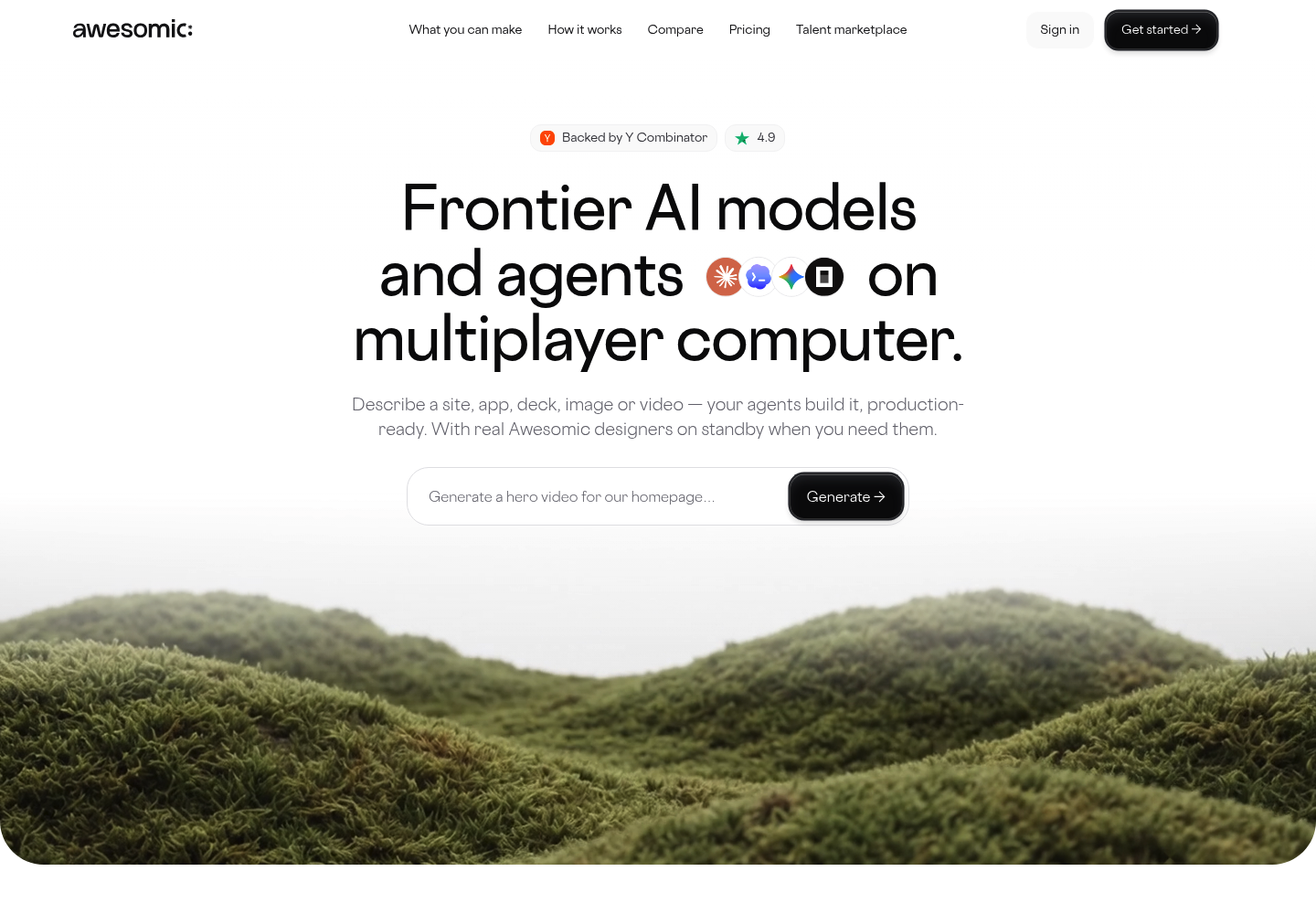
Overview: The Studio page sums it up as "Frontier AI models and agents on multiplayer computer." That means a shared workspace where teammates and AI agents work on the same project, so the brief, the reviews and the build sit in one place.
You write the brief in everyday language and add files or links, and coding agents (Codex, Claude Code and OpenCode) build it. Image models such as Nano Banana, Seedream and Flux and video models such as Veo, Kling and Seedance give you visual options, and the page's own prompt box suggests "Generate a hero video for our homepage..."
Awesomic Studio then publishes and hosts the site, privately for your team or publicly. If the agents get it wrong, a vetted designer or developer takes the project over and hands it back, backed by the team behind Awesomic and its 20,000+ delivered projects.
Key features:
- A multiplayer workspace where teammates and agents build and review one project
- Coding agents that turn a plain-language brief into a working site
- Image models (Nano Banana, Seedream, Flux) for visual directions to choose from
- Video models (Veo, Kling, Seedance) for motion such as a hero video
- Publishing and hosting built in, with private sharing before launch
- Eight connections, Figma, Framer and Webflow among them, and export to code or other tools
Pricing: Studio's plans cost $20, $200 or $500 a month (Basic, Pro and Maximum), and whatever you pay becomes that month's budget for your agents. The pricing page doesn't say how much a single build or model run uses.
Pros: people and agents in one workspace, image and video models included, hosting built in, a human designer on standby
Cons: not a vector editor, no version-control claim, no free plan, and no rate published for a single build, and its pages don't say whether you can use your own domain
How to start using it:
- Describe the site: who it's for, which pages it needs and what a visitor should do.
- Attach what you have, such as copy, a logo, files or links.
- Bring teammates into the workspace to review versions as the agents build them.
- Ask the image and video models for hero options and pick one.
- Share the site privately, then publish it, and call in a designer if the agents miss.
Why it's a good website design tool: AI builds from a description, your team and the agents share one project, and the site goes live without a separate host.
Final verdict: Studio suits you when briefing a site beats drawing one. For pixel-level drawing, stay in Figma, since Studio isn't a vector editor.

2. Figma

Overview: Figma Design's page leads with "Made for the big picture." Designs there go live through Figma Sites (beta) or become working prototypes in Figma Make.
Key features:
- Real-time editing in one shared file
- A built-in CMS in Figma Sites
- Figma Make, which any seat can try in drafts
Pricing: Starter is free, with unlimited drafts, 3 Design and Sites files in its shared folder, view-only draft sharing and a 500-credit monthly AI ceiling (150 a day). A Professional Full seat is $16 a month yearly or $20 monthly with 3,000 credits (Dev $12 or $15, Collab $3 or $5), and Organization ($55) and Enterprise ($90) have no monthly option.
Pros: design and publishing in one file, seats priced by role, Make works from your frames
Cons: Sites is still in beta, only Full seats publish Sites or share Make files on paid plans, custom-domain help that still reads "free of charge through 2025"
Where it fits: Teams designing every page together before it's built.
Final verdict: Design here as a team, and test Sites before you rely on it.
3. Webflow
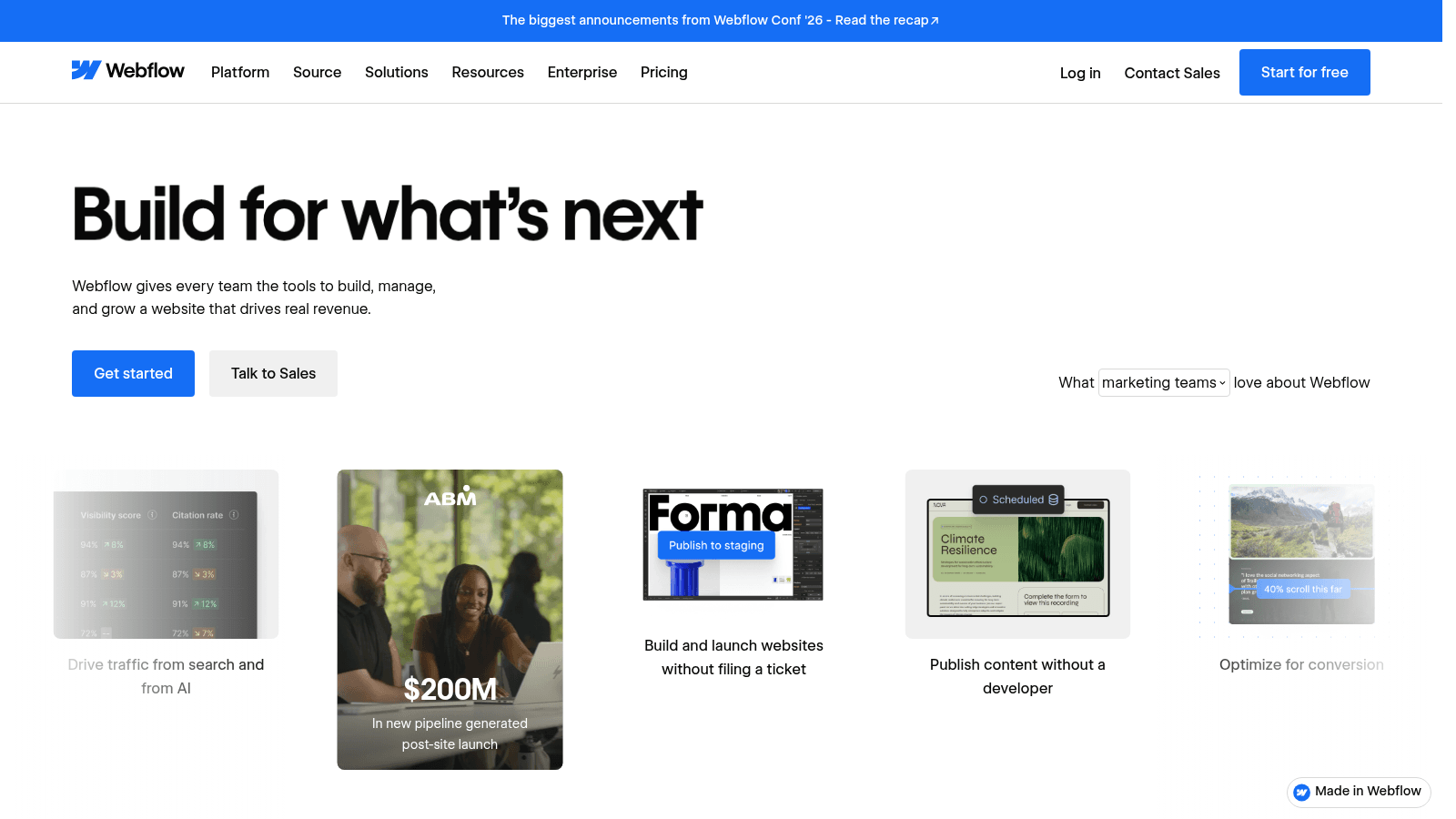
Overview: Webflow ("Build for what's next") is a visual builder for production sites. Its interactions run on GSAP, the animation library gsap.com says is free for all users because of Webflow's support.
Key features:
- GSAP-based interactions that publish with the site
- Content editor, reviewer and admin roles
- A CMS on Premium with 40 collections and 20,000 items
Pricing: Starter is free (a webflow.io domain, 2 static pages), Basic is $15 a month billed yearly or $25 monthly without a CMS, and Premium is $25 or $39 with one. Paid Workspace plans cost extra, from $16 a month yearly ($24 monthly) on Freelancer or $19 ($28) on Core.
Pros: free GSAP animation, in-place review and approval, a real CMS on Premium
Cons: a steep learning curve, one-way code export that breaks forms, a $2,500-a-month Team plan (annual contract) as the next step after Premium
Its real strength: Motion, CMS and hosting sit in one tool, so the interactions you design are the ones that ship.
Final verdict: Worth the learning time for a CMS site with custom motion.
4. Framer
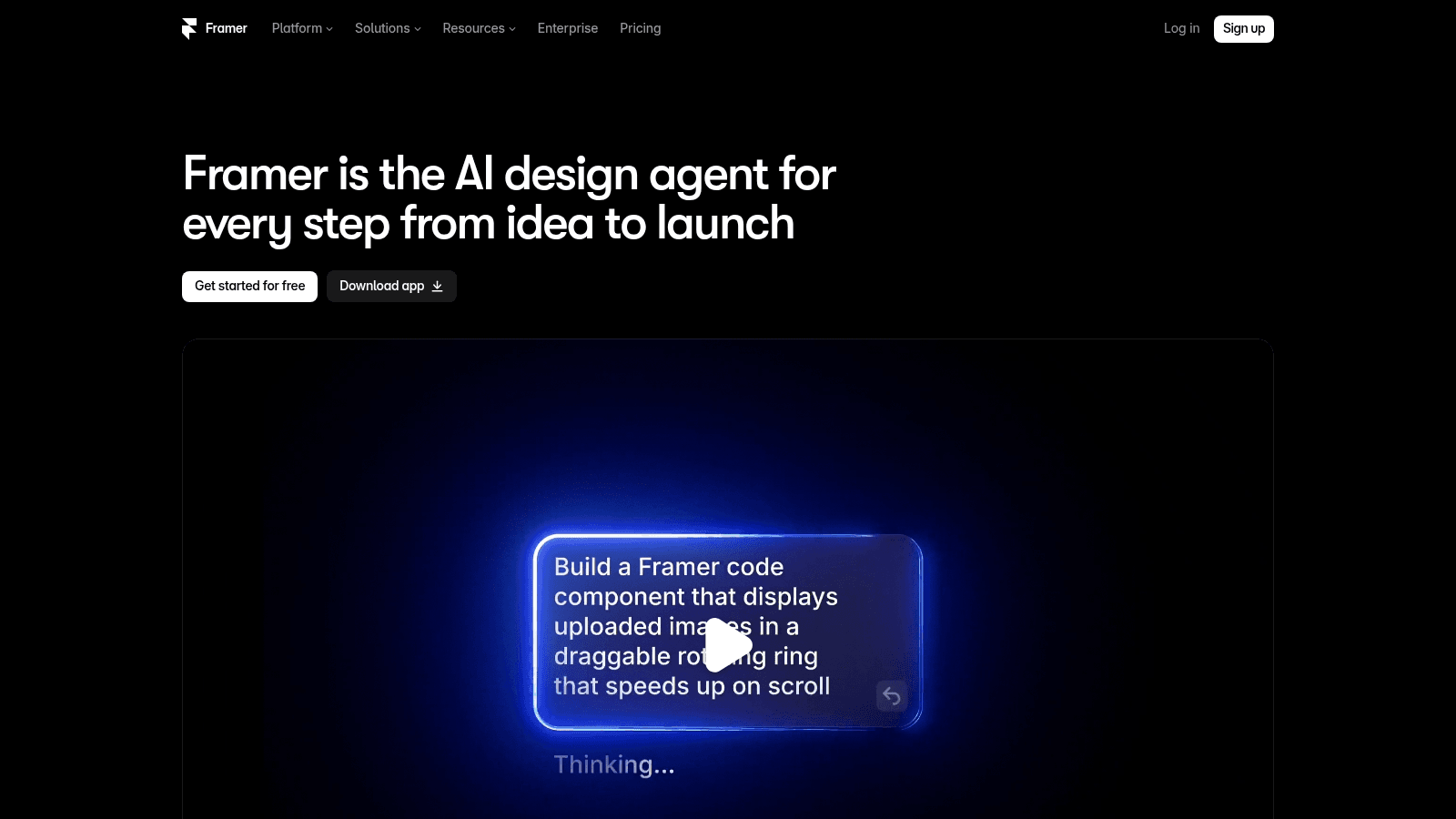
Overview: Framer pitches itself as an "AI design agent" for the whole path from idea to launch, on a canvas that publishes straight to the web.
Key features:
- AI credits: 500 to try on Free, 1,000 a month on Basic, 3,000 on Pro
- Code components for custom interactions
- Staging, branching and roles on Pro
Pricing: Paying yearly, Basic runs $10 a month and Pro $30, or $15 and $45 month to month. Extra editors cost $20 a month each on a yearly plan or $30 on a monthly one. A content editor who only updates the CMS and page copy costs $10 a month on a yearly plan.
Pros: design and publishing in one tool, custom interactions through code, staging before changes go live
Cons: a help center that contradicts itself on HTML export and on whether Free's 500 credits refill, editors billed monthly on yearly plans
Why it's a good website design tool: A designer can take a marketing site from first frame to live page without a handoff.
Final verdict: A strong pick for design-led marketing sites, once you've priced the editors.
5. Wix Studio
Overview: Wix Studio ("Design with impact. Deliver at scale.") is Wix's platform for designers, developers and marketers, sold on its own plans, separate from core Wix.
Key features:
- Simultaneous editing with custom roles and live comments
- A client workspace for handing sites over
- CMS items by plan: 1,500 on Basic, 4,000 on Standard, 20,000 on Plus and 10 million on Elite
Pricing: Wix lists $19 a month for Basic, $27 for Standard, $34 for Plus and $159 for Elite, all for yearly subscriptions paid in full, with Enterprise custom. A 14-day money-back guarantee applies. A free plan also publishes on a wixsite.com address with Wix Studio branding.
Pros: real-time co-editing with roles, built-in client handover, "Responsive AI" for mobile, tablet and desktop breakpoints
Cons: 3 collaborators on Basic and 5 on Standard, SSO and multi-site management reserved for Enterprise, a full year paid up front
Why agencies shortlist it: Handover is part of the product, and collaborators rise to 100 on Elite and unlimited on Enterprise.
Final verdict: A fit for agencies that hand finished sites to clients.
6. Canva

Overview: Canva Websites ("A website builder for scroll-stopping sites") shares an editor with Canva's AI tools: Magic Write for copy and Canva Code for pieces that "respond to clicks, taps, and scrolls."
Key features:
- Up to five live sites free on Canva's domain (xyz.my.canva.site)
- Real-time collaboration on Free and Pro
- HTTPS on every Canva website, free domain or paid
Pricing: Pro covers one person for $144 a year, or $18 on monthly billing, and Business costs $250 a year or $25 a month per person. Connecting a domain you already own takes Pro, and Canva's pages disagree on whether a Free account can buy one through Canva.
Pros: free publishing, co-editing on the free plan, AI and interactive code in one editor
Cons: your own domain needs Pro, free sites carry a "Designed with Canva" footer, Pro covers only one person, Business bills every person
Who it suits: Non-designers who already make posts and decks in Canva and want a site made the same way.
Final verdict: A quick route to a live page for teams already working in Canva.
7. Relume

Overview: Relume promises a "marketing site you'd actually publish." From a brief it builds a sitemap, wireframes and then the site, and its prompt box offers Publish or Export.
Key features:
- AI sitemaps and wireframes from a written brief
- Publishing on Relume, free export to Figma, and export to Webflow or React from the $18-a-month Site Builder Starter plan
- Workspace editors with "No per-seat charge"
Pricing: Free hosting runs on a Relume subdomain with a badge and 1,500 monthly page views, and Launch hosting adds a custom domain and SSL for $12 per site a month, billed $144 yearly, from 6,000 page views. Pro, for more AI usage, is $14 a month billed $168 yearly.
Pros: structure before styling, three export targets, no charge per editor
Cons: a badge on free sites, a 1,500-view monthly cap, hosting priced per site
Why it made this list: Its AI works in a designer's order, structure first, so you can fix the plan before anything is styled.
Final verdict: A strong start for a marketing site, whether it's published on Relume or finished elsewhere.
8. Spline

Overview: Spline is a 3D design tool that runs in the browser with real-time collaboration, and its hero says "Make anything 3D," with AI or direct control.
Spline isn't a site builder. A scene reaches your site as an embed, either a public URL in an iframe or the <spline-viewer> web component, dropped into Webflow, Framer or most other builders.
Key features:
- 3D from AI or hand modeling in the browser
- Real-time collaboration on a scene
- Iframe or web-component embeds
Pricing: Per seat, Hobby is $12 a month on annual billing or $15 on monthly billing, Pro $25 or $30 and Max $60 or $70, above a Free plan. Enterprise is custom.
Pros: 3D in the browser, AI or hands-on modeling, embeds for most builders
Cons: watermark-free embeds only on paid plans, per-seat pricing, heavy scenes slow pages
Best use: One 3D moment, such as a product shot in a hero, on a site built elsewhere.
Final verdict: Spline's docs advise one or two embeds per page, so stick to that and test the page's speed.
9. Rive

Overview: Rive calls itself "The interactive experience engine." You build interactive UI and motion in its Editor, or an agent generates them through its CLI.
The result plays inside a page built with another tool.
Key features:
- State machines that respond to what a visitor does
- Runtimes for web, iOS, Android and other platforms
- Embed URL hosting and Libraries on Voyager
Pricing: On yearly billing a seat costs $0 on Free, $9 a month on Cadet (up to 3 seats), $32 on Voyager (up to 25) and $120 on Enterprise. Export of .riv files starts on Cadet.
Pros: animation that responds to input, one file for web and mobile, an agent option through the CLI
Cons: no export on Free, seat caps on Cadet and Voyager, an Enterprise tier aimed at companies with $10M+ in annual revenue
Why motion designers pick it: Animation that reacts to input can explain a control or a change of state.
Final verdict: Our pick for animation that reacts to input, from Cadet up.
10. Lovable

Overview: Lovable is an AI app builder for "Apps & Websites." You describe the result, and it builds and hosts it.
Workspaces allow "unlimited members on all plans," with plans priced by the credits they include rather than by seats.
Key features:
- Prompt-to-app builds that cover websites too
- Hosting included, with custom domains from Pro
- A .fig import that reads your design system values and "a high-level summary of the file"
Pricing: Free is $0 with 5 build credits a day, up to 30 a month. Pro is $25 a month with 100 monthly credits, and Business is $50 a month.
Pros: unlimited members, hosting included, real apps as well as sites
Cons: an app builder first, a .fig upload brings values, not screens (Lovable's Figma plugin sends frames), custom domains need Pro
What it does better: Sites that behave like apps, since apps are what Lovable builds first.
Final verdict: Choose it when the site is really an app.
11. Readymag

Overview: Readymag bills itself as "the design tool for outstanding websites," and its interactions, custom cursors included, suit editorial and portfolio sites.
Key features:
- Multi-step animations, hotspots and draggable objects
- A Layout locked mode for content-only editing
- Code export and iframe embeds on Advanced
Pricing: Free is $0. Readymag shows prices in the visitor's local currency, and in the US, Personal is $14 a month billed yearly or $19 monthly, Freelancer $29 or $38, and Advanced $58.50 or $65.
Pros: interaction built into the editor, a content-only mode for writers, every widget to try on Free (forms, Shots, Lottie and custom code publish only on paid plans)
Cons: code export and iframe embeds only on Advanced, no collaborators and a 10-page cap on Free, one editor per page at a time
Where it stands out: Animations can start on a click, a hover or a scroll, so a long read reacts to the reader with no code.
Final verdict: A strong choice for portfolios and long reads where the layout carries the story.
How we chose these website design tools
Our shortlist began with the tools ranking for website design tools, plus the ones designers use to make sites move. We kept eleven whose work reaches a live page by publishing, embedding or exporting. Several of the best AI tools for website design made the cut, but a prompt box alone didn't earn a place.
Prices come from each vendor's pricing page as it read on September 11, 2026. Where a vendor's help pages contradict each other (Framer on HTML export) or look stale (Figma's custom-domain note), we say so.
A tool can pass every test and still produce a weak page, so run your first build through a design checklist before launch.
What to look for in website design tools
Feature grids look alike, so test each tool on these three things before you commit.
AI without coding: what goes in and what you can edit
Among the AI website design tools here, typing the prompt is the easy part. What differs is what comes back and how much of it you can still change by hand:
- Lovable returns a hosted app or site, and a .fig upload gives it your design system values, not your screens, while its Figma plugin sends the frames.
- Relume returns a sitemap, wireframes and a site to publish or export.
- Figma Make returns a working prototype or web app from a prompt plus the frames or images you attach.
- Framer and Canva put AI inside an editor you can also drive by hand.
To compare the best AI website design tools fairly, hand each an identical brief, then edit the result yourself: move a section, rewrite a heading, swap a color. The best AI tools for website design are the ones where those edits stick. Anthropic's Claude Design, which turns a prompt into a prototype or slide deck, deserves the same test.
Collaboration, and how it's billed
All eleven tools let several people work on one project, at least on a paid plan. They differ in who pays for each person and what each role can touch.
Figma, Spline and Rive bill per seat, and Webflow sells Full seats ($39 a month billed yearly) and Limited seats ($15) on its Workspace plans.
Canva Business charges per person, Framer charges per extra editor, and Wix Studio and Readymag cap collaborators by plan. Lovable doesn't bill by head at all, and neither do Relume's publishing plans, though its Site Builder Team plan has a three-user minimum.
Roles matter as much as seats. Before you invite anyone, list who will change layouts and who will only change words, then pay for layout access only where it's needed.
Website design tools with interactive elements
Interactive elements reach a page in two ways. Webflow, Framer, Readymag and Canva build them into the page you publish, from GSAP animations and code components to hotspots and Canva Code pieces. Spline's 3D scenes and Rive's state-machine animations are built outside the page and dropped in.
Motion earns its place when it explains a change. In a 2007 IEEE InfoVis study, Jeffrey Heer and George Robertson ran two controlled experiments and found that "animated transitions can significantly improve graphical perception" as a statistical chart moves between views. On a site, that argues for animating a change of state, such as cards reordering after a filter, and keeping decoration light.
Every interaction also has to respond quickly. Google's INP guidance rates Interaction to Next Paint at 200 milliseconds or less as good and above 500 milliseconds as poor, measured at the 75th percentile of page loads.
One Spline user put the cost of 3D bluntly in a Reddit thread about live professional sites: "It has to be super simple, very few polygons, lights, etc. and still tanks core web vitals." It's a single anecdote, so test any scene on a mid-range phone before it ships.
How each tool's work reaches a live site
Eight of the eleven tools are built to put a site online themselves. Figma Design is a canvas first, and Spline and Rive produce parts for a site built elsewhere.
Answering a Reddit question about website design software for beginners, one r/webdev commenter wrote: "Well Figma and XD are design programs, so those won't get you a fully functional website." That's one person's answer, and Figma Sites now gives Figma a beta publish route.
The table shows what each tool produces, how it goes live and how collaboration is billed.
| Tool | What you get out | How it goes live | Collaboration and billing |
|---|---|---|---|
| Awesomic Studio | A coded site or app, plus images and video | Published and hosted by Studio; export to code or other tools | Multiplayer workspace; $20 to $500 a month, spent as usage budget |
| Figma | Design files, Sites pages, Make prototypes | Figma Sites (beta) or a Figma Make web app, or a developer builds from the file | Per seat; on paid plans, publishing Sites or sharing Make needs a Full seat |
| Webflow | A site with a CMS and GSAP interactions | Published and hosted; one-way code export on paid workspace plans | Editor, reviewer and admin roles; separate Workspace plans |
| Framer | A marketing site | Published and hosted; help center split on HTML export | Extra editors billed monthly; roles on Pro |
| Wix Studio | A site with a CMS | Published and hosted; client workspace for handover | Collaborators capped by plan |
| Canva | A simple site | Free domain for up to 5 sites; your own domain on Pro | Real-time collaboration; Business per person |
| Relume | Sitemap, wireframes and a site | Published on Relume, or exported to Figma, Webflow or React | No per-seat charge |
| Spline | A 3D scene | Embedded by iframe or web component | Per seat |
| Rive | Interactive .riv files | Runtimes for web and mobile; Embed URL on Voyager | Per seat, capped by plan |
| Lovable | An app or site | Hosted by Lovable; custom domains from Pro | Unlimited members; priced by credits |
| Readymag | An editorial or portfolio site | Published; iframe embeds and code export on Advanced | Design or content-only collaborators, capped by plan |
Canva and Figma reach a live page from opposite ends, Canva Websites from the editor that holds Magic Write and Canva Code and Figma Sites from a design file, which is the difference to weigh in a Figma vs Canva choice.
Which tool fits how you work
Start with the role below that sounds most like you.
If you're not a designer
Pick a tool that makes layout calls for you. Canva Websites publishes up to five sites free, Relume drafts the structure from a brief, and Lovable builds from a prompt when the site acts like an app.
If you design and hand off to a developer
Figma holds the design and the prototype, and a developer's Dev seat costs less than a Full seat. Relume's free Figma export also suits a handoff, and Webflow lets you skip the handoff by building the production site yourself.
If you run an agency
Wix Studio is built around client handover, with collaborators from 10 on Plus to 100 on Elite. Webflow's reviewer role lets a client approve inside the site, and Framer Pro adds staging and branching.
If you design motion
Rive covers animation that reacts to input, Spline covers 3D, and Readymag puts hotspots and draggable objects inside a published page. When the interaction is the page's whole point, weigh the time to learn a new engine against hiring one of the interactive design agencies we've ranked.
What website design tools cost
Ten of the eleven show a $0 tier, but free plans cap what you ship, from Figma Starter, which can't publish Sites, to Rive's lack of export. Here's each tool's free tier and first paid plan.
| Tool | Free tier | First paid plan |
|---|---|---|
| Awesomic Studio | None | Basic, $20/month (Pro $200, Maximum $500) |
| Figma | Starter, unlimited drafts, no Sites publishing | Professional Full seat, $16/month yearly or $20 monthly |
| Webflow | Starter, 2 static pages | Basic, $15/month yearly or $25 monthly |
| Framer | Free, 500 AI credits to try | Basic, $10/month yearly or $15 monthly |
| Wix Studio | Free, on a wixsite.com address with Wix Studio branding | Basic, $19/month (yearly, paid in full) |
| Canva | Free, 5 live sites | Pro, $144/year or $18/month |
| Relume | Free hosting with a badge | Launch hosting, $12/month per site, billed $144 yearly |
| Spline | Free | Hobby, $12/month per seat yearly or $15 monthly |
| Rive | Free, no export | Cadet, $9 per seat a month (yearly) |
| Lovable | Free | Pro, $25/month (100 credits) |
| Readymag | Free, 1 site of up to 10 pages | Personal, $14/month yearly or $19 monthly |
Some tools add a second bill: Framer's added editors, Webflow's Workspace plans, and Relume's Pro plan or a Site Builder plan (from $18 a month) on top of hosting. Budget the hours too, because if nobody on the team has time to design and build, website design agencies become the fairer comparison.
Pick your tool with a one-page test
Feature pages narrow the field, and one real page settles it:
- Choose a page you need this month, such as a pricing or launch page.
- Build it in the two tools from the role section that fit you best.
- Have the colleague who'll edit it most change one heading and one layout block, and time both edits.
- Add one interactive element and try the page on a phone.
- Price a year of the plan your whole team needs, on the billing cycle you'd actually use.
If neither page is good enough to ship, switching tools won't fix it. Hire a website designer to build it, and keep the tool for the edits that follow.
If you'd rather describe the page and let agents build and host it, with our designers on call when they miss, Get started with Awesomic Studio on the $20 Basic plan.
FAQ
What are the best AI website design tools, no coding required?
Awesomic Studio, Lovable and Relume all build from plain words: Studio's agents build and host the site, Lovable builds and hosts an app or site, and Relume drafts structure and pages you can publish or export.
Figma Make works from a prompt plus your frames; any seat can try it in drafts, but sharing the result on a paid plan takes a Full seat.
What are the best collaborative website design tools?
Designers editing one page live fit Figma's multiplayer canvas at $16 a Full seat a month on yearly Professional billing, while viewers comment for free and a $3 Collab seat adds FigJam, Slides and Buzz without edit access.
Clients and writers who should change words but not layouts fit Webflow's editor and reviewer roles or Readymag's Layout locked mode. Either way, collaboration habits such as one owner per page decide whether a crowded file helps or slows you down.
Can you publish a website straight from Figma?
Yes, through Figma Sites, still in beta. It publishes responsive pages with a CMS, but only from a Full seat on a paid plan.
Figma Make can also publish a web app, from a paid Full seat or from Starter if you also publish it to the Figma Community. Figma's help page promises free custom domains "through 2025," so check the current terms before pointing a business domain at it.
Are Spline and Rive website builders?
No. Both make pieces for a site built in another tool. A Spline scene goes in as an iframe or a web component, and a Rive file runs on Rive's web runtime once you're on a plan that exports, starting with Cadet.
Can you export code from a website design tool?
Some let you. Webflow exports on paid workspace plans, one way only, and exported forms stop working. Readymag exports on Advanced. Relume's Figma export is free, while Webflow and React exports need a paid Site Builder plan. Figma Make exports code from Full and Dev seats, Spline's code export is Enterprise-only, and Framer's help center gives conflicting answers on HTML export, so confirm with Framer first.
One subscription and your hiring problems solved


FAQ


Awesomic is a revolutionary app that matches companies with vetted professionals across 30+ skill sets, from design and development to marketing and product. Based in San Francisco with a global core team, we offer a faster and more flexible alternative to traditional hiring through a subscription-based model. Awesomic delivers high-quality talent on demand, without the delays of recruiting.
We function as a subscription-based service that matches you to top-tier, vetted talent. Submit a project in just a few clicks and start receiving deliverables in as little as 24 hours. Scale your Awesomic plan up or down as your business needs change.
Every Awesomic subscription comes with unlimited revisions. You receive daily progress updates via the app, and you can provide feedback or request iterations as needed. If your project requires a different approach, you can request a talent rematch at any time, at no extra cost. You can also add teammates to collaborate and streamline feedback
A talent marketplace is a platform that utilizes data and intelligent matching algorithms to connect professionals with projects based on their skills, experience, and availability. While often used internally by large companies, Awesomic applies this model at scale, matching vetted global talent to your most critical business needs.
Hiring is time-consuming, expensive, and risky. Awesomic eliminates that problem. We rigorously vet all talent for technical ability, communication, and soft skills, ensuring only senior-level professionals work on your projects. You skip the job posts, interviews, and delays, and get straight to results.
No, Awesomic goes beyond design. While many clients utilize us for branding, UI/UX design, or motion graphics, we also provide vetted talent in no-code web development, product design, marketing, and more. Think of us as an extension of your team. A flexible, high-performing creative partner from planning to execution, whether you're building awesome products or scaling your team.
You can talk directly with your matched talent via the Awesomic app, connect via Slack, email, or schedule video calls. No matter the plan, you’ll receive daily updates in the app for every active task. You can also tag us in for any issues through our in-app customer chat.


